


Key Takeaways
- Microsoft Copilot agents are autonomous AI tools that handle specific business workflows inside the Microsoft 365 ecosystem without waiting for a human prompt
- Microsoft includes pre-built agents with the M365 Copilot licence, namely Researcher, Analyst, Facilitator, Interpreter, and Sales Agent at no additional cost
- Gestisoft offers 5 ready-to-deploy Microsoft Copilot agents for Canadian businesses at $3,000 each, operational within weeks and configured for bilingual environments
- Custom Microsoft Copilot agents can be built through Copilot Studio for workflows the pre-built options don't cover
- The deployment order should follow where your team spends the most hours on repetitive tasks that have clear, policy-based answers
Microsoft shipped more AI agent announcements in the first half of 2026 than most Canadian B2B teams can track. The lineup now includes Researcher, Analyst, Facilitator, Interpreter, a Sales Agent inside Dynamics 365, a Customer Service Agent, Finance agents, and a platform called Copilot Studio for building your own. Every monthly release wave adds capability, and the problem for a Canadian business leader trying to figure out which Microsoft Copilot agents to activate is that the announcements keep coming but the deployment guidance doesn't.
Microsoft Copilot agents are the autonomous layer on top of the Copilot licence. They handle business workflows inside the Microsoft 365 ecosystem on their own and can answer employee questions from policy documents in SharePoint, pull deal intelligence out of Dynamics 365, run real-time interpretation in Teams meetings, and generate research briefs from both internal and public data. The platform has moved well past the prompting stage.
Most Canadian B2B companies are already paying for the licence but haven't activated a single agent because nobody has mapped it against the specific workflows consuming the most staff hours each week. Without that step the deployment either stalls entirely or activates agents nobody ends up using. The work that turns the licence spend into a measurable Copilot ROI is matching each agent to a workflow with enough volume to pay back the configuration time. That step almost always requires a Microsoft consultant who has already deployed Microsoft Copilot agents across Canadian operations.
For a Canadian company with bilingual obligations and data residency requirements under PIPEDA, the deployment carries an additional layer the Microsoft documentation doesn't address. The agents themselves are capable but getting them configured for a Canadian operating environment is a separate job.
Deploy the Right Agents First
Gestisoft helps Canadian B2B companies identify which Microsoft Copilot agents match their highest-volume workflows and deploys them in priority order.
 Book a free consultation
The Microsoft Copilot agents included with your M365 Copilot licence at no additional cost
Every Microsoft 365 Copilot licence comes with pre-built agents that handle specific productivity workflows. They activate with the licence and need no custom development. The Dynamics 365 agents cover CRM and ERP workflows for companies running those platforms, with dedicated agents for sales, customer service, finance, and supplier communications.
Researcher agent inside Microsoft Copilot agents
Researcher synthesizes information from web sources and your organization's internal SharePoint and OneDrive content to build briefing documents with cited sources. An account manager heading into a quarterly review with a manufacturing client prompts Researcher with the client's industry vertical and the specifics of the account relationship. The agent draws from both public content and the company's internal library, then delivers a grounded briefing in minutes with every source attached. The preparation time a team saves across a full quarter of client meetings is where this agent starts showing measurable value.
Analyst agent inside Microsoft Copilot agents
Analyst turns raw data into visualizations and written insights inside Copilot Chat. A sales operations lead pastes a pipeline export and Analyst produces trend analysis and anomaly detection, with the visual charts generated alongside them. The analysis runs without configuring a Power BI workspace or waiting for the one person on the team who knows how to build a report.
Facilitator and Interpreter agents inside Microsoft Copilot agents
Facilitator runs alongside Teams meetings and captures decisions and action items as the conversation moves. For a Canadian B2B company running four or five internal meetings a day, the hours recovered from manual note-taking compound across a month.
Interpreter handles real-time speech-to-speech translation in Teams meetings across up to nine languages. For bilingual Canadian businesses, each participant speaks in their preferred language and hears the other side translated live, which puts it in a separate category from Copilot's standard bilingual text features that work on documents and email drafts.
Dynamics 365 sales agent inside Microsoft Copilot agents
The Copilot licence also activates agents tied to the Dynamics 365 applications for companies running them.
- Sales Agent handles lead research and opportunity prioritization inside Dynamics 365 Sales. The agent scores leads against engagement signals and surfaces the deals a rep should be working, with outreach guidance attached. It operates through Copilot Chat, so a rep pulls CRM intelligence without switching into the full Dynamics 365 application. The agentic layer sitting on top of the CRM is the operational backbone of how Copilot for Sales transforms the sales process for Canadian B2B teams running longer deal cycles.
- Customer Service Agent analyses case history and customer interaction patterns to automate routine case management steps inside Dynamics 365 Customer Service. The agent handles the administrative work on every ticket so the service team spends its hours on the cases requiring a human decision.
- Finance agents manage transactions between subledgers and the general ledger inside Dynamics 365 Finance, keeping the reconciliation work that consumes a finance team's week moving on its own.
- Supplier Communications agent automates vendor correspondence and follow-up workflows, as well as handling the procurement communication that otherwise parks in someone's inbox waiting for a reply before the next step can move.
Getting these Dynamics 365 agents performing well against a Canadian B2B operation takes configuration beyond just switching the licence on. A Microsoft Copilot consultant maps which agents connect to which parts of your Dynamics 365 environment so the intelligence each agent surfaces is grounded in your pipeline, case history, customer records, and financial data.
The 5 ready-to-deploy Microsoft Copilot agents Gestisoft built for Canadian businesses
The agents bundled with the Copilot licence cover productivity workflows that apply across any industry. The operational workflows specific to how a Canadian company runs are in a different category.
Gestisoft built five custom Microsoft Copilot agents for those workflows. Each one costs $3,000, connects to the company's existing Microsoft environment during configuration, and goes live within a few weeks. The agents are pre-built, so the deployment timeline consists of configuration and testing, with no custom development required.
HR FAQ agent
The average HR team at a 200-person Canadian company loses somewhere between 8 and 12 hours a week answering the same category of question.
- How many vacation days do I have left?
- What does our dental plan cover?
- Does our parental leave policy apply to adoption?
Every one of those has a documented answer sitting in a SharePoint library, and the HR FAQ agent delivers it in seconds through Teams without the HR team seeing the conversation.
The agent reads the company's HR policy documents and cross-references the employee's role and location to personalize the response. For a Canadian business with staff across provinces, that personalization carries real weight.
- An employee in Quebec gets the same answer in French, grounded in Quebec's labour code
- A new hire in their first 90 days gets an answer that accounts for their specific probationary terms
Bilingual capability is built into the configuration so the agent responds in whichever language the employee uses, and the French output is tested during deployment against real HR policy content. The operational hours the HR team recovers each week are where this agent delivers its Copilot ROI fastest, and for most companies AI agents in HR are the first Microsoft Copilot agent to be used.
Employee onboarding agent
A new hire's first week touches HR, IT, the hiring manager, and compliance, and the coordination between them is usually held together by someone remembering to send the next email. The onboarding agent takes ownership of the full sequence.
- Welcome messages get sent on the hire's start date
- Policy documents are delivered for acknowledgement with completion tracked automatically
- Training schedules coordinate with the manager's calendar
- IT setup verification confirms that accounts and access permissions are live before the new hire's first morning
The HR team monitors a completion dashboard showing where every new hire sits in the process. Nobody is manually chasing a laptop order or following up on an unsigned policy document. For a Canadian B2B company hiring across time zones, the agent keeps the sequence consistent whether the new hire is joining in Vancouver or Montreal.
IT support agent
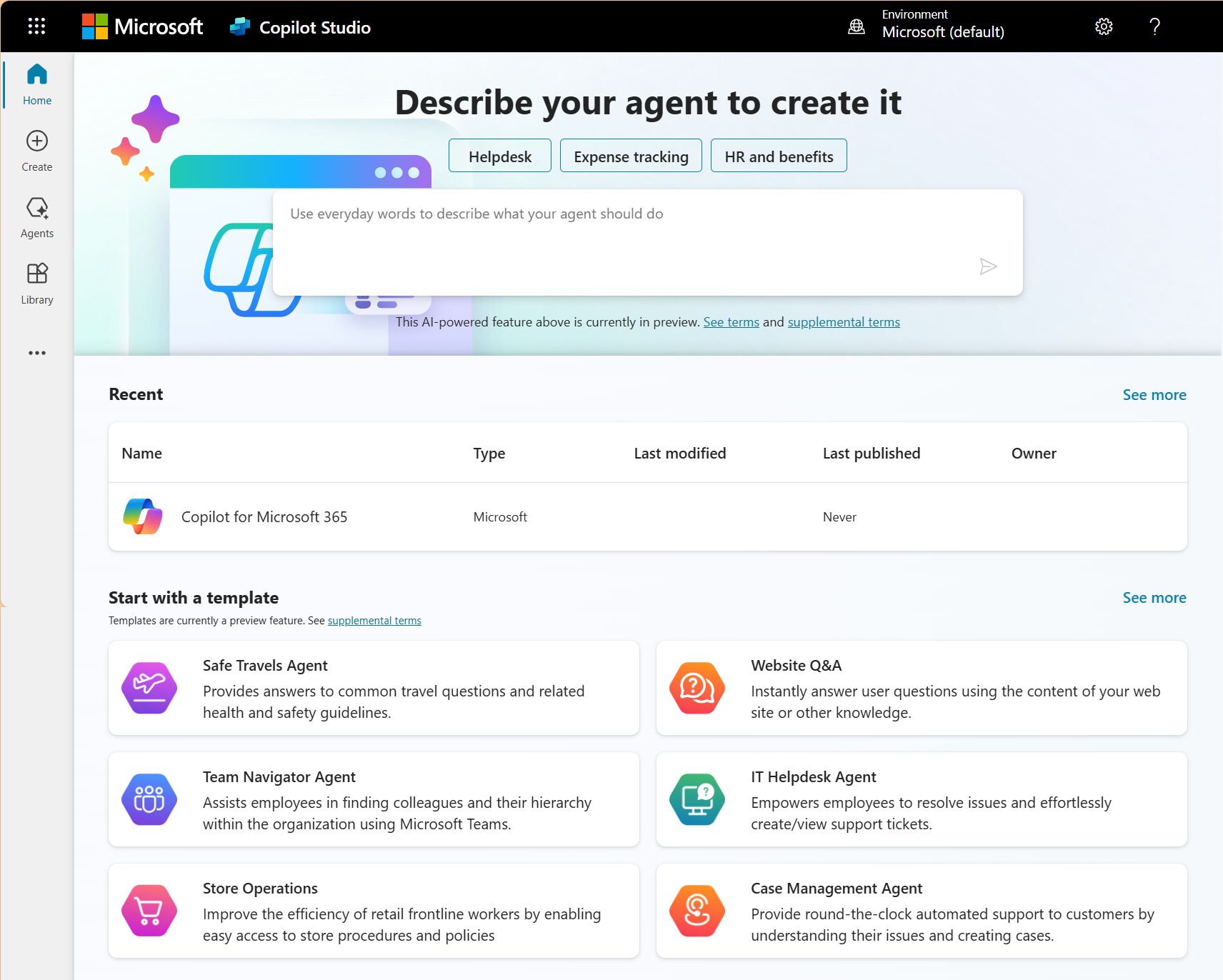
A Canadian B2B company running 100 to 200 employees generates enough routine IT requests each week to keep one person occupied full time on routing alone. The IT support agent handles those requests autonomously and routes the complex ones with context attached.
An employee submitting a request through Teams gets an immediate response. If the issue is a password reset or a standard software access request, the agent resolves it on the spot. When the request requires a human, the agent packages the full conversation history, the employee's device information, the category of the issue, and any troubleshooting steps already attempted into the escalation so the IT team picks up the problem fully informed and can start working on it the moment they open the ticket.
Internal procedures agent
Every company has processes documented in a file nobody can find. The steps for submitting an expense approval, ordering equipment, requesting leave, or starting a procurement request are written down somewhere, usually in a PDF buried four folders deep in SharePoint. Employees either spend twenty minutes hunting or ask the person next to them, who may or may not remember the current version.
The internal procedures agent surfaces the correct steps for any administrative request the employee asks about. It pulls from the company's documentation and walks the employee through the process step by step inside Teams. For a Canadian B2B operation where procurement approval chains differ by spend threshold and leave policies vary by province, the agent applies the rules that match the employee's situation. Copilot consultants configure the agent against the company's documentation during deployment so the procedures it surfaces are current.
Safety and compliance agent
A compliance team answering the same PIPEDA question for the fourth time this month is a compliance team doing the wrong work. The safety and compliance agent handles the repeatable questions about cybersecurity best practices, data handling policies, acceptable use rules, and the organization's security procedures.
For Canadian businesses operating under PIPEDA and provincial privacy legislation, the agent gives every employee access to current compliance guidance on demand. The compliance team's hours go toward the regulatory work that requires their human judgment, while the agent covers the same ten questions asked forty times a month because the answer already exists in a document.
5 AI Agents Ready to Deploy
Gestisoft's pre-built Microsoft Copilot agents for HR, onboarding, IT support, procedures, and compliance that can be operational within weeks.
 Book a free consultation
When Canadian businesses need custom Microsoft Copilot agents beyond the pre-built options
The pre-built Microsoft Copilot agents and the five Gestisoft agents cover workflows that repeat across most Canadian B2B operations. Custom agents become the right move when a company's process is too specific to its industry or regulatory environment for any packaged agent to handle.
The simplest test is whether the workflow has rules that would mean nothing to a company in a different sector. A professional regulatory body enforcing credential renewals under provincial legislation operates on procedural logic no packaged agent was designed to carry. The decision tree governing lapse triggers, notification timing, CE verification, and escalation routing is specific enough that only a custom build can follow it.
How to tell whether a workflow needs a custom Microsoft Copilot agent
Two conditions need to be true at the same time.
- The workflow follows documented rules your team can articulate. If someone on staff can walk through the decision tree step by step, that logic can be built into an agent. Ask the person who owns the process to explain it out loud. If they can walk through the triggers, routing logic, escalation points, and notification sequence without pausing, the workflow is buildable. If the answer depends on one person's experience and none of it is written down, the documentation work comes before building the agent.
- The volume is high enough to justify the configuration investment. Custom Microsoft Copilot agents built through Copilot Studio typically run $10,000 to $50,000 depending on how many systems the agent connects to and how layered the workflow logic is. A regulatory body processing credential renewals for 5,000 members recovers that investment in staff hours within months but a workflow that fires twice a month will not.
What the custom build looks like inside Copilot Studio
Copilot Studio is a visual builder that connects to Dynamics 365 entities, SharePoint content libraries, Power Automate workflows, and external systems through the Power Platform's connector library. Most typical business scenarios need no custom code.
A Canadian manufacturer running 40 to 50 quality inspections a week is a good example of what a custom build solves. Right now, someone on the quality team reads every inspection result and manually decides which engineering group needs to see it. They’re spending hours each week on a decision that follows the same documented logic every time.
A custom Microsoft Copilot agent handles that routing on its own. It reads completed inspections from Dynamics 365 and checks each result against the tolerance criteria already configured for that product line. When a result falls outside range, the agent assigns a follow-up task to the responsible engineering team with the full inspection record attached so the engineers open the task already informed. An AI agents development company handles the build, and an artificial intelligence automation agency working inside the Microsoft ecosystem scopes the data connections during discovery so the cost and timeline are clear before the project starts.
Configuration typically runs two to six weeks per agent. An agent connecting to a single SharePoint library and following a straight decision path deploys at the short end of that window. The timeline stretches once the build involves multiple Dynamics 365 entities, bilingual output testing, layered decision logic, and guardrails built around dozens of edge cases.
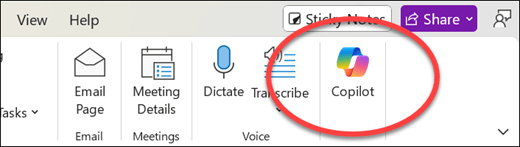
Ready to build one? In our Copilot agent training, your team configures a first agent connected to your own data and deploys it in Teams.
What Canadian businesses should configure before deploying Microsoft Copilot agents
Microsoft Copilot agents are only as reliable as the content they read from. The configuration work that happens before deployment is what separates an agent that gives accurate answers from one that confidently delivers the wrong information.
A Copilot readiness assessment covers the full environment, but four areas cause the most problems when they're skipped.
1. SharePoint content readiness
The 7 challenges with Microsoft Copilot that Canadian businesses encounter most often trace back to content quality, and the SharePoint library is where that quality battle is won.
Before deploying any Microsoft Copilot agent that reads from SharePoint, the content needs a cleanup pass. Superseded documents should be archived or deleted so the agent's search scope only contains what's current. Each remaining document needs a topic tag and a clear version label, and the library structure itself should group policies by department so nothing sits orphaned in a general folder.
2. Permissions readiness
Microsoft Copilot agents respect the existing permissions structure in the Microsoft 365 environment. That sounds like a safeguard until you consider what most permission structures look like after a few years of organic growth. An agent answering a question on behalf of a junior employee can only surface content that employee already has access to. The problem is that plenty of employees have access to content nobody intended them to see.
Run a permissions audit before any Microsoft Copilot agent goes live. Microsoft 365 consulting services teams handle this as a standard pre-deployment step to tighten access around role-appropriate boundaries so the agent operates inside the guardrails the business wants.
3. Bilingual configuration
For Canadian businesses operating in both official languages, every Microsoft Copilot agent needs to respond in whichever language the employee uses. Custom agents built through Copilot Studio need bilingual testing during the build process because French-language accuracy varies by the complexity of the content the agent is reading.
An HR FAQ agent responding to a Quebec employee about parental leave policy needs to deliver that answer in French from a French-language source document. If the only version of the policy in SharePoint is in English, the agent translates on the fly, and the quality of that translation on a document carrying legal employment obligations is not something a Canadian employer should leave untested. Upload French-language source documents wherever they exist and test the agent's French output against real employee questions before going live.
4. PIPEDA and Canadian data residency
Microsoft Copilot agents that process employee personal information carry the same privacy obligations as a human staff member accessing the same records.
Canadian data residency through Azure datacentres in Toronto and Quebec City keeps the records inside the country. Verify that the Microsoft 365 Copilot licence configuration routes data through those Canadian datacentres before activating any agent that touches employee records. For companies operating under provincial privacy legislation in Quebec, the consent framework governing how the agent accesses and uses employee data should be confirmed with your privacy officer during the readiness assessment.
Deploy Agents on Clean Data
Gestisoft runs the readiness assessment and configures Microsoft Copilot agents for Canadian businesses so the agents produce accurate outputs from day one.
 Book a free consultation
How Gestisoft deploys Microsoft Copilot agents for Canadian B2B companies
Gestisoft starts every Microsoft Copilot agent deployment by identifying which workflows are worth automating. The assessment maps how staff hours are spent across the operation and flags the repetitive, policy-based tasks where an agent would absorb enough volume to justify the configuration. That mapping also determines whether a pre-built agent already covers the workflow or if the business needs a custom build through Copilot Studio. Most Canadian B2B companies discover that two or three of the pre-built agents address their highest-volume workflows, with one or two custom builds needed for industry-specific processes that no packaged agent was designed to handle.
Pre-built agent deployments move fast. The configuration connects each agent to the company's SharePoint content and Dynamics 365 data and maps the decision logic to the company's documented policies. The bilingual output gets validated against real employee questions before the agent goes live. For companies already running a Canadian CRM environment on Dynamics 365, the agent deployment builds on data structures the implementation already put in place.
Gestisoft assigns a Customer Success Manager who reviews agent performance data at 30 and 90 days to track the agent’s performance so operational tweaks can be made to optimize the output. That ongoing tuning is what keeps the agents performing as the company's policies change and new workflows emerge. The performance data lands on the same CRM dashboard the operations team already checks every morning, so agent metrics show up next to the rest of the business numbers.
-
Microsoft Copilot agents are autonomous AI tools built to handle specific business workflows inside the Microsoft 365 ecosystem. They answer questions, automate multi-step processes, surface insights, and take actions based on data and predefined rules. Pre-built agents come included with the M365 Copilot licence and custom agents are built through Copilot Studio.
Liked what you just read? Sharing is caring.

July 07, 2026 by Shelley Sunjka by Shelley Sunjka Copywriter & Marketing Strategist
Armed with a psychology degree and an irrational obsession with okapis, I've spent the last decade helping bold brands tell better stories. I believe the best writing bends grammar rules on purpose and makes people feel something. When I'm not deep in words or nerding out on buyer behaviour, I'm probably convincing my kids that impromptu kitchen dance parties are totally normal.

