
If your team looked at Copilot for Sales sometime in 2024 and decided it was a decent email-and-meeting-notes assistant that didn't justify much attention, you reached the right verdict. At that point the tool drafted a tidy follow-up and summarised a Teams call. But it stopped not far past there. Most Canadian B2B teams running Dynamics 365 tried it and decided it was underwhelming.
But now in 2026 that verdict has expired.
Microsoft's 2025 and 2026 release waves rebuilt what Copilot for Sales does, turning it from an assistant you prompt into an agent that works your pipeline alongside you, updates CRM records off your emails and meetings, and pulls deal intelligence from systems beyond Microsoft's own. The version your team set aside and the version available now are different enough that the old conclusion is no longer safe to act on.
Switching the licence on gives you the surface capabilities, which is exactly why plenty of teams who reactivated still think nothing has changed. The agentic capability, the automated updates, and the forecasting that holds up in a board meeting depend on Copilot for Sales being configured properly against your pipeline and deal cycle. A Microsoft Copilot consultant is who turns the switched-on version into the working one, and the difference between the two is where you’ll start to see a measurable Copilot ROI on the sales floor.
Copilot for Sales in 2026 is a fundamentally different tool than the one your team evaluated a year ago
Gestisoft helps Canadian B2B sales teams configure Copilot for Sales against their workflows so the capabilities translate seamlessly into daily operations.
 Book a free consultation
The Sales Agent in Copilot for Sales replaces the assistant model with agentic AI
The old version needed human instructions. A rep had to remember to ask it for a summary or a draft, and it answered well, but the asking was on the rep. The Sales Agent flips that arrangement. It watches the pipeline on its own, notices which opportunities have stalled or hit a stage that needs action, brings forward the context attached to them, and proposes the next move based on where the deal stands and how the prospect has been engaging. Nobody has to prompt it for any of that.
How Copilot for Sales works across Outlook, Teams, and Dynamics 365
The agent runs in three places at once, so the intelligence shows up wherever the rep already is.
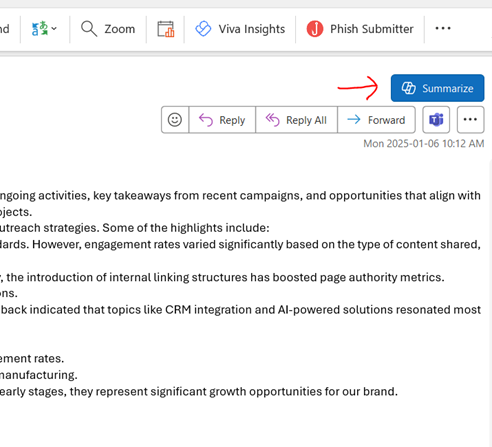
- Open a prospect's email in Outlook and the agent has already surfaced the opportunity summary and a suggested next step, with nothing for the rep to go searching for
- Finish a Teams call and the agent writes the meeting summary onto the deal record itself, then builds follow-up tasks out of what was actually discussed on the call
- Work a live thread and the relevant CRM detail sits in the CRM in Outlook pane beside the message, rather than two tabs away in Dynamics 365
The best part is that only a single person on a given email chain or Teams call needs a Dynamics 365 licence for the CRM insights to surface for everyone in that exchange. For a Canadian B2B team where the deal cycle pulls in people who never touch the CRM directly, that one-licence rule means the intelligence reaches the whole group without licensing every head.
The practical result is a tool that stops depending on the rep's memory. The assistant only helped when someone remembered to call on it, and plenty of value walked out the door on the days nobody did. The Sales Agent runs underneath the working day and puts the right detail in front of the rep at the point where it moves the deal.
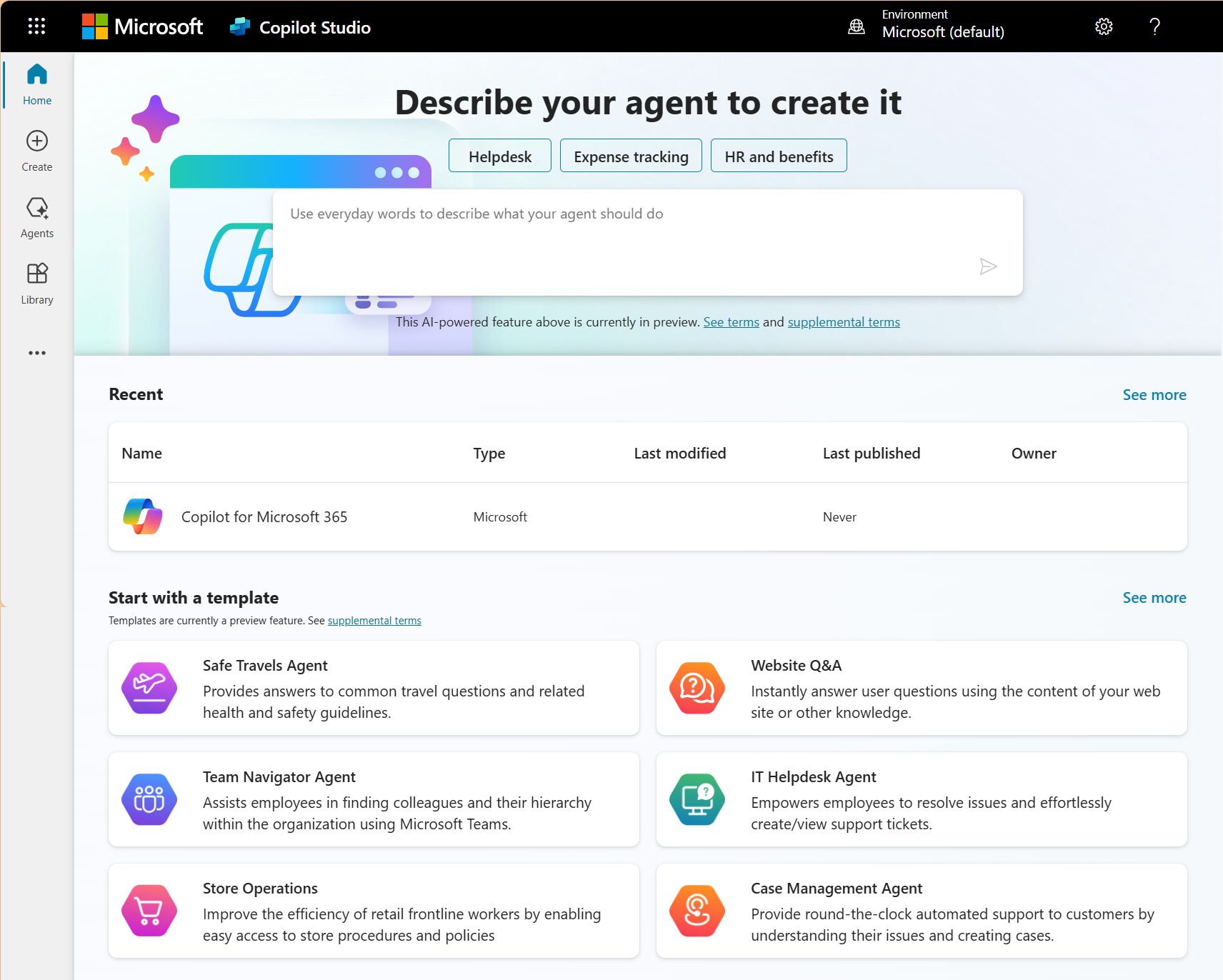
The autonomy comes from Copilot Studio, which Microsoft also uses to build its other Copilot agents.
How Copilot for Sales now updates your CRM without your reps touching a record
Ask any B2B sales manager what's wrong with their CRM and the answer is usually that the reps don't update it. Someone runs four client meetings on Tuesday, logs none of them, and by Wednesday the pipeline shows deals sitting where they were last week. The forecast a manager pulls on Monday is built on numbers that drifted out of date days ago and it’s why the forecast doesn’t hold.
Copilot for Sales now goes at this from the system side instead of nagging the rep to do better.
What Copilot for Sales updates from an email or meeting
Each suggestion comes from a specific message or call, so the rep can check it against the source before accepting.
- Deal stage movement, when the conversation shows the opportunity has progressed
- Next steps, created from whatever was agreed on the call or in the thread
- Key details pulled from the talk, like the budget figure a prospect mentioned or the timeline they floated
For a Canadian B2B sales manager, this turns pipeline accuracy from something you police into something the system produces. The records stay current because automated sales processes keep them that way, not because a rep found the discipline to log everything. Accurate pipeline data is the foundation any sales opportunity management software needs to be worth running, and Copilot for Sales finally makes that accuracy the default.
How Copilot for Sales pulls intelligence from partner systems into the deal record
For most of its life, Copilot for Sales stayed inside Microsoft's own walls. It read Dynamics 365 records, Outlook mail, Teams meetings, and SharePoint files, and that was the edge of what it could reach. The 2025 release waves opened a door in that wall, letting partner systems feed in through Power Platform connectors.
What that looks like at the desk is straightforward. A rep studying a deal in Outlook can now see the contract's DocuSign status, the latest movement from a connected partner app, and the documents attached to it, all sitting next to the Dynamics 365 opportunity summary in the same Copilot pane. The signature status that used to mean switching to another tab arrives where the rep is already looking.
There are two caveats to understand here. Some of these partner integrations are still in preview, and the setup isn't a toggle, since it needs an admin to wire up the Power Platform connectors first. Past those caveats the trajectory is plain. Copilot for Sales is turning into the place where deal intelligence from every system in the sales cycle comes together, instead of only the Microsoft pieces of it, which puts it among the top 5 Microsoft Copilot features reshaping how teams work day to day.
For a Canadian B2B company whose deals run through e-signature platforms and proposal software, this reach beyond Microsoft is where Copilot for Sales starts earning its place in the rep's daily flow. Connecting those outside systems cleanly is the kind of job a CRM technical consultant handles before the intelligence can show up reliably.
What Copilot for Sales delivers for pipeline visibility and forecasting that it couldn't a year ago
The reporting side took the biggest leap in the 2025 release waves, and the upgrade reaches a different need at every level of the sales org.
What reps see in their pipeline
Opportunity scoring used to be a static guess. Now the model learns from the deals your team has closed and flags which open opportunities match the pattern of past wins. A rep opening the pipeline sees which deals deserve attention today and the reason behind the ranking, drawn from email responsiveness and recent CRM activity instead of a hunch about which account feels warm.
The summary Copilot for Sales writes after an email exchange now carries the deal context from Dynamics 365 alongside the message itself, so the rep reads the account history and the open opportunity in the same place, with none of the manual lookup the old summaries forced. Pulled into a Power BI sales dashboard, that same enriched data gives leadership a live read on where the quarter is heading.
What managers see across the team
Conversation intelligence reads the Teams calls across the whole team and pulls out what a manager would otherwise only catch in scattered one-on-ones. Coaching moments surface and recurring objections show themselves as a pattern rather than a one-off. A manager watches the trend lines move across every rep at once, without waiting for a check-in to learn a deal went sideways.
What leadership takes to the board
The forecasting weighs how fast deals are moving through the pipeline and historical close rates into a projection a VP can put in front of the board without the usual caveat about the numbers being soft. Because it runs through Power BI, that forecast is built in the same reporting environment as the rest of the company's data, so it reads next to a sales dashboard the business already trusts.
Copilot for Sales capabilities have advanced faster than most Canadian B2B teams can keep up with
Gestisoft can show you what the 2026 version of Copilot for Sales does inside your Dynamics 365 environment in a 30-minute walkthrough.
 Book a free consultation
What Copilot for Sales means specifically for Canadian B2B sales teams
Three considerations separate how Copilot for Sales lands for a Canadian B2B team.
Copilot for Sales bilingual output for Quebec-facing teams
- Email drafts and meeting summaries generate in English and French, so a rep working a Quebec account doesn't break stride to translate or switch tools.
- Quality varies by task, with a clean email draft in French not guaranteeing an equally clean call summary, so test the French output across the tasks your team leans on before you commit. A team weighing a Canadian CRM decision should treat the outcome of that test as part of the evaluation.
Copilot for Sales and Canadian data residency
- Processing runs on the same Azure infrastructure that hosts your Dynamics 365 tenant, so a Canadian tenant on Azure Canada keeps its CRM data inside Toronto and Quebec City datacentres while Copilot works on it.
- That residency answers the PIPEDA question every Canadian business has to ask the moment an AI tool starts handling customer data.
Copilot for Sales and longer Canadian deal cycles
- The early version was tuned for quick transactional selling, which fit the tool poorly for the drawn-out, multi-stakeholder deals common in Canadian B2B.
- The agentic capabilities added in 2025 handle those longer cycles far better, because the Sales Agent follows engagement across several contacts at one account over the months a deal takes to close.
How to measure whether Copilot for Sales is delivering for your team after 90 days
Five numbers tell you whether Copilot is delivering, and the catch is that you have to capture them before you switch anything on, because a comparison needs a starting line.
The five metrics that show whether Copilot for Sales is working
- Pipeline data freshness. Track how often deal records got updated in the 90 days before, then the 90 days after. Records updating more often while reps spend no extra time in the system means the automated updates are doing their job
- Follow-up response time. Measure the average time between a client interaction and the rep's reply. The draft responses and suggested next actions that land right after a call or email should pull that number down
- Forecast accuracy. Hold your quarterly CRM forecast against the revenue that came in. A narrowing gap after activation says the opportunity scoring and pipeline intelligence are producing projections you can stand behind
- Rep admin time. Survey the team on weekly hours lost to data entry, note-taking, and email drafting, then survey again at 90 days. The number should drop in a way people can feel
- Adoption rate.Watch how many licensed reps engage with it daily. High activation with low daily use points at a configuration that needs adjusting, which is the work a Microsoft Consultant does to connect the capabilities to how your team sells
A sales leader who flips Copilot for Sales on without those starting numbers will stand in front of the board unable to prove a return, even when the tool is delivering one underneath.
Tracking the right metrics is the same discipline that separates best sales management software from a CRM nobody measures, and the Copilot consultants worth hiring will set this baseline up with you before go-live.
Copilot for Sales delivers the most value when it's configured against your sales process rather than activated with defaults
Gestisoft configures Copilot for Sales for Canadian B2B teams so the AI works with your pipeline structure and deal cycle.
 Book a free consultation
How Gestisoft configures Copilot for Sales to deliver for Canadian B2B sales teams
Everything Copilot for Sales can do in 2026 hangs on one thing the licence purchase doesn't cover. The agentic pipeline work and the automated record updates and forecasting capabilities only come alive once Copilot is connected to your own Dynamics 365 data and the way your deals move.
Gestisoft's configuration handles exactly that. The setup maps which Dynamics 365 entities Copilot for Sales is allowed to read, decides what opportunity detail surfaces while a rep is writing an email, sets how meeting summaries attach to the right deal record, and assigns which Copilot Studio agents run which workflows for your team. Each of those is a deliberate choice made against how your sales operation runs, and Gestisoft takes the time to get these right so you can automate repetitive tasks with Copilot in Dynamics 365.
For a Canadian B2B team the configuration carries extra steps. Gestisoft tests the bilingual output across the tasks your reps lean on and confirms the data processing runs through Azure Canada. Because the Dynamics 365 foundation is already under you, this work runs in weeks, since Copilot for Sales extends what your CRM already does rather than building anything new from the ground up.
The work doesn't end at go-live. Gestisoft's Customer Success Manager stays with the team after launch to make sure the configuration gets refined against how reps use the tool in live selling. That period is when a good configuration becomes the right one, backed by the team behind the Microsoft Copilot work Canadian businesses depend on.
-
Copilot for Sales is Microsoft's AI-powered sales agent that operates across Outlook, Teams, and Dynamics 365. It surfaces CRM data and deal intelligence inside the tools sales reps already use daily, automates record updates based on email and meeting activity, and generates pipeline insights that help reps prioritize their work. It works with both Dynamics 365 Sales and Salesforce.
Liked what you just read? Sharing is caring.

June 17, 2026 by Shelley Sunjka by Shelley Sunjka Copywriter & Marketing Strategist
Armed with a psychology degree and an irrational obsession with okapis, I've spent the last decade helping bold brands tell better stories. I believe the best writing bends grammar rules on purpose and makes people feel something. When I'm not deep in words or nerding out on buyer behaviour, I'm probably convincing my kids that impromptu kitchen dance parties are totally normal.

