Love AI or hate it, there’s no denying that it’s here to stay. Learning to use it effectively is quickly becoming a real business advantage.
Across many organisations, employees are already experimenting with AI tools to draft emails, summarise documents, analyse spreadsheets, or just speed up everyday work.
That’s one of the many reasons organisations in Canada are starting to look for a Microsoft Copilot consultant to help them introduce AI into their daily operations in a structured way.
Never has the phrase “what you put in is what you get out” been more relevant than it is with artificial intelligence. Put garbage in, get garbage out.
AI tools only deliver useful results when the systems behind them are organised properly and when people understand how to work with them. Without that foundation, even powerful tools can produce unreliable output or information employees simply don’t trust.
But Copilot is only as useful as the environment it operates in. If company data is scattered or employees do not understand how to use AI in their work, the results are often disappointing.
This is where the value of a Microsoft Copilot consultant starts to carry real weight.
Who is a Microsoft Copilot consultant?
A Microsoft Copilot consultant helps organisations introduce Copilot in a structured way. Rather than simply activating the tool, the consultant reviews the Microsoft environment, identifies practical business use cases for your organisation, strengthens governance, and helps employees learn how to work with the AI effectively to get the best results.
When that groundwork is done properly, Copilot can become a powerful productivity partner across departments. When it’s rushed or poorly planned, the technology rarely delivers on its promise.
For many organisations exploring AI today, working with a Microsoft Copilot consultant is what turns curiosity about AI into real business results.
What does a Microsoft Copilot consultant do?
A Microsoft Copilot consultant does far more than activate licences or run a quick training session.
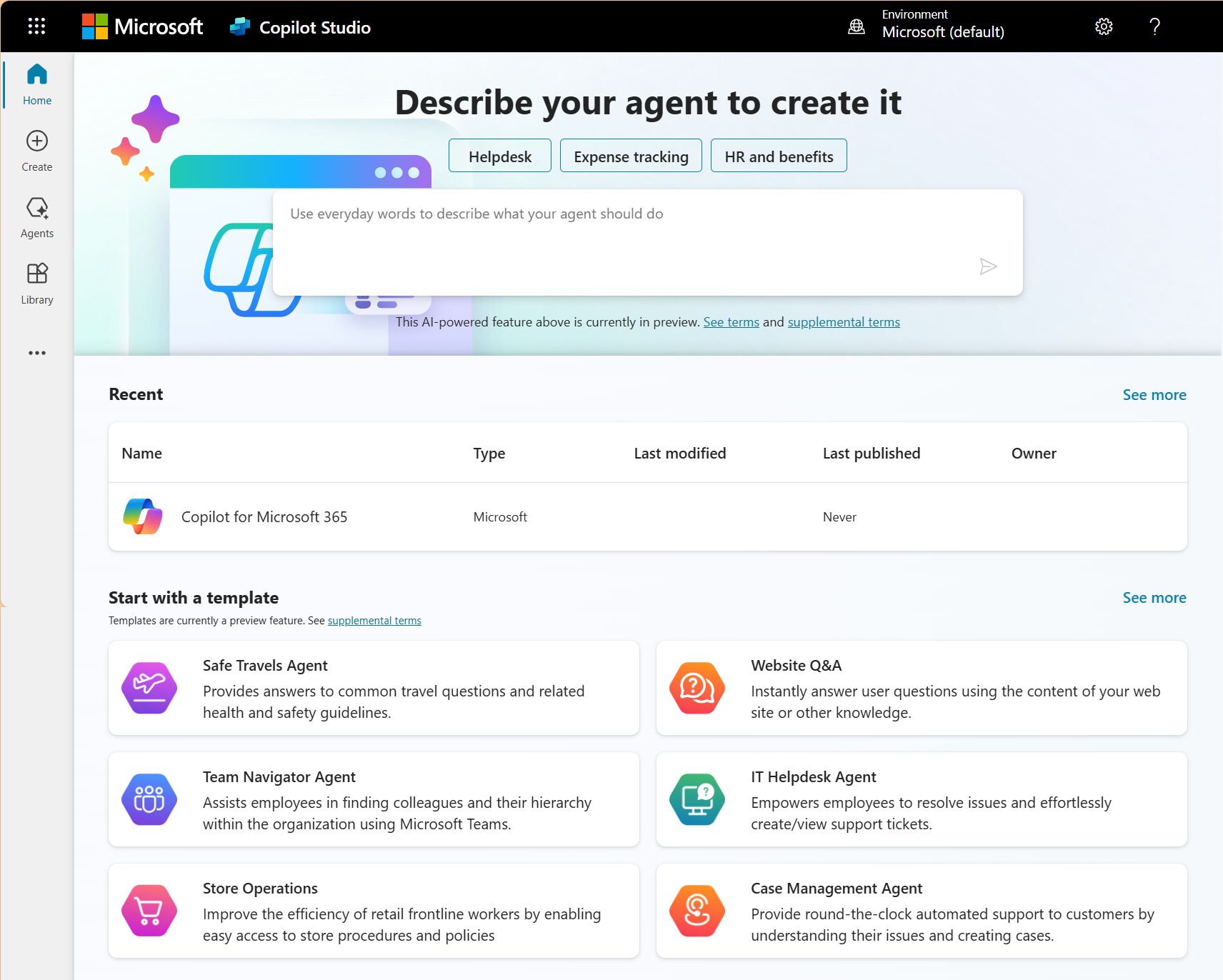
Their job is to help a business introduce Copilot in a way that supports and improves day-to-day operations. That starts with understanding how the organisation already uses tools like Microsoft 365, Microsoft Teams, SharePoint, and Microsoft Dynamics 365.
One of the first steps is reviewing the Microsoft environment. The consultant looks at where information is stored, who can access what across the organisation and how teams currently work with documents, data, and communication.
This review often highlights issues that will affect how well Copilot will perform. A Microsoft Copilot consultant works with the team to identify practical situations where Copilot can save time or remove repetitive work.
Permissions and governance are another important part of the work. Because Copilot can surface information from across the organisation, access settings need to be reviewed carefully before the tool is widely introduced to minimise any security risks.
A consultant also helps employees learn how to work effectively with AI by showing them how to ask clearer questions, review AI-generated output, and fit Copilot into their existing workflows.
Why businesses need a Microsoft Copilot consultant before rollout
Many organisations are understandably curious about what Microsoft Copilot could do for their teams. But introducing AI into a workplace is not as simple as installing it. Copilot can absolutely improve productivity, but like most tools, the outcome depends heavily on how well the environment around it is organised. This is why many organisations choose to work with a Microsoft Copilot consultant before rolling out the tech and making it part of everyday workflows.
Licensing is not the same as implementation
Many organisations assume that once Copilot licences are purchased, the technology is ready to use. And yes it is, if you have a clear implementation plan. Remember AI is only as good as what you feed it.
A Microsoft Copilot consultant helps organisations approach implementation deliberately. The focus is on identifying where Copilot can support existing work and in helping teams begin to use it with purpose to improve their daily work.
Copilot depends on your Microsoft environment being ready
Copilot pulls information from tools such as SharePoint, Teams, and OneDrive and uses it to generate summaries and give suggestions and responses to employee prompts.
Many organisations have years of accumulated documents stored across multiple locations. Permissions may also have evolved over time as teams changed and projects moved between departments. All of this needs to be organised first before you roll out Copilot.
A Microsoft Copilot consultant reviews your current systems and helps to ensure the underlying Microsoft environment is structured in a way that supports useful AI output.
AI adoption fails when the use cases are vague
Another challenge many organisations face is uncertainty about how Copilot should be used. There is a lot of debate around security and ethics and to what degree we can even trust AI generated output. There may also be conflicting ideas about what the goals are. A Microsoft Copilot consultant works with teams to identify practical situations where Copilot can support existing tasks and be used most effectively to gain time. Clear use cases make it far easier for employees to see where the tool adds value and where it doesn't.
Security and governance concerns grow quickly
As organisations begin exploring Copilot more seriously, questions about security and governance tend to follow quickly. Because Copilot works across existing company data, it can surface information from documents, emails, chats, and shared files that employees already have access to. This is incredibly useful for productivity, but it also means organisations need to be confident that their permissions and data policies are properly set before AI tools are introduced.
A Microsoft Copilot consultant helps organisations review their governance approach before Copilot becomes widely used. This includes checking how information is shared, confirming that access permissions make sense, and helping leadership establish clear guidelines for how employees should use AI responsibly in their work.
Introduce Microsoft Copilot with confidence
A Gestisoft consultant can help you assess your current Microsoft environment and build a clear, practical path to adopting AI across your teams.
 Free discovery call
What does a Microsoft Copilot consultant help businesses implement?
Once an organisation decides to move forward with Microsoft Copilot, the next challenge is turning that decision into a practical implementation.
This is where many businesses realise that adopting AI is not a single technical step. It touches data, workflows, security policies, and employee behaviour.
A Microsoft Copilot consultant helps organisations move through that process in a structured way so the technology becomes useful in everyday work.
Copilot readiness assessment
The first step is understanding the organisation’s current environment and identifying what needs attention before Copilot becomes widely used.
This usually involves reviewing how information flows through the business, where data is stored, how it is accessed, and which teams rely on it most often. The goal is to understand whether Copilot will be able to surface useful information once it is introduced.
A Microsoft Copilot consultant also helps leadership prioritise where adoption should begin. Some departments benefit sooner than others, particularly those that work heavily with documents, reporting, or internal communication.
Microsoft Copilot rollout planning
Rather than enabling the tool for the entire organisation at once, most companies begin with a focused rollout. A small group of employees begins using Copilot in their daily work while feedback is gathered about what is useful and what needs adjustment.
This approach allows organisations to refine how Copilot is used before expanding access more widely. It also helps leadership understand what practical benefits are emerging from the technology.
Governance and security for AI
A Microsoft Copilot consultant helps organisations define clear governance guidelines so employees understand what Copilot should and should not be used for. This may include handling sensitive information and reviewing AI-generated content before sharing it externally. Establishing these expectations early helps employees use the technology confidently while reducing the risk of data exposure.
Training and adoption
Instead of focusing only on features, the training centres on everyday tasks employees already perform. This practical approach helps employees see where Copilot can save time or simplify work. As teams begin seeing the positive benefits of using the tool, adoption tends to grow quickly.
Ongoing optimisation
A Microsoft Copilot consultant continues reviewing how the technology is being used and where it is creating the most value. Some workflows evolve as teams discover better ways to use AI within their processes.
What Microsoft Copilot can do across your business
“I’ll go and manually dig through 34 spreadsheets and give you a summary of the data,” said no one ever.
For many teams, the value comes from removing the small pieces of repetitive work that end up consuming many hours each week. Drafting documents, summarising meetings, preparing reports, or digging through spreadsheets are all tasks where Copilot can provide meaningful assistance.
Microsoft Copilot in Word, Excel, Outlook and Teams
Inside familiar Microsoft 365 tools, Copilot acts as a working assistant that helps employees move through everyday tasks more quickly.
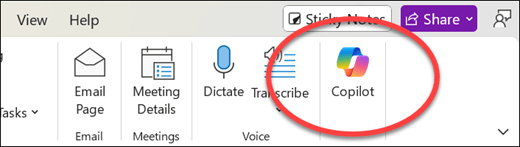
In Word, Copilot can help draft documents, so instead of staring at the blinking cursor mocking you on a blank page, employees can begin with a structured draft and refine it from there.
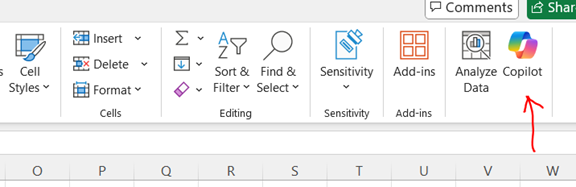
In Excel, Copilot can analyse spreadsheets, highlight trends, and help employees understand what the data is actually showing in seconds, with the right prompt, instead of Bob from sales spending two days wrestling with the spreadsheet.
In Outlook, Copilot can draft email responses, summarise long email threads, and suggest replies based on the context of the conversation. The elusive “inbox zero” suddenly becomes a much more realistic goal when Copilot is working alongside you.
In Teams, Copilot can summarise meetings, identify key decisions, and capture action items. That means employees can actually participate in the conversation instead of frantically scribbling notes and hoping they caught the important parts, then trying to decipher the spider scrawl afterwards.
These small efficiencies add up quickly.
Microsoft Copilot in Dynamics 365
Copilot becomes even more powerful when it is connected to business systems such as Dynamics 365. This is where many organisations begin to see the difference between basic Copilot use and deeper AI integration within their core business systems.
Within a CRM environment, it can help sales teams quickly understand the history of a customer relationship, summarise previous conversations, highlight recent activity, and surface relevant information before a meeting or call.
When reviewing opportunities, Copilot can analyse account details and pipeline data to help sales professionals prepare more informed follow-ups. And since the devil is in the details, this kind of insight can help sales teams close more deals.
Customer service teams can also benefit from Copilot inside Microsoft Dynamics 365. Instead of searching through multiple past emails and dithering over the case specifics, employees can quickly understand the situation and focus on solving the customer’s problem.
Microsoft Copilot with Power Platform and Copilot Studio
For organisations that want to go even further, Copilot can also connect with the wider Power Platform ecosystem. This allows AI to interact directly with business processes rather than simply assisting with documents and communication.
Using Copilot Studio, organisations can also build custom copilots that answer internal questions, guide employees through procedures, or help staff access company knowledge.
These assistants can connect to internal databases or CRMs so employees can retrieve information without needing to navigate complex systems.
Over time, businesses can also introduce AI agents that support specific workflows, such as handling routine requests or assisting with customer interactions. This is where Copilot begins to move beyond simple productivity assistance and becomes part of the organisation’s broader digital operations.
The benefits of working with a Microsoft Copilot consultant
By this point, the benefits of Microsoft Copilot are probably starting to look pretty appealing. But like most business tools, the results depend heavily on how well it’s introduced and how clearly it fits into everyday work.
This is where Microsoft Copilot consultants can make a real difference.
- Organisations reach meaningful results faster because implementation focuses on the areas where AI can have the greatest impact first.
- AI initiatives stay aligned with real business priorities instead of becoming another disconnected technology experiment.
- Potential risks are reduced because data access and internal workflows are reviewed before AI becomes widely used.
- Employees are far more likely to adopt the technology when they understand how it fits into their daily work.
- Teams discover practical use cases across departments instead of leaving Copilot as an occasional productivity tool.
- Businesses see stronger returns from their Microsoft investment when Copilot is properly integrated into existing systems and workflows.
Make Microsoft Copilot work for your business
A Gestisoft consultant can help your organisation introduce Microsoft Copilot in a structured way so it supports real work across your teams.
 Free discovery call
Microsoft Copilot consultant vs internal IT teams
Many organisations initially assume that introducing Microsoft Copilot will simply fall under the responsibility of their internal IT team. In reality, successful adoption often involves a combination of technical management and business process guidance.
Internal IT teams play an essential role in maintaining the organisation’s Microsoft environment. A Microsoft Copilot consultant typically focuses on a different part of the process.
What internal IT usually handles well
Internal IT teams are responsible for the day-to-day health of the Microsoft environment. They manage the organisation’s Microsoft environment, oversee licensing, and provide technical support to employees.
They also ensure systems remain secure and properly maintained as the organisation grows. When new tools are introduced, IT teams often help configure the environment and make sure everything continues running smoothly. This operational knowledge is critical when introducing new technology such as Copilot.
Where a Microsoft Copilot Consultant adds value
A Microsoft Copilot consultant usually focuses on how the technology fits into the business itself. This involves identifying where Copilot can support everyday work, helping leadership prioritise the right starting points for adoption, and designing a rollout that employees can realistically follow.
Consultants also help organisations think through governance, responsible AI use, and how Copilot should interact with existing business processes. Because they work across multiple implementations, they can also bring practical examples of what has worked well in other organisations.
Why many businesses need both
In many organisations, the most successful Copilot projects happen when internal IT teams and external consultants work together.
The internal team understands the organisation’s systems, security requirements, and technical environment. A Microsoft Copilot consultant brings experience in adoption strategy, workflow integration, and real-world use cases.
Together, they help ensure that Copilot is not only technically available but also genuinely useful to the people who will use it every day.
How much does a Microsoft Copilot consultant cost?
It’s not what you want to hear, but it depends. The cost of working with a Microsoft Copilot consultant varies quite a bit between organisations.
Several factors influence the overall cost:
- The number of employees who will use Copilot
- The complexity of the existing Microsoft environment
- Whether Copilot will be used only within Microsoft 365 or also connected to systems such as Dynamics 365 or the Power Platform
- The level of governance and security preparation required
- The amount of training and adoption support needed across teams
It’s also worth considering the cost of introducing Copilot without proper planning. Many organisations purchase licences expecting immediate productivity gains. Instead, they discover that employees are unsure how to use the tool or the results simply aren’t very helpful.
At that point the business is paying for AI licences that nobody is really using, which is not exactly the productivity revolution everyone had in mind.
Working with a Microsoft Copilot consultant helps organisations avoid that situation.
How do organisations measure Copilot ROI?
Organisations typically measure Copilot ROI through outcomes such as:
- Time saved on repetitive administrative work such as drafting documents or preparing internal reports
- Faster analysis of data and more informed decision-making in tools like Excel or Dynamics 365
- Improved sales productivity through quicker account research and clearer opportunity summaries
- Better collaboration across teams thanks to meeting summaries and clearer documentation
- Reduced manual effort in workflows that previously required several steps or multiple tools
Over time, these improvements add up to meaningful gains in productivity and efficiency. A Microsoft Copilot consultant helps organisations define these success metrics early in the project so the impact of Copilot can be measured through real business outcomes rather than simple usage statistics.
Adopt Microsoft Copilot with a clear strategy
If your business is exploring Microsoft Copilot, Gestisoft can help you move from early experimentation to practical adoption with a structured consulting approach.
 Free discovery call
How to choose the right Microsoft Copilot consultant
Not all Copilot consulting services are the same. Some focus purely on technical setup, while others help organisations integrate AI into real business workflows. When evaluating a Microsoft Copilot consultant, it helps to look beyond basic implementation and focus on things like:
- Experience across the wider Microsoft ecosystem rather than only Microsoft 365
- A strong understanding of governance, security, and responsible AI use
- The ability to connect Copilot to real business processes
- Experience working with systems such as Dynamics 365 and the Power Platform
- A clear approach to employee training and adoption
Why Gestisoft is a strong Microsoft Copilot consultant for businesses in Canada
There are many companies offering AI consulting services today, but not all of them approach Microsoft Copilot from a business operations perspective. Gestisoft’s strength as a Microsoft Copilot consultant comes from years of experience helping organisations improve the Microsoft ecosystem across their core systems.
As a Microsoft partner with deep expertise in tools such as Dynamics 365, CRM, ERP, and the Power Platform, our team understands how business data, processes, and collaboration tools actually connect inside an organisation. This matters because Copilot delivers the most value when it is integrated into real workflows rather than used as a standalone productivity tool.
Gestisoft works with organisations across Canada to review their existing Microsoft environment, identify practical Copilot use cases, and introduce the technology in a structured way that employees can adopt confidently. That support extends beyond the initial rollout, helping businesses refine how AI is used over time so the technology continues to deliver value as teams become more comfortable working with it.
If your organisation is exploring Microsoft Copilot and wants to introduce AI in a way that delivers real operational value, you can start a conversation with the Gestisoft team and explore the best approach for your organisation.
-
A Microsoft Copilot consultant helps organisations introduce Copilot in a structured way. This typically includes reviewing the Microsoft environment, identifying practical use cases, addressing governance and security considerations, and helping employees learn how to use AI effectively in their daily work.
Liked what you just read? Sharing is caring.

March 16, 2026 by Shelley Sunjka by Shelley Sunjka Copywriter & Marketing Strategist
Armed with a psychology degree and an irrational obsession with okapis, I've spent the last decade helping bold brands tell better stories. I believe the best writing bends grammar rules on purpose and makes people feel something. When I'm not deep in words or nerding out on buyer behaviour, I'm probably convincing my kids that impromptu kitchen dance parties are totally normal.

