

Deciding to bring Microsoft 365 Copilot into your business is the easy part. The dilemma starts right after, when you sit down to buy the Microsoft 365 Copilot licence and have to settle who gets one. That choice runs from the whole company down to a handful of key roles, and getting this right decides the return more than the software itself does.
Most businesses buy a licence for everyone, figuring it's simpler to roll it out once across the board, but three months later a big share of those seats are sitting untouched. The money's gone whether the person opens Copilot every morning or never once. Matching licences to the people who'll work them is what makes the spend pay off, and a Microsoft consultant who has watched this play out can usually tell early which roles in your company will get the most out of a Microsoft 365 Copilot licence.
The decision gets clearer once you sort out what each role does all day. The people who spend their day in Outlook, Excel, and Teams get real hours back from Copilot working right inside those apps, and they're the ones a paid licence is built for. Working that out before you commit a budget is most of what protects the Copilot ROI you're looking for.
For a Canadian business, none of this has to be settled in one move. You can put licences in the hands of a small group first and watch how they use Copilot over a couple of months before rolling it out to every department. That keeps the early spend small and gives you your own numbers to plan the rest against.
The Microsoft 365 Copilot licence delivers ROI when the right company roles receive it
Gestisoft helps Canadian businesses determine which users need the full licence and which ones work effectively with the free Copilot Chat tier.
 Book a free consultation
What a Microsoft 365 Copilot licence unlocks compared to the free Copilot Chat tier
Before you decide who pays for what, it helps to know what your money buys. Microsoft 365 comes with a free version of Copilot already, and the paid Microsoft 365 Copilot licence can be added on top of it. What you're paying for comes down to where the AI does its work. The free version runs off to the side in its own window. The paid licence puts Copilot right inside the apps your team uses all day.
What the free Copilot Chat tier gives you
The free tier, included with qualifying Microsoft 365 plans, is a capable assistant that runs in its own window. Your team types a question and gets an answer. It covers a fair amount of daily ground:
- Web-grounded chat for research and quick answers
- Secure conversations protected by your enterprise data settings
- Copilot in Outlook for email
- Metered access to agents your organisation has built
The thing to understand about the free tier is that it operates in parallel to your work. Someone using it leaves the document they're working in to ask Copilot a question, then brings the answer back. For plenty of roles it's enough.
What the paid Microsoft 365 Copilot licence adds
The paid licence keeps everything the free tier does, then drops Copilot directly into the apps where the work happens:
- Meeting summaries in Teams, with action items written back automatically after the call
- Email drafts in Outlook that already carry the context of the thread
- Document pulls from across your SharePoint content
- Analysis inside Excel, including formula building and pivot tables
- First-draft decks in PowerPoint built from a source document
- Pre-built agents like Researcher, Analyst, and Facilitator
- Usage analytics so administrators can see what's being used
The work happens where your team already is. Someone drafting a contract gets Copilot in Word suggesting and editing on the page in front of them, with no separate window to open. The same holds in Excel and Teams, where the analysis and the meeting summary arrive inside the app.
For a Canadian business, this is where the licence decision begins. The people who work in these apps all day get real value from the paid licence. Plenty of other roles do everything they need on the free assistant, so paying to upgrade them adds cost without return.
Which roles in a Canadian business justify the full Microsoft 365 Copilot licence
Four roles tend to return the cost of a full Microsoft 365 Copilot licence inside the first quarter. They show up again and again across Canadian deployments, because the work each one does maps almost exactly onto what Copilot does best. Start the paid rollout here.
Why sales teams on Dynamics 365 get the most from a Microsoft 365 Copilot licence
A rep running Dynamics 365 unlocks Copilot for Sales the moment the paid licence goes on, and it shows up right inside Outlook and Teams. It writes the pipeline summary, preps the rep for a meeting straight from the deal record, drafts the follow-up email with the opportunity context already in it, and updates the CRM after the call. For someone carrying 40 or more live deals, that adds up to two to four hours back each week. One extra deal closed in a quarter on the back of that time covers the licence several times over, which is part of what makes Copilot for Sales one of the clearest cases for going paid.
Why leadership and executives see the highest Microsoft 365 Copilot licence ROI
Executive time carries the steepest hourly cost in the business, and a large share of it goes to the work Copilot handles well. Copilot excels at summarising long threads, pulling a coherent picture out of scattered SharePoint documents, prepping for a board meeting from a stack of source files, and helping leadership stay on top of an inbox that never empties. The paid licence returns more per user here than anywhere else, simply because the hours it frees are the most expensive hours in the company.
Why account managers and client-facing roles benefit from the full Microsoft 365 Copilot licence
Client-facing staff spend their days drafting messages to clients and building proposals from past work sitting in SharePoint. Copilot takes the first pass at all of it so your team never starts from a blank page. With the paid licence, a rep pulling up a client's history works through CRM in Outlook without leaving their inbox, and the record is right there as they draft. For a Canadian account manager handling accounts across Ontario and Quebec, the bilingual support is a huge advantage, since a follow-up is automatically drafted in French, ready to refine.
Why finance and operations leads working in Excel need the paid tier of a Microsoft 365 Copilot licence
For the people who spend their day in spreadsheets, the paid licence puts Copilot to work on the sheet itself. It builds formulas, runs the analysis, sets up pivot tables, and surfaces the trends buried in the numbers. Nothing has to be re-described in a separate window. For a finance or operations lead, that turns a long afternoon of manual work into a simple review, and it pairs naturally with the kind of pipeline reporting good sales opportunity management software is built to deliver.
Which roles work effectively without the full Microsoft 365 Copilot licence
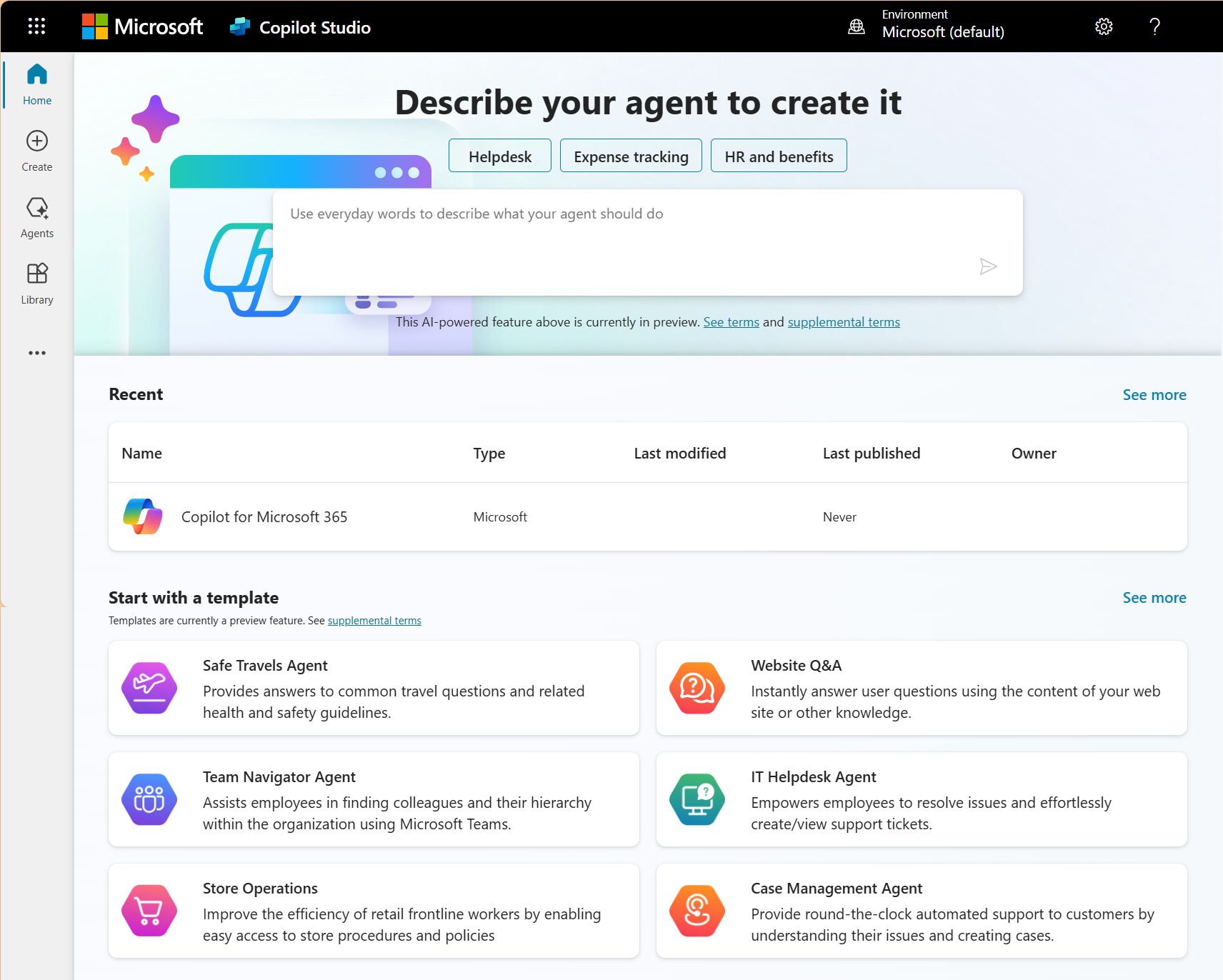
Just as some roles repay the paid MIcrosoft 365 Copilot licence quickly, plenty of others get everything they need from the free Copilot Chat that already comes with Microsoft 365. Putting a paid seat on these people adds unnecessary cost to the business.
Roles that work effectively on the free Copilot Chat tier
- Administrative and coordination staff. If the day is mostly scheduling and internal messages, the free Chat covers it. It helps with research and quick drafting, so the embedded Word and Excel tools add little when the role doesn’t require producing documents or analyzing data.
- Warehouse, field, and operational staff. The paid licence does its work inside the desktop apps. For someone whose day happens away from Outlook and Excel, the seat costs more than the use it gets.
- Teams without training in place yet. A paid licence handed to a team that hasn't had workflow-specific training doesn’t get used. People try Copilot once and get a weak result, so they go back to their old way of working, and the seat sits idle. A Microsoft 365 consulting services engagement gets the training and configuration in first, so these teams only move onto paid seats once the usage will be there.
The point of this isn't to buy as few licences as possible. It's to put every paid seat with someone whose daily work gives the business a measurable return on it. That role-by-role application is what stands behind a strong Copilot AI review once the deployment is live.
Only pay for the Microsoft 365 Copilot licences your team will use
Gestisoft helps Canadian businesses match their Copilot licence count to the roles that will use it daily based on workflow analysis.

The Microsoft 365 Copilot licence mistake that costs Canadian businesses the most
The costliest move with a Microsoft 365 Copilot licence is the one that feels easiest at the time. A business buys 50 seats in one go, switches them on with the default settings, sends a company-wide email saying Copilot is now available, and considers the rollout done. Ninety days later the usage data comes back, and only 18 people are using it daily.
The 32 idle seats change the cost significantly. The licence might be $41 CAD a month per seat, but when only 18 of 50 people use it, the business is paying roughly $113 CAD a month for each person who’s getting value. Two-thirds of the budget is going to seats nobody uses.
The reason so many seats on a Microsoft 365 Copilot licence end up unused
The error traces back to treating the licence as a purchase to complete when it's really a deployment to plan. The seats got bought, and nobody designed the rollout that should have come with them. There was no Copilot readiness assessment done on the environment and no training built around how people work, so the licences landed on desks with nothing set up to make them useful.
Left alone, that waste runs all year. Thirty-two unused seats at $41 CAD a month comes to more than $15,000 over twelve months, spent on licences producing nothing. That same money would have been better spent configuring a proper deployment for the 18 engaged users and funding the readiness work to bring the other 32 along. Experienced Copilot consultants build that phased approach in from the start.
The way past it is to pilot the roll-out with a small group first and let the adoption data set the real licence count. Then add seats in phases as training and configuration reach each team. The spend then follows real usage and increases only as more of the team puts Copilot to work.
How to pilot a Microsoft 365 Copilot licence deployment before committing to a full rollout
Few Canadian businesses should buy a Microsoft 365 Copilot licence for everyone on day one. A short pilot with a handful of the right people tells you what the full rollout will return before the big spend. Here's how to run one that gives you a clear answer in sixty days.
Step 1: Put licences in the hands of your highest-impact roles
Start with 10 to 20 licences assigned to the people most likely to get value. Sales reps and finance leads whose day runs on the apps Copilot works inside are the natural place to begin. Deliver workflow-specific training in the first two weeks, since a pilot run with people who were never shown how to use the tool tells you nothing useful.
Step 2: Baseline the numbers before anyone starts
Before the pilot group touches Copilot, measure where their time goes. Capture the weekly hours each person spends on meeting notes, email drafting, document hunting, and CRM data entry. Those figures are what you'll hold the 60-day results against, so the gain is measured against something concrete.
Step 3: Track usage, output quality, and time saved as it runs
Through the pilot, watch these three things:
- Adoption shows how many of the licensed users open Copilot daily.
- Output quality shows whether the meeting summaries come back accurate and the email drafts only need light editing.
- Time saved comes from the pilot users themselves, measured against the baseline you set at the start.
Step 4: Read the 60-day data and decide on the evidence
At sixty days the numbers give you a clear verdict. Pilot users reporting two to four hours back a week and output that passes an accuracy check together make the case for extending the paid rollout to the next group of roles. The accuracy check is also where a team learns the Microsoft Copilot limitations it needs to plan around before a wider deployment. This way the decision rests on what your own people did with the tool.
Step 5: Build bilingual testing into the pilot from the start
For a business working across English and French, the pilot group needs to include people who do that daily. Copilot's bilingual support is one of the stronger returns for a Canadian team, since a French follow-up drafted and ready to refine saves the same time on translating an English one. A Microsoft Copilot consultant makes sure the pilot captures that value so it counts toward the expansion decision.
The Microsoft 365 Copilot licence investment should scale with proven adoption rather than anticipated headcount
Gestisoft structures Copilot licensing for Canadian businesses in phases so every paid seat produces measurable value before the next phase begins.
 Book a free consultation
How to choose the right size for your Microsoft 365 Copilot licence count after 90 days
Ninety days in, you have real usage data, and that's the moment to make the Microsoft 365 Copilot licence count match how the tool is being used. Pull the numbers from the Microsoft 365 admin centre and look at who engages with Copilot every day and who hasn't opened it in a month. Each pattern points to a different action.
- Daily users with measurable time savings. Keep the full licence on them. These seats are returning what you paid for, and the data proves it.
- Users who started strong then tailed off. Find out why before you cancel anything. The cause is usually a missing piece of training or unreliable output from poor underlying data in your CRM dashboard. Once the cause is sorted, the seat often starts producing ROI.
- Users who never engaged at all. Move the licence to someone in the next expansion group who has had their training. A licence should sit with whoever will use it.
The right-size Microsoft 365 Copilot licence decision shouldn’t just be evaluated once. Run it again at six months and once a year after that. As Microsoft keeps adding to Copilot and your team grows more comfortable working alongside it, roles that didn't make the case for a full licence early on can reach the point where they do.
How Gestisoft helps Canadian businesses make the Microsoft 365 Copilot licence decision and deploy it for maximum ROI
Gestisoft sizes the Microsoft 365 Copilot licence count before a business spends a dollar on seats. It starts with a role-by-role assessment of how much each person would use Copilot in a working day, then a short pilot with that group to confirm the read before anything is locked. The seats a business commits to are the ones its own people have already shown they will use.
The configuration runs at the same time, which is where Gestisoft's full-stack reach pays off. Most IT firms stop at the productivity layer, switching on Teams and SharePoint before handing the project back. Gestisoft carries the Microsoft Copilot connection through to the Dynamics 365 CRM and Business Central ERP underneath, so a meeting note captured in Teams can feed straight into the sales pipeline.
For a Canadian business, the build carries the details a US-centric provider cannot address. Gestisoft runs Dynamics 365 cloud deployments on Azure Canada with data residency in Toronto and Quebec City, and it configures Copilot's French output during the build so a Quebec team isn't translating English results after the fact. Working across the full Copilot Studio and Microsoft 365 environment, one team handles the licensing, the configuration, and the compliance documentation enterprise clients ask for.
Being a certified Microsoft Solutions Partner means that when Microsoft restructures licensing or ships a change to how Copilot is sold, Gestisoft already knows what it means for a client's setup and cost, so the guidance you get is current. A general IT provider is usually months behind on the changes that move your budget.
A licence count is one of the few things in a deployment that goes out of date on its own. Someone’s role changes or a new hire lands in a seat that was sized for the person before them, and the count that was right no longer matches the team. Gestisoft's Customer Success Manager keeps that from happening by reading the usage with the client and moving seats to where the work has moved. A business doesn't slide back into paying for licences nobody opens, because the count gets looked at again by your Microsoft implementation consultant at Gestisoft as your team changes.
-
A Microsoft 365 Copilot licence is an add-on to a qualifying Microsoft 365 business plan like Business Standard, Business Premium, E3, or E5, priced per user per month on top of the existing subscription. The exact rate depends on which plan and tier a business is on, so confirming the current figure with a Microsoft partner is the safe move. Copilot Chat comes at no extra cost with qualifying subscriptions.
Liked what you just read? Sharing is caring.

June 22, 2026 by Shelley Sunjka by Shelley Sunjka Copywriter & Marketing Strategist
Armed with a psychology degree and an irrational obsession with okapis, I've spent the last decade helping bold brands tell better stories. I believe the best writing bends grammar rules on purpose and makes people feel something. When I'm not deep in words or nerding out on buyer behaviour, I'm probably convincing my kids that impromptu kitchen dance parties are totally normal.

