AI agents in HR are everywhere in 2026. The concept has moved from conference-stage demos to live production environments remarkably fast, and for good reason. Autonomous onboarding workflows and workforce analytics that flag attrition risks before they become resignations are capabilities that save HR teams real hours every week. Canadian businesses running Microsoft 365 and Dynamics 365 already have access to AI agents in HR, and that capability has been expanding through Copilot and Copilot Studio over the past year.
AI agents in HR on the Microsoft stack go well beyond responding to prompts. They monitor workflows autonomously and take action based on defined rules. When a situation calls for judgment, they escalate to a human. The rest of the time, they keep running without anyone typing a request. The agent answers employee questions through Teams, reads HR policies from SharePoint, pulls individual employee data from Dynamics 365 HR, and gets built through Copilot Studio without your IT team writing code.
The practical difference shows up in the HR team's week. For businesses already measuring Copilot ROI across their Microsoft environment, AI agents in HR deliver the next tier of value from the same ecosystem. HR teams already running Copilot for HR in their day-to-day workflows will find the agentic layer means the tool starts operating on its own rather than waiting for someone to type a request.
AI agents in HR deliver the most value when they run on the system your business already operates
Gestisoft helps Canadian businesses deploy AI agents in HR through Microsoft Copilot and Copilot Studio so the capability builds on your existing Microsoft environment.
 Free discovery call
AI agents in HR can handle employee self-service without routing every question through the HR team
The average HR team at a 200-person Canadian company spends somewhere between 8 and 12 hours per week answering the same category of question.
- How many PTO days do I have left?
- What's our dental coverage?
- When does the benefits enrollment window close?
- Does our parental leave policy cover adoption?
Every one of these questions comes down to access to the right document and the right employee record. That's exactly what AI agents in HR are built to do.
An agent built through Copilot Studio sits inside Teams where your employees already communicate. When someone asks about their vacation balance, the agent searches the HR policy documents stored in SharePoint and cross-references that employee's specific record in Dynamics 365 HR. The answer that comes back is their balance, calculated from their data, delivered in the same Teams window where they asked the question. The whole interaction takes seconds, and the HR team never sees it unless the agent decides they need to.
When the question involves judgment, like a complaint about a manager or a request for a policy exception, the agent escalates to a human and attaches the full conversation context so the HR team member picks up the situation already informed.
For Canadian businesses operating across both official languages, AI agents in HR respond in whichever language the employee uses. The bilingual capability runs through Copilot's language model, and teams already seeing results from using Copilot in Outlook will recognise the same natural-language intelligence applied to HR queries. The same foundation is why Microsoft Copilot boosts team collaboration across departments, and HR self-service is one of the clearest examples.
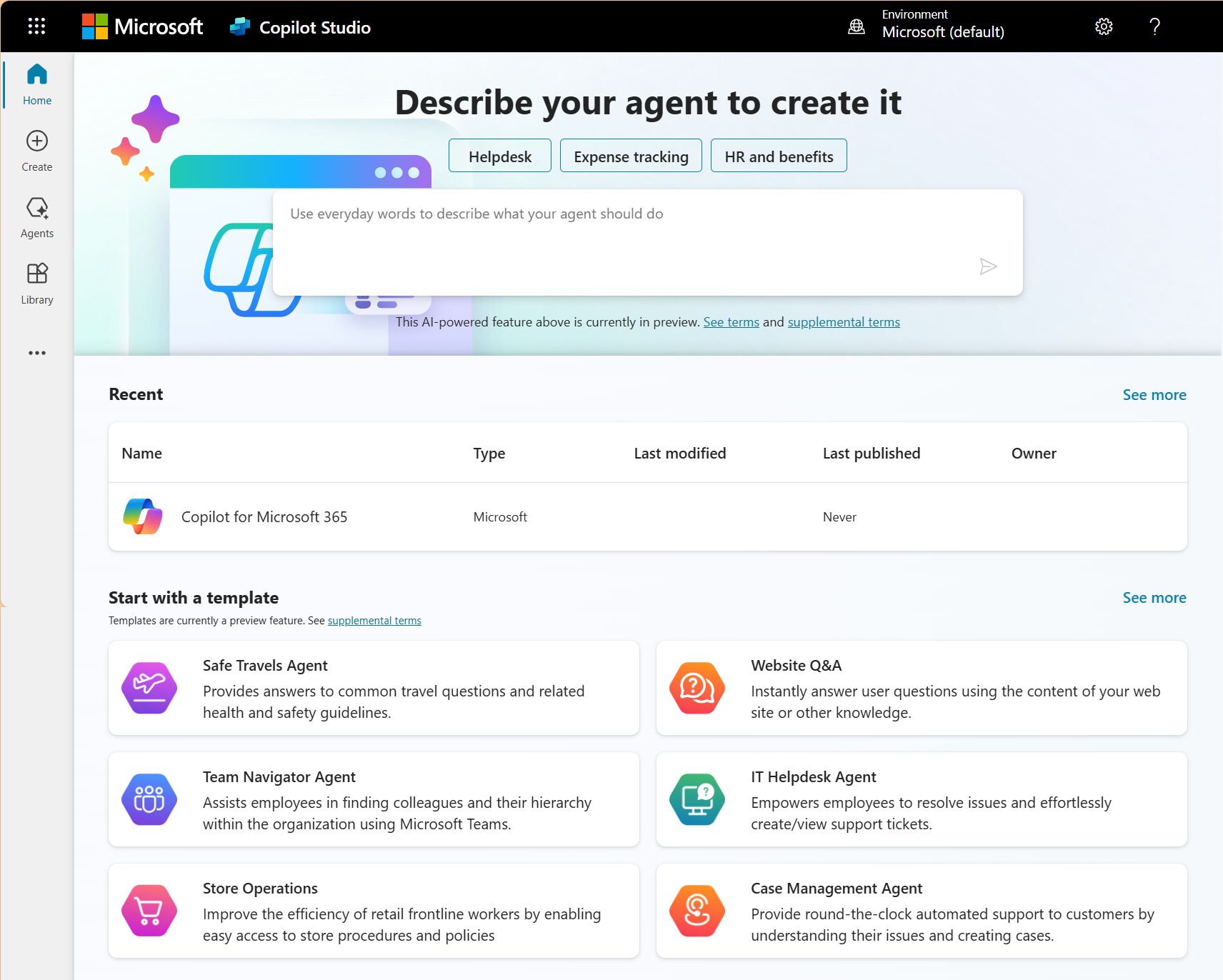
What AI agents in HR automate during onboarding that your HR team currently runs manually
Onboarding looks simple on paper. Welcome email, IT accounts, benefits enrollment, policy sign-offs, manager introductions, and a training schedule but in practice, every one of those steps involves a different person in a different department working from a different system, and the HR coordinator tracking it all is usually doing so from a spreadsheet that was last reliable around employee number four.
AI agents in HR built through Copilot Studio take over the orchestration. A new hire record created in Dynamics 365 HR becomes the single trigger. From that record, the agent sends the welcome communication through Outlook, provisions the Teams channels, shares policy documents from SharePoint with acknowledgement tracking, books the manager introduction based on calendar availability, and enrolls the new hire in required training.
When a step stalls, the agent chases it. If IT hasn't provisioned accounts by the start date, the escalation goes directly to the IT team with the specific request attached. The HR coordinator's dashboard shows completion status across every active onboarding instead of a colour-coded spreadsheet that's already behind.
Businesses hiring across provinces get the added layer of provincial compliance handled automatically. The agent applies the correct package based on work location in the employee record, which means the HR team stops maintaining separate onboarding checklists per province. That same orchestration logic connects to how businesses automate repetitive tasks with Copilot in Dynamics 365 across other departments.
AI agents in HR surface workforce insights your HR team would need weeks to compile manually
Most HR directors find out about workforce problems after they've already become expensive. Voluntary turnover doubled in one department over two quarters, but nobody spotted the trend until the third resignation letter landed in the same month or overtime in one team has been climbing steadily for 60 days, but the data is in two different systems so nobody caught it.
An AI agent in HR that's connected to your workforce data monitors patterns continuously and pushes alerts to the HR director through Teams when something deviates from the baseline. The signals arrive when they're still actionable rather than showing up as a line item in a quarterly review that took four days to compile.
A Microsoft Copilot consultant can configure which of the Microsoft Copilot features that transform business productivity apply to your HR reporting specifically, so the agent flags what your team cares about rather than producing generic alerts.
The quarterly review still happens, but the HR director walks in with insights already visible on their CRM dashboard and a record of what was done about each one. Provincial variations in overtime thresholds and statutory holiday schedules get built into the agent's rules so the flagging is jurisdictionally accurate across every office.
AI agents in HR should surface workforce insights as they emerge
Gestisoft deploys AI agents in HR through Microsoft Copilot Studio that connect your workforce data across Dynamics 365 and Microsoft 365.
 Free discovery call
What your Microsoft environment needs before AI agents in HR can operate effectively
AI agents in HR are only as reliable as the data they pull from, and most Microsoft environments weren't set up with autonomous agents in mind. The readiness work isn't glamorous but skipping it produces agents that confidently cite the wrong things.
SharePoint is where the self-service agent reads HR policy documents, so those documents need to be current and correctly labelled. If two versions of the same document exist in the same library, the agent has no way to know which one your HR team considers authoritative.
The agent accesses data based on your existing Microsoft permissions structure. If permissions are overshared, the agent could surface sensitive compensation or performance data to employees who shouldn't see it. A permissions audit before deployment is the single most important readiness step, and businesses that have already worked through the challenges with Microsoft Copilot will recognise permissions as a recurring theme.
Canadian AI agents in HR that process employee data need the same privacy protections under PIPEDA and provincial legislation (including Quebec's Law 25) that apply to human HR team members accessing the same information.
Working with Copilot consultants who understand Canadian compliance requirements means those protections get built into the agent configuration from the beginning. A Microsoft consultant with experience across the full Microsoft 365 stack can run the readiness assessment before any agent goes live.

What to measure to assess whether AI agents in HR are delivering after 90 days
Metrics are useless without a before-and-after comparison, and the most common mistake with AI agents in HR is deploying them without documenting what the numbers looked like the week before. Capture these four measurements before your AI agents go live.
HR ticket volume after AI agents in HR deployment
Count the routine employee queries hitting the HR team's inbox weekly. Things like PTO balances, policy questions, and benefits clarifications. If the self-service agent is working, that number should drop measurably within 60 days. If it hasn't, the agent's SharePoint content or escalation rules need attention.
Onboarding completion rate
Track what percentage of onboarding steps finish on schedule. The onboarding agent should compress the gap between hire date and full productivity. If steps are still stalling after deployment, the workflow triggers in Dynamics 365 HR are misconfigured or the agent's escalation thresholds are too generous.
Time to insight for workforce analytics
Measure how long the quarterly workforce review takes to prepare. If the HR director is still pulling data from five systems and spending days on compilation, the analytics agent isn't connected to the right sources. Once configured correctly that number should drop from days to minutes.
HR team time allocation after AI agents in HR are running
Survey the team on how their hours break down. The ratio of routine admin to strategic work should tilt visibly after 90 days. If it hasn't, the agents are configured but not adopted. Bringing in Microsoft 365 consulting services at that stage helps identify where the problems are.
AI agents in HR built on your Microsoft environment should produce measurable results within 90 days
Gestisoft deploys and measures AI agents in HR for Canadian businesses so the investment delivers documented ROI.
 Free discovery call
How Gestisoft deploys AI agents in HR for Canadian businesses on the Microsoft ecosystem
Your Copilot deployment starts with a readiness assessment applied with HR-specific scrutiny. Our team audits policy documents for currency, validates employee records for completeness across provincial work locations, and runs the permissions review that determines what the agent can and can't surface to different employee groups. The self-service agent goes live first because it produces visible ROI within weeks and builds internal confidence before the more complex onboarding and analytics agents follow.
Gestisoft's HR FAQ agent connects directly to your SharePoint policy library and Dynamics 365 employee records so the answers it gives are personalized to the employee asking. The agent handles these interactions inside Teams in both official languages, and Gestisoft configures the escalation boundaries during setup so you define exactly where the agent stops answering and a human takes over. Your HR team gets hours back every week without your employees noticing a change in the quality of support they receive.
We can also set your business up with an employee onboarding agent that takes the entire new hire workflow off your HR coordinator's plate. The agent triggers from a single Dynamics 365 HR record and runs the full sequence across Outlook, Teams, and SharePoint, from welcome communications through to policy acknowledgement tracking and training enrollment. It chases incomplete steps automatically and escalates to the right person when something stalls. Gestisoft configures the agent around your provincial employment standards so Ontario hires and Quebec hires receive the correct documentation without your team maintaining parallel checklists. Both agents are built through Copilot Studio and Power Platform, which means they sit inside the Microsoft environment your business already runs and evolve as Gestisoft refines them based on real usage patterns after deployment.
Post-deployment, a dedicated Customer Success Manager reviews agentic performance against the baseline metrics at 30, 60, and 90 days. Escalation patterns get examined to find questions the agent routes to humans that it could have handled autonomously. The agents get sharper over time through refinement, which is the same approach Gestisoft applies across its broader Canadian CRM practice. Your HR team ends up with agents that improve quarter over quarter rather than a static configuration.
-
AI agents in HR are autonomous software systems that handle HR workflows independently. They monitor workforce data and take action based on defined rules. When a situation requires judgment, they escalate to a human. In the Microsoft ecosystem, they're built through Copilot Studio and connect to Dynamics 365 HR and Microsoft 365 data.
Liked what you just read? Sharing is caring.

June 12, 2026 by Shelley Sunjka by Shelley Sunjka Copywriter & Marketing Strategist
Armed with a psychology degree and an irrational obsession with okapis, I've spent the last decade helping bold brands tell better stories. I believe the best writing bends grammar rules on purpose and makes people feel something. When I'm not deep in words or nerding out on buyer behaviour, I'm probably convincing my kids that impromptu kitchen dance parties are totally normal.

