

Key Takeaways
- Acomba is a Canadian accounting suite with native Quebec payroll and low, flat licence fees. Microsoft Dynamics 365 Business Central is a full ERP that connects finance, inventory, purchasing, projects and reporting in one cloud database.
- On licences alone, Acomba usually costs less. The real Business Central vs Acomba question is how much you spend on workarounds: spreadsheets, re-keyed data and a slow month-end close.
- If you check three or more of the eight "outgrown Acomba" signs below, and payroll is covered by an add-on, Business Central is usually the better long-term platform for a growing Canadian SMB.
Business Central vs Acomba is not a comparison between two versions of the same product. Acomba is accounting software built for Canadian small businesses. Business Central is an enterprise resource planning (ERP) platform from Microsoft. If you mainly need clean books, Quebec-compliant payroll and a low monthly bill, Acomba still does the job well. If your company now runs on inventory, several entities, projects or real-time reporting, you are shopping for an ERP. At that point, the Business Central vs Acomba comparison is really about how far you plan to grow.
The stakes are high for a lot of companies. Canada had 1.08 million small employer businesses in December 2024, 98.2% of all employer businesses, including 228,622 in Quebec, according to Innovation, Science and Economic Development Canada's Key Small Business Statistics 2025. Many started on accounting software and face this question.
This guide covers what each product does, what it costs in 2026, where Acomba still wins, and a checklist to decide.
Weighing Business Central vs Acomba for your team?
Tell us how you use Acomba today. In 30 minutes, a Gestisoft ERP advisor will show you whether a move makes sense now, later or not at all.
 Free discovery call
Business Central vs Acomba: the short answer
Here is the summary most readers need before going deeper:
- Core purpose: Acomba covers accounting (general ledger, receivables, payables) plus optional payroll and add-on modules. Microsoft Dynamics 365 Business Central is a complete ERP: finance, sales, purchasing, inventory, warehousing, projects, service and (in Premium) manufacturing.
- Deployment: Acomba comes in a classic desktop edition, a hosted edition (Acomba Online) and a browser-based product (Acomba GO). Business Central is cloud-native software-as-a-service on Microsoft Azure.
- Pricing model: Acomba charges a flat monthly fee (the desktop suite includes unlimited users). Business Central charges per user, per month.
- Payroll: Acomba includes Quebec-standard payroll in its payroll bundle. Business Central has no native Canadian payroll and needs a certified add-on or an integration.
- Ecosystem: Acomba connects to about 250 compatible applications. Business Central integrates natively with Microsoft 365, Teams, Outlook, Excel, Power BI and Copilot.
- Best for: Acomba suits accounting-first small businesses. Business Central suits SMBs whose operations have outgrown a standalone accounting tool.
New to Microsoft's ERP? Start with our What Is Business Central guide.
“Gestisoft had a knack for finding creative solutions. It wasn't easy, but the team never gave up and always managed to come up with solutions while trying to reduce costs as much as possible and bearing in mind the solution ecosystem's durability.”
Business Central vs Acomba: what each product really is
Business Central vs Acomba: Acomba, a Canadian accounting staple
Acomba is published by ACCEO Solutions. According to Acomba's own site, it has served SMBs for over 35 years and is used by more than 40,000 businesses. It is also "intended exclusively for the Canadian market." That focus is a real strength: its payroll is built around Quebec standards, and its accountants' program is well known across the province.
The core suite covers the general ledger, accounts receivable and accounts payable. ACCEO then sells more than 40 complementary modules, including inventory, point of sale, e-commerce, automatic billing, a report builder, an ODBC connector and ACCEO Transphere for electronic payments. Acomba GO, the browser-based product, adds sales opportunities, quotes, work orders and multi-warehouse stock control in its higher plans.
Business Central vs Acomba: Business Central, Microsoft's ERP for SMBs
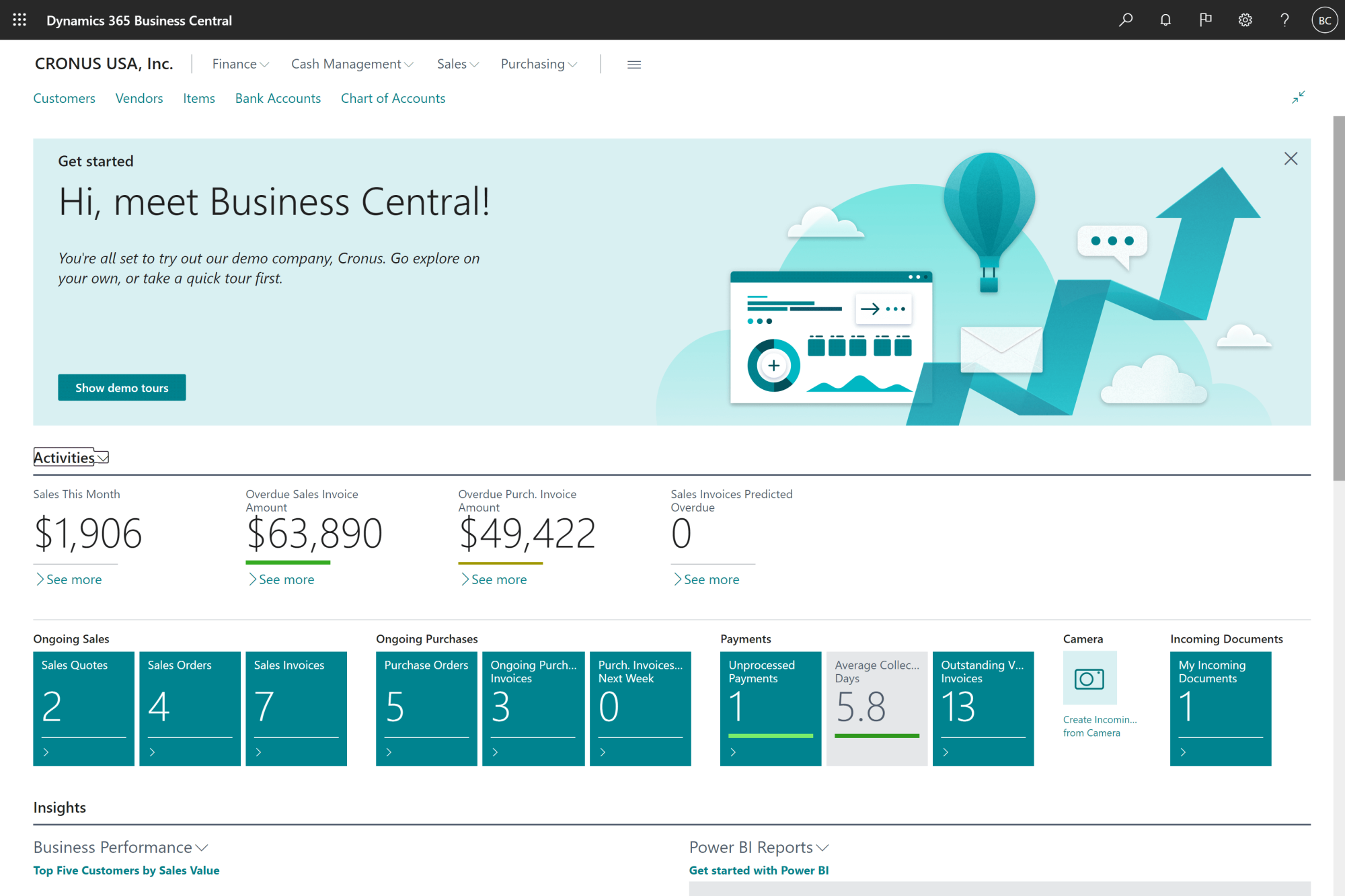
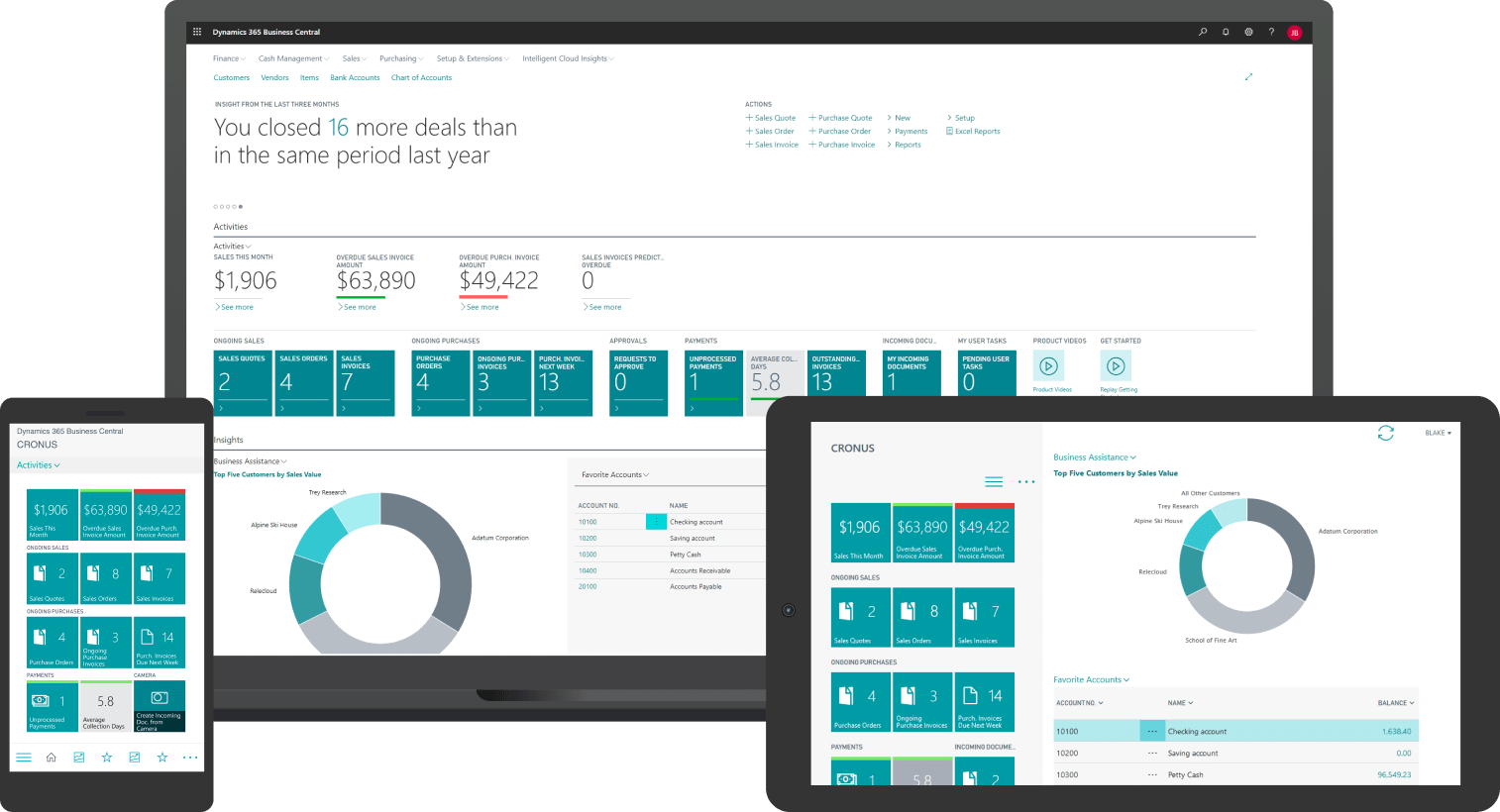
Microsoft Dynamics 365 Business Central is one database for the whole company. A sales order, a purchase receipt, a warehouse pick and the resulting general ledger entries all live in the same system, updated in real time. Our Business Central modules list details every area, from fixed assets and cost accounting to service management.
That design difference is the core of the whole evaluation. With Acomba, you add modules around an accounting core. With Business Central, accounting is one part of an integrated operating system. If you want the general version of this debate, read our guide on accounting software vs ERP.
Business Central vs Acomba: feature-by-feature comparison
Financial management
- Acomba: solid general ledger, receivables, payables, bank reconciliation and financial statements, with three entry modes for accountants.
- Business Central: the same essentials plus dimensions (unlimited analytical tags), deferrals, multi-currency, cost accounting, consolidation and built-in cash flow forecast in Business Central.
Inventory and warehousing
- Acomba: inventory is an add-on module. Acomba GO's Ultimate plan offers real-time stock control across several warehouses.
- Business Central: inventory, item tracking, bins, zones, put-away, pick-and-ship and replenishment planning are native. They also update the general ledger on every transaction.
Multi-company and intercompany
- Acomba: companies are managed as separate company files, so group reporting and consolidation often end up in Excel.
- Business Central: multiple companies in one tenant, intercompany postings and consolidation are standard.
Reporting and AI
- Acomba: dashboards, a report builder, an Excel report generator and a BI add-on.
- Business Central: native Excel and Power BI integration, analysis mode in Business Central for pivot-style analysis, and Microsoft Copilot included in Essentials and Premium, according to Microsoft's Canadian pricing page. See our guide to AI in ERP with Copilot in Business Central.
Workflows and approvals
- Acomba: approval processes typically rely on manual steps or external tools.
- Business Central: configurable approval workflows, extended by apps such as Gestisoft's Approval Workflow app for Business Central.
Integrations
- Acomba: an ecosystem of about 250 compatible apps, plus ODBC and import tools.
- Business Central: Microsoft 365, Teams and Power Platform natively, plus a large catalogue of apps on Microsoft AppSource.
Get a Business Central vs Acomba cost comparison for your numbers
We will model licences, add-ons and implementation against the real cost of your current workarounds. Your numbers, not list prices.
 Free discovery call
Business Central vs Acomba pricing: what you really pay in 2026
Here is the licence math using public list prices as of September 2026. All figures are monthly and exclude taxes.
Acomba (desktop suite), according to Acomba's pricing page:
- Accounting: $167/month, or $150.30/month with a 12-month commitment
- Accounting + Payroll: $244/month, or $219.60/month with a 12-month commitment
- Unlimited users, plus start-up fees and any complementary modules
Acomba GO, according to Acomba GO's pricing page:
- Five plans from $39/month (Startup, 1 user) to $399/month (Ultimate, 5 users)
- $13/month per additional user, plus a one-time $200 fee to activate payroll
Business Central, according to Microsoft Canada:
- Essentials: CAD $108.50 per user/month, paid yearly
- Premium: CAD $149.20 per user/month, paid yearly
- Team Members (read, approve, light edits): CAD $10.90 per user/month
Illustrative example: a 10-person company, licences only
- Acomba Accounting + Payroll (annual commitment): $219.60/month for everyone
- Acomba GO Enterprise: $199 + 7 × $13 = $290/month
- Business Central: 5 Essentials users + 5 Team Members = 5 × $108.50 + 5 × $10.90 = CAD $597/month, before a payroll add-on and implementation
On licences, Acomba wins. Most Business Central vs Acomba content avoids saying so. But the licence line is rarely the number that decides. What matters is the hidden cost: staff re-keying orders between systems, month-end closes that take days, inventory counts nobody trusts, and management reports rebuilt in Excel every month. When those costs are real, the gap in licence fees usually pays for itself.
For the full picture, see our Dynamics 365 Business Central pricing and licensing guide and our breakdown of Business Central implementation cost.
The payroll question in Business Central vs Acomba
This is the section most partner articles skip. Business Central does not include Canadian payroll out of the box. Microsoft's Canada local functionality documentation covers sales tax, GST/HST reporting, GIFI codes, deposits and electronic payments, but not payroll.
Acomba, on the other hand, sells a payroll bundle built to Quebec standards, with access to the MyPaycheque.net employee platform. For a Quebec company with many hourly employees, that is a real advantage.
In practice, Canadian companies moving to Business Central handle payroll in one of three ways:
- A certified Canadian payroll extension that runs inside Business Central
- An external payroll provider (a payroll service bureau or an HR/payroll platform) that sends journal entries back to Business Central automatically
- Keeping the existing payroll service during the transition and integrating it later
None of these is a deal-breaker, but plan for it from day one. Any Business Central vs Acomba decision that ignores payroll will surprise you during implementation.
Business Central vs Acomba decision checklist: 8 signs you've outgrown Acomba
The clearest checklist on this topic comes from ACCEO itself. In its article "Acomba/Avantage, 8 signs that you have hit the limits" (February 2022), Acomba's publisher lists the moments when a company should move to an ERP. Interestingly, the ERP it recommends there is Acumatica, which is one reason search engines mix up the two names. For that comparison, see our Acumatica vs Microsoft Dynamics 365 Business Central analysis.
Here are the eight signs, adapted with the questions we ask clients:
- Performance is slowing you down. Do reports and period closes take long enough that people schedule around them?
- Data is re-entered between systems. Are orders, invoices or items typed into two or more tools?
- Access is limited. Does your team need secure access from anywhere, on any device, without a remote desktop?
- Inventory visibility lags. Can you answer "how many do we have, and where?" in real time?
- Inventory costing is weak. Do you track landed costs, several locations and replenishment rules?
- Finance is getting complex. Do you need intercompany transactions, multi-currency, automated entries or re-invoicing?
- Spreadsheets fill the gaps. Is Excel the real system for consolidation and management reporting?
- Month-end is painful. Does closing the books depend on manual, duplicated entries?
How to read your score: 0–2 signs means stay on Acomba and optimize it. 3–5 signs means start an ERP evaluation this year. 6–8 signs means your current setup is probably already costing more than an ERP would. When staying on Acomba is the right call. An ERP is not a reward for growing. If your company sells services rather than stock, runs a single entity, closes its books in a day or two and relies heavily on Quebec payroll, Acomba may remain the most efficient choice for years. In that case, invest in the tools you already have. Revisit the checklist whenever you add a location, a warehouse or a company.
If you land in the middle, our guide to ERP migration in Canada lists 7 signs it's time to switch.
Plan your migration with an expert
Get a realistic scope, timeline and payroll plan for moving from Acomba, built by a team that implements Business Central across Canada.
 Free discovery call
Business Central vs Acomba in the Canadian context
Both products are sold in Canada, but Canadian compliance plays out differently for each. Keep these points in mind:
- Sales taxes: Business Central's Canadian version supports GST/HST and provincial sales tax setup and reporting, as described in Microsoft's Canada localization. Quebec companies must also collect and remit QST. Revenu Québec's GST/HST and QST guidance remains the reference for rules and rates. Both products handle QST; test your specific scenarios (exempt sales, interprovincial shipping) during the demo.
- GIFI codes: Business Central supports the General Index of Financial Information used for federal corporate tax filing, as outlined by the Canada Revenue Agency's GIFI guide.
- French language: Quebec's Charter of the French Language, as amended by Bill 96, affects the software your staff uses at work. Acomba is bilingual by design. Business Central is available in Canadian French, so check that every add-on you choose is too.
- Data location: Business Central runs on Microsoft Azure, which operates Canada Central and Canada East regions. Confirm with your partner where your tenant will be hosted.
- Cloud readiness: Cloud computing was the most used technology among Canadian businesses in 2023, at 48%, up 3 points from 2021, according to Statistics Canada's Survey of Digital Technology and Internet Use.
Law 25 and your Business Central vs Acomba project
Your accounting system holds some of the most sensitive personal information in your company: employee payroll records, social insurance numbers, bank details and customer files. In Quebec, that data falls under the Act respecting the protection of personal information in the private sector, as modernized by Law 25. Three rules directly affect a software change:
- Privacy impact assessment for new systems. Since September 2023, a company must assess privacy risks for any project to acquire, develop or overhaul an information system that handles personal information (section 3.3). Replacing Acomba with Business Central qualifies, so plan the assessment during discovery, not after go-live.
- Data leaving Quebec. Before personal information is communicated outside Quebec, the company must assess whether it will receive adequate protection (section 17). This applies to cloud hosting too, so ask your partner which Azure region will host your tenant and document the answer.
- Penalties. The Commission d'accès à l'information can impose administrative monetary penalties of up to $10 million or 2% of worldwide turnover, and penal fines can reach $25 million or 4% of worldwide turnover (sections 90.12 and 91 of the Act).
Business Central gives you tools that help with these obligations, such as role-based permissions, field-level data classification and change logs. Compliance itself remains your responsibility, whichever product you choose.
Our article on Canadian ERP software explains what makes an ERP truly "Canadian" beyond the marketing claims.
10 key ERP selection criteria for your Business Central vs Acomba shortlist
Use our guide to score Business Central, Acomba or any other option on the criteria that actually predict a successful project.

Moving from Acomba to Business Central: a Business Central vs Acomba migration roadmap
If the checklist points to Business Central, here is the path we follow with Canadian SMBs:
- Discovery. Map your Acomba modules, add-ons, reports and every spreadsheet around them. Decide how payroll will be handled.
- Data strategy. Most companies migrate master data (customers, vendors, items, chart of accounts) and open balances, then keep Acomba read-only for history instead of converting years of transactions.
- Configuration. Set up dimensions, taxes, approval workflows and bank formats. If you already pay suppliers through ACCEO Transphere, Gestisoft's ACCEO Transphere connector for Business Central keeps that payment flow, sending payments from Business Central by secure API.
- Data import and testing. Load data with Excel templates, then run a parallel period to reconcile.
- Training and go-live. Train by role, go live at the start of a period, and plan hands-on support for the first close.
For project structure and timelines, read our guide to Dynamics 365 Business Central implementation in Canada. Before signing, review our checklist for choosing a Business Central implementation partner.
-
On licences, Acomba is almost always cheaper: its desktop suite includes unlimited users for a flat fee, while Business Central charges per user. Total cost of ownership can flip once you count manual work, extra tools and reporting time that Business Central removes.
Explore more on Business Central vs Acomba
- Small business ERP: what to know before buying your first ERP.
- Sage 50 alternatives: another common accounting-to-ERP path for Canadian companies.
- Top ERP systems in Canada: eight platforms to compare side by side.
- Business Central licensing: which licence each user really needs.
- Microsoft Dynamics 365 Business Central: Gestisoft's Business Central services and add-ons.
Still undecided on Business Central vs Acomba?
Bring your questions to a free session. We will tell you honestly if Acomba still fits, or show you what Business Central would change.
 Free discovery call
Liked what you just read? Sharing is caring.
September 23, 2026 by Nizar Madihi by Nizar Madihi Marketing Specialist
Curious by nature and passionate about digital, I am always looking to learn, explore new ideas and understand the world around me. I place a lot of importance on creativity, knowledge sharing and continuous improvement, both personally and professionally.
