

A migration ERP project is rarely the first thing finance and operations leaders want to take on. It feels big. It feels expensive. And most teams keep putting it off until something breaks. But the longer you wait, the harder it gets. Old systems quietly cost you money every month in workarounds, manual rework, and slow decisions.
This guide walks you through the real signs your current ERP is holding you back, what migration actually involves in Canada, what it costs, how long it takes, and what to watch out for.
Get a Clear Picture of Your ERP Migration Before You Commit
Walk away from one call knowing exactly what your migration timeline, cost, and risks look like... no guessing, no generic estimates.
 Book a free consultation
7 Signs It's Time to Start a Migration ERP Project
Most teams know something is off long before they admit it's time for change. These are the seven signs we see most often in Canadian SMBs before a migration becomes urgent.
1. Your Month-End Close Takes Weeks, Not Days
If your finance team disappears for two weeks every month just to close the books, your ERP is part of the problem. Modern systems pull data from sales, inventory, and payables in real time.
Old systems force your accountants to chase spreadsheets, fix broken exports, and rebuild reports manually. When close takes longer than five business days, your leadership team is making decisions on data that is already stale.
2. Your Team Lives in Spreadsheets to Fill the Gaps
Excel is a great tool. But when your ops team builds a separate spreadsheet for every report your ERP can't produce, you have a problem. Those shadow spreadsheets become the real source of truth, and they break when the person who built them goes on vacation.
If half your business runs in workbooks nobody else understands, moving to a new system becomes the cheaper option.
3. Your Current ERP Vendor Stopped Supporting Your Version
Microsoft is winding down Dynamics GP support, with mainstream support ending December 31, 2029 and security patches stopping April 30, 2031. Sage, Epicor, and other vendors follow similar lifecycles.
Running unsupported software in 2026 means missed security patches, no bug fixes, and external auditors flagging it as a control weakness. The cost of one breach or compliance failure can easily exceed the cost of a full migration.
4. You Can't Get Real-Time Numbers Without IT Help
If your CFO needs to ping IT every time they want a current inventory number or a margin breakdown, your ERP is broken. A good modern system gives finance, ops, and sales self-service access to live data with built-in dashboards anyone can use.
When real-time visibility depends on a ticket queue, decision-making slows to a crawl and your team loses confidence in the numbers.
5. Your Inventory Counts Never Match What's On Hand
Phantom inventory is one of the most expensive ERP failures. When the system says you have 200 units in the warehouse but the floor has 130, you ship late, you over-order, and you write off stock at year-end.
Older systems struggle with multi-location tracking, lot management, and real-time receipts. If your last physical count showed a five-percent variance or worse, the system itself is part of the cause.
6. You're Paying for Add-Ons That Should Be Built In
Moving to a new ERP often pays for itself by killing the third-party tools you've bolted on over the years. Reporting add-ons, EDI connectors, expense apps, separate payroll systems, custom CRM bridges.
When you add up the monthly fees plus the integration maintenance, the total often rivals the cost of a modern cloud ERP that includes those features out of the box. The math changes the conversation.
7. Growth Has Made Your Current System Feel Small
You added a second location. You expanded into the U.S. You acquired a smaller competitor. Your headcount doubled. The ERP that worked for a 20-person shop just isn't built for what you've become.
Slow performance, painful multi-entity reporting, no support for multi-currency or French-language outputs, hitting user limits... these are signs you've outgrown the system, not problems you can configure your way out of.

What a Migration ERP Actually Means for Your Business
This is the process of moving your business operations, data, and workflows from one ERP system to another. It's not just a software switch. It touches finance, inventory, sales, payroll, integrations, and every person who logs into the system every day.
Most Canadian SMBs migrating in 2026 are moving from on-premise legacy systems like Dynamics GP, Navision, Sage, or homegrown databases to a cloud ERP like Microsoft Dynamics 365 Business Central.
For teams still running Dynamics NAV, the path to Business Central from Navision follows its own structured route. Companies on Dynamics GP face a similar timeline, with the GP-to-Business-Central migration following its own rhythm.
When a Migration ERP Stops Being Optional
This kind of project shifts from "we should look at this" to "we have to act" the moment one of three things happens... your vendor announces end of support, an audit flags your ERP as a security risk, or your team can't keep up with order volume without hiring more people just to handle the workarounds. Once any of those triggers fire, waiting another year usually costs more than moving now.
What Is The Hidden Cost of Putting Off a Migration ERP?
Nobody talks enough about the cost of staying. Every quarter your team loses on the current system is real money. We've seen Canadian SMBs hemorrhage 20 to 40 hours per month per finance employee on tasks a modern ERP would handle automatically. At modest fully-loaded labour rates, that's $25,000 to $60,000 per person per year in pure inefficiency.
Then there's the talent problem. Developers who know legacy systems like C/AL for older Dynamics NAV versions are getting harder to find in Canada, and rates have nearly doubled since 2022. Cybersecurity insurance premiums are also climbing fast for businesses running unsupported software, and some insurers now refuse coverage entirely.
The cost of waiting is invisible until you add it up. Then it becomes the strongest reason to move now.

How Long a Migration ERP Takes in Canada
Be skeptical of any partner who promises a fast migration without seeing your data. A realistic timeline in Canada depends on three things...
- How clean your current data is.
- How customized your legacy system is.
- How available your internal team is to make decisions.
Migration ERP Timeline by Company Size
For most Canadian SMBs migrating to a cloud ERP, expect these ranges from kickoff to go-live.
- A small business with clean data, few customizations, and one or two entities can complete a migration ERP in 8 to 14 weeks.
- A mid-sized business with moderate customization, multi-entity reporting, or industry-specific needs typically runs 4 to 7 months.
- A complex project with heavy customization, multi-currency, multi-location warehouses, or significant integrations can take 7 to 12 months.
The 5 steps of a structured ERP implementation phase hold up well across all three brackets.
The 10 Key ERP Selection Criteria
This free guide breaks down what to evaluate before choosing your next ERP... so you don't pick a system you'll regret in 18 months.

What Can Go Wrong in a Migration ERP (and How to Stop It)
Most failures don't come from the software. They come from four predictable problems we see project after project. The same handful of ERP migration mistakes show up in nearly every troubled project.
Dirty Data Brought Into the New System
Garbage in, garbage out. Teams assume their data is cleaner than it is, then watch as duplicate vendors, dead SKUs, and broken general ledger codes get imported straight into the new ERP.
Start your data audit well before migration. Identify what to archive, what to update, and what to standardize. Clean data also unlocks AI tools like Copilot, which need consistent records to work well.
A Migration ERP With No Internal Owner
Every successful migration has one internal champion with real authority. When that role is missing or split across three people, decisions stall, scope drifts, and IT and finance start blaming each other.
Pick one person, give them air cover, and protect their calendar. Their job is to make the dozen small decisions a week that keep the project moving.
Customization Decisions That Spiral Out of Control
The biggest budget killer in any ERP project is over-customization. Teams try to recreate every quirk of their old system in the new one instead of asking whether those quirks were ever helpful.
Default to standard configuration. Only customize where it genuinely drives competitive value. This single discipline often cuts implementation costs by 30 to 50 percent and makes future updates dramatically easier.
Skipping Change Management Until Go-Live Week
Technology is half the project. People are the other half. When training starts two weeks before go-live, adoption tanks, users invent workarounds, and the ROI on the whole project vanishes.
Build training in from week one. Use role-based sessions. Blend live workshops with self-serve guides. Plan for heavy support for at least 60 days after go-live, not 60 hours.
Plan Your Migration ERP With Experts Who've Done It
Get straight answers on what works, what fails, and what fits your business... from a team that has migrated Canadian SMBs since 1997.
 Book a free consultation
What a Migration ERP Costs Canadian Businesses
Costs depend heavily on company size, data complexity, and customization needs. As a working range for Canadian SMBs moving to Business Central, a small business migration with clean data and few integrations typically starts around $15,000 to $30,000 CAD (sometimes evern more depending on various factors) in implementation fees.
A mid-market deployment with manufacturing modules, multi-entity consolidation, payroll integration, and data migration from a legacy ERP can run $75,000 to $200,000 CAD or more. Licensing is paid separately per user per month.
Beyond the obvious software and consulting fees, budget for internal staff time, data cleanup work, integration development, and training. A good partner will also help you identify any provincial digital transformation incentives or industry-specific tax credits your business may qualify for.
How to Pick the Right Partner for Your Migration ERP
The partner you choose matters more than the software itself. The wrong ERP specialist will install software and disappear. The right one becomes a long-term ally. A few criteria separate the partners worth signing with from the ones who'll leave you stuck after go-live.
Proven Experience With Canadian SMBs
When evaluating an ERP software consultant, look for a track record of Canadian implementations, not just U.S. case studies.
Canadian businesses deal with bilingual reporting, provincial tax differences, GST/HST/QST handling, and federal data residency rules that U.S.-only partners often miss. Ask to see two or three Canadian client stories in your size range before signing anything.
A Real Post-Go-Live Support Model
Most ERP consultant firms talk about implementation. Few are honest about what happens after go-live, which is exactly when these projects either succeed or quietly fail. Ask any partner about their average client tenure. If they can't point to clients still working with them after five years, that's a red flag.
Industry-Specific Knowledge
A partner who has done a dozen manufacturing migrations will get yours right faster than one starting from scratch. Same for distribution, professional services, fashion, or regulated industries. Their templates, pre-built configurations, and pitfall checklists compound into a smoother project for you.
A Structured Selection Process
The 10 criteria for choosing an ERP software form a solid framework that prevents you from getting dazzled by demos and signing with the partner who has the slickest sales deck instead of the deepest expertise.
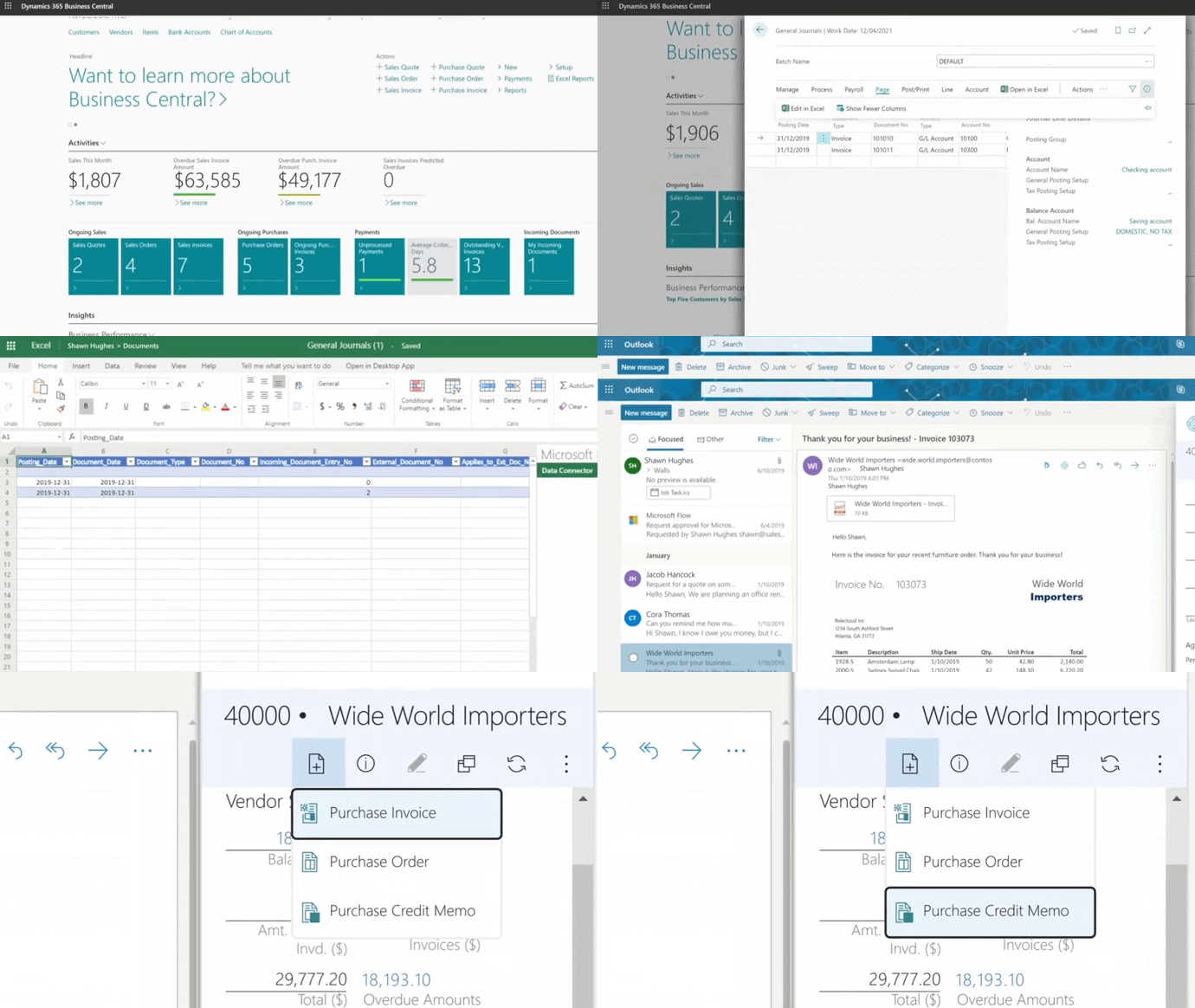
Here's a quick look at how customer, vendor, and item data actually moves from Excel into Business Central during a migration.
Why Canadian SMBs Pick Business Central for Their Migration ERP
There's a reason Microsoft Dynamics 365 Business Central keeps showing up as the destination of choice for Canadian SMBs. The fit comes down to four practical advantages most other ERPs can't match.
Canadian Data Centres and PIPEDA Compliance
Microsoft's Canadian data centres in Quebec City and Toronto mean your business data stays inside Canada. That matters for PIPEDA compliance, clients who require Canadian data residency, and industries with provincial data rules. The benefits of cloud-based ERP become especially clear when sovereignty is part of the conversation.
Built-In French Support and Canadian Tax Handling
Business Central comes with native French-language support and built-in handling for GST, HST, QST, and provincial payroll rules. Teams in Quebec or operating bilingually don't need translation add-ons or U.S.-centric tax engines that miss provincial nuances.
Native Integration With the Microsoft Tools You Already Use
Outlook, Excel, Teams, Power BI, and SharePoint all plug in without third-party connectors. Copilot AI is built directly into Business Central, which means automated reconciliations, predicted late payments, and AI-drafted product descriptions out of the box.
A Roadmap Microsoft Is Actively Investing In
Microsoft is investing aggressively in Business Central, while older systems like NAV and GP are winding down. When comparing options, debates like NetSuite vs Business Central usually come down to which platform's roadmap looks stronger five years out, and Microsoft's investment in Business Central makes the answer increasingly clear.
-
A migration ERP is the process of moving your business operations, data, and workflows from an existing ERP system to a new one. It includes data transfer, process configuration, integration setup, user training, and go-live support. It is not just a software install, it is a structured business transformation project.
Gestisoft: A Migration ERP Partner That Stays With You After Go-Live
Gestisoft has been guiding Canadian SMBs through their migration ERP projects since 1997. We are a Microsoft Solutions Partner, B Corp Certified, and one of Canada's Most Admired Corporate Cultures. With offices in Montreal, Quebec City, Toronto, and Ottawa, we work in both official languages across the country.
What sets us apart is what happens after go-live. Implementation is the start of the relationship, not the end. Our Customer Success team stays with you to handle Microsoft updates, fine-tune your system as your business grows, and unlock features like Copilot AI when you're ready. Our clients describe the experience in their own words:
“I see that Gestisoft is always moving forward, keeping up with the latest trends, and that gives us confidence. I'm happy to be with a supplier like Gestisoft because I know they'll grow with my solution.”
(Read the full Groupe UP customer story.)
If that's the kind of long-term partnership you're looking for, let's talk.
Start Your Migration ERP With Canadian Experts
Get a tailored roadmap built around your real data, your real team, and your real growth plans... not a copy-paste playbook.
 Book a free consultation
Liked what you just read? Sharing is caring.

May 20, 2026 by Muhammad Ali Iqbal by Muhammad Ali Iqbal SEO Content Strategist & Copywriter
Driven by a passion for search engine optimization, strategic content, and conversion-focused writing. A copywriter and content strategist who lives for content that ranks, engages, and delivers real business results.
