

Somewhere in Canada right now, a sales rep is updating a deal in their CRM and then immediately copying the same information into a personal spreadsheet because they don't believe the platform will remember it properly. A CRM migration tends to land on the agenda shortly after that behaviour becomes normal. Nobody announces they've given up on the system. They just stop relying on it for anything that carries consequences, and the workarounds become the new process.
The phrase "CRM migration" sounds much more intimidating than it needs to. All you're doing is moving your business data to a platform that can handle where your company is headed. Canadian B2B companies do this successfully all the time. The ones who have a rough experience tend to be the ones who skipped the boring preparation work.
Most of the real work in a migration happens before anybody touches the new platform and in the 90 days after your team logs in for the first time. The data cleanup and documentation are not exactly glamorous work but it determines whether your sales team will continue building on contaminated data or if the new system will be one that can drive sales more efficiently.
Eight steps stand between your current CRM and one your team will open voluntarily on a Monday morning and many of them have nothing to do with the technology. Canadian B2B companies tend to underestimate the human side of this process because the technical work feels like the hard part. Your sales team's willingness to adopt the new platform is what determines whether the investment pays off or becomes another subscription nobody opens.
A CRM migration plan should start with why the current system stopped working
Gestisoft helps Canadian B2B companies figure out what went wrong with their current CRM before choosing the replacement.

1. Audit your current CRM before planning the CRM migration process
Before anyone starts browsing vendor websites or booking demos, spend time documenting what went wrong with the current platform. This sounds obvious but it almost never happens. The typical CRM migration starts with excitement about the new system and skips the uncomfortable conversation about why the old one failed but understanding what went wrong is where the value sits.
Most companies assume the platform is at fault, but a surprising number of failed CRMs were just badly implemented. The pipeline stages might have been configured during a rushed setup four years ago and the reporting structure probably still reflects how the company sold when it had eight reps instead of the 20 it has now. A bad configuration will underperform on any platform, and moving that same structure to a new CRM just produces the same frustration.
A CRM expert who runs this kind of audit can tell you whether your business needs a full CRM migration or whether reconfiguring the current platform would deliver the same result faster and at lower cost. That distinction has saved Canadian B2B companies months of project work and significant budget. Sometimes the answer is finding someone who understands the platform you already own and can make it do what it should have been doing all along.
“Initially, it was difficult for us to clearly explain to Gestisoft the customizations we needed, as we didn't yet understand all the platform's possibilities. We honestly didn't know what we were going to do.”
The audit also becomes your requirements document for the new platform. Document the features your team relies on daily alongside the capabilities that were promised during the original sales process and never delivered. That inventory travels with you into the evaluation phase and prevents the most common CRM migration mistake of choosing the next platform based on a demo instead of documented needs.
2. Before you start comparing platforms for your CRM migration make sure to define your requirements
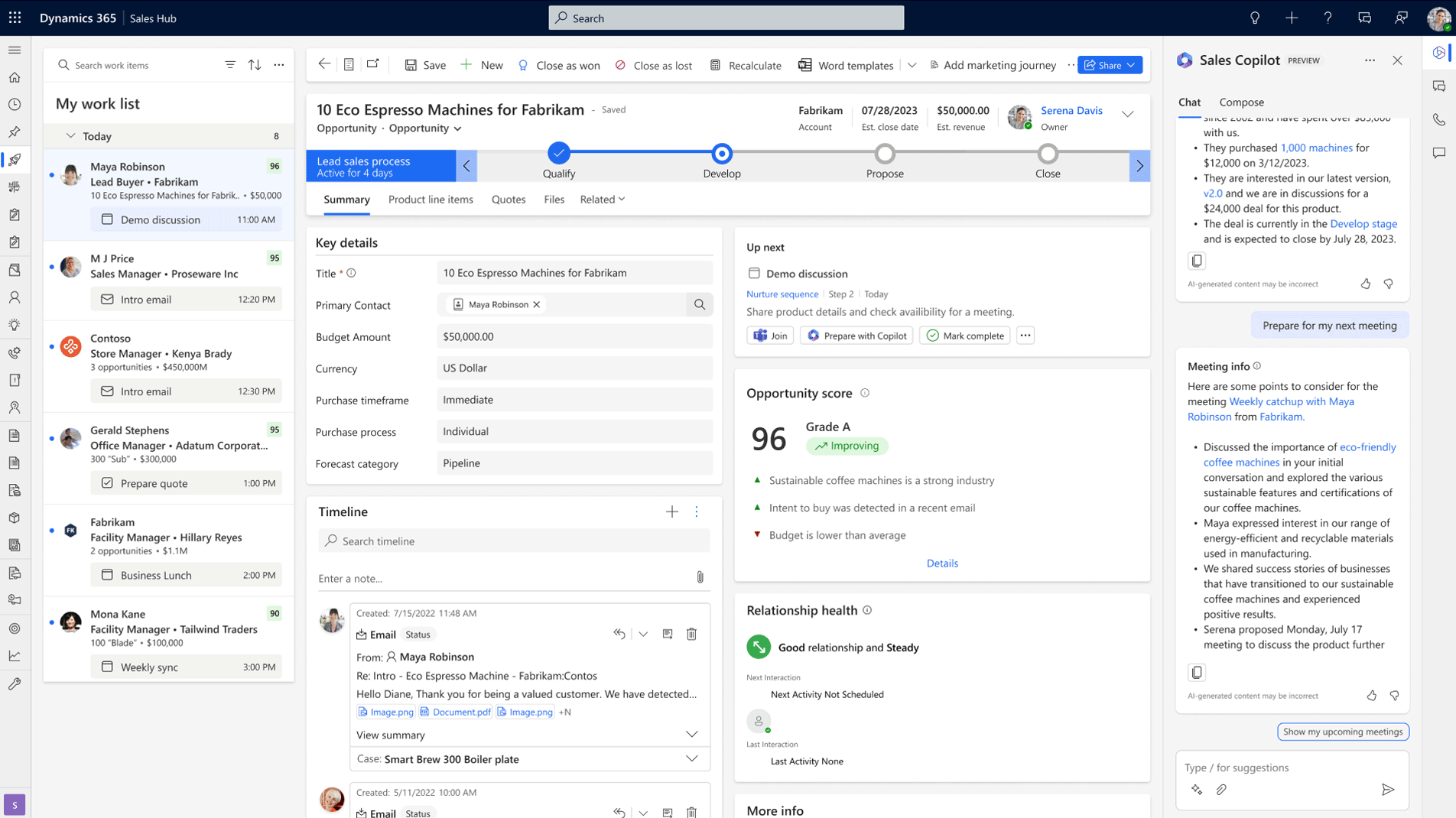
The CRM migration process goes wrong when platform comparison starts before the requirements are clear. Feature lists look completely different when you know what your business needs. Your requirements should document how your sales process flows from lead to close and what reporting your leadership team needs to see on a weekly and monthly basis. Integration requirements also need to be factored in because a CRM that doesn't connect to Outlook, Teams, or your accounting platform will create the same friction that triggered the CRM migration in the first place.
For Canadian B2B companies, the requirements list has a few additions that vendors outside this market tend to gloss over. Bilingual capability is non-negotiable if your business operates across English and French Canada and PIPEDA-aligned data handling and Canadian data residency need clear answers from every vendor on the shortlist. Any platform that can't confirm where Canadian customer data will be stored should be eliminated before the demo stage. Understanding the best CRM for small business in Canada puts these requirements into a practical framework you can use during your vendor evaluation.
The requirements document gives your CRM implementation consultant a head start. Instead of spending the first two weeks of the engagement learning how your business operates through interviews, they can start with a document that already captures your sales process and reporting needs. Canadian B2B companies that have evaluated HubSpot competitors with a clear requirements document in hand tend to make faster and more confident platform decisions.
3. Clean your data before your CRM migration project starts
Your current CRM contains years of accumulated records and a good percentage of them are garbage. Every business has duplicate contacts and orphaned deals cluttering up the pipeline, but most companies don't realize how bad the problem is until they try to move that data somewhere new. If you load contaminated records into a fresh platform your sales team will spot the bad data on day one and the new CRM loses credibility before anyone has given it a fair chance. A CRM specialist who handles data integrity as an ongoing discipline will tell you that the cleanup before a CRM migration is the single highest-return hour-for-hour work in the entire project.
Run a full deduplication pass across your contact and account records. Archive anything that hasn't been touched in over a year and standardize how phone numbers and postal codes and company names are formatted so the new system doesn't inherit five different versions of the same client. Audit every custom field to confirm someone on the team still uses it and validate your email addresses before they move. The goal is for your sales team to open the new CRM platform and see data they recognize and can act on immediately.
4. Map your data structure to the new platform carefully
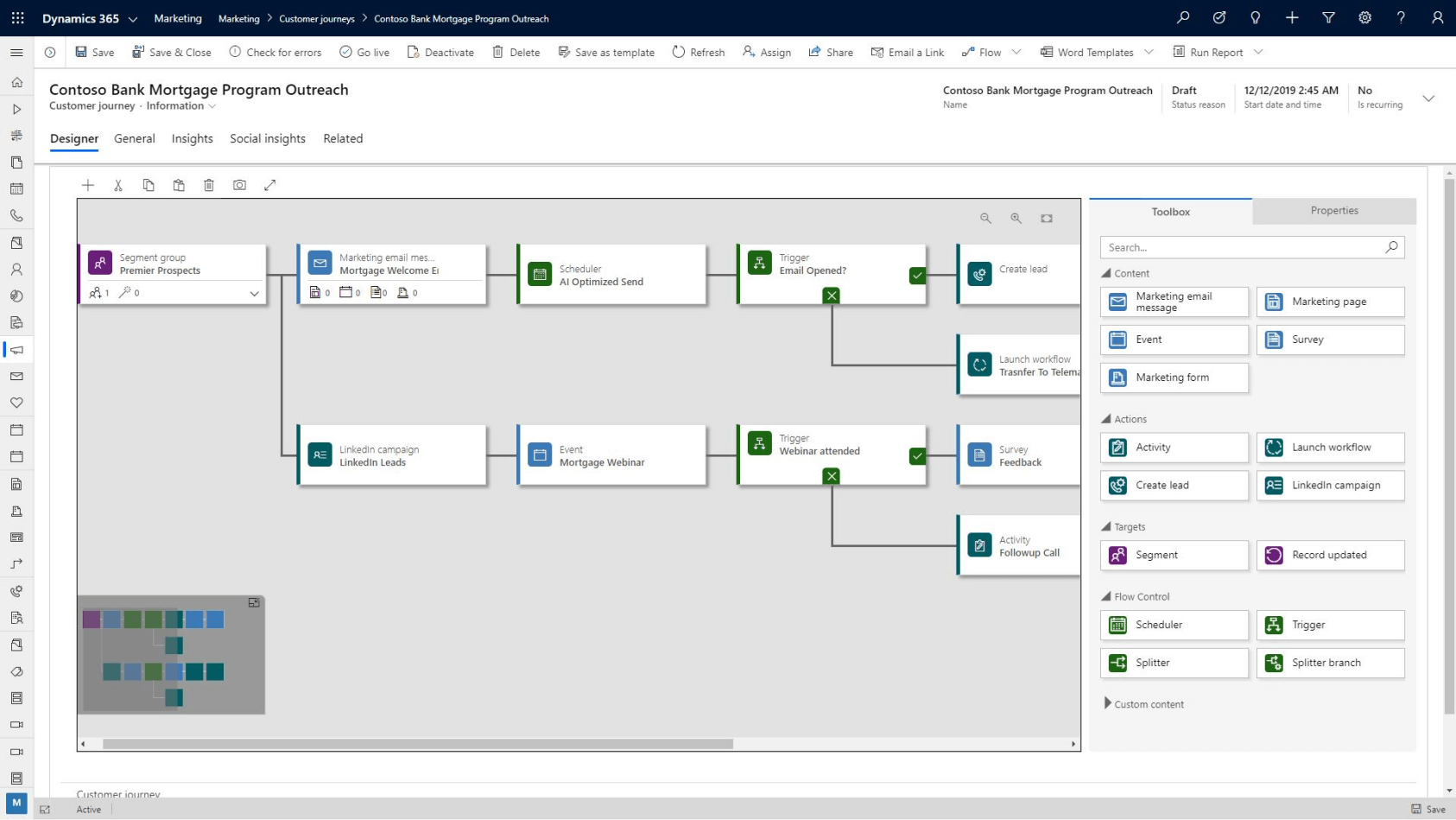
Every CRM structures data differently and the field names alone can trip up a CRM migration. Something as simple as "Company" in HubSpot mapping to "Account Name" in Dynamics 365 can send records to the wrong place if nobody catches it during configuration. Activity history is the one your reps will notice fastest because losing the context of past client conversations makes the new platform feel like starting from scratch.
Test the mapping with a small data set before running the full CRM migration. Import 50 to 100 records and check whether contacts populated the correct fields and whether deal history came through associated to the right accounts. Fix mapping errors at this stage because discovering them after the full migration has run and your team is already working in the system turns a configuration fix into a remediation project that costs significantly more and damages the confidence your team was starting to build.
A CRM migration project done right means the new platform earns your team's confidence in the first 30 days
Gestisoft can map your data, configure your pipeline, and train your team so the transition feels like an upgrade.
 Free discovery call
5. Rebuild your pipeline for the business you have now so after the CRM migration everything runs smoothly
A CRM migration is the one chance you get to stop replicating a pipeline that was configured years ago. Most companies move their existing pipeline stages into the new platform without questioning whether those stages still reflect how the sales team operates. Your sales process has probably evolved significantly since the original CRM was set up, but the pipeline configuration didn't evolve with it and that mismatch is one of the biggest reasons reps stop updating deal stages consistently.
Rebuilding the pipeline during the migration means working with someone who understands sales opportunity management software for complex B2B deal tracking and can translate how your team sells today into stages that make sense inside the new platform. A CRM implementation consultant will sit with your reps and your sales leadership separately because those two groups almost always describe the pipeline differently, and the configuration needs to account for both perspectives.
Win probabilities at each stage should be calibrated to your historical close rates instead of whatever the software ships with as defaults, and stage names should use the language your reps use in pipeline meetings. If your team has added a new product line that follows a different sales cycle it probably needs its own pipeline entirely because forcing it through stages designed for a different buying process guarantees your reps will stop tracking it accurately within the first month.
6. Build automation and integrations before the CRM migration goes live
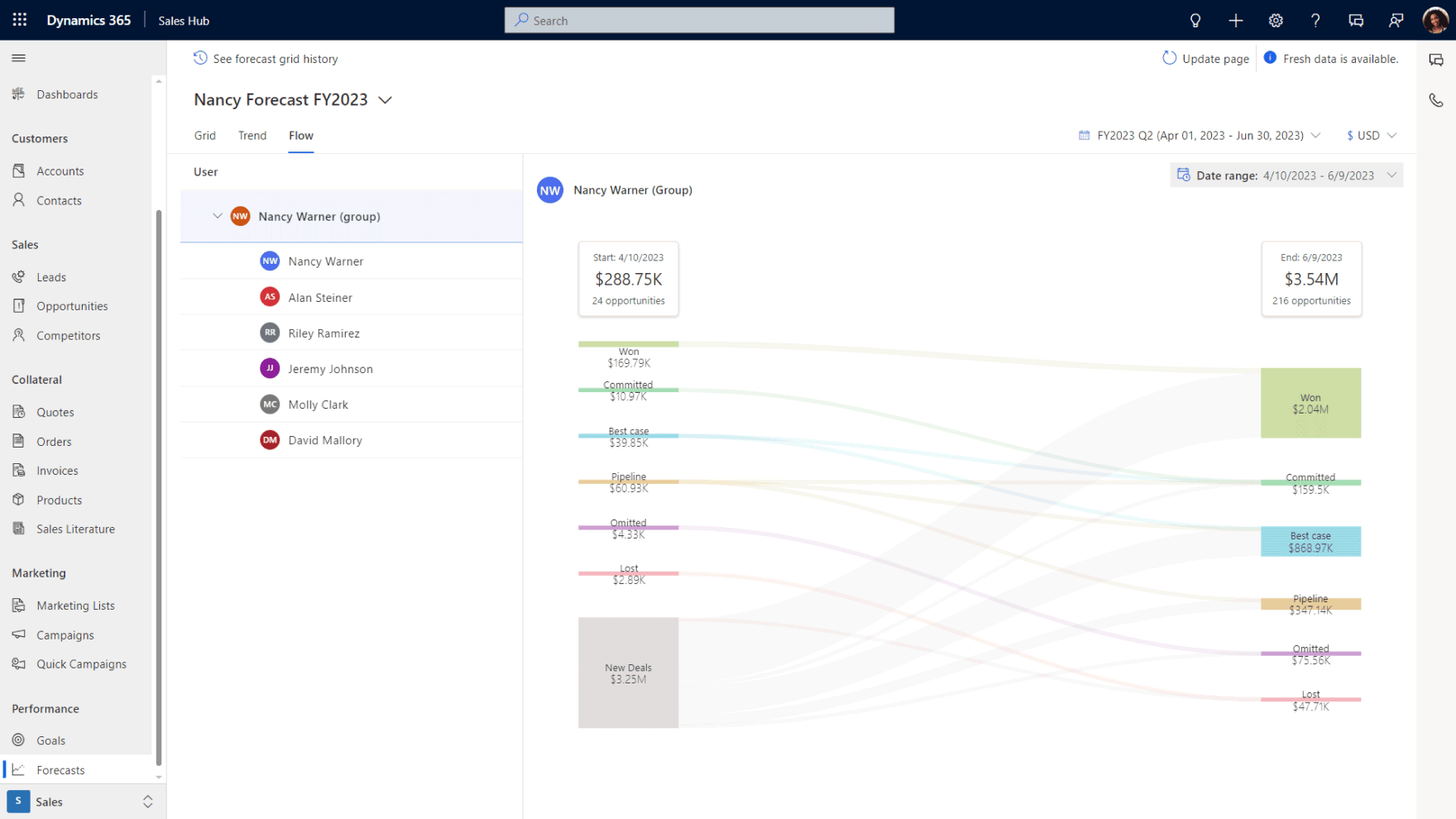
The features that save your sales team the most time on a daily basis are automation rules and tool integrations, and both need to be built and tested before anyone gets their login credentials. The temptation is to get the CRM migration live first and add automation later, but "later" in the context of a Canadian B2B sales team that just moved platforms usually means never. Your reps are adjusting to a new interface and learning new workflows. Asking them to also manually handle the tasks that automation should cover is how you burn through the goodwill that comes with a fresh start.
“Before, we were working with an application called Planner, but it was disorganized. We forgot tasks and didn't always call customers back.”
Lead assignment rules should route incoming leads to the right rep automatically based on how your sales team is structured and follow-up task creation should fire when deals sit at a stage longer than your average cycle length for that stage. Sales planning software that connects these automations to the broader outreach and follow-up process means your reps spend their first weeks in the new platform focused on selling instead of figuring out where things are.
For Canadian B2B companies running Microsoft 365, a CRM that connects natively to Outlook for email tracking and Teams for collaboration eliminates the third-party connector headaches that may have contributed to the CRM migration decision in the first place. A CRM software consultant who evaluates your full technology stack before go-live can identify which integrations your team will depend on from day one and make sure they're tested with real data before launch.
7. Train your team on their workflows before you hand them the login after the CRM migration
The single biggest predictor of whether a CRM migration succeeds long term is what happens in the first two weeks after go-live. If your reps log in and can't find what they need, they’ll revert to their spreadsheet by Wednesday afternoon. That means the new platform is already losing ground and it won't easily recover.
Training should happen before go-live and it needs to be role-specific. Your sales reps need to learn how to update deals, log activities, and use the automation features that were built during the previous step. Your sales manager needs to know how to read the CRM dashboard and pull the reports that feed into their weekly pipeline meetings and leadership needs to know exactly where to find the forecasting and performance data they rely on for planning. Generic training that walks through every feature in the platform teaches nobody anything useful because the rep doesn't care about admin settings and the VP doesn't need to know how to create a custom field.
The best sales management software delivers management-level reporting that only works when the team underneath is entering data consistently, and role-specific training is what builds that discipline. A sales dashboard that gives leadership accurate pipeline visibility becomes the single most visible proof that the CRM migration was worth the investment, so making sure leadership knows how to access it before launch is time well spent.
Each role should learn the system through the five to ten actions they'll perform every day. Build the training around those actions and skip everything else until the team has formed their daily habits with the new platform.
8. Plan for the first 90 day adjustment period after go-live
The first 90 days after go-live are where the system gets fine-tuned based on how your team uses it in practice, and this period is where most implementation partners make their exit which leaves Canadian B2B companies figuring things out on their own.
Your team will discover things that need adjusting during this window and that's completely normal. The system was configured based on how your sales process was described during discovery, but the reality of daily use always surfaces requirements that nobody anticipated in a meeting room. A CRM migration that doesn't account for this tuning period sets unrealistic expectations for what go-live means and your team ends up frustrated with a platform that just needs a few weeks of refinement.
The implementation partner who handled the migration should remain available during this period with defined response times and a clear scope for what adjustments are included in the original engagement. If the partner's involvement ends at go-live, your team is on their own during the exact period that determines whether the new CRM becomes part of daily operations or another subscription that collects dust. A Microsoft consultant who stays engaged through the adoption window can also identify opportunities your team hasn't explored yet, and a Microsoft Copilot consultant can activate AI features inside Dynamics 365 that most teams don't realize are available under their existing licence.
“Gestisoft had a knack for finding creative solutions. It wasn't easy, but the team never gave up and always managed to come up with solutions while trying to reduce costs as much as possible and bearing in mind the solution ecosystem's durability.”
The answers you get from your implementation partner before signing the contract about post-go-live support will tell you more about how the next 90 days will go than anything in the sales presentation. Find out how long support lasts and who your dedicated point of contact will be. A partner who gets vague on those details is telling you where their engagement ends, and it's exactly the point where your team needs them most.
A CRM migration plan that accounts for the first 90 days after go-live is worth more than one that stops at data transfer
Gestisoft stays with Canadian businesses through the adoption window because that's where the CRM earns its place.
 Book a free consultation
How Gestisoft handles CRM migration projects for Canadian B2B companies
The Canadian B2B companies that contact Gestisoft about a CRM migration have usually been through one of two experiences. They bought a CRM that was implemented badly and spent years working around it, or they outgrew a platform that served them well for a while and now need something that can keep pace with where the business is headed. Both of those starting points produce anxiety about the migration itself because the last thing any sales leader wants is to put their team through another disruptive technology project that doesn't deliver.
Gestisoft has talked enough companies through that anxiety to know that the biggest concern is almost always momentum. Your pipeline doesn't pause because you're migrating platforms. Deals are still moving, reps still need to follow up with prospects, and leadership still expects a forecast on Monday morning. The way Gestisoft runs a migration accounts for that reality by keeping your team operational throughout the transition instead of asking them to tolerate a blackout period where nobody knows where anything is.
Because Gestisoft works across both CRM and ERP on the Dynamics 365 platform, the migration can pull in data and workflows from beyond the sales team when the business needs it to. A Canadian distribution company whose CRM data feeds into invoicing and inventory doesn't have to coordinate between two separate partners for that. One team handles both sides and understands how the pieces connect.
Gestisoft has run CRM migration projects for Canadian B2B companies at every stage of complexity, from ten-person sales teams moving off a free HubSpot tier to mid-market organizations untangling years of Salesforce customization. The engagement starts with a conversation about where your current platform is falling short and what your team needs from the next one. If you've been putting off the migration because the project feels too big or too risky, that conversation is where the scope gets smaller and the path gets clearer.
-
Small businesses with clean data and standard requirements can expect 4-8 weeks. Mid-market companies migrating complex data structures with multiple integrations and large record volumes should plan for 3-6 months. Data quality is the biggest variable because clean data migrates fast and contaminated data adds weeks of deduplication and validation work before the migration can even start.
Liked what you just read? Sharing is caring.

May 25, 2026 by Shelley Sunjka by Shelley Sunjka Copywriter & Marketing Strategist
Armed with a psychology degree and an irrational obsession with okapis, I've spent the last decade helping bold brands tell better stories. I believe the best writing bends grammar rules on purpose and makes people feel something. When I'm not deep in words or nerding out on buyer behaviour, I'm probably convincing my kids that impromptu kitchen dance parties are totally normal.

