

The best CRM for small business in Canada needs to do 8 things well and has about six weeks to prove itself before your sales team decides whether to use it or route around it. The decision to add a CRM to an existing workflow is not something decided on a whim. After all, nobody really enjoys learning more tech on top of the job they already need to do. That's the energy most Canadian small businesses bring to the CRM conversation, and it's exactly why so many end up with a platform that collects dust after the first quarter.
Most Canadian small businesses buy a CRM based on pricing tiers and an impressive demo. Six months later the sales team has stopped updating it because the pipeline stages don't match how they sell. That pattern repeats because the evaluation focused on what the vendor showed during the demo rather than what the team would depend on every Monday morning. A CRM that can do 200 things but can't show your sales leader a clean pipeline view in under 10 seconds has missed the point entirely.
Your sales team cares about two things. Can they see their pipeline without building a report, and do follow-ups happen without someone remembering to send them. Leadership needs to be able to pull numbers to make accurate projections without asking someone to spend Friday afternoon in Excel. Getting clear on what your team needs before comparing platforms saves you from the expensive cycle of buying, abandoning, and buying again.
For Canadian businesses, the evaluation has a few extra layers. PIPEDA compliance, Canadian data residency, and bilingual capability for Quebec operations all belong on your requirements list before you book a demo, and the best CRM for small business in Canada platforms handle those requirements very differently from US platforms.
The best CRM for small business in Canada fits how your team sells today AND where you plan to be in two years
Gestisoft helps Canadian small businesses figure out what they need from a CRM before they start comparing platforms.
 Book a free consultation
1. The best CRM for small business in Canada should manage your pipeline visually
Your sales pipeline is how your revenue moves through the business. The best CRM for small business in Canada gives your team a visual pipeline where every deal sits at a clear stage and moving a deal forward takes seconds. Drag-and-drop views, deal values at each stage, automatic follow up alerts and the ability to filter by rep or date range should all come standard.
If your Monday morning sales meeting requires someone to export data into a spreadsheet to get a pipeline overview, the CRM has failed at its most basic job. A sales dashboard that gives leadership a live view of pipeline health without manual assembly is the baseline expectation. Leadership should be able to open the platform and see exactly where revenue stands.
For Canadian B2B companies running longer sales cycles with multiple decision-makers, the pipeline also needs to handle sales opportunity management with linked contacts in the same account. A CRM built for one-call-close transactions won't structure the pipeline the way a B2B sales team operates.
Pipeline visibility also gives leadership early warning on deals that are stalling. A CRM that surfaces stale deals automatically changes the dynamic in your pipeline meetings because the data is doing the accountability work rather than relying on reps to self-report problems. Your sales leader walks into the meeting already knowing which deals need attention, which means the conversation focuses on how to move them forward
2. The best CRM for small business in Canada should automate your follow-ups
Leads go cold fast, so the best CRM for small business in Canada should let your team set automated follow-up sequences so no prospect falls through the cracks because someone got busy and forgot to send the email. Automation is what separates a CRM from an expensive contact database, because the value shows up in what the system does with the information after your team enters it.
Automated task creation after a meeting should be standard. Reminder sequences when a deal goes stale at a pipeline stage for more than a set number of days keep reps focused on the deals that need attention. Email templates that fire when a lead reaches a certain score or stage mean your prospects hear from you at the right moment even when your rep is tied up with another client.
During the demo ask the vendor to show you a scenario where a lead comes in, gets assigned to a rep, receives an automated welcome email, and generates a follow-up task for the rep three days later. If the vendor can't demonstrate that workflow on the spot, the automation layer is either too limited or too complicated for a small team to manage without dedicated admin time.
Sales planning software connects these automations to the broader sales planning process. When your follow-up sequences feed data back into your pipeline reporting, leadership gets a clearer picture of which stages in the sales process are losing momentum and where the team's time is producing the most return. That feedback loop is what turns automation from a convenience feature into something that improves how the entire team sells over time.
“Before, we were working with an application called Planner, but it was disorganized. We forgot tasks and didn't always call customers back.”
3. The best CRM for small business in Canada should give your leadership reporting they can use
Your executive team needs specific answers from the CRM every week. How much revenue is in the pipeline this quarter and which rep is closing at the highest rate are the two questions that come up most often. The best CRM for small business in Canada produces those answers without someone spending half a day building a report from scratch.
Pre-built dashboards for pipeline value and revenue forecasting should come standard. The ability to build custom reports without writing code is the baseline for any CRM serving a team without dedicated analytics staff. If your leadership team is making decisions based on numbers that someone assembled manually in Excel, the reporting layer isn't doing its job and the decisions being made from that data carry risk nobody is accounting for.
Where many CRMs fall short for small businesses is that the reporting exists but the data underneath it is unreliable. If reps don't update deal stages consistently, the reports are useless regardless of how good the CRM dashboard looks. The CRM needs to make data entry simple enough that reps maintain it as part of their daily workflow rather than treating it as admin work they catch up on at the end of the week. Sales management software that delivers management-level reporting depends entirely on this discipline, and the right platform makes that discipline feel effortless.
The reporting question you need to ask is whether the dashboard you're seeing in the demo is pulling from real data or a curated sample. Ask the vendor to build a custom report during the demo using a scenario from your business. If they can do it in minutes, the reporting layer is strong. If they need to "get back to you," the platform probably can't deliver what your leadership team expects.
4. The best CRM for small business in Canada should connect to your email and calendar
Your sales team spends more time in their inbox and calendar than anywhere else during the working day. If the CRM doesn't integrate with those tools, reps end up doing double work and logging activities manually that should sync automatically. That friction adds up across every rep on your team every day, and it's one of the fastest ways to kill adoption.
For teams running Microsoft 365, the best CRM for small business in Canada should track Outlook emails against contact records automatically, sync calendar appointments, and let reps schedule meetings from inside the CRM without switching windows. Teams integration becomes important as your business grows and sales conversations happen across email and video calls.
For teams running Google Workspace, the same applies with Gmail and Google Calendar sync. The CRM should meet your team where they already work. Any CRM that requires reps to copy and paste email content into a separate system is adding friction that guarantees your team finds a way around it.
A CRM specialist can evaluate whether the integration between your CRM and your communication tools runs deep enough to support how your team operates daily, because a surface-level connection that syncs contact names but misses email threads and calendar context isn't worth much.
The best CRM for small business in Canada should feel like part of how your team works
Gestisoft can show you what Dynamics 365 looks like when it's connected to the Microsoft tools your team already uses.
 Free discovery call
5. The best CRM for small business in Canada should work on a phone
Canadian sales reps are on the road visiting clients and working from home. If the CRM only works well on a desktop, half your team's interactions with prospects happen outside the system and never get logged.
Mobile access should include the ability to view and update deals, log calls and meeting notes, and check contact history before a meeting. The mobile app should load fast and feel usable with one hand, because your rep is checking it in a parking lot before walking into a meeting. If the app is slow or clunky, your reps will stop opening it.
Ask the vendor for a mobile demo during evaluation. Open the app on your phone and try to find a specific contact and update a deal stage with notes and time yourself. If it takes longer than 30 seconds for any of those tasks, your team won't use it in the field. The desktop experience gets all the attention during sales presentations, but the mobile experience is what determines whether your reps keep the CRM updated between meetings or batch everything at the end of the day when half the details have already faded.
6. The best CRM for small business in Canada should keep your data in Canada
The best CRM for small business in Canada needs to store your data in Canada. PIPEDA applies to every Canadian business collecting personal information from customers, and where that data is stored and who can access it are questions your CRM vendor needs to answer clearly before you sign anything.
Many of the most popular CRM platforms store data on US servers by default. For a Canadian small business handling customer contact details and business communications, that means your data is subject to US jurisdiction unless you've specifically provisioned Canadian data residency. Most buyers don't ask about this during the evaluation and discover the issue months later when a client or an auditor raises it.
Microsoft Dynamics 365 stores data in Azure Canada data centres in Toronto and Quebec City by default for Canadian tenants. For other platforms, ask the vendor directly where Canadian customer data is stored. If they can't give you a clear answer during the sales process, that tells you they don’t focus on Canadian compliance.
A CRM expert should evaluate compliance alongside features when advising a Canadian small business on the best CRM for small business in Canada, because data residency is the requirement that causes the most expensive problems when it gets overlooked during selection. Understanding how Canadian CRM platforms handle this differently from US-built alternatives puts you in a stronger position during vendor conversations.
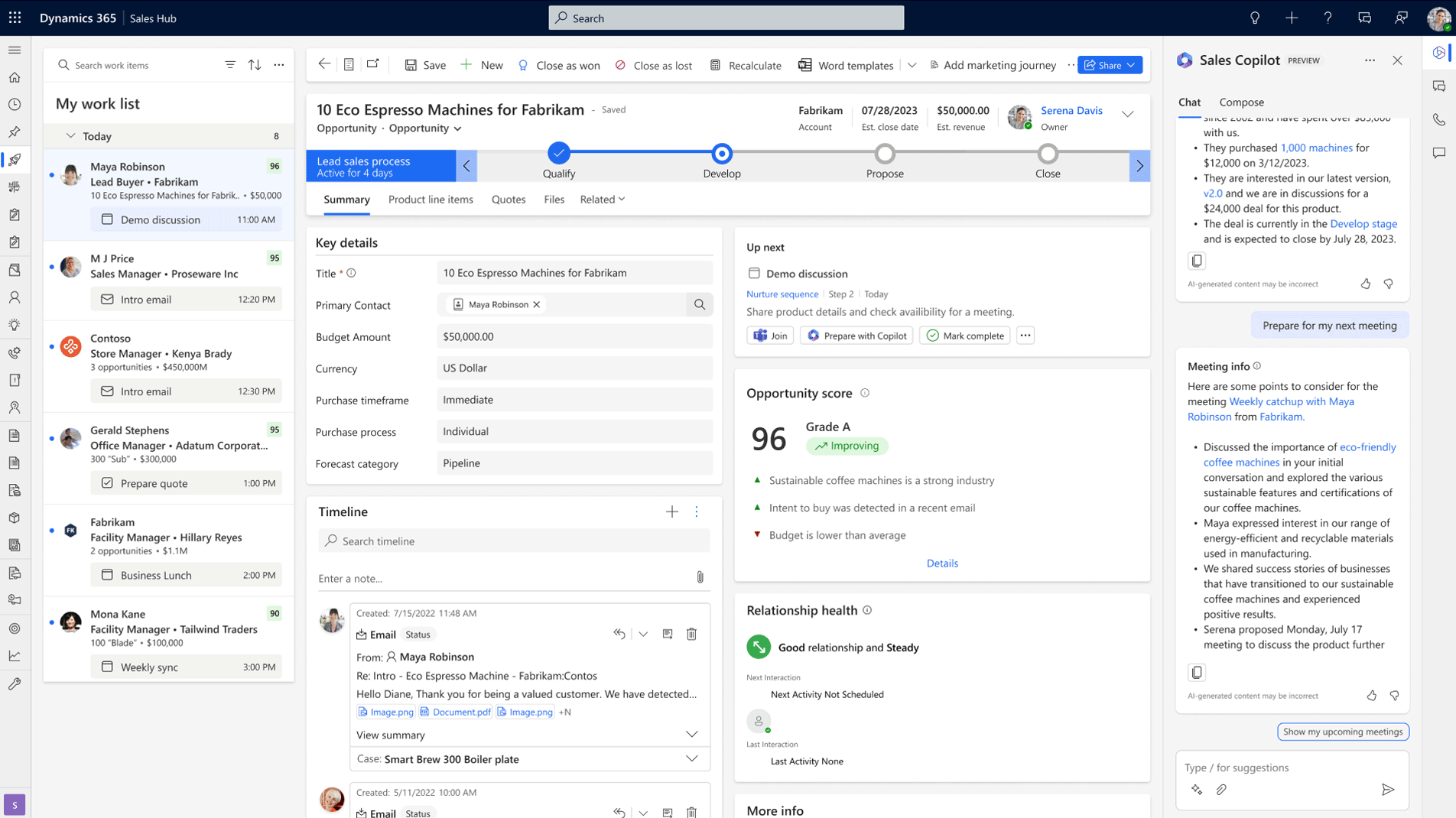
7. The best CRM for small business in Canada should support bilingual operations if you serve Quebec
If your business sells to clients in Quebec or has team members who prefer to work in French, the CRM needs to handle both languages properly. That goes beyond a language toggle in the settings menu.
Bilingual CRM capability means French-language interfaces for staff who work in French and has email templates and automated communications that send in the recipient's preferred language. If any of those elements default to English when they should be in French, your Quebec clients and staff notice immediately.
Many global CRM platforms offer French as a language option but the quality varies significantly. Automated email content generated by AI features is often English-first, with French added as a secondary translation that reads like it went through Google Translate. During your evaluation, request a full demo in French and test whether the bilingual experience holds up across the features your team would use daily.
The best CRM for small business in Canada gets this right during configuration. If your customer base or your team spans both official languages, eliminating CRMs that can't handle bilingual operations well narrows the field fast.
8. The best CRM for small business in Canada should scale without forcing a migration
This is the capability most small businesses evaluate last and regret first. The best CRM for small business in Canada should grow with your team from 5 users to 50 without requiring a platform migration somewhere in the middle.
Entry-level CRMs attract small businesses with low per-user pricing and simple interfaces. That works at 5 reps but by 15 reps with different territories and multiple product lines, the CRM that felt simple starts feeling restrictive. Adding users becomes expensive and features your growing team needs are locked behind enterprise tiers that change the economics of the entire investment.
The migration cost is real. Pulling data out of one CRM, cleaning it, mapping it to a new platform, retraining the team, and rebuilding integrations takes months and money that could have gone toward growing the business. A CRM software consultant who evaluates scalability during the selection process saves you from that disruption entirely. Dynamics 365 is built this way. A small business starts with Sales Professional and moves to Sales Enterprise on the same platform as the team grows. The data and workflows all carry forward. Many HubSpot competitors offer similar tiered paths, though the pricing jumps between tiers tend to be steeper and the architectural differences between editions can force a more disruptive transition. Working with a CRM implementation consultant ensures the platform is configured for where your business is heading as well as where it is now.
The best CRM for small business in Canada should be the last CRM you need to buy
Gestisoft helps Canadian small businesses choose a platform they won't outgrow in 18 months.
 Book a free consultation
How Gestisoft helps Canadian small businesses find the best CRM for their size and goals
The best CRM for small business in Canada is the one your team is still using a year from now. That sounds obvious, but the number of Canadian small businesses running a CRM they've already mentally abandoned tells you how often the implementation consultant gets it wrong.
Gestisoft implements Dynamics 365 for Canadian small businesses, and the reason our implementations stick is that we don't hand you a platform with default settings and wish you luck. We configure it around your sales process, and we stay in the engagement long enough to make sure your team has adopted it properly before we step back.
We work with Canadian small businesses at the exact stage where the CRM decision feels overwhelming. They’re evaluating too many platforms with no clear way to tell which one will hold up once your team starts using it for real. That's the conversation we're good at, and it's the reason most of our clients tell us the evaluation process was where Gestisoft added the most value.
“Having an external point of view is always relevant. Gestisoft provides insights that we wouldn't necessarily have had.”
We cover both CRM and ERP under the same roof, which means when your growing business needs Dynamics 365 to connect sales data to financial reporting, we handle it internally. That's a capability most small business CRM vendors can't offer, and it's the reason our clients don't end up back in the market eighteen months later looking for a platform that can keep up.
-
The best CRM for small business in Canada depends on your team size, sales process, and technology stack. For Canadian B2B companies running Microsoft 365, Dynamics 365 Sales Professional offers pipeline management, automation, and reporting with native Outlook and Teams integration. The best CRM for small business in Canada platforms each handle these capabilities differently depending on your size and requirements.
Liked what you just read? Sharing is caring.

May 25, 2026 by Shelley Sunjka by Shelley Sunjka Copywriter & Marketing Strategist
Armed with a psychology degree and an irrational obsession with okapis, I've spent the last decade helping bold brands tell better stories. I believe the best writing bends grammar rules on purpose and makes people feel something. When I'm not deep in words or nerding out on buyer behaviour, I'm probably convincing my kids that impromptu kitchen dance parties are totally normal.

