

Key Takeaways:
- Microsoft 365 Copilot for business is a CAD $28.50 per-user monthly add-on for Microsoft 365 Business plans, capped at 300 users per tenant.
- AI capabilities match Copilot Enterprise. The only real difference sits in the security and compliance tooling of the underlying M365 plan.
- The bundled Business Standard with Copilot at CAD $31.90 per user monthly (annual) prices roughly CAD $15 cheaper than buying the base plan and Copilot add-on separately.
- Copilot inside Business Central is already included at no extra cost, which changes the ROI math for companies on Microsoft ERP.
Microsoft 365 Copilot for business is Microsoft's SMB-tier AI add-on: same core Copilot AI capabilities as the enterprise version, priced lower, capped at 300 users per tenant. It's built for companies on Microsoft 365 Business Basic, Standard, or Premium who want AI inside Word, Excel, Outlook, and Teams without moving to an enterprise plan.
The naming confuses most buyers, and pricing rules change often. This guide walks through what you get, what it costs in Canada, what breaks in real rollouts, and how the picture shifts when you already run Microsoft Dynamics 365 Business Central.
Make the Right Copilot Call the First Time
Cut through Microsoft's SKU maze with a plain-language plan mapped to how your team actually works.
 Free discovery call
What Is Microsoft 365 Copilot for Business, and How Is It Different in 2026?
Microsoft 365 Copilot for business is a paid AI add-on that sits on top of a Microsoft 365 Business plan. It brings generative AI directly into the apps your team already opens every day. It is not a standalone product… you need an eligible base subscription underneath.
Microsoft introduced this SKU in late 2025 to give small and medium businesses a lower price point than the enterprise version. Same AI, smaller price tag, 300-user ceiling.
How Does Microsoft 365 Copilot for Business Compare to Copilot Chat and Copilot Pro?
Microsoft sells four different Copilot products, and the names blur together. Here is the split, in plain language.
Copilot Chat is the free tier. Web-grounded AI chat, no access to your company's SharePoint, OneDrive, or Teams data. Good for research, useless for anything grounded in your business data.
Copilot Pro is approximately CAD $27 (as of August 2026) per month per month consumer tier for individuals. It requires a personal Microsoft account, grounds data strictly on personal OneDrive and web sources, and cannot connect to a commercial tenant.
Microsoft 365 Copilot for business is the commercial SKU for the SMB market. CAD $28.50 per user per month billed annually, strictly capped at 300 users per tenant, integrating with your tenant data through a required Microsoft 365 Business Basic, Standard, or Premium base plan.
Microsoft 365 Copilot Enterprise covers larger organizations above 300 users with no seat cap. Approximately CAD $41 per user per month billed annually, requires an Enterprise base suite such as E3 or E5. The core AI engine matches the Business tier… Enterprise adds higher workflow execution limits in Copilot Studio and, with an E5 base plan, advanced data defense and retention tools.
If some people rave about Copilot and others say it does nothing, the answer is usually which tier they are on. For how Copilot compares against non-Microsoft AI, our breakdown of Microsoft Copilot vs ChatGPT covers the trade-offs.
Who Actually Qualifies to Buy Microsoft 365 Copilot for Business?
Three conditions have to be true.
- You need an active Microsoft 365 Business Basic, Standard, or Premium subscription.
- Your tenant has to sit at or below 300 provisioned users.
- And you buy the Copilot add-on separately through the Microsoft 365 admin center, a Microsoft partner, or Microsoft direct.
Legacy Office 365 plans do not qualify. If you are still on old Office 365 E1 or the retired Office 365 E3, you have to migrate first. Companies over 300 seats pay the enterprise rate.
How Much Does Microsoft 365 Copilot for Business Cost in Canada?
Microsoft 365 Copilot for business lists at CAD $28.50 per user per month for Canadian tenants on annual commitment. It's an add-on that sits on top of an existing Microsoft 365 Business Basic, Standard, or Premium licence.
Buying the add-on separately from your base plan carries a real price premium. The bundled Business Standard with Copilot plan lists at CAD $31.90 per user per month annual, roughly CAD $11 to $15 per user cheaper than buying the base plan and add-on separately.
What's the Real Per-User Cost of Microsoft 365 Copilot for Business?
The Copilot line item alone is only half the number. What actually leaves your account every month is the base Microsoft 365 plan plus the Copilot add-on plus any Azure metered charges if you use agents or Copilot Studio.
Microsoft raised base plan prices as of July 1, 2026. Stacked with Copilot Business, Canadian buyers land above CAD $46 combined per user per month when buying the base plan and Copilot add-on separately.
The bundled plan (Business Standard with Copilot at CAD $31.90 annual) is the cheaper path for most Canadian SMBs.
For the worked math across common SKU combinations and company sizes, our piece on Microsoft 365 Copilot pricing covers the license structure in depth.
What Hidden Costs Do Most Buyers Miss?
The invisible costs show up in the ninety days after purchase and catch most first-time buyers off guard.
- Permission cleanup. Copilot does not grant new access to any file. It just makes existing access searchable. If your SharePoint permissions are a mess (and most SMB tenants have accumulated years of oversharing), Copilot will surface HR spreadsheets to interns and salary data to summer staff. Fixing that takes real hours.
- Change management. Buying licenses is not adoption. Independent research shows most SMB Copilot licenses see very low daily active usage six months after purchase. Training, prompt playbooks, and internal champions are what convert a paid seat into actual productivity.
- Data prep for grounded answers. Copilot answers based on what it can see. If your OneDrive is full of outdated documents and your Teams channels have half-finished projects, the outputs will reflect that. Data hygiene is the quiet prerequisite.
What Does Microsoft 365 Copilot for Business Actually Do at Work?
Copilot shows up as a sidebar or in-app prompt inside the tools your team already uses. It reads your documents, emails, and chats within your permissions, then drafts, summarizes, analyzes, or explains whatever you ask.
The value is not any single feature. It is that the small friction points of knowledge work (blank page, long email thread, messy spreadsheet, meeting you missed) each shrink by five to twenty minutes.
How Does Microsoft 365 Copilot for Business Help Inside Word, Excel, and PowerPoint?
- Word. Ask Copilot to draft a first version of a proposal, project summary, or policy document, using your prompt and any files you reference. Instead of a blinking cursor, you start editing a structured draft. Good for reports, client memos, RFP responses, and anything with a repeatable shape.
- Excel. Copilot reads a spreadsheet, explains what the data is showing, suggests formulas, flags trends, and builds pivot tables from a natural-language prompt. A sales manager who used to spend two hours a week reconciling a pipeline sheet can ask for a deal-movement summary and get an answer in seconds.
- PowerPoint. Point Copilot at a Word document or a set of prompts and it builds a first-draft deck with slide titles, bullet content, and stock imagery. You still edit heavily. What you save is the twenty minutes of formatting from scratch.
How Does Microsoft 365 Copilot for Business Speed Up Outlook and Teams?
- Outlook. Copilot summarizes long email threads into three or four bullet points, drafts replies in your voice, and pulls out action items. The immediate win is inbox time. Managers with 100-plus emails a day get an hour of their morning back.
- Teams. Copilot writes meeting recaps, tracks decisions and open questions, and answers "what did I miss" for anyone who joined late or skipped. In hybrid teams, this alone justifies the license for a lot of companies.
- Copilot Chat inside your tenant. The paid tier unlocks grounded chat across OneDrive, SharePoint, and Teams data at the same time. Ask "what's the latest version of the Acme proposal and who signed off?" and it surfaces the file with the answer.
A short walk-through of the same workflows across Word, Teams, and Outlook gives you a clearer picture of what daily use looks like.
Why Do Microsoft 365 Copilot for Business Rollouts Quietly Fail?
Microsoft reported 15 million paid Copilot seats against 450+ million commercial Microsoft 365 subscribers in early 2026, roughly 3.3 percent of the base. Independent research shows only about 36 percent of Copilot licence holders become active users, and SMBs consistently trail enterprise activation.
The reason is rarely the technology. It is that SMBs do not have the time or dedicated IT resources for a proper rollout.
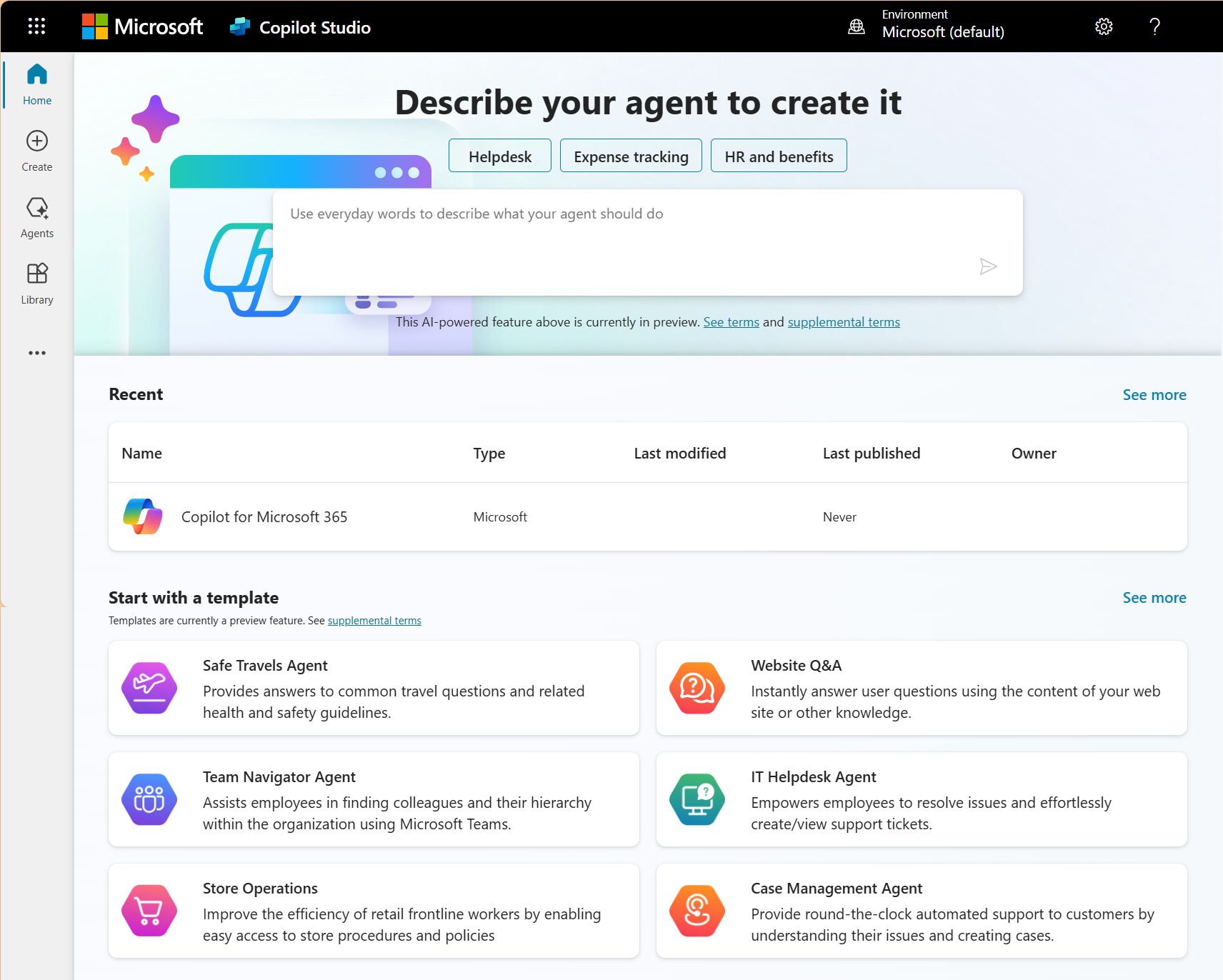
The failure pattern is consistent. Licenses get purchased... Icons appear in the toolbar... Nobody trains on it… Six months later the subscription renews and the tools are still mostly untouched.
What Is the SharePoint Permission Trap in Microsoft 365 Copilot for Business?
Copilot honours the exact permissions already set inside your tenant. It does not grant new access. It just makes anything a user already has access to instantly findable through natural-language search.
That becomes a problem in SMBs where SharePoint sites accumulated over years without permission reviews. A finance file shared with "Everyone" three years ago because it was easier than picking specific users is now one Copilot prompt away from a summer intern's chat window.
The fix is a pre-Copilot permission audit. Review site-level and file-level access, tighten "Everyone" and "All Company" shares, and remove access for departed employees. Unglamorous work, but it is the difference between a safe rollout and a governance incident.
Our guide to Microsoft Copilot challenges walks through seven risk areas most SMBs need to plan around, from data security and accuracy to cost management.
Why Do Companies Confuse Buying Licences With Adopting the Tool?
Buying a Copilot license takes about fifteen minutes. Getting a team of thirty to actually use it takes months of intentional work. Most SMBs skip the second part because it feels invisible and no one owns it.
The teams that see real returns treat rollout as a change project. They pick two or three specific workflows to target first (inbox summaries, meeting recaps, weekly reports), assign an internal champion, share prompt examples in a Teams channel, and check usage data at 30, 60, and 90 days.
Without that structure, adoption plateaus at a handful of enthusiastic early users while the rest of the seats sit idle.
Turn Paid Licences Into Real Productivity
Get a grounded rollout plan that gets your team actually using the AI you already paid for.
 Free discovery call
When Is Microsoft 365 Copilot for Business the Right Fit for Your Business?
Microsoft 365 Copilot for business fits companies with 10 to 300 users on a Microsoft 365 Business plan, where most daily work is knowledge work (writing, analyzing, meeting, coordinating). If most of your team is on the shop floor or on the road, the fit softens and the per-user math gets harder.
Which Business Sizes and Setups Suit Microsoft 365 Copilot for Business Best?
The strongest fit profile: a company between 20 and 200 users, already on Microsoft 365 Business Standard or Premium, with most work happening inside Word, Excel, Outlook, Teams, and SharePoint. Reasonably clean file organization, or a willingness to clean it up first. And a named person who owns adoption for the first six months.
Professional services firms hit this profile almost perfectly. So do consultancies, small law firms, marketing agencies, real-estate brokerages, and in-house finance teams. Manufacturing and distribution fit too, but usually only for office roles, not the shop floor.
Our sector-specific take on Copilot for manufacturing maps AI value across five factory roles, from the production manager to the controller.
When Should You Skip Microsoft 365 Copilot for Business or Wait?
Skip or delay if any of these are true…
- Your team is under ten people and everyone already knows what everyone else is working on, so Copilot's summarization value drops.
- Your files live mostly in Google Workspace, Dropbox, or a legacy on-premise share, since Copilot only sees Microsoft 365 data.
- Your SharePoint permissions have never been reviewed and you cannot fix them soon.
Wait if you are close to the 300-user ceiling. Growing past 300 while on a Business plan forces you into Copilot Enterprise anyway, and the migration mid-rollout is disruptive.
How Does Microsoft 365 Copilot for Business Change Things Inside Business Central?
If your company runs Microsoft Dynamics 365 Business Central as its ERP, the Copilot conversation shifts. BC already ships with Copilot features baked in at no additional license cost. Adding Microsoft 365 Copilot for business on top gives you a second layer of AI that bridges finance operations and daily productivity apps.
What Business Central Tasks Get Faster With Microsoft 365 Copilot for Business?
The included Copilot inside Business Central handles ERP-native tasks: item description writing, sales order creation from an emailed PO, bank reconciliation suggestions, late-payment predictions, and natural-language explanations of a bill of materials. These features come with the Business Central subscription. You do not pay extra for them.
The add-on connects your Business Central data to daily productivity apps.
- Ask Copilot inside Outlook to draft a customer follow-up referencing the latest invoice status from BC.
- Ask Copilot inside Excel to compare this quarter's sales data against last quarter's forecast.
- Ask Copilot inside Word to draft a supplier letter referencing open purchase orders.
That cross-app bridge is what the add-on unlocks. Our write-up on chatting with Copilot inside Business Central covers the ERP-native features included in the platform.
Do You Still Need Microsoft 365 Copilot for Business If Copilot Is Already in Business Central?
Not necessarily, and this is the ROI conversation most articles skip. If your team's daily work is mostly inside Business Central (finance, warehouse, purchasing, order processing), the included Copilot features may cover 60 to 70 percent of the value with no add-on purchase.
You add Microsoft 365 Copilot for business on top when a meaningful share of your team's work happens outside the ERP: writing customer emails, building executive reports in Excel, running long meetings in Teams. The right question is not "should we buy it." The right question is "which roles will use it enough to justify CAD $28.50 a month."
For the broader picture of how AI is reshaping the whole ERP layer, our overview of AI in ERP with Copilot in Business Central walks through it end to end.
-
The AI capabilities are identical. The difference is the security and governance tooling of the underlying Microsoft 365 plan. Business SKUs offer strong but simpler security features. Enterprise plans (E3, E5) add advanced data classification, DLP, and compliance monitoring.
Why Do Canadian Businesses Choose Gestisoft to Roll Out Microsoft 365 Copilot for Business?
Gestisoft has been a Microsoft Partner since 2004, with nearly three decades helping Canadian SMBs implement Microsoft business technology. We are B Corp certified, Great Place to Work certified, bilingual (EN and FR), and serve clients across Canada and North America from offices in Montréal, Toronto, Ottawa, and Québec City.
For Microsoft 365 Copilot for business specifically, our approach is unusual in one important way. We do not treat Copilot as a productivity add-on stapled onto a Microsoft 365 tenant.
We treat it as a change project connected to how your business actually runs. That usually means connecting the AI to your Business Central ERP or Dynamics 365 CRM data, so the outputs are grounded in real operational information, not just documents and emails.
Most Copilot consultants know Microsoft 365. Fewer know Business Central. As a Dynamics 365 Business Central partner, we work in both, which is why our rollouts still hold up a year later.
For more on why building on the Microsoft ecosystem pays off long term, our piece on Microsoft's competitive advantage is a good companion read.
Here is how one long-tenured client contact described the experience:
“he Gestisoft team offered a high level of both business and technical experience to the project and actively listened to and grasped all needs. Their recommendations enabled our client to make the best choice and have access to Business Central's greatest features. Along with this knowledge, Gestisoft consistently maintained strong communication.”
If you want a plan grounded in what your team actually does, and not a generic license pitch, we would be glad to help you scope it.
Get a Copilot Plan That Actually Sticks
Talk to a Canadian Microsoft Partner who's rolled it out inside Business Central, CRM, and daily productivity apps.
 Book a free consultation
Liked what you just read? Sharing is caring.

August 17, 2026 by Muhammad Ali Iqbal by Muhammad Ali Iqbal SEO Content Strategist & Copywriter
Driven by a passion for search engine optimization, strategic content, and conversion-focused writing. A copywriter and content strategist who lives for content that ranks, engages, and delivers real business results.

