The Dynamics 365 on premise vs cloud decision used to be a legitimate toss-up. On-premise gave you control but Cloud gave you convenience. Both deployment models had roughly the same feature set, and the choice came down to how your IT team preferred to operate.
That parity doesn't exist anymore. Microsoft has spent the last several years building Dynamics 365's most powerful capabilities exclusively for the cloud. Copilot AI, real-time sales forecasting, and deep Power Platform connectivity all require cloud deployment. On-premise installations don't receive these features and won't in the future.
For Canadian businesses running Dynamics 365 on premise or evaluating the platform for the first time, the Dynamics 365 on premise vs cloud comparison in 2026 looks fundamentally different than it did even two years ago. The feature gap between the two deployment models widens with every release wave, and the Canadian-specific factors that should inform this decision, including data residency through Azure Canada, PIPEDA compliance, and bilingual AI capabilities, all favour cloud.
The businesses still running on-premises have to because they have legitimate regulatory obligations that leave no alternative. For the majority of Canadian B2B companies though, the window where on-premises was the safer choice has closed, and understanding why changes how you approach the decision.
Your Dynamics 365 deployment decision affects every team that touches the platform
Gestisoft helps Canadian businesses evaluate their current setup and build a deployment strategy that accounts for where Microsoft is heading next.
 Free discovery call
What Dynamics 365 on premise vs cloud means in practice
Dynamics 365 on-premise means the software runs on servers your company owns and maintains. Your IT team handles installation, updates, security patches, and hardware management. Data lives physically inside your building or your private data centre. You control the environment completely, and that control comes with the full weight of maintaining it. Every upgrade is a project and every hardware failure is your problem to solve.
Dynamics 365 cloud means the software runs on Microsoft's Azure infrastructure and your team accesses it through a web browser or mobile app. Microsoft handles updates, security, uptime, and infrastructure. Your data sits in Azure data centres, and for Canadian businesses that includes facilities in Toronto and Quebec City. Updates roll out automatically twice a year, which means your team is always on the current version without scheduling downtime or dedicating IT resources to the upgrade.
Dynamics 365 as a platform covers CRM and ERP under one umbrella regardless of which deployment model you choose. The core business applications, sales, customer service, finance, and operations, exist in both versions. The difference is in what surrounds them and how they evolve over time.
There's also a hybrid approach to the Dynamics 365 on premise vs cloud debate where some workloads run on-premise while others run in the cloud. This was more common during early cloud adoption when businesses wanted to test the waters. In 2026, hybrid deployments are typically transitional rather than permanent, serving as a bridge for organizations working through complex migrations rather than a long-term architecture decision.
Why the Dynamics 365 on premise vs cloud comparison has changed since 2024
Two years ago, the Dynamics 365 on premise vs cloud comparison was a reasonable debate. Both deployment models had enough feature overlap that the decision came down to infrastructure preference. That overlap has eroded significantly, and the direction Microsoft is heading makes it clear the gap will only widen.
Cloud-only features that don't exist on-premises
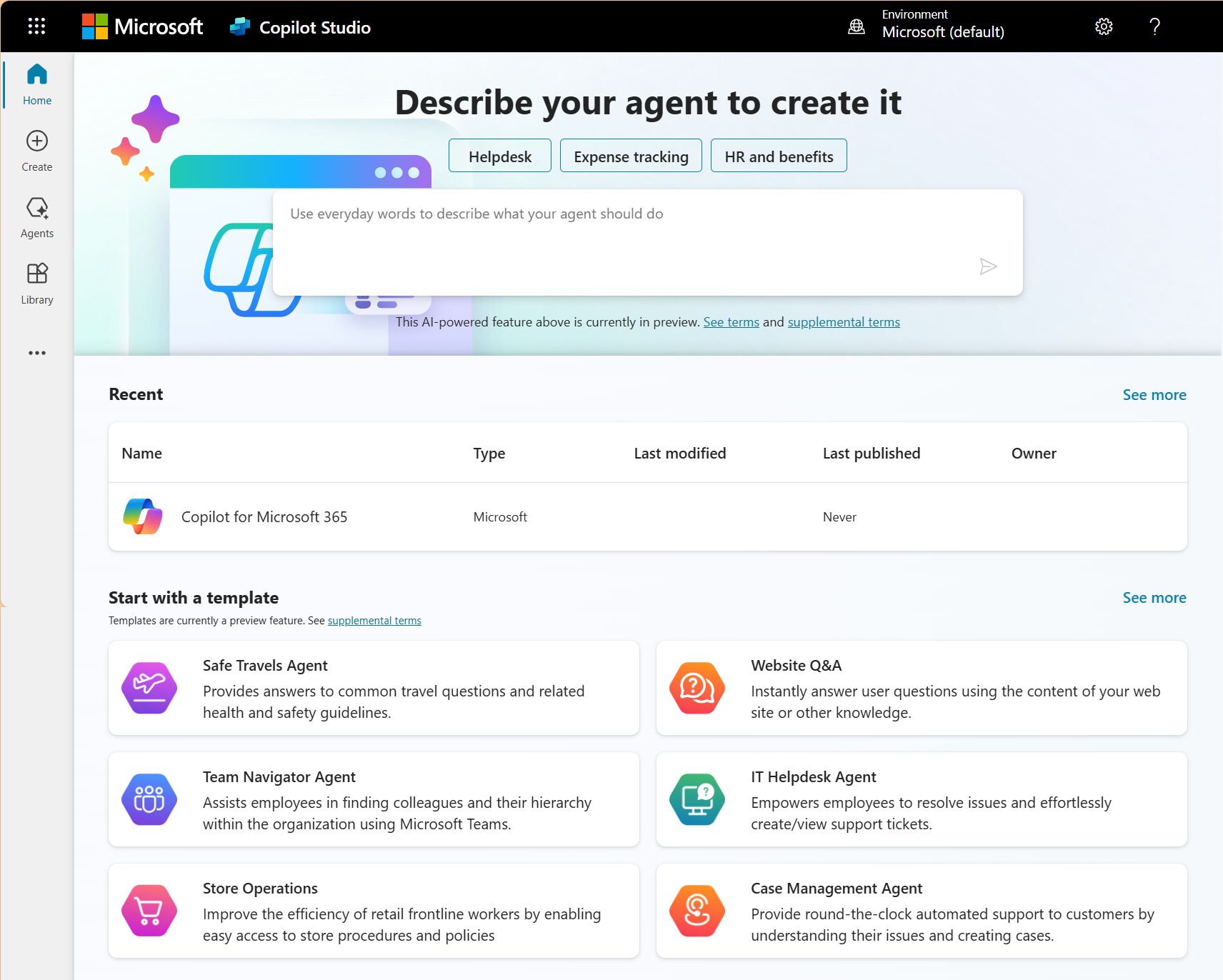
Microsoft has been building Dynamics 365's most powerful capabilities exclusively for cloud deployment. Copilot AI across sales and customer service, AI-powered sales forecasting that surfaces prospect intelligence inside the Microsoft Dynamics CRM are all cloud-only. Customer Insights for unified customer profiles and conversation intelligence that analyses call recordings and surfaces coaching opportunities sit in the same category. None of these are available on-premise, and Microsoft has given no indication they will be. Understanding how Copilot for Sales transforms the sales process gives a concrete picture of what on-premise teams are missing with every release wave.
The update gap compounds over time
On-premises users can choose when and whether to apply updates. That sounds like flexibility until you consider that the cloud version of Dynamics 365 receives major feature releases twice per year automatically. After two or four skipped update cycles, the gap between what your team uses and what the platform can do becomes significant. Staff who attend Microsoft training or watch product demos come back to an on-premises installation that will never have the features they just saw demonstrated.
The compounding effect is what makes the Dynamics 365 on premise vs cloud decision different from a simple version lag. Each skipped cycle doesn't just mean missing one set of features. It means falling further behind a platform that's evolving at a pace on-premises deployments were never designed to match.
Power Platform integration is cloud-native
Power BI embedded analytics, Power Automate workflow triggers, Power Apps custom tools, and Copilot Studio agents all connect natively to cloud Dynamics 365. On-premises deployments have limited or no access to these tools, which means businesses running on-premises miss the broader Microsoft ecosystem that increasingly ties productivity to data.
For Canadian B2B companies, this is where the Dynamics 365 on premise vs cloud decision becomes a strategic one rather than a technical one. The Power Platform capabilities that cloud deployment unlocks are the tools that sales leaders and operations managers increasingly depend on to automate workflows and report to leadership with confidence.
Where Dynamics 365 on premise still makes sense for Canadian businesses
Some Canadian businesses still have legitimate reasons for running Dynamics 365 on-premises, and understanding where those reasons hold up is part of getting the Dynamics 365 on premise vs cloud decision right.
Regulated industries with data sovereignty mandates beyond PIPEDA
Defence contractors and certain federal government agencies, especially those handling classified information may have regulatory obligations that require data to remain on hardware they physically control. For these organizations, Canadian data residency in Azure may not satisfy their specific compliance framework. The number of Canadian businesses that fall into this category is small, but the consequences of getting it wrong are severe enough that on-premises deployment remains the correct call.
Remote operations with unreliable internet connectivity
Mining camps, northern resource extraction sites, and remote infrastructure operations where stable internet cannot be guaranteed present a practical challenge for cloud deployment. If your team needs CRM access in locations where connectivity drops regularly, on-premises avoids the dependence on a constant connection. That said, Dynamics 365's mobile app does offer offline capability that covers many of these scenarios in cloud deployments, so the gap here is narrower than it was a few years ago.
Organizations with heavy legacy integrations that can't be migrated yet
Some businesses have built deep custom integrations between their on-premises Dynamics 365 instance and other legacy systems over many years. Untangling those integrations takes time and planning. On-premise may remain the right choice during that transition period, but it should be understood as a temporary position on the way to cloud rather than a permanent architecture decision. For businesses in this situation, understanding the role of ERP in digital transformation helps frame the migration as part of a broader modernization plan rather than an isolated platform swap.
For the vast majority of Canadian B2B companies weighing up Dynamics 365 on premise vs cloud, the reasons to stay on-premise are shrinking with every update. The practical question has moved past whether to migrate and landed squarely on when and how to do it without disrupting daily operations.
Not sure where your Dynamics 365 deployment stands relative to Microsoft's roadmap
Gestisoft can assess your current setup and show you what you're gaining or missing based on your deployment model.
 Free discovery call
What Dynamics 365 on premise vs cloud costs when you look beyond the licence
Every Dynamics 365 on premise vs cloud comparison covers the basic licensing difference. Perpetual licence versus monthly subscription. That comparison is accurate as far as it goes, but it misses the costs that determine which deployment model is cheaper over a five-year window.
On-premises cost structure
The perpetual licence comes with annual maintenance fees, typically 16-18% of the licence cost. On top of that sits hardware procurement and replacement cycles, IT staff time for server management and security patching, and the electricity and cooling costs for the server room. The upfront cost appears lower on a spreadsheet, but the ongoing operational burden accumulates year over year in line items that rarely get attributed back to the CRM decision.
Cloud cost structure
The per-user monthly subscription bundles hosting, updates, security, backups, and infrastructure into a single recurring fee. There’s no server hardware or dedicated IT maintenance hours for the platform itself. Understanding Dynamics 365 pricing in full means looking at what the subscription absorbs that on-premises forces you to budget separately, and for most Canadian B2B companies the total favours cloud once those operational costs are factored in.
The cost nobody calculates
The line items that never appear on a licensing invoice are the ones that compound fastest. A sales team operating without AI-powered forecasting for another year is leaving pipeline intelligence on the table. Reps building reports manually because Power BI dashboards aren't available on their deployment are spending hours on work that cloud teams complete in minutes. That productivity gap accumulates across every quarter and eventually shows up in pipeline velocity and win rates.
Canadian-specific cost factor
On-premise deployments require your business to manage its own security, compliance documentation, and audit readiness. Cloud deployments on Azure Canada inherit Microsoft's compliance certifications, including ISO 27001, SOC 2, and PIPEDA-aligned data handling, along with Canadian data residency by default. For businesses that face audits or work with enterprise clients who require compliance verification from their vendors, the administrative overhead of maintaining all of that documentation in-house on an on-premises deployment can be substantial enough to justify the migration on compliance cost alone.

How to plan a Dynamics 365 on premise to cloud migration for a Canadian business
If your business has weighed the Dynamics 365 on premise vs cloud decision and landed on cloud, the migration needs a plan that accounts for what you're running today and what you're gaining access to once you get there.
Step 1: Audit your current on-premises deployment
Document every customization and workflow your team depends on. Identify which ones are standard Dynamics 365 features that carry directly to the cloud and which are custom-built components that need redesign. The gap between those two lists determines your migration complexity and your timeline.
Step 2: Identify cloud-only capabilities your team will gain
Map the features your business would unlock by moving to cloud against the business problems your team faces today. Copilot, AI forecasting, Power Platform connectivity, and embedded analytics all become available on cloud deployment. This builds the internal business case for the migration beyond "Microsoft wants us to move" and gives leadership a concrete picture of what the investment returns.
Step 3: Address data residency and compliance before you move
For Canadian businesses, confirm that your Dynamics 365 cloud tenant will be provisioned on Azure Canada regions in Toronto and Quebec City. If your business handles data covered by PIPEDA or provincial privacy legislation, document how the cloud deployment satisfies those requirements. This is also the stage to review your cyber insurance policy, since some insurers treat unsupported on-premises software as a risk factor that affects premiums.
Step 4: Plan the data migration with cleanup built in
On-premise databases accumulate years of data that should be audited before migration. Duplicate records and outdated pipeline stages that your team has been working around for years all need attention. Migration is the best opportunity to clean house, and understanding how to successfully migrate ERP data prevents the most common pitfalls from derailing the timeline. Businesses running older on-premises versions face a migration path that involves migrating from NAV to Business Central as part of the same engagement.
Step 5: Train your team on what changes and what stays the same
The core Dynamics 365 interface is familiar to anyone who has used the on-premises version. The new capabilities, Copilot, embedded analytics, and collaboration through Teams, require training that connects to how each role uses the system daily. Role-specific training tied to the workflows each team member uses every day is what gets people comfortable with the new environment quickly.
What Canadian businesses should consider in the Dynamics 365 on premise vs cloud decision
The Canadian-specific factors that should influence the Dynamics 365 on premise vs cloud decision rarely get the attention they deserve, and for Canadian B2B companies they carry real weight in the final call.
Canadian data residency through Azure Canada
Microsoft operates data centres in Toronto and Quebec City. Dynamics 365 cloud tenants provisioned in Canada keep business data within Canadian borders by default, with documented residency that satisfies most compliance frameworks. On-premises deployment provides data residency too, but it depends entirely on your own security practices and documentation. The cloud option comes with Microsoft's infrastructure and audit trail behind it.
PIPEDA compliance and audit readiness
Cloud Dynamics 365 on Azure Canada comes with Microsoft's compliance certifications and data processing agreements that align with Canadian privacy legislation. On-premise businesses are responsible for generating all of that documentation themselves. For companies that face audits or work with enterprise clients who require compliance verification from their vendors, the administrative effort of maintaining that documentation in-house adds a cost that rarely gets factored into the deployment comparison.
Bilingual operations across English and French Canada
Cloud Dynamics 365 supports bilingual interfaces, and Copilot AI operates in both official languages. For businesses with teams in Quebec, cloud deployment provides bilingual capability that extends to AI-generated content and sales insights. On-premises deployments support language packs but miss the AI-powered bilingual features entirely, which creates a gap for businesses operating across both language communities.
Microsoft's partner ecosystem in Canada
The majority of Canadian Microsoft Partners have moved their implementation practice to cloud. Finding a partner with deep on-premise expertise is becoming harder each year, and the support ecosystem for on-premises deployments is contracting. Planning a cloud migration now means your business has more partner options available than it will if you wait another two years.
Your Dynamics 365 on premise vs cloud decision deserves a plan
Talk to Gestisoft about what a migration to cloud Dynamics 365 looks like for your business, your data, and your team.
 Free discovery call
How Gestisoft helps Canadian businesses move from Dynamics 365 on premise to cloud
On-premises migrations fail when the partner treats them like a lift-and-shift. The customizations that took years to build don't just copy across. The integrations with your ERP and your email marketing platform all need to be evaluated against cloud architecture. A CRM expert who understands the Dynamics 365 on premise vs cloud migration path knows which customizations translate cleanly and which ones need rethinking before the migration starts.
Gestisoft runs these migrations on Azure Canada, which means your data stays in Canadian data centres and the PIPEDA compliance documentation your enterprise clients ask for comes built into the deliverables rather than something your team scrambles to produce before an audit.
Our Dynamics 365 practice covers both CRM and ERP, which means when the migration surfaces dependencies between your sales platform and your Business Central environment, we handle both sides of that conversation internally. Most partners specialize in one or the other and bring in a subcontractor for the rest. That handoff is where migrations lose momentum and timelines slip.
Every cloud-only capability, Copilot AI, Power BI embedded dashboards, and Power Automate workflows, goes live for your team the moment the migration completes. The ROI on the migration starts the same week your sales team opens the new environment.
-
No. Copilot capabilities in Dynamics 365 require cloud deployment. This includes AI-generated email drafts, meeting summaries, and sales forecasting. Microsoft has not announced plans to bring Copilot to on-premises deployments, which makes this one of the most significant factors in the Dynamics 365 on premise vs cloud decision.
Explore more
- Dynamics NAV vs Dynamics 365 Business Central: what's the difference?
- An overview of the different modules of Microsoft Dynamics 365
- A simple guide to Dynamics 365 Business Central pricing and licensing
- Cloud security best practices for your business
- Finance and Operations vs Business Central: which Dynamics 365 ERP fits your business?
Liked what you just read? Sharing is caring.

May 29, 2026 by Shelley Sunjka by Shelley Sunjka Copywriter & Marketing Strategist
Armed with a psychology degree and an irrational obsession with okapis, I've spent the last decade helping bold brands tell better stories. I believe the best writing bends grammar rules on purpose and makes people feel something. When I'm not deep in words or nerding out on buyer behaviour, I'm probably convincing my kids that impromptu kitchen dance parties are totally normal.