

Key Takeaways
• In Canada, fixed-scope projects typically run $7,000 to $45,000+ CAD depending on seat count, Copilot readiness, and Law 25 obligations.
• Many M365 consultants also earn CSP (Cloud Solution Provider) commission on licenses they sell you, which can bias their recommendations toward E5 and Copilot add-ons.
• Gestisoft is a Microsoft Solutions Partner serving Canadian businesses in English and French across M365, Dynamics 365, and Business Central.
Microsoft 365 consulting is a paid partnership with a Microsoft certified firm that audits your M365 tenant, right-sizes your licenses, locks down security and governance, and gets your business ready for Teams, SharePoint, and Copilot to actually work the way they were sold.
In Canada, a scoped project runs $7K to $45K+ CAD. The rest of this guide shows you how to spend that money well.
That partnership language is not accidental. One of Gestisoft's distribution clients put it like this:
“Gestisoft's consultants come from the industry, so when we worked together, we spoke the same language and shared the same vision of what was important and necessary. They guided us in implementing industry best practices. Throughout the project, their industry expertise eliminated any potential irritants that might have risen from inexperience in the distribution environment.” - Frédérik Lajoie, Vice President”
That is the one thing a buyer's guide can't fake for you. It's the thread running through everything below.
Here is what most "Microsoft 365 consulting" articles won't say out loud. A lot of the people selling you consulting also earn a commission on the licenses they recommend. That is why they want you on E5 with Copilot for everyone.
This guide is written from the other side of the table. Below are the exact questions Canadian buyers often ask on real sales calls, in the order they usually ask them. Start with the first one.
Scope Microsoft 365 Spending That Pays Off
See exactly what your tenant needs and skip the upsells, mapped by a Microsoft Solutions Partner.
 Free Discovery Call
1- "What Does Microsoft 365 Consulting Actually Include?"
Microsoft 365 consulting usually includes six workstreams: tenant audit, license right-sizing, security and identity setup, Teams and SharePoint governance, Copilot readiness, and user adoption.
Not every engagement includes all six. The real question is which ones your business actually needs today versus which ones a consultant will try to upsell.
The 6 Workstreams Inside Microsoft 365 Consulting (With Who Should Care)
Each workstream fixes a different kind of problem. If none of these problems sound familiar, you may not need a consultant yet.
- Tenant audit. The IT lead cares. Finds misconfigurations, orphaned licenses, and risky sharing permissions.
- License right-sizing. The CFO cares. Matches each user to the cheapest license tier that still fits their job.
- Identity and security. Compliance cares. Covers Entra ID (Microsoft's identity service), conditional access rules, and data loss prevention (DLP).
- Teams and SharePoint governance. The ops lead cares. Owns site structure, naming, and who can create what.
- Copilot readiness. The business owner cares. Preps your tenant so Copilot doesn't surface the wrong documents to the wrong people.
- User adoption and training. HR and department heads care. Turns features into habits.
That last point ties straight into the ERP side of your stack. For a company running an ERP for manufacturing industry or an ERP for distribution business, M365 adoption only sticks when it talks to the systems people already use every day. A good consultant will spot that integration need before anyone opens a license manager.
Pro Tip: Before you accept any Copilot proposal, open the Microsoft 365 Admin Center, go to Reports, SharePoint, Sharing, and pull your tenant's sharing audit. If more than 15% of your files are shared with "Everyone except external users," Copilot will quietly surface documents your junior staff shouldn't see. Fix the sprawl first, or delay the Copilot pilot. There is no middle option.
If you want the Copilot pricing and hidden-cost picture before deciding, we laid it out in Microsoft 365 Copilot for business. You don't need to read it to finish this guide.
What's Not Included in Microsoft 365 Consulting (And Who Owns It)
Consulting is a project. Three jobs sit outside that project, and buyers get burned when they confuse the two.
- Day-to-day user support. That's a managed services provider (MSP), not a consultant.
- Hardware procurement. Laptops, headsets, and phones belong to IT purchasing.
- Custom app development. Writing a Power App or wiring a Power Automate approval flow is a build project. Most M365 consultants can scope it, but it's priced separately.
Treat these as line items, not bundles. If a quote mixes them without labels, ask for the breakdown.
2- "When Do You Actually Need Microsoft 365 Consulting (and When Can You Skip It)?"
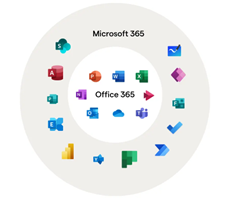
You need Microsoft 365 consulting when your tenant has grown faster than its structure, when Copilot is on the roadmap, or when a compliance obligation like Law 25 or PIPEDA is forcing cleanup. You can skip it when you have fewer than 50 seats, are using Business Standard, and have no cross-platform data flows.
3 Signs You Need Microsoft 365 Consulting Now
These are the real triggers, not the sales pitch triggers.
- SharePoint and Teams sprawl: 100+ sites, nobody owns the structure, and finance keeps emailing files because the search bar lies.
- Copilot pilot stalled because the data governance isn't ready, and the licenses are now sitting idle.
- M&A, Law 25, or a security audit forcing tenant cleanup before a deadline you didn't pick.
Expert Insight: Canadian buyers scope Copilot wrong. They treat it as a technology rollout. It's a governance project with Copilot bolted on at the end. The order that works is audit, cleanup, DLP, sensitivity labels, then Copilot. Flip that order and you're paying roughly $340 CAD per seat per year to let an AI read a tenant you haven't cleaned up yet.
3 Scenarios Where You Can Skip Microsoft 365 Consulting
Honesty up front saves everyone a sales cycle.
- You have under 50 seats, use Business Standard, and have no compliance obligations. A good MSP handles this.
- You're migrating from Google Workspace with no customization needs. The Microsoft migration tool is enough.
- You already have a strong in-house M365 admin and nobody is pushing Copilot. Use the money on training that admin instead.
If any of those three fit, close this tab. Come back when something changes.
The AI ROI Playbook for Microsoft 365 Copilot
Before you commit a dollar to Copilot licenses, this free ebook maps where it actually pays off, department by department.
 Free Access the Guide
3- "How Much Does Microsoft 365 Consulting Cost in Canada?"
Based on what we see in Canadian engagements, Microsoft 365 consulting typically runs $7,000 to $45,000+ CAD for a scoped project, or $175 to $300 CAD per hour for ad hoc work. Actual cost depends on seat count, scope, Copilot inclusion, and whether the consultant takes CSP commission on licenses.
What Microsoft 365 Consulting Costs by Project Size
Treat these as planning numbers, not quotes. Every tenant is a little different.
- Small (under 50 seats, basic governance): $7K to $15K CAD.
- Mid (50 to 200 seats, Copilot pilot + Law 25): $15K to $30K CAD.
- Enterprise (200+ seats, full identity + governance + Copilot rollout): $30K to $45K CAD and up.
If your company sits in the small or mid band, the ERP side of the stack usually dwarfs M365 on total project cost. Our guide on ERP for SME walks through the cost ranges and what drives them.
The Hidden Cost of Microsoft 365 Consulting Nobody Mentions
Many Canadian consultants are also Cloud Solution Provider (CSP) resellers. That means they earn a margin on every Microsoft license they sell you, paid by Microsoft, not by you directly.
That margin creates a quiet pull toward E5, Copilot, and premium add-ons. Even when a cheaper mix would fit your team better.
Ask directly:
- "Do you take CSP margin on our licenses?
- Are you willing to recommend fewer licenses or a lower tier if that fits better?"
A real answer gets you a straight number. A dodge tells you where the engagement is going.
For comparison, independent ERP consultants often work on fixed advisory fees with no license resale. The same model exists on the M365 side if you look.
You can also sanity check any vendor against Microsoft's own Solutions Partner designation page to see what the real tier structure looks like.
4- "What Should a Microsoft 365 Consulting Engagement Look Like Week by Week?"
A healthy Microsoft 365 consulting engagement usually follows a 90-day shape: 2 weeks of discovery, 3 weeks of pilot and config, 4 weeks of phased rollout, 2 weeks of training and handover. Anything shorter is cosmetic. Anything longer is scope creep.
The 90-Day Microsoft 365 Consulting Timeline
Here is the shape worth asking for by name.
- Weeks 1 to 2: Discovery. Interviews, tenant audit, Secure Score baseline.
- Weeks 3 to 5: Pilot and config. One department, locked scope, measured outcomes.
- Weeks 6 to 9: Phased rollout. Department by department, with governance in place.
- Weeks 10 to 11: Training and documentation. Handover to your admin.
- Week 12: Post-go-live review. Fix the five things that always show up.
If a vendor pitches a "two-week transformation," they are selling you a demo, not an engagement.
Pro Tip: Ask your consultant to run the Microsoft Secure Score baseline on your tenant before they send a quote. If they refuse, or if they try to bundle a 15-minute report into a $5,000 line item, that tells you how the rest of the engagement will be priced. The score is free, Microsoft owns the tool, and the number itself tells you where your governance debt actually sits.
What a Weak Microsoft 365 Consulting Engagement Looks Like
Here's the pattern that keeps repeating:
A mid-market company hires an M365 consultant who skips discovery, pushes top-tier licenses across every seat, and runs a short Teams training. Six months later, Copilot adoption is flat, licenses sit idle, and nobody owns SharePoint.
The fix is rarely more features. It's a tenant audit, right-sized licenses, and a governance owner. The engagement that was supposed to prevent the mess ends up causing it.
Get a Second Opinion on Your M365 Quote
Catch inflated scope and hidden license margin, read line by line by a Microsoft Partner with 20+ years in Canada.
 Free Discovery Call
5- "What Are the 9 Questions to Ask Before You Sign a Microsoft 365 Consulting Contract?"
The 9 questions below separate real Microsoft 365 consultants from license resellers. Skip any of them and you are buying blind.
The last one is the single most important.
Scope and Deliverables (Questions 1 to 4)
Scope questions kill more bad engagements than price questions.
1- "What specifically is in scope, and what is not?" Force a written list of what the engagement covers and what it leaves out. Everything else is an upsell waiting to happen.
2- "What are the named deliverables and acceptance criteria?" "Done" has to mean something specific. Documents, configurations, dashboards, by name.
3- "Who owns what: us, you, Microsoft?" Every project has shared ownership. Confusion here is where delays live.
4- "What is the fixed cost versus the time-and-materials portion?" A healthy engagement has both. A quote that's 100% time-and-materials is a blank cheque.
If any answer is "we'll figure that out in discovery," ask for a discovery-only quote first. Then decide.
Credentials and Approach (Questions 5 to 8)
Credentials protect you from pretty slide decks.
5- "What is your Microsoft Solutions Partner designation, and in which solution areas?" "Microsoft Partner" is not the same as "Solutions Partner." Only the second one carries current audit-backed proof.
6- "Do you take CSP commission on the licenses you recommend?" This answer tells you whether the recommendation serves you or their margin.
7- "Have you shipped projects with Law 25 or PIPEDA compliance baked in?" Ask for one client name and one specific control they implemented. Vagueness here is the tell.
8- "Who on your bench will actually do our work, not the sales person?" Get names. Senior people sell the deal, junior people often deliver it. You deserve to know which.
On question 7, read the actual law before you ask. The Office of the Privacy Commissioner of Canada covers PIPEDA. The Commission d'accès à l'information du Québec covers Law 25.
The One Question That Matters Most (Question 9)
Save this one for the end of the sales call.
9- "Walk me through a client you fired, and why."
A good answer tells a specific story about mismatched expectations and what they learned.
A weak answer is "we've never fired a client." Any consultant worth hiring has fired a client. They just don't lead with it.
6- "What's the One Microsoft 365 Decision You Can't Walk Back?"
The one Microsoft 365 decision you cannot walk back is tenant architecture. Your region, your initial domain, and the choice between a single tenant and multi-tenant setup if you have Canadian and US entities.
Everything else can be reworked. Tenant architecture requires a migration project to undo.
Why Tenant Setup Is the Point of No Return
Three decisions made in week one follow you forever.
- Your primary domain can only be aliased, not renamed.
- Data residency region is set at provisioning and locked.
- Multi-tenant decisions affect every future acquisition and spin-off.
This is also where the Quebec Law 25 blind spot shows up. For any company with Quebec users, the tenant has to be configured for Canadian data residency from day one.
Many non-Quebec consultants miss this entirely. If a vendor can't name Law 25 unprompted during a discovery call, that's a disqualifier for the engagement, not something to coach them through later.
Our team's experience with Business Central implementation in Alberta shows the same pattern on the ERP side. Canadian regional context matters more than most national vendors admit.
Microsoft 365 Consulting Decisions You CAN Change Later
Not everything is permanent. These you can revisit.
- Licensing tier (E3 to E5, Business Standard to Premium).
- Teams structure and channel naming.
- SharePoint hub topology.
- Copilot rollout order and department sequencing.
If you want the official reference, Microsoft’s own tenant roadmap walks through the planning decisions you make at tenant setup.
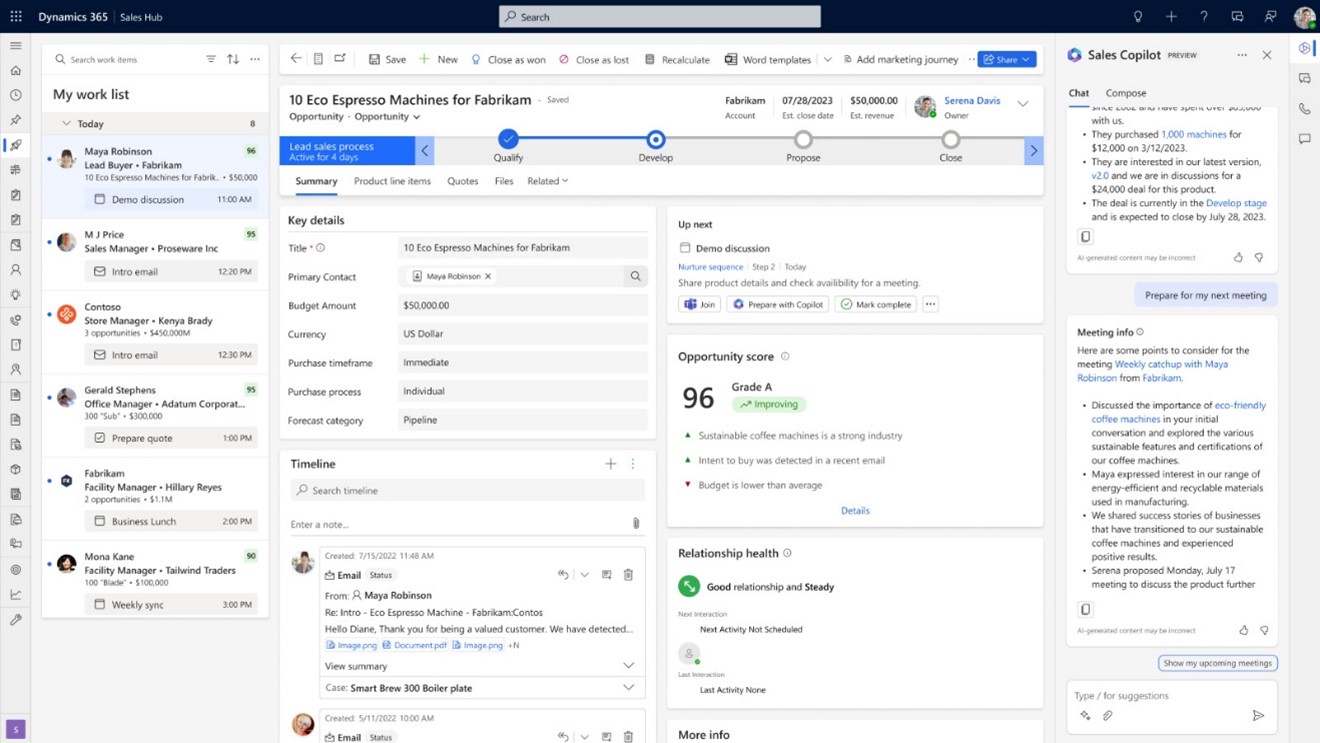
If you want a sense of what Copilot across Word, Teams, and Outlook looks like in practice, this short walkthrough covers it:
7- "What Does a Great Microsoft 365 Consulting Partner Look Like in Canada?"
A great Microsoft 365 consulting partner in Canada carries at least one current Microsoft Solutions Partner designation, has shipped projects that handle Law 25 and PIPEDA, offers bilingual support if any of your users are in Quebec, and has shipped Dynamics 365 or Business Central alongside M365.
5 Signs of a Strong Microsoft 365 Consulting Partner
Look for these before you sign anything.
- Current Microsoft Solutions Partner designation in a relevant solution area.
- Named consultants on your project, not a nameless bench.
- Canadian presence with real Quebec experience and bilingual delivery.
- Cross-platform experience across M365 + Dynamics 365 + ERP.
- Post-go-live ERP support that's a contract, not a hope.
The cross-platform point is where most pure-play M365 vendors fall short. If you're also running a CRM and a reporting layer, you need a consultant who sees how M365 feeds both. A specialist in industrial manufacturing ERP will care about how Teams routes shop-floor alerts, not just whether SharePoint has the right folders.
If you're based in Ontario and looking for a Microsoft 365 Copilot partner in Ottawa, the shortlist usually runs to five or six firms. Look at who has shipped Dynamics work in the same region. Our team has done this for clients from the East Coast to BC, and the CRM consultant in Calgary side of the practice runs on the same bench.
For the reporting side, our guide on how to connect Power BI to Business Central shows what that cross-platform work actually looks like in a real deployment.
If You Only Do One Thing Before Signing
Pay for a discovery-only engagement first, with a hard stop and no further commitment. Two weeks, fixed fee, named deliverables.
If the vendor refuses, that's your answer. If they agree, you'll know within two weeks whether the full engagement is worth signing. That one clause saves more Canadian buyers from bad Microsoft 365 consulting contracts than any other.
The Bottom Line
Microsoft 365 consulting is worth the money when the consultant acts like a partner who could lose your business, and worth nothing when they act like a license reseller.
Build an M365 Setup That Holds Up
Lock in a tenant ready for Copilot, Law 25, and growth, delivered by a bilingual Canadian team.
 Free Discovery Call
FAQs
What's the Difference Between Microsoft 365 Consulting and Managed IT Support?
Microsoft 365 consulting is a scoped project with a start and an end. It audits, configures, and hands over.
Managed IT support is an ongoing retainer that handles day-to-day issues. You usually need both, but you buy them separately.
How Long Does a Microsoft 365 Consulting Engagement Take?
A healthy engagement runs about 90 days from discovery to handover. Faster is possible for very small tenants. Longer usually means scope creep or a stalled client.
Do I Need Microsoft 365 Consulting If I Already Use Teams and SharePoint?
Only if your tenant has outgrown its original setup, or if Copilot, Law 25, or a security audit is forcing cleanup. If none of those apply, a good MSP is enough.
Is Microsoft 365 Consulting Worth It for a Company Under 50 People?
Usually no. Under 50 seats on Business Standard with no compliance load, a strong in-house admin plus an MSP covers it. Buy consulting when you cross a threshold, not before.
What Should Microsoft 365 Consulting Cost in Canada in 2026?
For most Canadian SMBs, budget $7K to $30K CAD for a scoped project. Enterprise work with Copilot and Law 25 can push past $45K+ CAD. Hourly rates sit at $175 to $300 CAD.
Why Gestisoft Is the Microsoft 365 Consulting Partner Canadian Teams Keep Coming Back To
If you've read this far, you already know what to look for. Here's where Gestisoft lines up against that same checklist.
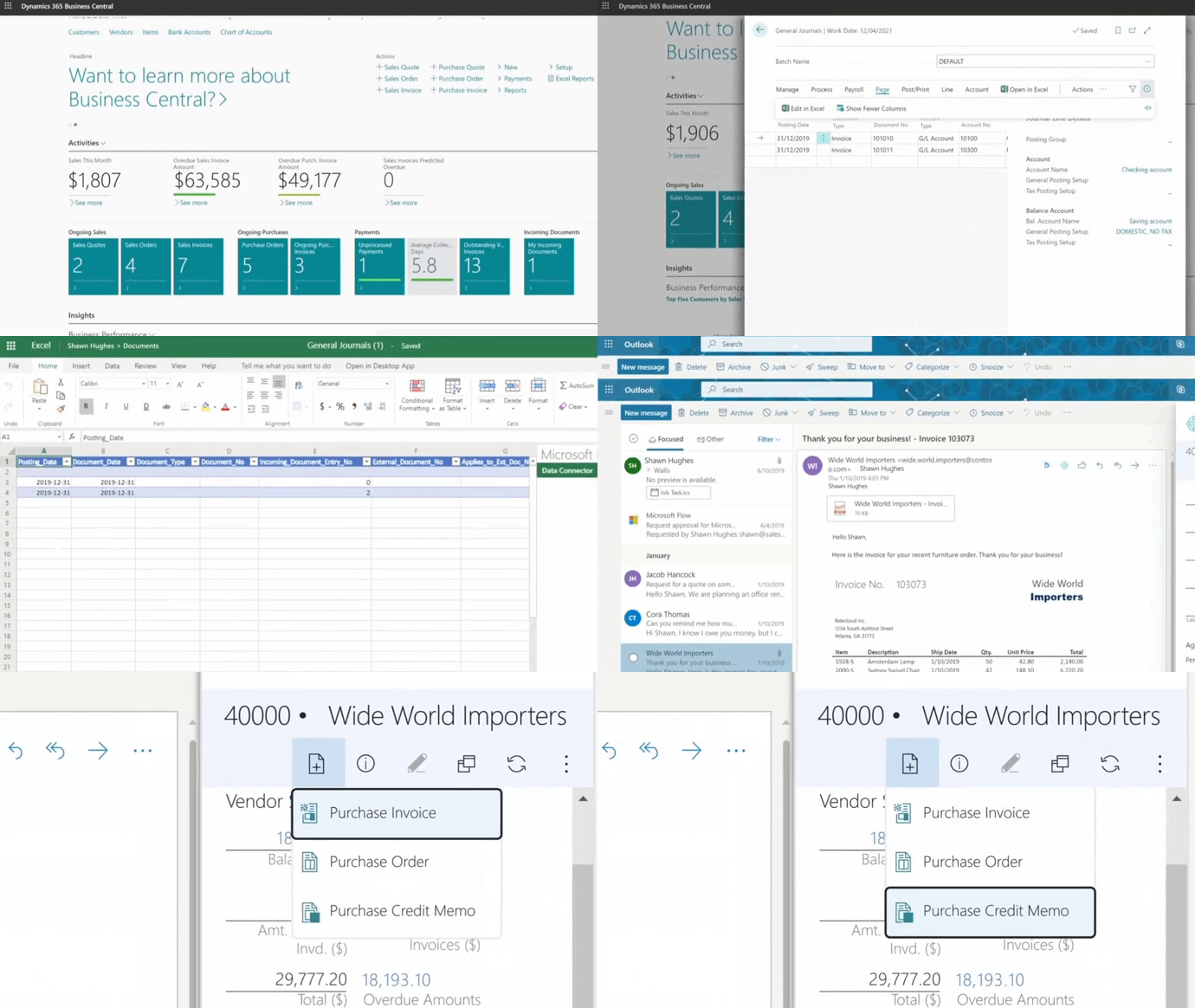
- Microsoft Solutions Partner across M365, Dynamics 365, and Business Central.
- Bilingual Canadian team serving clients from Quebec to BC.
- B Corp certified, Great Place to Work Canada certified, and recognized as Canada's Most Admired Corporate Culture 2023.
- Over 20 years running Microsoft projects in Canada.
- Cross-platform depth: one consultant who sees how M365 connects to your ERP, CRM, and Power BI.
That last point is where most vendors drop off. We don't…
If a Microsoft 365 consulting partner that answers the hard questions, prices the engagement honestly, and sticks around after go-live sounds like what you've been missing, that's the conversation we're here for. Let’s talk!
Liked what you just read? Sharing is caring.

November 10, 2026 by Muhammad Ali Iqbal by Muhammad Ali Iqbal SEO Content Strategist & Copywriter
Driven by a passion for search engine optimization, strategic content, and conversion-focused writing. A copywriter and content strategist who lives for content that ranks, engages, and delivers real business results.

