

Old ERP systems can quietly hold your business back long after they've stopped crashing. They still "work"... orders get entered, invoices get printed, inventory gets counted. But behind the scenes, your team is spending hours on workarounds… Your reports take days instead of minutes, and competitors running modern cloud ERPs are moving faster than you are.
The gap between what your legacy system can do and what a modern platform like Microsoft Dynamics 365 Business Central offers has grown wider every year. The real question isn't whether your system still functions. It's whether it's helping you grow or quietly costing you opportunities, time, and money.
This guide walks you through 9 concrete warning signs that your ERP has crossed from "aging but fine" into "actively holding us back." Then we'll compare old ERP systems to new ERP, show you what a realistic modernization plan looks like, and help you decide your next move.
Talk To An Expert About Your Old ERP
Share your current ERP, your key pain points, and your growth plans, and get a clear view of your best upgrade options.
 Free discovery call
Old ERP Systems: 9 Warning Signs It's Time To Upgrade
If you're reading this, you already suspect something's not right with your ERP. Here are 9 signs that confirm it's time to act. We've grouped them into three categories so you can quickly see where your risks sit.
Technology And Support Warning Signs In Old ERP Systems
1. Vendor support is ending or has already ended.
If your ERP vendor has announced end-of-life dates or moved your version into "extended support" at premium prices, that's a red flag. Extended support costs more each year and eventually stops altogether. When it does, you're on your own for security patches, bug fixes, and regulatory updates.
2. Upgrades are too painful to attempt.
Does your IT team avoid upgrades because they know it means weeks of testing, broken customizations, and angry users? If you're more than two or three versions behind, you've probably already crossed into "upgrade avoidance." That gap only gets harder and more expensive to close.
3. Performance issues are increasing.
Slow month-end processing, reports that time out, system freezes during busy periods, these aren't just annoyances. They're signs that your infrastructure can't keep up. On-premises hardware ages, databases bloat, and older architectures weren't designed for the data volumes or transaction speeds you're handling today.
Process And Growth Warning Signs In Old ERP Systems
4. Key processes live outside the ERP.
When finance is building reports in Excel, operations is tracking jobs in spreadsheets, and sales is managing customers in a separate CRM that doesn't talk to the ERP, your system has stopped being the single source of truth. That fragmentation creates errors, delays, and a lot of duplicate data entry.
5. New business models don't fit.
Maybe you've added e-commerce, opened a new location, started offering subscriptions, or moved into project-based work. If these initiatives are running on separate systems or manual processes because your ERP can't handle them, that's a clear signal the platform wasn't built for where your business is going.
6. Integrations always require custom code.
Modern tools, warehouse management systems, online ordering platforms, analytics dashboards, should connect to your ERP through standard APIs. If every integration turns into a six-month custom development project, your legacy platform's architecture is outdated.
People And Risk Warning Signs In Old ERP Systems
7. You depend on one or two "ERP heroes."
If only Bob knows how to run the inventory close, or only Maria understands how the pricing logic works, you have a serious knowledge risk. When Bob retires or Maria leaves, that expertise walks out the door. Training replacements on outdated systems takes months and costs more each year.
8. New hires struggle with the interface.
Green screens, cryptic codes, multi-step processes to do simple tasks… if your new employees expect modern software and instead find something that looks like it's from 1998, training takes longer and adoption is painful. That friction slows down your entire team.
9. Audits keep flagging the ERP as a weak point.
Compliance reviews, security audits, and insurance assessments increasingly highlight outdated software that lacks proper access controls, audit trails, or encryption. If your auditors are asking hard questions about your ERP's security posture and you don't have good answers, that's both a risk and a cost.
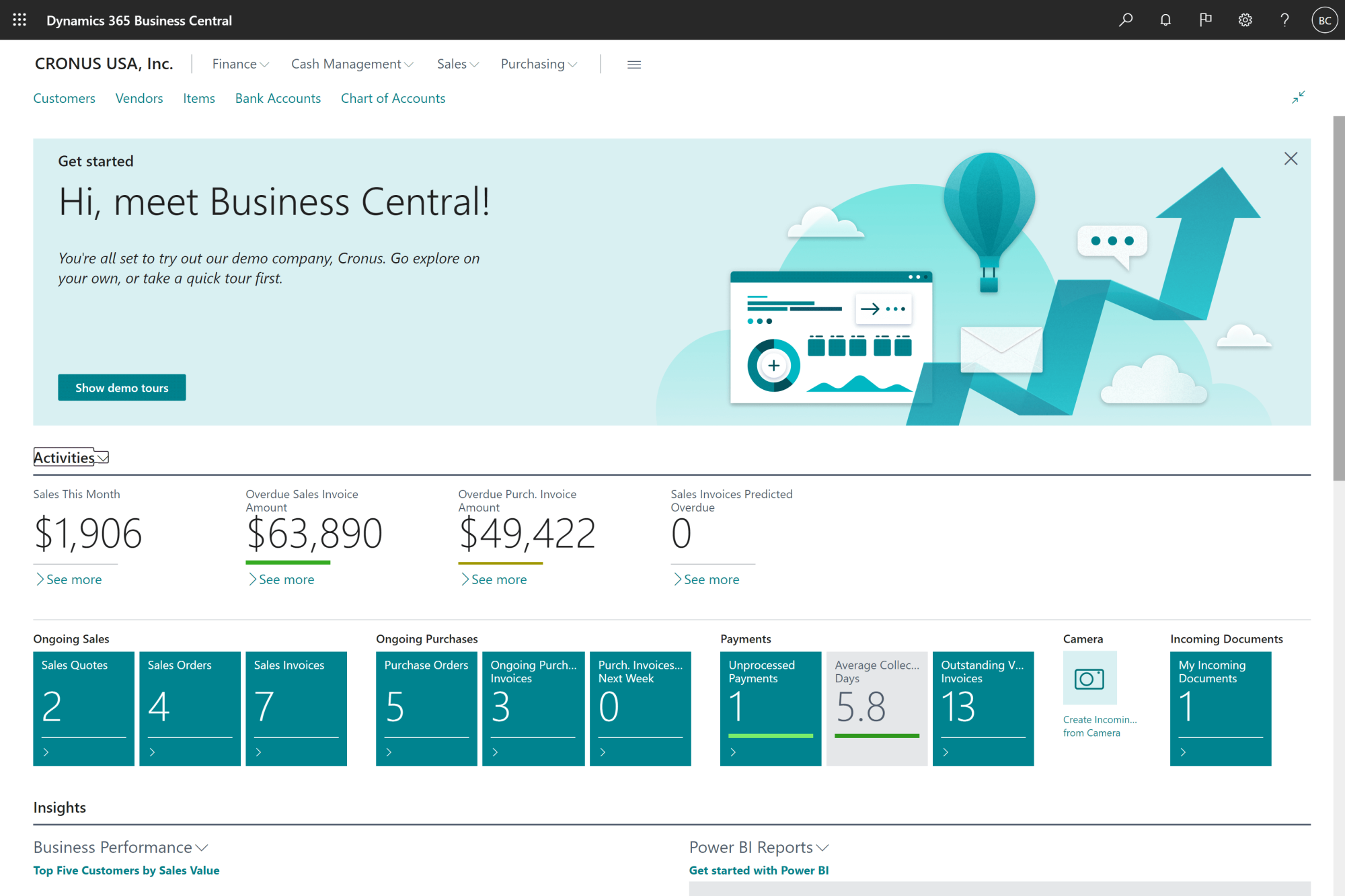
Before we break down exactly what's different, here's a quick look at what a modern ERP like Business Central actually looks like in action.
Old ERP Systems Vs New ERP: What Has Changed?
If several of these warning signs feel uncomfortably familiar, the next question is simple: what would you actually gain by leaving old erp systems behind? Let's look at how new ERP platforms differ in practice.
Old ERP Systems Architecture Vs New ERP: What's Different?
Most old ERP systems run on-premises on servers you own and maintain. They were built as monolithic applications… one big piece of software handling everything. Upgrading meant replacing the entire thing at once, often breaking the customizations you'd built up over years.
Cloud platforms like Microsoft Dynamics 365 Business Central benefit from Microsoft's competitive advantage in cloud infrastructure, security, and regular feature updates, advantages that weren't available when most legacy systems were first deployed.
New ERP is modular and cloud-based. You get automatic updates multiple times a year without downtime. Extensions and add-ons snap in without touching the core code. You're not managing servers, patching operating systems, or worrying about backups… that's handled for you. And when your business grows, you add users and capacity without buying new hardware.
How Old ERP Systems Handle Data, Reporting, And AI
Old ERP systems were built in an era of batch processing. Reports ran overnight. If you wanted to see yesterday's sales by region, you'd export data to Excel and build a pivot table. Real-time dashboards didn't exist because the technology couldn't support them.
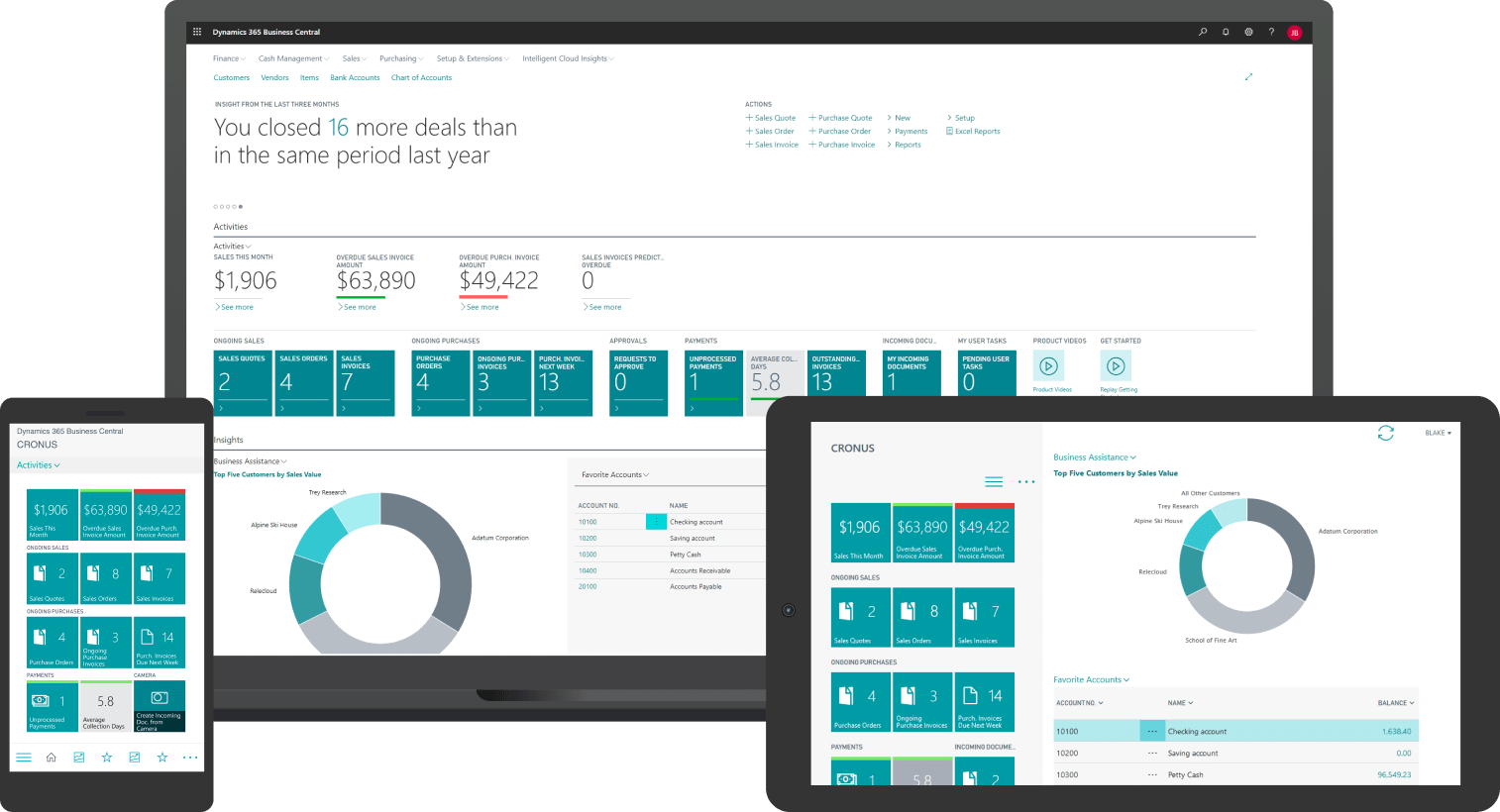
Modern ERP gives you live dashboards that update as transactions happen. Finance can see cash position right now. Operations can track open orders by customer or product line in seconds.
Business Central integrates with Power BI for deeper analytics, and AI tools like Copilot can help with forecasting, anomaly detection, and automating routine data tasks. You're not eliminating all manual work, but you're cutting hours out of processes that used to take days.
What Hidden Costs Come With Old ERP Systems?
License fees and maintenance contracts are easy to see. The real cost of old ERP systems hides in the time your team wastes on workarounds and the risks you're carrying without realizing it.
How Old ERP Systems Quietly Increase Your Operating Costs
Think about the manual work happening around your legacy platform every day. Someone in finance spends two hours reconciling data between systems. Someone in operations re-enters order details because the ERP and the website don't talk to each other. Someone in the warehouse prints pick lists and manually updates quantities because the mobile scanners don't integrate.
Add it up across your team… If three people each spend 90 minutes a day on manual ERP workarounds, that's over 1,100 hours a year… roughly half a full-time employee just fixing what the system can't do. That's salary, benefits, and lost productivity you could redirect toward growth.
Old ERP Systems, Security Risks, And Compliance Pressure
Older platforms weren't designed for today's security threats. Many lack multi-factor authentication, role-based access controls, or encrypted data storage. If your outdated software is running on an unsupported operating system or database version, you're exposed to vulnerabilities that won't get patched.
Compliance is harder too... Whether it's tax rules, data privacy laws, or industry-specific regulations, legacy ERP systems make it difficult to prove you're meeting requirements. Audit prep takes longer, and you're carrying risk that insurance companies and customers are increasingly unwilling to tolerate.
Modern ERP platforms reduce, not eliminate, these risks. They're built with security controls baked in, updated regularly, and designed to meet common compliance standards. You still need good processes, but the technology isn't working against you.
5 Reasons To Adopt A Cloud ERP
This guide helps you understand the benefits of adopting a cloud ERP like Microsoft Dynamics 365 Business Central...

How To Plan Your Move From Old ERP Systems To Modern ERP
Knowing you need to move is one thing. Doing it without disrupting your business is another. Here's a practical approach that reduces risk and keeps the project realistic.
Old ERP Systems Assessment: Questions To Ask Your Team
Start by getting an honest picture of where you stand. Here are the key questions to ask across your organization:
Finance team:
- How long does month-end close take now?
- Which key reports still live outside the ERP?
- Where do we manually reconcile data between systems?
- How often do we find errors in automated processes?
Operations team:
- Where do we double-enter data?
- What happens if the ERP is down for a day?
- Which processes rely on spreadsheets or paper forms?
- How long does it take to train someone on the current system?
IT team:
- When does vendor support end for our current version?
- How hard is it to apply patches or upgrades?
- What's our disaster recovery plan if the ERP fails?
- How many custom integrations do we maintain?
These conversations will surface the pain points that matter most. You'll also discover which processes people have learned to work around and which ones are genuinely broken. Once you have this picture, a qualified ERP implementation consultant can help you turn it into a clear, phased roadmap.
What To Avoid When Replacing Old ERP Systems
ERP project failures make headlines for good reasons: rushed timelines, dirty data, over-customization, and inadequate testing. Here's how to avoid those mistakes.
Don't go live in your busiest season
A manufacturing client we know pushed a go-live into their peak production period because "we're always busy." The result was chaos… delayed shipments, billing errors, and a team under severe stress. Pick a slower period, even if it means waiting a few months.
Clean your data early
If your legacy system has duplicate customer records, inconsistent product codes, or years of unreconciled transactions, fix that before you migrate. Garbage in, garbage out applies double to system replacement projects.
Aim for standard features first
Every custom workflow you build adds time, cost, and future upgrade friction. Working with experienced ERP consulting companies helps you separate "must have" from "nice to have" and avoid over-engineering the solution.
Phase the rollout where possible
Start with finance and core operations, stabilize, then add modules or business units. Parallel runs for critical processes give you a safety net. This isn't the fast approach, but it's the one that works.
Explore Your Best Path Off An Old ERP
Compare the impact of upgrading, re-implementing, or replacing your ERP with someone who has guided organizations through each path.
 Free discovery call
What Really Changes Day To Day With Old ERP Systems Vs New ERP?
Let's look at two realistic patterns we see often, so you can picture what daily work looks like after modernizing.
How Old ERP Systems Limit Manufacturing Performance
Here's a typical pattern with mid-size manufacturers still running old ERP systems. Production visibility is limited… supervisors walk the shop floor with clipboards to track job status. Job costing happens days after the work is finished, so managers can't make real-time decisions about labor or material usage. Engineering change orders get handled outside the legacy platform, leading to version control headaches.
This pattern is especially painful in ETO manufacturing (engineer-to-order), where every job is custom and requires tight coordination between estimating, engineering, production, and costing.
After modernizing to a platform like Business Central with manufacturing add-ons, those same companies see faster visibility into work orders and costs. Shop floor data flows in automatically through mobile devices or workstations. Job costing updates in near real-time, so production managers can spot overruns early. Engineering changes are tracked in the same system as production, reducing errors and rework.
The improvements are realistic but not magic. You're talking about hours saved per week, faster decisions, and fewer costly mistakes, not overnight transformations.
How Old ERP Systems Slow Down Services And Distribution
Another common pattern: service companies with field teams and a small distribution operation running outdated software. Dispatch and scheduling happen in a separate tool. Inventory and billing aren't in sync, so invoices often need manual adjustment. Field techs write notes on paper that get entered later, creating delays and errors.
After modernization, these companies get a unified view of customers, inventory, and billing. Field service scheduling connects directly to parts availability. Invoicing happens automatically based on completed work orders. Cash flow visibility improves because billing is faster and more accurate.
Again, the changes are practical. Fewer re-keyed invoices, less time chasing down information, and more predictable cash flow. It's not revolutionary, but it's meaningful when you add up the hours saved and errors avoided every month.
-
Age alone doesn't define "too old." What matters is vendor support status, compatibility with modern tools, and whether the platform can handle your current business model. If your ERP is more than 10–15 years old and you're hitting multiple warning signs from the list above, it's time to plan a move.
Why Gestisoft Is A Strong Partner For Old ERP Systems Modernization
After understanding the risks and options, you need a partner who can guide you through the move without overpromising or underdelivering.
Gestisoft is a business applications and ERP specialist and a Microsoft Gold Certified Partner for Dynamics 365 Business Central. Since 1997, we've worked with mid-market organizations across manufacturing, distribution, services, and regulated industries in Canada and beyond. With over 27 years of experience, our team brings both business and technical expertise to every project, which means we understand your processes, not just the software.
When clients come to us with old ERP systems, we start with a structured assessment. We help you decide whether to stabilize and extend your current platform, re-implement on a modern Microsoft ERP, or replace it entirely with Business Central. Not every situation calls for a full replacement, and we won't push you toward one if it doesn't make sense.
Our implementations focus on realistic scope and timelines. We phase rollouts to reduce risk, emphasize user adoption and training, and stay involved post-go-live to make sure you're getting value. We've helped manufacturers improve production visibility, distributors unify their order-to-cash processes, and service companies streamline field operations and billing.
Here's what one of our clients has to say about working with Gestisoft:
“As a customer since 2015, I would like to highlight the quality of support and expertise provided by Gestisoft for our Business Central application. Their competence is notable and has greatly contributed to the success of my business. I highly recommend them as a service provider for Business Central.”
If you're weighing your own move from old ERP systems to a modern platform, a short discussion can help you turn these ideas into a clear, realistic plan.
See How A Modern ERP Could Work In Your Reality
Bring one concrete process and we'll walk you through how it can run on Microsoft Dynamics 365 Business Central.
 Free discovery call
Liked what you just read? Sharing is caring.

May 20, 2026 by Muhammad Ali Iqbal by Muhammad Ali Iqbal SEO Content Strategist & Copywriter
Driven by a passion for search engine optimization, strategic content, and conversion-focused writing. A copywriter and content strategist who lives for content that ranks, engages, and delivers real business results.
