

Understanding ERP pricing can feel overwhelming. Vendors rarely publish clear prices, and every quote seems to come with a long list of "it depends." But planning your ERP budget doesn't have to be guesswork.
In this guide, we'll break down how ERP pricing really works, show you how to build a realistic budget, and use Microsoft Dynamics 365 Business Central to show what modern cloud ERP looks like in practice.
Get Clarity on Your ERP Budget
Talk through your needs with a Business Central expert and leave with a clear, no-pressure budget range that fits your business.
 Free discovery call
ERP Pricing Basics: What It Really Includes
Before you can compare ERP pricing between vendors, you need to know what sits behind the number. Most ERP costs include far more than just the software licence.
ERP Pricing Models You'll Hear from Vendors
Different vendors structure ERP pricing in different ways. Here are the main models you'll encounter:
- Perpetual licence plus yearly support: You pay a larger amount upfront to own the software, then pay a smaller annual fee for updates and support. This model works well for businesses that prefer to treat software as a long-term asset.
- Subscription or SaaS: You pay a monthly or yearly fee per user to access cloud-based ERP software. There's no large upfront purchase. This is the most common model for modern cloud ERP systems like Business Central.
- Usage-based models: Some vendors charge based on transaction volume, data storage, or computing resources. This can work for businesses with seasonal or fluctuating activity.
- Hybrid ERP pricing: A mix of upfront setup fees and ongoing subscriptions. You pay once for implementation and configuration, then subscribe to keep using the software.
Each model affects your cash flow and flexibility differently, so it's worth understanding which one fits your finance strategy.
The Main Cost Pieces Beyond Software
ERP pricing always includes more than the licence or subscription. Here's what to expect:
- ERP software cost: The licence fee or monthly subscription for your chosen platform.
- ERP implementation cost: Discovery, configuration, data migration, testing, and training. For Business Central specifically, most implementations range between $25,000 and $150,000+, depending on your business size and complexity. This is where an ERP implementation consultant plays a critical role in keeping the project on track and on budget.
- Hosting or infrastructure: For on-premise systems, you'll need servers and IT staff. Cloud ERP pricing usually includes hosting, so there's no separate infrastructure bill.
- Ongoing support and improvements: Annual maintenance, small enhancements, and vendor support all add to the total cost of ownership.
Understanding these pieces helps you see ERP pricing as a multi-year commitment, not just a one-time spend.

ERP Pricing Benchmarks: What Companies Really Invest
No two ERP projects are the same, but realistic patterns can help you see what "normal" looks like for businesses similar to yours.
Typical Ranges for Growing Businesses
Many small and mid-sized companies invest a small percentage of their annual revenue on ERP software and implementation during the first year. Industry research suggests this often falls between one and three percent, depending on the scope and complexity of the project.
Cloud ERP subscriptions for full users typically range from about $100 to $200 per user per month for mid-market platforms like Business Central. Lighter users who only need access to specific functions pay less. For example, someone who only views reports or submits timesheets won't need the same licence level as your finance or operations team.
ERP cost for small business projects is often focused on core finance and operations. ERP cost for mid-market companies tend to be higher because they need more sites, more roles, and more automation.
Total Cost of Ownership Over Time
When you think about ERP pricing, don't just look at the first-year invoice. Total cost of ownership (TCO) includes:
- Ongoing subscription renewals or annual maintenance fees
- Support from your vendor or partner
- Small improvements and updates over several years
A good way to compare options is to estimate what you'll pay over five years, then divide by five to get an average annual cost. This makes it easier to compare cloud subscriptions with on-premise licences, even though they're structured very differently.
10 Key ERP Selection Criteria
Download this practical guide to help you compare ERP options and avoid expensive missteps by focusing on 10 decision factors that matter most.

ERP Pricing for Microsoft Dynamics 365 Business Central
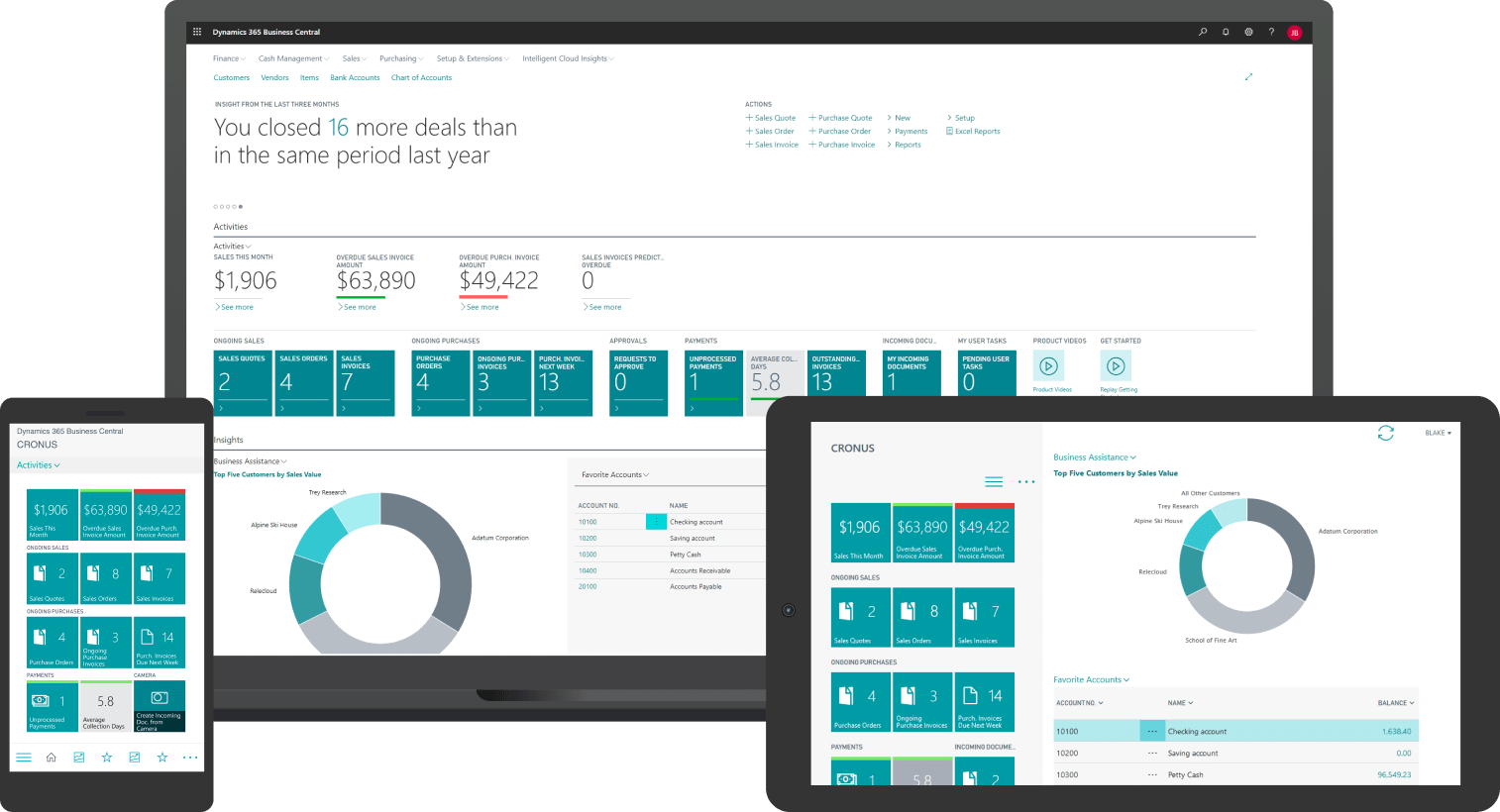
Let's move from general ERP pricing to a concrete example: Microsoft Dynamics 365 Business Central. This modern cloud ERP is built for growing businesses and priced in a way that's easy to understand.
How Business Central Licences Are Structured
Business Central uses a per-user subscription model. There are two main licence levels for full users:
- Essentials: Covers core finance, basic supply chain, and operations. This is a good starting point for businesses that don't need advanced manufacturing or service management features.
- Premium: Includes everything in Essentials, plus advanced capabilities like service management, job costing, and deeper manufacturing tools. If you run ETO manufacturing (engineer-to-order), where every product is custom-built, Premium gives you the project and production planning features you need.
- Team Members: A lower-cost option for employees who only need limited access, like viewing reports or submitting expenses.
Microsoft publishes current subscription prices, and an ERP specialist can help you map your team's roles to the right licence types so you're not over-buying or under-licensing.
What Drives Implementation Cost for Business Central
ERP implementation cost for Business Central depends on several factors:
- Number of companies, sites, and warehouses: A single-site business with one legal entity is simpler to set up than a multi-location operation.
- Industry: If you're in distribution, you may need ERP distribution software features like warehouse management and serial/lot tracking. Manufacturers need production planning and quality control. Services businesses need project accounting and resource scheduling. Each industry has different implementation patterns.
- Integrations and extensions: Connecting Business Central to your e-commerce platform, CRM, or third-party logistics systems adds time and cost. So does adding specialized apps from Microsoft AppSource.
Simple projects that focus on core finance and a few key processes tend to be faster and more affordable. More complex projects that span multiple locations and deeper automation take longer and cost more.
Here's how Business Central's budgeting tools work once your system is live:
ERP Pricing Drivers You Can Actually Influence
Some ERP costs are fixed by the platform, but many parts of ERP pricing are within your control. Here's where you can make smart choices to keep your budget realistic.
Project Scope and Phasing
More modules and processes in phase one means higher ERP cost. If you try to move every legacy feature and manual report into the new system on day one, your ERP implementation cost will grow quickly.
Narrower scopes that focus on the most painful problems are cheaper and easier to deliver. Start with core finance and inventory, get those running smoothly, then add advanced features in later phases.
Configuration vs Customization
There's a big difference between configuration and customization:
Configuration means using the built-in tools and settings that come with your ERP. This is usually more affordable and easier to maintain because you're working within the platform's design.
Customization means writing new code or heavily modifying the system. This adds risk and ERP implementation cost, and it can complicate upgrades when new versions are released.
A good rule: use configuration first, and only customize when there's a clear business case that justifies the extra cost.
Training, Change Management, and Internal Time
Internal time is a real part of ERP cost, even if it doesn't appear on the vendor's invoice. Your team will spend time in discovery workshops, testing the system, cleaning up data, and learning new processes.
Skimping on training and change management often leads to low adoption. When users don't understand the new system, they create workarounds, duplicate data, and make mistakes. This makes ERP more expensive in the long run because you'll need extra support and rework.
Budget properly for training and change, and you'll get better results and a faster return on investment.

ERP Pricing: A Simple Way to Build Your Budget
You don't need to be an accountant to estimate your ERP budget. Here's a simple, step-by-step method.
Four Clear Steps to Estimate ERP Cost
Step 1: List who needs access
Write down the roles that need full access to the ERP versus those who only need light access. For example, your accounting team and warehouse managers need full licences. Sales reps who only check inventory or enter orders might only need Team Member access.
Step 2: Apply the licence model
Once you know your user counts, apply the current pricing for your chosen ERP. For Business Central, that means per-user cloud subscriptions at the level that fits your needs (Essentials, Premium, or Team Members).
Step 3: Estimate implementation services
ERP implementation costs are often as significant as software costs, and sometimes higher on complex projects. A realistic multiplier depends on your scope and complexity. Simple, focused projects might be close to a 1:1 ratio of services to software. More complex projects with multiple sites, heavy integrations, or custom workflows can be two to three times the annual software cost.
Step 4: Add internal time and a buffer
Don't forget the time your own team will invest. Then add a modest buffer, around ten to fifteen percent, for surprises. This could be extra data cleanup, a process you didn't think of in the early planning, or training for new hires who join mid-project.
Applying the Four Steps to Your Business
Once you've walked through these four steps, you'll have a realistic budget range. Here's what that number should tell you:
- If your estimate feels too high: Consider phasing the project. Start with just finance and inventory, then add manufacturing, warehouse management, or service modules later. This spreads the cost over time and lets your team learn the system in stages.
- If your estimate feels too low: Double-check that you've included internal time, training, and data cleanup. Many businesses underestimate these pieces and run into surprises during the project.
- If you're not sure about the services multiplier: Talk to an ERP implementation consultant early. A quick conversation about your scope, data complexity, and team readiness can help you refine the estimate before you commit.
The goal isn't a perfect number at this stage… It's a realistic range that helps you plan cash flow, get leadership buy-in, and compare options confidently.
Validate Your Business Central Budget with an Expert
Bring your rough numbers and get them reviewed and refined with a Gestisoft consultant who understands mid-market ERP projects.
 Free discovery call
ERP Pricing Pitfalls and How to Avoid Them
Most ERP cost overruns follow familiar patterns. Here's what to watch out for.
Common Mistakes That Drive Costs Up
- Treating ERP pricing as "just software": The software subscription or licence is only part of the story. If you forget to budget for services, training, and internal time, you'll run out of money halfway through.
- Trying to move everything at once: Recreating every legacy feature, custom report, and manual workaround in your new ERP on day one is a recipe for scope creep. ERP implementation costs can double or triple when you try to do too much in phase one.
- Over-licensing early: Buying full licences for everyone before you understand who really needs what level of access wastes money. You can always add users and upgrade licences as you learn.
- Leaving data cleanup to the last minute: Dirty data causes testing delays, go-live problems, and extra support costs. Plan data cleanup and validation as proper project tasks, not afterthoughts.
Best Practices to Stay on Budget
- Start with clear business goals: Define what success looks like before you talk about features. This keeps the project focused on solving real problems, not just checking boxes.
- Prioritize high-value processes: Tackle the processes that cause the most pain or cost the most money in phase one. Leave "nice to have" features for later phases.
- Right-size your licences: Start with what you need for go-live, then adjust as you learn how people actually use the system. Modern cloud ERP makes it easy to add users or change licence levels.
Plan data, testing, and training as real work: These aren't optional extras. Budget time and money for them upfront, and your project will run smoother.

ERP Pricing and AI: Where Copilot Fits In
Modern ERP systems like Business Central now include built-in AI capabilities. Here's how that affects ERP pricing and long-term value.
Copilot and Long-Term ROI
Business Central includes Microsoft Copilot features that help with routine tasks like generating payment terms suggestions, writing marketing text for products, and analyzing data. For most everyday uses, these capabilities are part of your subscription… there's no mystery surcharge.
More advanced AI scenarios, like building custom agents with Copilot Studio or running large-scale machine learning models, can add cost through Azure consumption. If you plan to use those features, budget for them early.
The real value of AI in ERP isn't just about cutting ERP pricing. It's about time savings and better decisions. When Copilot helps your team reconcile accounts faster, spot patterns in sales data, or automate repetitive data entry, you get more done with the same number of people. That improves your return on investment, even if it doesn't reduce the initial ERP cost.
-
Not always. Most cloud ERP systems charge per user, but some vendors use transaction volume or computing resources instead.
Why Gestisoft Is a Smart Partner When ERP Pricing Matters
The right partner makes a real difference to ERP cost and project success. Gestisoft specializes in Microsoft Dynamics 365 Business Central and works with businesses in manufacturing, distribution, services, and regulated industries across Canada.
Realistic Discovery and Phased Planning
We start every project with deep discovery to understand your processes and define a scope that fits your budget. We're honest about where standard Business Central will work well and where custom work truly adds value.
Phased planning is one of our core approaches. You don't have to do everything at once. We help you prioritize what matters most in phase one, then build a roadmap for later phases.
What we promise when you work with our team is a realistic plan, a well-managed project, and a system that actually fits the way you work.
Map Your Business Central Project with Gestisoft
Turn what you've learned into a concrete plan and budget, guided by a specialist team that understands mid-market ERP.
 Free discovery call
Liked what you just read? Sharing is caring.

March 19, 2026 by Muhammad Ali Iqbal by Muhammad Ali Iqbal SEO Content Strategist & Copywriter
Driven by a passion for search engine optimization, strategic content, and conversion-focused writing. A copywriter and content strategist who lives for content that ranks, engages, and delivers real business results.
