

Running a distribution business today is harder than ever. You're managing more products, serving more channels, and customers expect faster service. Many distributors reach a point where spreadsheets and basic accounting software just can't keep up.
That's when you need an ERP distribution software, a single system that manages inventory, orders, warehouses, purchasing, and finance in one place.
This guide will help you understand what an ERP distribution software is, which features matter most, and how to choose and implement the right system for your business.
What Is An ERP Distribution Software?
An ERP distribution software is a business system built specifically for companies that buy, store, and resell products. It connects your inventory, warehouses, sales orders, purchasing, finance, and reporting in one platform.
Instead of using separate tools that don't talk to each other, an ERP distribution software gives you a single source of truth for your entire operation.
How it differs from generic ERP and basic tools
Many distributors start with accounting software or spreadsheets. These work fine when you're small, but they have limits:
- Accounting software handles invoices and taxes well but struggles with complex inventory and warehouse operations.
- Spreadsheets are flexible but error-prone. They're not real-time, and they break down when multiple people use them.
Generic ERP systems might work for many industries, but they often lack the deep features distributors need for pricing, rebates, and multi-warehouse flows.
An ERP distribution software is purpose-built for your industry. It includes:
- Deeper inventory and warehouse management features.
- Strong order management and pricing tools.
- Better support for returns, backorders, and B2B selling.
- Workflows designed around how distributors actually work.
Why this matters for your business
Modern distribution businesses rarely operate in just one location or serve just one market. If you sell across provinces or countries, you're dealing with multiple currencies, different tax rules, and complex shipping requirements that change by region. A spreadsheet can't handle these variables reliably, and basic accounting software wasn't built for this complexity.
An ERP distribution software is designed to handle these challenges from day one. It helps you serve customers faster, reduce errors, and make better decisions based on real data.
Looking for an ERP distribution software?
Contact our team to learn more about Microsoft Dynamics 365 Business Central and how we can help you with the implementation process as well as accompany you post-implementation.
 Free discovery call
Why Distributors Outgrow Spreadsheets and Need an ERP Distribution Software
As your distribution business grows, the tools that once worked start to fail you. What started as simple workarounds led to bottlenecks costing time, money, and customer trust.
This is exactly when most distributors realize they need an ERP distribution software to keep pace with demand and complexity.
Signs your current tools are holding you back
You might be ready for an ERP distribution software if you recognize these problems:
- You can't trust the stock levels in your system.
- Sales reps have to call the warehouse to check if items are available.
- Pricing is managed in multiple spreadsheets.
- Month-end closing and inventory counts take too long.
- You struggle to see which customers and products are truly profitable.
- You waste time re-typing data between different systems.
- You can't easily track orders from quote to delivery.
- Returns and backorders create confusion.
Risks of staying with patchwork systems
Without a proper ERP distribution software, small problems turn into big ones as you grow. Wrong shipments, incorrect prices, and billing mistakes start happening more often, and each one damages a customer relationship you worked hard to build.
Your cash flow suffers because stockouts lose sales while overstock ties up money you need for other parts of the business.
Response times slow down too. When customers call with questions, your team can't answer quickly because the data they need is scattered across different systems, spreadsheets, and people's heads.
Adding new branches, expanding your product catalog, or launching online sales becomes a major project instead of a natural next step.
Perhaps worst of all, training new staff takes longer and longer because your processes aren't standardized or documented anywhere. Every person does things slightly differently, and that inconsistency creates mistakes and confusion.
Core Benefits of an ERP Distribution Software for Your Business
When you connect inventory, orders, finance, and warehouse operations in one system, you unlock benefits that directly impact your bottom line and customer satisfaction.
Real-time visibility across inventory and orders
With an ERP distribution software, you can see stock levels by warehouse, location, and status (available, reserved, or on order). You can track every order from quote to payment. Your whole team works from the same up-to-date information.
Faster, more accurate order processing
An ERP distribution software reduces manual data entry and the errors that come with it. You can handle partial shipments, backorders, and product substitutions smoothly. Orders flow from sales to warehouse to invoicing without re-typing.
Better cash flow and margins
When you have better control over inventory, you improve your inventory turns and carry less dead stock. An ERP distribution software helps you manage discounts and rebates accurately. You get a clearer view of which products and customers are actually profitable.
Stronger customer service
Your sales and service teams can see order history, open quotes, and current stock levels in one screen. They can answer "When will this arrive?" and "Do you have this in stock?" instantly. This builds trust and loyalty.
Easier growth and expansion
An ERP distribution software scales with you. You can add new warehouses, branches, and product lines without rebuilding your entire system. You can handle more transactions without hiring as many people.
Must-Have Features in an ERP Distribution Software
Not all systems are equal. Here are the key features to look for when evaluating an ERP distribution software.

Inventory and Warehouse Management
A strong ERP distribution software gives you:
- Support for multiple warehouses and locations.
- Bin locations and lot or serial number tracking.
- Cycle counts and stock adjustments.
- Basic warehouse workflows: receiving, put-away, picking, packing, and shipping.
- Real-time stock status and transaction history.
These features help you know exactly what you have, where it is, and what's happening with it.
Order Management and Multi-Channel Sales
Your ERP distribution software should handle:
- Fast quote and order entry.
- Inside sales, counter sales, and online orders.
- EDI (electronic data interchange) with suppliers and customers.
- Backorders, partial shipments, and drop-ships.
- Clear promised delivery dates and tracking numbers.
This flexibility helps you serve customers however they want to buy.
Pricing, Discounts, and Rebates
Distribution pricing is complex. A good ERP distribution software supports:
- Customer-specific price lists.
- Volume or tiered pricing.
- Promotions and time-limited discounts.
- Vendor rebates and special pricing agreements.
- Margin protection rules to prevent selling below cost.
This control protects your margins and keeps pricing consistent.
Purchasing and Replenishment
An ERP distribution software should suggest what to buy and when, based on:
- Sales history and trends
- Minimum and maximum stock levels
- Supplier lead times
It should help you create and track purchase orders and monitor vendor performance (on-time delivery, quality). This keeps you from running out of stock or over-buying.
Financial Management for Distributors
Your ERP distribution software needs solid financial tools:
- General ledger, accounts payable, and accounts receivable.
- Multi-currency and multi-company support.
- Landed cost calculation (freight, duty, brokerage).
- Profitability analysis by product, customer, and region.
These features give you the financial control and visibility you need to run a profitable business.
eCommerce and Customer Self-Service
A modern ERP distribution software connects to B2B portals or web stores. Customers can:
- See real-time stock and pricing.
- Place orders online.
- Check order status and download invoices.
This reduces calls to your team and gives customers the convenience they expect.
Reporting, Dashboards, and Simple AI
Look for an ERP distribution software with:
- Dashboards for sales, inventory, warehouse performance, and finance.
- Filtering by warehouse, branch, and sales rep.
- Alerts for low stock, late orders, and overdue accounts.
- Optional forecasting tools that use past data to predict future demand.
These tools help you spot problems early and make better decisions.
Integration and Platform
Your ERP distribution software should integrate with:
- Shipping carriers (for rates and tracking).
- eCommerce platforms.
- CRM and BI tools.
It should have role-based security, user permissions, and cloud access so your team can work from anywhere.
Key Distribution Workflows Your ERP Distribution Software Should Support
Don't just think about features. Think about end-to-end workflows. A strong ERP distribution software makes these processes smooth and visible.
Quote-to-Order
Without an ERP: Quotes live in email or separate files. Sales reps waste time checking stock and pricing manually.
With an ERP distribution software:
- Sales creates quotes in the system.
- The system checks live stock and pricing automatically.
- When the customer says yes, one click converts the quote to an order.
- All history stays on the customer record.
Order-to-Cash
The flow: order entry → picking → packing → shipping → invoicing → payment
With an ERP distribution software:
- Every step links to the same order.
- No re-entry of data.
- Real-time tracking of order status and shipping.
- Faster invoicing and cash collection.
Procure-to-Pay and Replenishment
The flow: demand planning → purchase suggestions → approval → PO → receiving → invoice matching
With an ERP distribution software:
- The system suggests what to buy and when.
- You avoid stockouts and over-buying.
- Supplier invoices match with receipts to prevent overpayment.
Inventory and Warehouse Operations
Receiving: Record incoming goods and check them against the purchase order.
Put-away: Move items to the right bins.
Picking: Create pick lists and use efficient routes.
Cycle counting: Do small, regular counts instead of shutting down for full inventory.
An ERP distribution software guides staff step-by-step and records everything automatically.
Returns, RMAs, and Credits
A good ERP distribution software:
- Records return reasons.
- Links returns to original orders.
- Manages inspection and restocking.
- Applies credits correctly.
This keeps returns from becoming a mess.
Value-Added Services
If you do kitting, repackaging, or light assembly, your ERP distribution software should:
- Track components used.
- Update stock of finished kits and components.
- Capture labor and extra charges if needed.

Matching an ERP Distribution Software Capabilities to Your Distribution Business
Not every distributor needs the same depth of features. Your company size and business model should guide which ERP distribution software capabilities matter most.
By Company Size
1- Smaller distributors (few users, one or two warehouses):
Smaller distributors with just a few users and one or two warehouses should focus on systems that are easy to use and quick to set up.
You need solid core capabilities, inventory management, order processing, and basic financials, without paying for complexity you won't use for years.
Look for cloud-based systems that don't require you to hire IT staff or buy servers. Avoid over-engineered warehouse management features if your team can walk the warehouse in five minutes and your pick-pack-ship process is straightforward.
2- Mid-sized distributors (multiple branches, thousands of SKUs):
Mid-sized distributors managing multiple branches and thousands of SKUs need deeper capabilities. You're at the point where demand planning, stronger warehouse management, and integration with eCommerce and shipping carriers deliver real value.
You should look for systems with good reporting and analytics because you need to spot trends across locations and product lines. Make sure the system has clear upgrade paths so you can add features as you grow without having to switch platforms later.
3- Larger or more complex distributors:
Larger or more complex distributors need systems that can handle multiple companies, warehouses, and currencies without breaking a sweat.
You need advanced analytics, role-based workflows that guide different types of users through their specific tasks, and deep pricing and rebate management to protect margins.
Integration with other enterprise systems like CRM, business intelligence tools, and HR becomes critical because your operations touch so many departments and systems. At this scale, having a strong partner ecosystem and local support matters as much as the software itself.
By Distribution Model
1- Industrial / MRO / building materials:
Industrial, MRO, and building materials distributors typically manage tens of thousands or even hundreds of thousands of part numbers.
You need strong part number management, the ability to set up cross-references and substitutes so customers can find what they need, and robust counter sales capabilities since many of your transactions happen face-to-face.
Special orders and customer-specific requirements are common, so your ERP distribution software needs to handle these exceptions smoothly without slowing down standard orders.
2- Consumer goods and B2B eCommerce:
Consumer goods distributors with B2B eCommerce operations need tight integration between your ERP distribution software and your online storefront.
Your customers expect to see accurate stock levels and their specific pricing in real time. Orders need to flow from the website to your warehouse automatically, and tracking information needs to go back to customers without manual intervention. Fast, accurate fulfillment becomes your competitive advantage.
3- 3PL and logistics-focused:
3PL and logistics-focused businesses bill customers based on the services you provide, storage, handling, picking, packing, not just the products you move.
Your ERP distribution software needs to track these activities and generate invoices based on your rate agreements. You also need to give your clients visibility into their inventory and orders, often through customer portals or data feeds, since they're entrusting you with a critical part of their business.
Choose an ERP distribution software that understands your specific type of business.
Book your free consultation with our ERP experts today
Contact us for more details about Business Central and discover how it can be used as a distribution software for your enterprise.
 Free discovery call
How to Choose an ERP Distribution Software: A Step-by-Step Proces
Selecting the right ERP distribution software requires a structured approach. Follow these seven steps to make a confident, informed decision.
Step 1 – Clarify your goals and problems
Write down 5 to 10 clear goals. Examples:
- Improve inventory accuracy.
- Shorten order cycle time.
- Support a new warehouse.
- Launch eCommerce.
- Reduce manual work.
Be specific. This guides everything else.
Step 2 – Map your key processes
Sketch your current flows:
- Order-to-cash
- Procure-to-pay
- Returns
Mark pain points and manual steps. This helps you explain your needs to vendors.
Step 3 – List your must-have requirements
Break your needs into categories:
- Functional: inventory, warehouse, pricing, finance.
- Technical: cloud, integrations, remote access.
- Compliance: tax rules, industry regulations, audit trails.
Step 4 – Shortlist a few ERP solutions and partners
Look for:
- Experience with distribution.
- Local support and training.
- Strong references from similar businesses.
Don't just buy software…choose a partner who will help you succeed.
Step 5 – Run focused demos based on your workflows
Ask vendors to show you real scenarios:
- A typical order
- A backorder
- A return
- A purchase order and receiving
Involve people from different teams (warehouse, finance, sales). Their feedback matters.
Step 6 – Evaluate fit, usability, and future growth
Ask yourself:
- How easy is this for our staff to use?
- Does it support our growth plans?
- What's the quality of support and local expertise?
Features matter, but usability and support matter just as much.
Step 7 – Align internally before signing
Make sure leaders in operations, finance, IT, and sales agree. Define success metrics so you know what "good" looks like after go-live.
How to Budget for an ERP Distribution Software and Build a Business Case
Securing budget approval requires understanding both the investment required and the value an ERP distribution software delivers. Here's how to build a compelling case for your leadership team.
Understand the main cost drivers
Your investment in an ERP distribution software depends on:
- Number of users
- Number of warehouses and companies
- Complexity of your processes
- Number and type of integrations (eCommerce, shipping, EDI, CRM)
- Amount and quality of data to migrate
Types of costs to plan for
- Software subscription or license fees
- Implementation services (analysis, configuration, integrations)
- Data migration and testing
- Training and change management
- Ongoing support and updates
Framing the benefits in business terms
An ERP distribution software delivers real value:
- Fewer stockouts and late shipments.
- Less time on manual data entry and reconciliations.
- More accurate inventory and less dead stock.
- Faster reporting and month-end closing.
- Better insight into margins and customer performance.
Building your internal business case
Link each benefit to a pain your team feels today. Use simple language:
- "Right now, it takes us five days to close the month because we're waiting on manual reports."
- "We lose sales because we can't see real-time stock across warehouses."
Stress that an ERP distribution software is a long-term platform, not just another tool. It's an investment in your future.
Implementation Roadmap for ERP Distribution Software
A successful ERP distribution software implementation follows a clear path from discovery to go-live and beyond. Understanding these phases helps you plan resources, set realistic timelines, and avoid common pitfalls.
Typical phases of an ERP project
- Discovery and design: Understand current processes and define the future state.
- Configuration and setup: Set up the software to match your workflows.
- Integrations: Connect to eCommerce, shipping, and other systems.
- Data migration: Clean, map, and import your data (items, customers, prices, history).
- Testing: Run real end-to-end scenarios to catch problems before go-live.
- Training and go-live: Train your team and launch the system.
- Post-go-live support: Provide ongoing help and continuous improvement.
Key roles on your side
- Executive sponsor: Keeps the project on track and removes roadblocks.
- Project lead: Coordinates tasks and timelines.
- Process owners: Represent warehouse, purchasing, sales, and finance.
- Key users: Test the system and help train others.
Common pitfalls to avoid
- Not cleaning item and customer data before migration.
- Trying to copy every old manual step instead of improving the process.
- Over-customizing before using standard features.
- Not investing enough in training and change management.
Tips for implementation success
If you serve bilingual customers or staff, make sure your ERP distribution software supports both English and French. If you trade with the US or overseas, ensure the system handles multiple currencies and customs easily. Make sure tax handling fits your regional rules and provincial differences.
Common Mistakes Distributors Make with an ERP (and How to Avoid Them)
- Choosing software before clearly defining needs.
- Focusing only on price, not total value and support.
- Leaving warehouse teams out of selection and design.
- Underestimating data cleanup work.
- Turning on too many advanced features at once.
- Treating an ERP as a one-time IT project instead of an ongoing business platform.
Solutions
- Start with your goals and processes, not vendor demos.
- Consider implementation quality, training, and long-term partnership.
- Involve people who do the work every day.
- Budget time and resources for cleaning item, customer, and pricing data.
- Start with core features and add more later.
- Plan for continuous improvement and regular training.
-
An ERP distribution software is a business system built for companies that buy, store, and resell products. It manages inventory, orders, warehouses, purchasing, and finance in one place.
Conclusion: Turning Your ERP Distribution Software Strategy into Action
Choosing an ERP distribution software isn't just a technology decision, but it's a strategic move that shapes how you buy, stock, sell, and serve your customers.
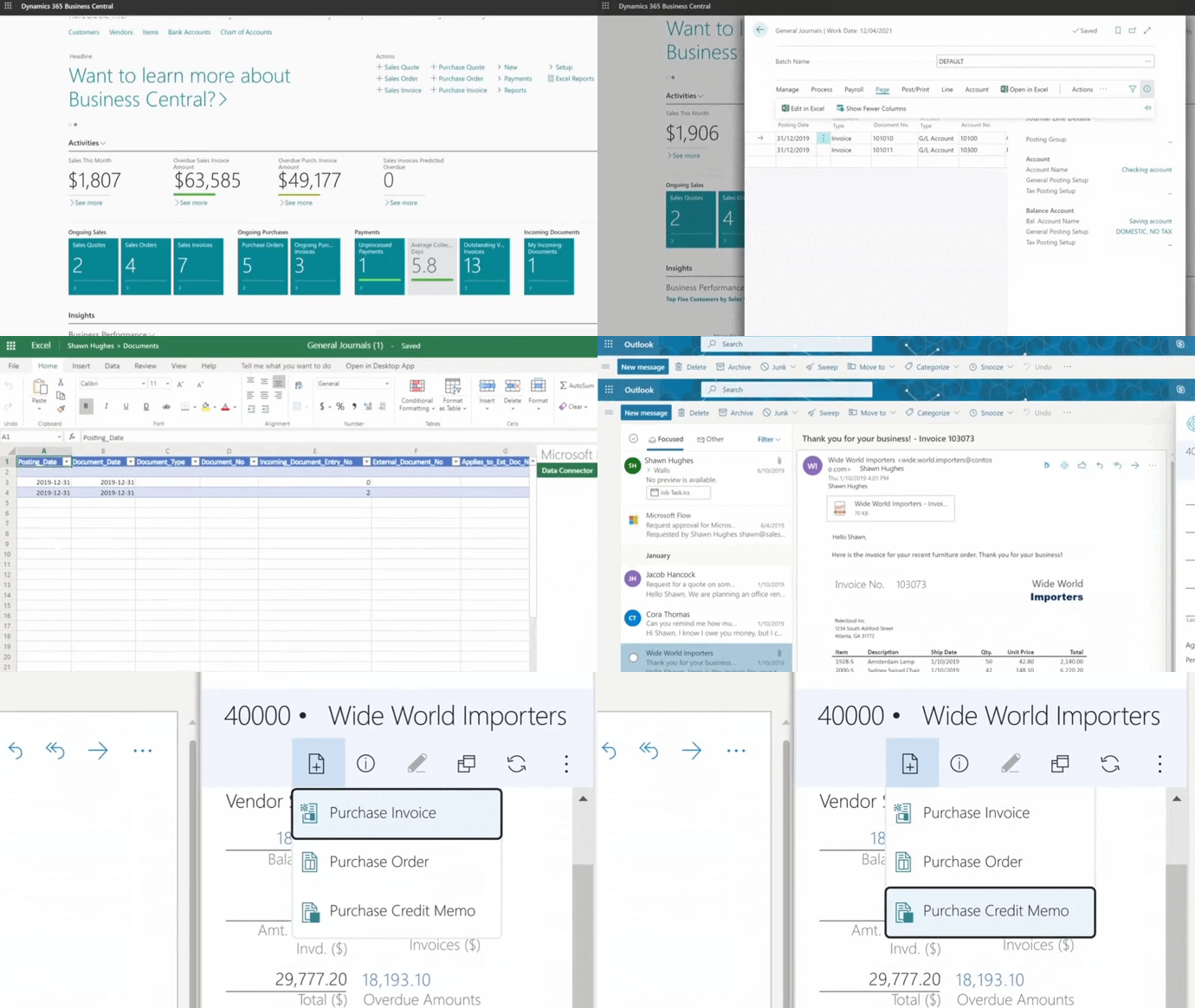
A modern, cloud-based platform like Microsoft Dynamics 365 Business Central gives distributors a single, intelligent system to manage finance, inventory, logistics, and customer data in real time. You gain the insights and automation you need to control costs, boost margins, and respond quickly to change.
But software alone isn't enough. The right implementation partner makes the difference between a smooth transformation and a frustrating struggle.
Gestisoft specializes in Microsoft Business Applications and works with distribution, manufacturing, and service companies. Our team handles the full journey, from analysis and implementation to migration, optimization, support, and training. With recognized certifications including B Corp and Microsoft credentials, we focus on long-term client success, not just software deployment.
Liked what you just read? Sharing is caring.

February 17, 2026 by Muhammad Ali Iqbal by Muhammad Ali Iqbal SEO Content Strategist & Copywriter
Driven by a passion for search engine optimization, strategic content, and conversion-focused writing. A copywriter and content strategist who lives for content that ranks, engages, and delivers real business results.

