

Key Takeaways:
• Serving Canadian organizations since 1997 and a Microsoft Solutions Partner since 2004, Gestisoft has helped Canadian retailers, manufacturers, and field teams size their Microsoft 365 plan lineup.
• F3 costs CAD $13.60 per user per month in Canada (annual commitment), compared with CAD $4.10 for F1 and CAD $52.90 for Microsoft 365 E3.
• Microsoft's Product Terms restrict F3 to shared-device or small-screen users, not staff with dedicated laptops.
What Is Microsoft 365 F3?
Microsoft 365 F3 is Microsoft's enterprise-grade license for frontline workers, bundling Microsoft Teams, mobile Office apps, a 2 GB Exchange mailbox, and Intune Plan 1 for CAD $13.60 per user per month in Canada. It's built for staff in retail stores, on shop floors, in warehouses, and out in the field who don't sit at a dedicated desk.
For a real-world picture of what the plan unlocks for Canadian frontline teams, here's Canadian Tire:
“We've had rave reviews from our customers about the great experience using our curbside pickup at the store. They're blown away by the communication and the level of service they're getting via Teams.”
If you'd like the same frontline lift, right-sizing the license is the first step.
Right-Size Your Microsoft 365 Licensing
Avoid overpaying on frontline licenses with Gestisoft, serving Canadian businesses since 1997.
 Free Discovery Call
Here's the scene most Canadian IT directors will recognize. It's Monday, 7:14 a.m. A retail ops manager gets a frantic call from a store associate who can't open her shift schedule.
IT checks the license: she's on Microsoft 365 E3, a plan built for desk workers with dedicated PCs. She's paying roughly four times what a frontline worker should cost, and she still doesn't have the Teams Shifts feature she's actually calling about. The right license was F3 all along.
By the end of this guide, you'll know who F3 fits, who it doesn't, how much it costs in CAD, and the one line in Microsoft's Product Terms that trips up every Canadian rollout. You'll also grab Gestisoft's Copilot eBook for when clients plan AI on top of Microsoft 365.
What Is Microsoft 365 F3 and Who Is It Built For?
Microsoft 365 F3 is built for staff who share devices or work on phones instead of a dedicated PC: retail, warehousing, manufacturing, field service, healthcare support, and municipal frontline teams. It sits above F1 (mostly Teams and Shifts) and well below E3 (which assumes a dedicated PC and full Office).
Who Does Microsoft 365 F3 Work Best For?
Roles where phones and shared tablets do most of the work:
- Retail associates at Canadian chains clocking in on a shared iPad.
- Shop-floor crews at a Québec manufacturer scanning parts on a handheld.
- Warehouse pickers tied to a Business Central back end.
- Field service technicians in utilities, telecoms, and HVAC.
- Healthcare support staff logging tasks on a shared device.
- Municipal public-works crews coordinating repair tickets from the truck.
If your staff pattern looks like that, F3 is almost certainly the right starting point.
What Did F3 Replace?
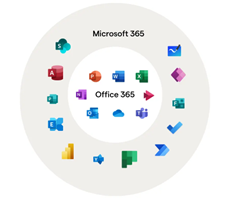
Microsoft's current frontline lineup (documented on Microsoft Learn) covers F1 and F3, with F3 as the fuller of the two. If you bought an "F1" license several years ago, check the invoice: it may have been remapped to today's F3.
What's Included in Microsoft 365 F3?
Microsoft 365 F3 includes Microsoft Teams with frontline features, a 2 GB Exchange mailbox, mobile and web Office apps, Intune Plan 1 with Entra ID P1, and Windows 11 Enterprise E3 rights for shared devices.
Does F3 Include Microsoft Teams?
Yes. The with-Teams version includes the full frontline Teams experience: chat, audio and video meetings, Walkie Talkie push-to-talk, Shifts for schedule management, Tasks publishing, and the mobile Teams app.
There's also a no-Teams version at a lower CAD price. More on that in the pricing section.
What Email and Office Apps Come With F3?
F3 includes a 2 GB Exchange Kiosk mailbox and web and mobile versions of Word, Excel, PowerPoint, and OneNote. No desktop Office.
If your staff need to install Word on a laptop and edit long documents offline, F3 is the wrong tier. You'll want E3 or Business Standard instead. The 2 GB mailbox is also the smallest in the Microsoft 365 family, which matters for anyone receiving heavy attachments. Most frontline roles don't.
Does F3 Include Intune and Windows 11?
Intune Plan 1 (along with Microsoft Entra ID P1) is included, covering device enrollment, app management, and Conditional Access policies.
On the OS side, F3 ships with Windows 11 Enterprise E3 rights, but strictly for qualifying shared-device or small-screen scenarios, and the underlying hardware must still carry a base Windows Pro license. An F3 user can sign into multiple shared kiosks, tablets, or handhelds across shifts, but these rights cannot license dedicated personal laptops.
Pro tip:
If your "frontline" staff already carries a company laptop they bring home, F3 breaks Microsoft's Product Terms. That's where the licensing audit catches you.
Before we unpack the plan-by-plan comparison, here's a quick walkthrough from the Gestisoft team on how Microsoft Teams connects to the business systems your frontline staff actually touch, Dynamics 365.
What's the Difference Between Microsoft 365 F3, F1, and E3?
F1 is a stripped frontline tier with no mailbox, F3 adds a 2 GB mailbox and mobile Office editing, and E3 unlocks full desktop Office and a 100 GB mailbox for dedicated-PC workers. Here's how all three stack up.
| Feature | Microsoft 365 F1 | Microsoft 365 F3 | Microsoft 365 E3 |
|---|---|---|---|
| Microsoft Teams | Included | Included (frontline features) | Included |
| Exchange mailbox | None (calendar only) | Yes, 2 GB | Yes, 100 GB |
| Mobile and web Office | Read only | View and edit | Full |
| Desktop Office apps | No | No | Yes |
| Intune | Plan 1 | Plan 1 | Plan 1 |
| Price (CAD per user/month) | $4.10 | $13.60 | $52.90 |
Prices from Microsoft Canada, paid yearly, plus applicable tax.
The jump from F1 to F3 is where most Canadian rollouts land, because F3 is the first tier that gives frontline staff a real inbox and mobile document editing.
When Is Microsoft 365 F1 Enough?
F1 fits if your staff only need Teams chat, shift scheduling, and read-only access to shared files. No email. No editing on a tablet. A big-box retail chain might put stockroom staff on F1 while store managers run on F3.
When Is F3 the Right Fit?
F3 is the sweet spot for most Canadian frontline teams. It gives you Teams with the full frontline feature set, a usable Exchange mailbox for shift updates and vendor emails, mobile Word and Excel for quick edits, and Intune for device management. For retail, light manufacturing, warehousing, field services, and municipal crews, F3 covers the real workflow.
When Should You Choose E3 Over F3?
Pick E3 when your worker has a dedicated PC, needs the full desktop Office apps installed locally, or needs a mailbox beyond 2 GB. The Microsoft 365 E3 vs E5 call usually comes down to one question: does your industry need advanced compliance, eDiscovery, and Insider Risk Management? If yes, go E5. If no, E3 covers the full desktop and Exchange story without the premium add-ons.
Pick the Right Microsoft 365 Plan for Your Frontline
Cut over-licensing costs and stay compliant with Microsoft's Product Terms, with a Microsoft Solutions Partner since 2004.
 Free Discovery Call
How Much Does Microsoft 365 F3 Cost in Canada?
Microsoft 365 F3 costs CAD $13.60 per user per month with Teams, or CAD $12.10 without Teams, billed yearly plus applicable tax, per Microsoft Canada.
Canadian buyers get burned here more than anywhere: Microsoft's global page is in USD, resellers quote monthly SKUs without context, and third-party sites often carry stale numbers. Here's the current picture from Microsoft Canada.
| Plan | CAD per user/month | Annual commitment |
|---|---|---|
| Microsoft 365 F3 with Teams | $13.60 | Yes |
| Microsoft 365 F3 without Teams | $12.10 | Yes |
| Microsoft 365 F1 with Teams | $4.10 | Yes |
| Microsoft 365 F1 without Teams | $3.40 | Yes |
Source: Microsoft Canada frontline plans and pricing. Paid yearly, plus applicable tax.
Where Do These F3 Prices Come From?
Directly from the Microsoft’s F3 page. Any reseller offering a dramatically lower rate is either applying a CSP or Enterprise Agreement discount, or quoting an older number. Always ask your reseller which price list they're working from.
Why Is There an F3 Version Without Teams?
Microsoft unbundled Teams from most Microsoft 365 plans globally after an EU antitrust investigation. In Canada, you can now buy F3 without Teams at CAD $12.10 and layer a standalone Teams license on top if needed. For most frontline teams, the with-Teams bundle at $13.60 is still the better buy, since the standalone add-on usually erases the saving.
What Add-Ons Push the F3 Total Cost Higher?
A few extras can bolt onto F3 and change the budget:
- Microsoft Copilot for Microsoft 365 (add-on, priced separately).
- Teams Phone (for calling plans).
- Microsoft Defender upgrades for higher-security scenarios.
- Microsoft Intune Plan 2 for advanced endpoint management beyond Plan 1.
Pro tip:
Ask your reseller for the Canadian CSP rate rather than the public list price. A good partner will walk you through the total cost once add-ons are layered in.
If you're also sizing Dynamics 365 pricing alongside the F3 stack, remember Microsoft 365 and Dynamics 365 licenses are billed separately. One doesn't include the other.
Microsoft frames frontline workers as a substantial share of the global workforce, and reports a potential 391 percent return on investment from deploying Microsoft 365 for frontline workers (Forrester commissioned study). That's why right-sizing this tier matters more than it looks on paper.

7 Signs Microsoft 365 F3 Is the Right Fit for Your Business
If your team shares devices, needs Teams more than Outlook, or is currently over-licensing frontline staff on E3, F3 is almost certainly the right starting point. If three or more of these signs fit, F3 belongs on your shortlist:
- 20 percent or more of your workforce has no dedicated PC.
- Your team shares devices: kiosks, shop-floor tablets, point-of-sale terminals, hospital workstations. F3 is built for shared sign-in.
- You need Teams chat and Shifts, not full Outlook. Your frontline worker needs to coordinate, not draft long emails.
- Compliance requires Intune enrollment on company-owned mobile devices. F3 covers this with Plan 1.
- You're over-licensing frontline staff on E3 and your auditor flagged it. A re-license to F3 can take hundreds of dollars a user off your annual spend. In a Harvard Business Review Analytic Services survey, 78 percent of business leaders agreed that success requires connecting and empowering frontline workers with technology.
- You want email for frontline workers. F1 doesn't give it, F3 does.
- You're planning to roll out Copilot later and want a base F3 license that can support it.
Unlock AI ROI with Microsoft 365 Copilot
Shows real business impact, proven use cases, and a personalized roadmap to start with Copilot.
 Free Access the guide
When Shouldn't You Buy Microsoft 365 F3?
Skip F3 when your staff have dedicated laptops, need shared mailboxes or bigger Exchange capacity, require desktop Office apps, or need the advanced compliance tooling that only Microsoft 365 E5 carries.
Honesty up front: F3 is the wrong call for a lot of Canadian SMBs that think they want it.
F3 and Dedicated Laptops: Why the Combination Breaks Product Terms
Microsoft's Product Terms restrict F1 and F3 to users on small-screen devices or shared PCs. Giving an F3 license to someone with a dedicated company laptop they take home violates the terms.
During an audit, Microsoft can require you to true-up those users to E3 or higher at the full retail price, backdated. This is the single most common mistake we see on Canadian frontline rollouts.
When Do You Need Shared Mailboxes or Full Exchange That F3 Doesn't Give?
The F3 Exchange Kiosk mailbox is 2 GB, with no shared mailboxes by default. If your frontline manager needs a shared inbox for store orders or a team calendar beyond the simple case, go E3.
When Do Frontline Workers Actually Need Desktop Office Apps?
If you have warehouse supervisors building long Excel models with macros, or store managers formatting multi-page PDFs, the mobile-only Office apps won't cut it. That's an E3 or Business Standard scenario.
When Does Your Industry's Compliance Need Push You Past F3?
Regulated industries like financial services, healthcare administration, and legal operations often need the advanced compliance features that come with Microsoft 365 E5 (eDiscovery, Microsoft Purview, Insider Risk Management). F3 doesn't carry those.
The one question to ask before rolling out F3:
"Does any of my frontline staff work from a laptop you'd call theirs?"
Good answer: no, they rotate shared devices.
Weak answer: yes, half of them took laptops home during the pandemic and never gave them back. The weak answer is a sign your licensing scope needs a second look.
For a broader view of how Gestisoft advises on the Microsoft stack, our guide to Microsoft 365 consulting services walks through the conversation we run with every Canadian client.

How Do You Roll Out Microsoft 365 F3 Across Canadian Frontline Teams?
An F3 rollout means configuring shared-device sign-in for Teams, layering any needed Dynamics 365 licenses for back-office access, and preparing bilingual French training for Québec or mixed teams.
Deploying F3 to Shared Devices
The shared sign-in model is what makes F3 different from F1 or E3. Configure the Teams app for frontline worker mode, enable shared device sign-in in Azure AD, and set a short automatic sign-out window so the next shift worker picks up a clean session.
Done well, a retail associate taps once to sign in at the start of her shift and taps once at the end.
How Does F3 Connect to Business Central or Dynamics 365?
This is where Gestisoft's advisory work earns its keep. F3 licenses don't by themselves grant access to Dynamics 365 Business Central or a Dynamics 365 CRM.
If your warehouse crew scans work orders in Business Central, they need a Business Central Team Member or full user license on top of F3. The same for field service technicians updating records in Dynamics 365 Customer Service.
The clean split: F3 for the collaboration layer, Dynamics 365 for the back-office data layer.
Bilingual Canadian Rollouts With F3
Québec and bilingual teams get full French-language support in Teams, Shifts, and Outlook mobile. The deployment work is in setting the right locale at the tenant level and having French training materials ready at go-live. For municipal and regulatory clients in Québec, Gestisoft runs the whole implementation bilingually.
If you want to see how F3 sits next to the rest of the Business and Enterprise plans, our broader piece on Microsoft and Office 365 licenses walks through the core lineup side by side.
And when you're ready to put a Canadian Microsoft 365 partner behind the rollout, our Microsoft 365 solution page outlines the apps, pricing, and implementation approach Gestisoft brings to the table.
Here's what a well-run Microsoft rollout feels like from a Gestisoft client:
“Gestisoft's consultants come from the industry, so when we worked together, we spoke the same language and shared the same vision of what was important and necessary. They guided us in implementing industry best practices. Throughout the project, their industry expertise eliminated any potential irritants that might have risen from inexperience in the distribution environment.”
Scope Your Microsoft 365 F3 Rollout with Gestisoft
Lock in the right licensing stack for every frontline role with a Montreal-based Microsoft Solutions Partner.
 Free Discovery Call
Why Choose Gestisoft for Your Microsoft 365 F3 Rollout
Picking a Microsoft licensing partner is a trust call. The ones Canadian frontline teams choose share a few things in common.
- Serving Canadian organizations since 1997, with real deployments across a decade and more of licensing choices.
- Microsoft Solutions Partner since 2004, with certifications across Modern Work, Business Applications, and AI.
- Montreal-based bilingual team (EN and FR), with offices in Toronto, Ottawa, and Québec City.
- Specializes in connecting Microsoft 365 to Dynamics 365 CRM implementations, Business Central ERP, and Microsoft Copilot. The same team that scopes your F3 licenses also scopes the Dynamics 365 side.
- Advisory-first: right-size the licensing stack before scoping implementation.
Most Gestisoft engagements don't stop at F3. The same team that right-sizes your frontline licenses also reviews the head-office stack, where the Enterprise tier comes into play. For teams weighing a step up, our guide to Microsoft 365 E7 explains how E7 bundles Copilot, Entra Suite, and Agent 365 on top of E5.
FAQs
What Is Microsoft 365 F3 Used For?
F3 licenses frontline workers who share devices or work primarily on mobile. It gives them Microsoft Teams, mobile and web Office apps, a 2 GB Exchange mailbox, and Intune device management.
What's the Difference Between Microsoft 365 F1 and Microsoft 365 F3?
F1 covers Teams, Shifts, and read-only Office at CAD $4.10 per user per month. F3 adds a real 2 GB mailbox, mobile Office editing, and Windows 11 Enterprise shared-device rights for CAD $13.60.
Does Microsoft 365 F3 Include Microsoft Teams?
Yes. The standard F3 bundle includes the full frontline Teams experience, with chat, meetings, Walkie Talkie, and Shifts. There's also a no-Teams version at CAD $12.10 per user per month.
How Much Does Microsoft 365 F3 Cost Per User Per Month in Canada?
F3 costs CAD $13.60 per user per month with Teams, or CAD $12.10 without, on an annual commitment plus applicable tax, per Microsoft Canada page.
Can I Add Microsoft 365 Copilot to an F3 License?
Yes. Copilot for Microsoft 365 is available as an add-on across F1, F3, E3, and E5. It's priced separately per user per month.
Can Microsoft 365 F3 Users Access Business Central or Dynamics 365?
No, not from the F3 license alone. Users need a separate Dynamics 365 Business Central or Dynamics 365 Customer Engagement license to access those systems. F3 covers collaboration and communication only.
When Should I Choose E3 Over F3?
Choose E3 when the user has a dedicated PC, needs desktop Office apps installed locally, needs a mailbox larger than 2 GB, or needs broader compliance tooling for a regulated industry.
Liked what you just read? Sharing is caring.

November 24, 2026 by Muhammad Ali Iqbal by Muhammad Ali Iqbal SEO Content Strategist & Copywriter
Driven by a passion for search engine optimization, strategic content, and conversion-focused writing. A copywriter and content strategist who lives for content that ranks, engages, and delivers real business results.

