Key takeaways:
- Microsoft 365 E3 vs E5 comes down to 5 features that decide whether the extra ~$29 CAD a user per month is worth it for a Canadian team: Microsoft Defender for Endpoint Plan 2, Microsoft Purview advanced compliance, Teams Phone with audio conferencing, Power BI Pro, and Entra ID P2.
- E3 covers the productivity stack and baseline security most Canadian SMBs run on today. E5 adds the advanced security, compliance and analytics layer that regulated teams actually need.
- Gestisoft has been in business since 1997 and a certified Microsoft partner since 2004 (holding an accredited Microsoft Solutions Partner designation today), running 220+ Microsoft projects a year to match each client's Microsoft 365 plan to their security posture, not their wish list.
- Microsoft raised Microsoft 365 E3 by 8% and Microsoft 365 E5 by 5% on 1 July 2026, so a renewal landing in the 2026-27 cycle is a different math problem than it was last year.
Microsoft 365 E3 vs E5 comes down to this: E5 adds Defender for Endpoint P2, Purview Premium, Teams Phone, Power BI Pro, and Entra ID P2 on top of everything in E3, for CAD $28.50 more per user per month (with Teams). Pick E5 if you're regulated or already paying for third-party tools E5 would replace. Pick E3 if you're not.
The rest of this Microsoft 365 E3 vs E5 guide is the detail that stands behind that call: feature by feature, Canadian price by Canadian price, and situation by situation.
Later in this piece we're also handing you a free Microsoft 365 Copilot ROI playbook you can use on your next licensing call. So, keep reading!
Olivier Marotte, CPA, VP of Finance at Groupe UP, put the right-tool question this way:
"The software is our working tool. With our previous solution, it was like having a stone hammer. We could accomplish our tasks, but the tool was outdated.
With Business Central, if we decide to move into the Industrial 4.0 era, it’s possible. We now have an up-to-date solution that meets our needs. We’ve really taken a step forward, and we can see all the possibilities we could do in the future."
A Microsoft 365 renewal is the same test. The wrong licence is a stone hammer. The right one disappears into the work.
Save Weeks on Your Microsoft 365 E3 vs E5 Decision
Walk through your licence mix with a Microsoft Solutions Partner who has been guiding Canadian SMBs on Microsoft since 2004 and leave with a clear next step.
 Free Discovery Call
What's Actually Different Between Microsoft 365 E3 vs E5?
The gap between Microsoft 365 E3 vs E5 is not productivity apps. Both plans ship with Word, Excel, PowerPoint, Outlook, Teams, OneDrive and SharePoint.
The gap sits in security, compliance, voice, analytics, and identity.
What Does Microsoft 365 E3 Include?
Microsoft 365 E3 is the Canadian SMB workhorse. At its core, you get:
- Microsoft 365 Apps for Enterprise (desktop, web, and mobile).
- Exchange Online with 100 GB mailboxes.
- Teams, SharePoint, and OneDrive (1 TB).
- Windows 11 Enterprise.
- Baseline Microsoft Defender and Microsoft Intune.
- Entra ID P1 with Conditional Access and self-service password reset.
- Purview baseline for information protection.
It is enough for a services team, a light-manufacturing operation, or a retailer that is not regulated beyond standard privacy law.
For a complete Microsoft 365 E3 breakdown, see our dedicated Microsoft 365 E3 guide.
How Does Microsoft 365 E5 Compare in a Microsoft 365 E3 vs E5 Side-by-Side?
Microsoft 365 E5 layers five enterprise-grade capabilities on top of everything in E3:
- Advanced security through Microsoft Defender for Endpoint Plan 2 and Defender for Office 365 Plan 2.
- Advanced compliance through Microsoft Purview (eDiscovery, insider risk, information protection, DLP at scale).
- Teams Phone with audio conferencing.
- Power BI Pro for every user.
- Entra ID P2 with risk-based Conditional Access and Identity Protection.
In plain terms, E5 is E3 plus the tools a security or compliance officer would otherwise go buy à la carte from third parties.
Are Microsoft 365 and Office 365 the Same Thing?
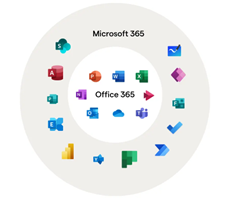
No. Office 365 E3 and Office 365 E5 are the collaborative bundles (Office apps, Exchange, Teams, SharePoint).
Microsoft 365 E3 and Microsoft 365 E5 add Windows 11 Enterprise and Enterprise Mobility + Security on top of the Office 365 bundle. That is why a Microsoft 365 licence costs more than its Office 365 cousin: you are paying for the Windows licence and the Intune/Entra stack.
For a broader umbrella of every SKU, here is our overview of Microsoft 365 and Office 365 licences.
Before the feature-by-feature breakdown, here’s a short Gestisoft walkthrough of a Microsoft 365 Copilot workflow across Word, Teams, and Outlook, which is the productivity layer that sits on top of either E3 or E5.
Which 5 Features Separate Microsoft 365 E3 vs E5 in Real Terms?
Five features do the heavy lifting in the Microsoft 365 E3 vs E5 decision. Everything else is a rounding error.
1. Microsoft Defender for Endpoint Plan 2 (The Security Jump)
E3 gets you Defender for Endpoint Plan 1: next-generation antivirus, attack surface reduction, and centralized device onboarding and reporting.
E5 unlocks Plan 2: full endpoint detection and response (EDR), core threat and vulnerability management, automated investigation and remediation, and proactive Endpoint Attack Notifications from Microsoft Threat Experts.
For a Canadian team handling personal health information, financial records or municipal data, the move from Plan 1 to Plan 2 is often the difference between "we got alerted" and "we contained it before the ransom note."
Based on Microsoft's Canadian security suites pricing page, the Microsoft Defender Suite is also available as a CAD $16.30 per user/month add-on to E3 if you want the full E5-tier security stack without making the full E5 jump.
2. Microsoft Purview (The Compliance and eDiscovery Layer)
E3 covers the Purview basics: manual sensitivity labels, basic DLP (for Exchange, SharePoint, and OneDrive), and standard retention policies.
E5 adds automated sensitivity labelling and Endpoint DLP, advanced message encryption, Communication Compliance, Insider Risk Management, Audit (Premium), and eDiscovery (Premium) with custodian workflows, review sets, and predictive analytics on top of E3's basic legal holds.
If your organization is subject to Quebec Law 25, PIPEDA, or sector regulations like OSFI for finance or PHIPA for health, the E5 Purview layer earns its price almost on its own. Many third-party compliance tools stop being necessary once Purview is properly configured.
If you are heavy on document governance, pair it with SharePoint consulting to clean up your information architecture before the labels go live.
E5 is clearly the more powerful compliance plan on paper. The nuance is scope. If your real compliance burden is 50 users in one Canadian province with a single regulator, you may not need every Purview capability E5 ships with, and E5 Compliance add-ons on top of E3 can get you there for less.
3. Teams Phone With Audio Conferencing (The Hidden Price Flipper)
This is the single feature that flips the Microsoft 365 E3 vs E5 maths for many Canadian SMBs.
In E3, Teams Phone Standard is a paid add-on at CAD $13.60 per user/month, plus a calling plan. In E5, Teams Phone Standard and Audio Conferencing come built in.
In our experience, Canadian teams between 30 and 80 seats that need a cloud phone system, especially if they also buy Power BI Pro (CAD $19.00) or Defender add-ons, often find E5 costs nearly the same as, or less than, E3 plus à la carte add-ons.
For the broader picture of how Teams fits into day-to-day sales and operations, see our deep dive on using Microsoft Teams to manage sales with SharePoint tucked alongside it.
Pro tip: Before you pick between the plans, pull last year's phone bill. If it is a line item over $8,000 a year, E5 is doing more than you think.
4. Power BI Pro (The Reporting Line)
Power BI Pro is a CAD $19.00 per user/month add-on to E3 (USD $14.00 globally) for every user who publishes or views shared Power BI reports.
In E5, every user gets Power BI Pro included. If you have 20 seats that touch dashboards (finance, ops, sales leadership), that is already CAD $380 a month, or CAD $4,560 a year, that moves inside E5 instead of showing up as a separate SaaS line.
5. Entra ID P2 (Conditional Access and Identity Protection)
E3 ships with Entra ID P1: Conditional Access rules, SSO and self-service password reset.
E5 adds Entra ID P2 with:
- Risk-based Conditional Access.
- Identity Protection with automated risk detection.
- Privileged Identity Management.
For a Canadian finance team dealing with impossible-travel sign-ins from Montreal and a client site in Toronto on the same morning, P2 is the layer that pauses a risky login instead of just logging it after the fact.
| Feature | Microsoft 365 E3 | Microsoft 365 E5 |
|---|---|---|
| Defender for Endpoint | Plan 1 | Plan 2 (EDR) |
| Microsoft Purview | Baseline | Advanced |
| Teams Phone | Add-on | Included |
| Power BI Pro | Add-on | Included |
| Entra ID | P1 | P2 |
Feature-wise, Microsoft 365 E3 vs E5 isn't close on paper: E5 earns its ticket. Whether it earns your budget is a different question, and the next section answers it.
Get the Microsoft 365 Copilot ROI Playbook
A short eBook that shows real business impact, proven use cases and a roadmap to start with Copilot on top of E3 or E5.

How Much Does Microsoft 365 E3 vs E5 Cost in Canada Right Now?
Canadian pricing on Microsoft 365 E3 vs E5 is where most buyers lose the plot.
Microsoft's own pages show Office 365 and Microsoft 365 tiers side by side, and the "with Teams" versus "no Teams" split muddies the picture further.
What's the Current Microsoft 365 E3 vs E5 Price in Canada?
| Plan | With Teams (CAD/user/month) | Without Teams (CAD/user/month) |
|---|---|---|
| Office 365 E3 | $35.30 | $23.70 |
| Office 365 E5 | $55.60 | $44.00 |
| Microsoft 365 E3 | $52.90 | $41.30 |
| Microsoft 365 E5 | $81.40 | $69.80 |
Prices reflect Microsoft Canada commercial list rates (annual commitment, paid yearly, excluding tax) after the 1 July 2026 pricing update.
Microsoft 365 Copilot is a separate CAD $40.70 user/month add-on that costs the same on either side of the Microsoft 365 E3 vs E5 line.
What Changed With the July 2026 Microsoft 365 Price Update?
On 1 July 2026, Microsoft lifted global pricing across the Microsoft 365 suites.
Microsoft 365 E3 went up 8% (USD $36 to $39). Microsoft 365 E5 went up 5% (USD $57 to $60), based on Microsoft's licensing news.
The percentage gap between the two plans narrowed slightly, which means if you were deferring a Microsoft 365 E3 vs E5 decision on cost grounds, the maths is a little kinder than it used to be.
Canadian prices in CAD track the USD list price plus the usual currency margin.
What About the Microsoft 365 F3 Frontline Plan?
If part of your workforce is frontline (warehouse, field, retail floor), Microsoft 365 F3 can slot alongside E3 or E5 to cover frontline seats at a fraction of the cost.
A 50-seat ops team might run:
- 10 seats on E5 for finance and leadership.
- 30 seats on E3 for the office.
- 10 Microsoft 365 F3 seats for the warehouse.
This is often how we structure licence maps for Canadian manufacturers in Groupe UP's class.
Cut the Guesswork From Your Microsoft 365 Upgrade
Get a licence-stack review from a B Corp certified Canadian team with 220+ Microsoft projects every year and bilingual delivery across Canada and North America.
 Free Discovery Call
Which Plan Should a Canadian SMB Actually Pick: Microsoft 365 E3 vs E5?
No two Canadian teams are exactly alike, so a Microsoft 365 E3 vs E5 call has to start from the reader's own situation, not a feature grid.
Pick E3 If You're a Services, Retail or Light-Manufacturing Team
If your biggest security concern is phishing, your compliance exposure is standard PIPEDA, and your phone system already works, Microsoft 365 E3 is almost certainly enough.
Pair it with Defender for Office 365 Plan 2 as a targeted add-on if email-borne threats are your real worry, and skip the rest.
A 50-person ad agency, a Toronto distribution SMB, or a Québec retail chain usually falls here.
Pick E5 If You're in Healthcare, Finance, a Regulated Association or a Municipality
If your data covers personal health information, financial records subject to OSFI, citizen data in a Canadian city, or regulated association member records, E5's Purview stack and Entra ID P2 earn their price on day one.
In our experience with compliance-heavy Canadian clients, including the municipal side of our Civio citizen request management work, the question is rarely "does E5 cost too much?" and more often "which E5 capabilities are we not using yet?"
Josiane Leclerc, Vice President, Integrated Business Planning at Dandurand, captured the regulated-industry mindset well:
“Flexibility is crucial. There were established models in procedures and processes, but we don't fit into that mold for several reasons. Gestisoft met these expectations brilliantly.”
A licence plan has to flex with how your team actually works, not force your team to flex to the licence.
Consider E3 Plus Add-Ons When Microsoft 365 E3 vs E5 Is a Close Call
Microsoft quietly sells the E5 stack à la carte, all stackable on top of E3:
- Defender Suite at CAD $16.30 user/month.
- Entra Suite at CAD $16.30 user/month.
- Purview Suite at CAD $16.30 user/month.
If you only need two of the three, E3 plus two add-ons often lands cheaper than full E5 for the same seats. This is the honest middle path most partners skip.
Not every team needs Power BI Pro for every seat, not every team needs Teams Phone, and not every seat needs the top identity protection tier. Microsoft's own enterprise security suites pricing page (linked above) lays all three add-ons out clearly.
The downside is admin overhead. Three add-ons means three separate SKUs to manage, three renewal dates to track, and three places where a feature could get accidentally unassigned.

What's the Single Smartest Question to Settle Microsoft 365 E3 vs E5?
The one question that cuts through every Microsoft 365 E3 vs E5 spec sheet is this:
Are we currently paying for a third-party tool that E5 would replace?
A weak answer: "Maybe our EDR vendor." That means nobody has run the maths, and you are probably overpaying on both sides.
A good answer: "Yes. We pay $14,000 a year for a standalone EDR, $6,000 a year for an eDiscovery tool the legal team barely uses, and $8,000 a year for a phone system that duplicates Teams. Those three alone add up to more than our E3 to E5 upgrade would cost for 60 seats."
If your answer looks like the second one, E5 is not a cost increase. It is a vendor consolidation play that happens to come with better security.
What Mistakes Do Canadian Buyers Make in Microsoft 365 E3 vs E5 Decisions?
Three recurring mistakes show up in real Canadian Microsoft 365 E3 vs E5 renewals.
Mistake 1: Teams forget to pull the Teams Phone number. They evaluate E3 vs E5 as a productivity decision when the phone line item is often the deciding factor.
Mistake 2: Teams assume every seat needs the same plan. Mixed-plan environments (some E5, most E3, frontline on F3) are legal, supported, and almost always cheaper than uniform E5.
Mistake 3: Teams buy E5 and then under-use it. If nobody ever configures Purview labels, insider risk policies, or Entra Identity Protection, you are effectively paying E5 prices for E3 features. Deploy the capabilities or step down.
Lock In the Right Microsoft 365 Plan Before Renewal
Talk to the Gestisoft team behind 500+ Dynamics and Microsoft 365 implementations and leave with a licence plan matched to your security posture.
 Free Discovery Call
FAQs
Is Microsoft 365 E3 the same as Office 365 E3?
No. Office 365 E3 includes the Office apps, Exchange, Teams, and SharePoint.
Microsoft 365 E3 adds Windows 11 Enterprise and the Enterprise Mobility + Security stack (plus Defender for Endpoint P1) on top. That is why Microsoft 365 E3 costs CAD $17.60 a user a month more than Office 365 E3 in Canada ($52.90 vs $35.30).
Does Microsoft 365 E3 still include Teams?
Yes. Microsoft 365 E3 with Teams is still sold in Canada.
Microsoft also offers a "no Teams" version at a lower price for customers who use a different collaboration tool or who must unbundle Teams for compliance reasons.
Is a Microsoft 365 E3 licence better than Microsoft 365 Business Premium?
For a company under 300 seats that does not need Windows 11 Enterprise or enterprise-scale compliance, Business Premium often wins on price and simplicity, at CAD $29.80/user/month versus CAD $52.90 for E3.
For a company over 300 seats, or one that needs Windows 11 Enterprise, VDI rights, or advanced eDiscovery and compliance, E3 is the right call because Business Premium hits a hard 300-seat cap.
Can you upgrade from Microsoft 365 E3 to E5 mid-term?
Yes. Microsoft supports mid-term upgrades from E3 to E5 through most Cloud Solution Provider agreements.
The new plan prorates from the upgrade date, and users keep their existing data and identities. We do this for Canadian clients regularly when a compliance event forces the move earlier than renewal.
Does Microsoft 365 E5 include Microsoft 365 Copilot?
No. Microsoft 365 Copilot is a separate CAD $40.70 user/month add-on that stacks on top of E3 or E5.
E5 gives Copilot more to work with (Purview labels, advanced Defender signals), but Copilot itself is a separate licence. For a deeper look at the ROI case, grab our Copilot ROI playbook above.
How do Microsoft 365 E3 vs E5 CAD prices change for the 2026-27 cycle?
As of 1 July 2026, Microsoft 365 E3 rose 8% and Microsoft 365 E5 rose 5% on Microsoft's global price list.
Canadian CAD prices track the USD list price plus the usual currency margin. Existing annual agreements held their price until renewal.
[add image here]
Why Gestisoft Is the Partner Canadian SMBs Trust on Microsoft 365 E3 vs E5
Gestisoft has been in business since 1997 and a certified Microsoft partner since 2004, holding an accredited Microsoft Solutions Partner designation today.
We run more than 220 Microsoft projects a year across Canada, covering intranet builds, document management, migrations, governance, Copilot readiness, Dynamics 365 pricing, and Business Central integration.
Our consultants hold the Microsoft certifications that back the work, and our clients stay with us because we grow with them.
On a Microsoft 365 E3 vs E5 call, that experience means we tell you honestly when E5 is not the right answer, when E3 plus add-ons gets you there cheaper, and when a mixed-plan licence map beats a uniform one.
A Microsoft 365 E3 vs E5 decision should be made against your real security posture and compliance exposure, not the loudest vendor pitch in the room.
We also tie the licence conversation into the broader Microsoft stack, from Dynamics 365 Business Central pricing and licensing to Microsoft Copilot deployment, so your software bill works as one, not as five.
For a view on what comes after E5, the standalone Microsoft 365 E7 tier bundles E5 with Copilot and Agent 365 if you are evaluating the full AI stack.
So if you're staring at a renewal invoice, a security audit, or a board question about why your Microsoft bill looks the way it does, let's talk. In one call, you'll walk away with a clear Microsoft 365 E3 vs E5 licence map, a short list of third-party tools E5 could retire, and a defensible answer for the CFO, all from a Canadian team that has run this exact decision for 500+ organizations.
Liked what you just read? Sharing is caring.

November 26, 2026 by Muhammad Ali Iqbal by Muhammad Ali Iqbal SEO Content Strategist & Copywriter
Driven by a passion for search engine optimization, strategic content, and conversion-focused writing. A copywriter and content strategist who lives for content that ranks, engages, and delivers real business results.