

Your ERP team will make or break your Microsoft Dynamics 365 Business Central implementation. Get the team wrong, and you're signing up for delays, budget overruns, and frustrated staff who never really adopt the new system. Get it right, and you'll go live on time with clean data, streamlined processes, and a foundation for real growth.
Most leaders planning a Business Central project focus first on software features and licensing costs. That's natural. But the harder question is: who's actually going to run this thing? Not just manage the project on paper, but own the decisions, design the workflows, migrate the data, test everything, and train the users?
This guide walks you through how to staff an ERP team for Business Central in Canada. You'll see which roles belong in-house, what an external partner brings, and how to avoid the staffing mistakes that quietly kill ERP projects before they ever go live.
Get A Business Central ERP Team Blueprint
Walk through your current org and Business Central goals with a Gestisoft expert and leave with a clear ERP team structure, role list, and realistic time commitments.
 Free discovery call
What Does An ERP Team Do In A Business Central Implementation
An ERP project is not about installing software. It's a controlled rebuild of how your company runs day-to-day.
What Your ERP Team Actually Does Day-To-Day
Your ERP team translates business goals into working processes inside Business Central. They decide what changes, what stays, and where you adopt the system's built-in best practices instead of forcing old habits into new tools.
They also own the unglamorous work that determines whether your ERP actually works: data cleanup, testing, training, and go-live preparation. Month-end closes that used to take 10 days can come down to 3 if your ERP team designs the process around that goal from day one.
But if they just lift your old spreadsheet chaos into Business Central without rethinking it, you've spent six figures to automate a mess.
Business Central touches finance, inventory, manufacturing, projects, and service. Every decision they make ripples across departments. That's why you can't treat this like an IT ticket or a side-of-desk project.
Why Your ERP Team Matters More Than The Software
Two companies can buy the same Business Central license on the same day. One goes live smoothly in nine months. The other is still struggling two years later, burning budgets on rework and change orders.
The difference is almost never the software. It's the quality and focus of the people running it. Successful projects have a tight internal core backed by experienced implementation experts. Failed projects try to do too much in-house without the right skills, or they delegate everything to a partner and lose ownership of their own system.
If you understaff the project or pick the wrong people, you will pay for it. Not always in obvious ways… sometimes it's just endless status meetings where nothing gets decided, or a go-live that gets pushed three times because "we're not quite ready."
Who Should Be On Your ERP Team For Business Central
Now that you understand what's at stake, let's talk about who you actually need.
Internal ERP Team Roles You Need In-House
Every Business Central project needs a strong internal core. These are your people, and they make the business decisions that no external partner can make for you.
Executive Sponsor: This person has budget authority and the credibility to make final calls when departments disagree. They don't run the project day-to-day, but they show up at steering meetings and remove roadblocks. Without a real sponsor, your project will stall every time a tough decision comes up.
ERP Project Manager: Someone has to own the timeline, the scope, and the communication. This can be internal or someone from your implementation partner, but either way, they need time and authority. If your PM is told to "keep an eye on it" for four hours a week, your project is already in trouble.
Finance Lead: Usually your controller or senior finance manager. They'll shape your chart of accounts, posting groups, reporting structure, and month-end process. Plan on two to three days a week during design and testing.
Operations / Supply Chain Lead: If you handle inventory, manufacturing, or distribution, you need someone who understands how material moves through your business. They'll work closely with your partner to configure warehousing, production, and planning modules.
IT / Systems Lead: Even though your partner handles most technical work, you still need an internal IT contact who understands your network, integrations, and security policies.
Super Users: These are the people in each department who will champion Business Central and help their colleagues learn the new system. Don't pick them by seniority. Pick the people everyone already goes to for help.
One mistake companies make: treating super users like an afterthought. If you wait until two weeks before go-live to assign them, you've lost your best chance for smooth adoption.
External ERP Team Roles To Bring In From A Partner
Some roles are almost always better handled by an experienced partner. These are the areas where deep Business Central expertise and proven patterns matter more than knowing your company's quirks.
Business Central Functional Consultant: This is the person who knows how Business Central actually works, not just in theory, but in practice. They'll guide your finance and operations leads through module configuration, help you avoid common pitfalls, and challenge you when you're about to over-customize something that the system already does well.
Technical Lead / Integration Specialist: Business Central rarely lives alone. You'll need someone who can connect it cleanly to your existing apps, whether that's e-commerce, CRM, payroll, or legacy systems.
Data Migration Lead: Moving your chart of accounts, customer list, open orders, and inventory balances from old systems into Business Central is high-risk work. One bad import can quietly corrupt your financials for months before you notice.
Testing & Quality Lead: Someone has to design the test scenarios, track what's been validated, and make sure nothing gets skipped when timelines get tight.
Change & Training Support: The best ERP in the world is useless if your staff won't use it. You need a plan for communication, role-based training, and ongoing support after go-live.
An experienced Business Central partner like Gestisoft typically provides all of these specialist roles as your external implementation team. You're not hiring them one by one… you're engaging a team that already works together and knows how to deliver Business Central projects.
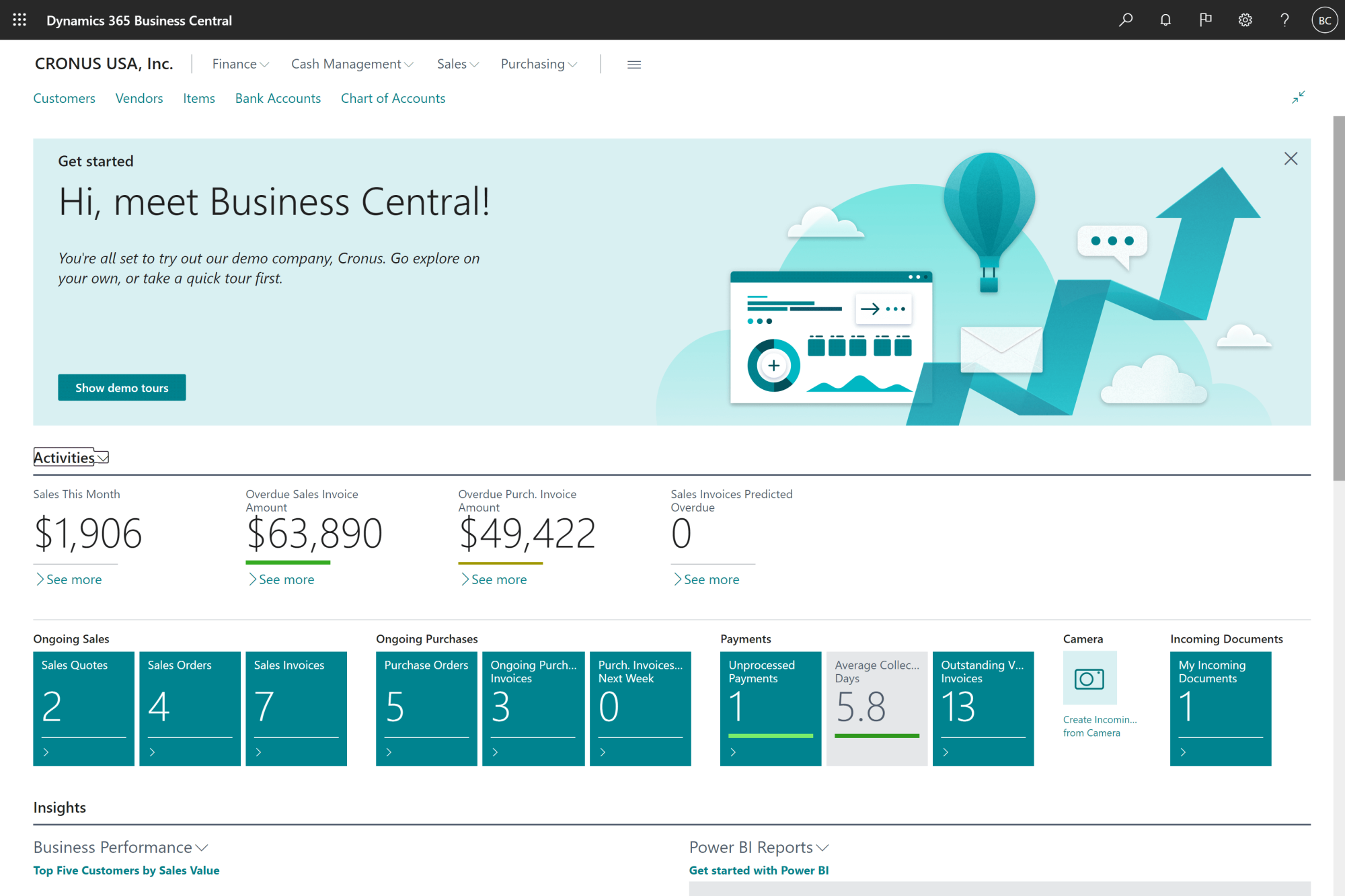
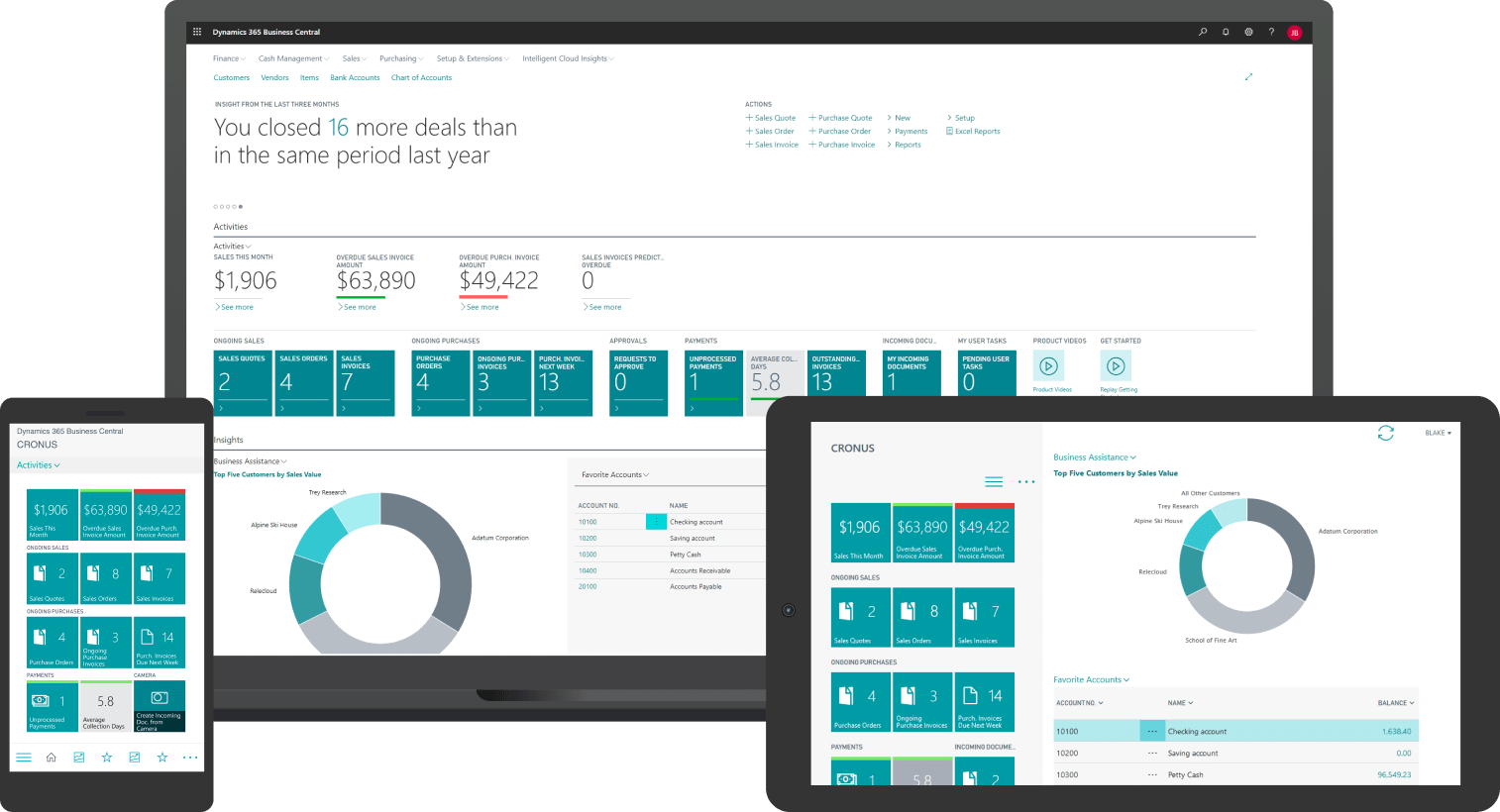
This short demo shows the Business Central modules your team will be working with.
How Many People Do You Need On Your ERP Team?
One of the most common questions: how many people do we really need, and for how long? Let’s discuss this now…
ERP Team Size Based On Your Project Scope
The answer depends on what you're implementing. A single-entity company rolling out core finance, sales, and inventory needs a smaller, tighter team than a multi-site manufacturer adding production planning and advanced warehouse management.
Here's a rough guide:
Scenario A – Core Finance + Sales + Inventory:
Internal core: 4 to 6 people (sponsor, PM, finance lead, operations lead, IT contact, 1–2 super users). Most can stay part-time except the PM and finance lead during peak phases. Your implementation partner brings 2 to 3 specialists.
Scenario B – Multi-Site Or Manufacturing:
Internal core: 6 to 9 people (add operations/production lead, warehouse lead, additional super users per location). More internal coordination is needed. Your partner scales to 3 to 5 specialists depending on complexity.
If you're adding advanced features like ERP distribution workflows with complex inventory and order management, your operations and warehouse voices become even more critical. This is where having a partner who has seen those patterns before in Business Central pays off. Trying to run a complex rollout with only two or three internal people and no external help is a recipe for an 18-month project that should have taken 9.
How To Give Your Team Enough Time To Succeed
Here's the uncomfortable truth: if nobody's workload changes, your ERP project becomes a nights-and-weekends effort. And those projects drag on forever.
Your finance lead cannot run month-end, manage the audit, and design your new Business Central financials all at the same time. Something has to give. Either you backfill some of their work, or you accept that the project will move slowly.
The same goes for operations leads and super users. If they're expected to hit all their regular KPIs and also show up for workshops, testing, and training, they'll burn out or quietly disengage.
Smart companies plan for this. They adjust targets, reassign responsibilities, or bring in temporary help. And they don't just rely on good intentions; they build the time commitment into the project plan from day one.
How To Split Work Between Your ERP Team And A Partner
You don't have to do everything alone. But you also shouldn't just hand over the keys and hope for the best.
What Your Internal ERP Team Owns Vs What A Partner Handles
Think of it this way: your internal core owns the business, and your implementation partner acts as your external ERP team for Business Central.
Your internal team owns:
- Business priorities and trade-offs.
- Process decisions ("Do we really need three approval levels here?").
- Internal communication and change management.
- Data ownership and quality in the new system.
Your external ERP team handles:
- Business Central solution design and configuration.
- Technical architecture and integrations.
- Data migration strategy, scripts, and validation.
- Testing approach and go-live planning.
- Guidance on training, change, and post-go-live support.
This division keeps you in control of your business while your partner handles the specialized work that requires deep Business Central experience.
In practice, this means co-led workshops where your finance lead and your partner's functional consultant work together to design your chart of accounts. Or your operations manager and a technical lead collaborate on warehouse setup and barcode scanning. You're not handing anything off… you're partnering.
What An Implementation Partner Brings To Your ERP Team
On paper, many ERP consultant firms look similar. What usually makes the difference is how well they understand your size, your industry, and how they integrate with your internal core day-to-day.
An experienced partner like Gestisoft brings proven patterns: chart of accounts templates, posting group setups, warehouse flows, and reporting structures that have already been tested in real companies. That means faster decisions and less trial-and-error.
A seasoned ERP implementation consultant doesn't just configure screens, they ask hard questions about why a process exists, and whether Business Central can do it in a simpler, standard way before you invest in custom work.
You also get a project plan that's already been battle-tested on dozens of implementations. You're not inventing the process from scratch… you're following a roadmap that works.
10 Key ERP Selection Criteria Guide
Use this practical guide to compare ERP options with 10 clear criteria, from process fit to implementation partner strength, and confirm that your shortlist is on target.

Common ERP Team Mistakes That Kill Projects
Even good software and good intentions can't save a badly structured project team.
Warning Signs Your ERP Team Is Set Up To Fail
Here are warning signs that show up again and again in struggling projects:
- Sponsor who never comes to workshops. If your executive sponsor only hears about the project in monthly emails, don't be surprised when big decisions take weeks to get answered.
- PM with no time or authority. Telling someone to "keep an eye on it" for four hours a week is not project management. It's a way to ensure nobody's really steering.
- No named owner for master data. Who decides which customer records are correct? Who's cleaning up duplicate items? If the answer is "we'll figure that out later," you won't.
- Departments sending their busiest people as super users. If your super users are already underwater, they won't have the time or energy to learn Business Central deeply enough to help others.
Each of these mistakes leads to the same outcome: slow decisions, poor data quality, and calendar chaos.
But the fix is usually simple: reassign roles, adjust time commitments, or bring in your partner to cover specific gaps.
When Your ERP Team Over-Customizes Instead Of Adapting
Another common trap: treating every legacy process as sacred. "We've always done it this way" becomes the reason for a dozen customizations, each one adding cost and making future upgrades harder.
This is where balanced staffing, internal leaders plus experienced consultants, makes a difference. A good implementation partner will challenge you when you're about to spend money on custom code for something Business Central already handles well.
Sometimes the answer is: yes, this exception is worth a customization. But often, it's not. And having someone with the credibility and experience to say "here's a simpler way" can save you real money in the long run.
When you only look at license numbers and day rates, it's easy to underestimate your true ERP implementation cost. The biggest expenses often come from delays, rework, and staff burnout when the project is understaffed or lacks the right experience.

ERP Team Readiness Checklist Before You Start
Here's the practical gut-check before you lock in a go-live date.
Is Your ERP Team Properly Staffed? Ask These Questions
Ask yourself these questions:
- Do we have a named executive sponsor who will attend key milestones?
- Do we have a project manager with time and authority to say no?
- Have we assigned business leads for finance, operations, and sales or service?
- Who is accountable for data quality in the new system, by name?
- Have we chosen super users based on ability, not just seniority?
If you can't answer these clearly, you're not ready to start.
Are You Ready To Work With An ERP Implementation Partner?
Also ask:
- Do we understand which decisions we want to keep in-house?
- Have we aligned on what success looks like for phase one?
- Are we prepared to involve our key people in design and testing, not just at go-live?
The goal is not perfection… The goal is realistic clarity before you invest time and money.
-
For a typical mid-market rollout (finance, inventory, sales), plan on 4 to 6 core internal people plus 2 to 3 specialists from your implementation partner. Larger or multi-site projects need more.

Why Gestisoft Should Be Your External ERP Team For Business Central
Gestisoft focuses on Microsoft Dynamics 365 Business Central for mid-market companies across Canada. We work with manufacturers, distributors, service organizations, regulatory bodies, and municipalities who need a system that grows with them.
When you engage Gestisoft, you're not just hiring a vendor. You're getting an external ERP implementation team that works shoulder-to-shoulder with your internal core.
How Gestisoft Works With Your Internal Team
We start with discovery, not software.
Before we configure anything, we spend time understanding your current processes, constraints, and goals. Then we co-design your ERP team structure with you (mapping roles, time commitments, and decision points) so everyone knows what they own.
We bring a complete implementation team.
Our team includes:
- Business Central functional consultants (finance, operations, supply chain).
- Technical and integration specialists.
- Data migration experts.
- Testing and quality leads.
- Change management and training support.
We use proven methods that respect your capacity.
You won't get a rigid playbook that ignores your reality. Our implementation approach keeps the project moving without overwhelming your people or creating bottlenecks.
We challenge over-customization early.
We believe in cutting costs, not corners. That means pushing back when custom code is about to inflate your budget, and showing you how Business Central's standard capabilities can deliver what you need faster and cheaper.
We prepare you to own the system long-term.
After go-live, we help your internal team run Business Central independently through training, documentation, and ongoing support. The goal is sustainable success, not dependency.
If you're ready to map out what your Business Central team should look like, let's start with a conversation.
Make Gestisoft Your Business Central ERP Team
Share your Business Central scope and internal resources, and see how a dedicated Gestisoft team would run your implementation alongside your key people.
 Free discovery call
Liked what you just read? Sharing is caring.

May 20, 2026 by Muhammad Ali Iqbal by Muhammad Ali Iqbal SEO Content Strategist & Copywriter
Driven by a passion for search engine optimization, strategic content, and conversion-focused writing. A copywriter and content strategist who lives for content that ranks, engages, and delivers real business results.
