

ERP implementation cost is usually the first hard question that comes up when teams look at Dynamics 365 Business Central. It's a big decision with long-term impact, and most leaders want to know what they're really getting into before they commit budget and resources.
The problem is that every project is different. You can't just copy a friend's quote or use a one-size-fits-all calculator. The final number depends on your processes, your team, your timeline, and dozens of other factors that aren't always obvious up front.
This guide explains realistic ERP implementation cost levels in plain language. We'll show how ERP implementation cost is built, what drives it up or down, and how to plan a budget that actually holds up. Whether you're replacing old software or implementing ERP for the first time, you'll leave with a clearer picture of what to expect… and what to ask.
Let’s Talk About Your ERP Implementation Cost
Get a first-pass Dynamics 365 Business Central budget based on your size and goals. We'll walk through scope, phases, and cost drivers in plain language.
 Free discovery call
What Is A Realistic ERP Implementation Cost Today?
People want a ballpark before they invest time in details. That's fair… if the number is way out of reach, you need to know now.
Most mid-market Business Central projects land somewhere in the low to mid six figures in year one, once you add software licenses, implementation services, and internal team time. Very small teams with simple needs may come in under that. Larger organizations with multiple sites, complex processes, or heavy integrations can climb higher.
Industry reports often point to a rule of thumb: companies typically spend 1 to 2 percent of annual revenue on ERP software and implementation in the first year. That doesn't mean it's exactly right for you, but it's a helpful sanity check when you're building your first estimate.
These are ranges, not quotes. Your actual ERP implementation cost depends on choices you make about scope, timeline, and how much you customize. The rest of this guide shows you what actually drives a project to the lower or higher end.
Why ERP Implementation Cost Ranges Are So Wide
Two companies with the same revenue and user count can end up with very different bills.
Here's why:
- Scope matters more than size. A 50-user company implementing only financials and basic sales will spend far less than a 50-user manufacturer adding production planning, shop floor integration, and warehouse management.
- Deployment choices create different cost structures. Cloud hosting usually means lower up-front infrastructure costs but ongoing subscription fees. Private hosting or on-premise setups flip that: higher initial investment, lower recurring cost over time. Understanding ERP pricing models helps you plan which structure fits your cash flow.
- Customization and integrations add up fast. If your current processes require heavy custom code or you need real-time connections to legacy systems, your implementation services budget will grow. Standard configuration and light extensions keep costs in check.
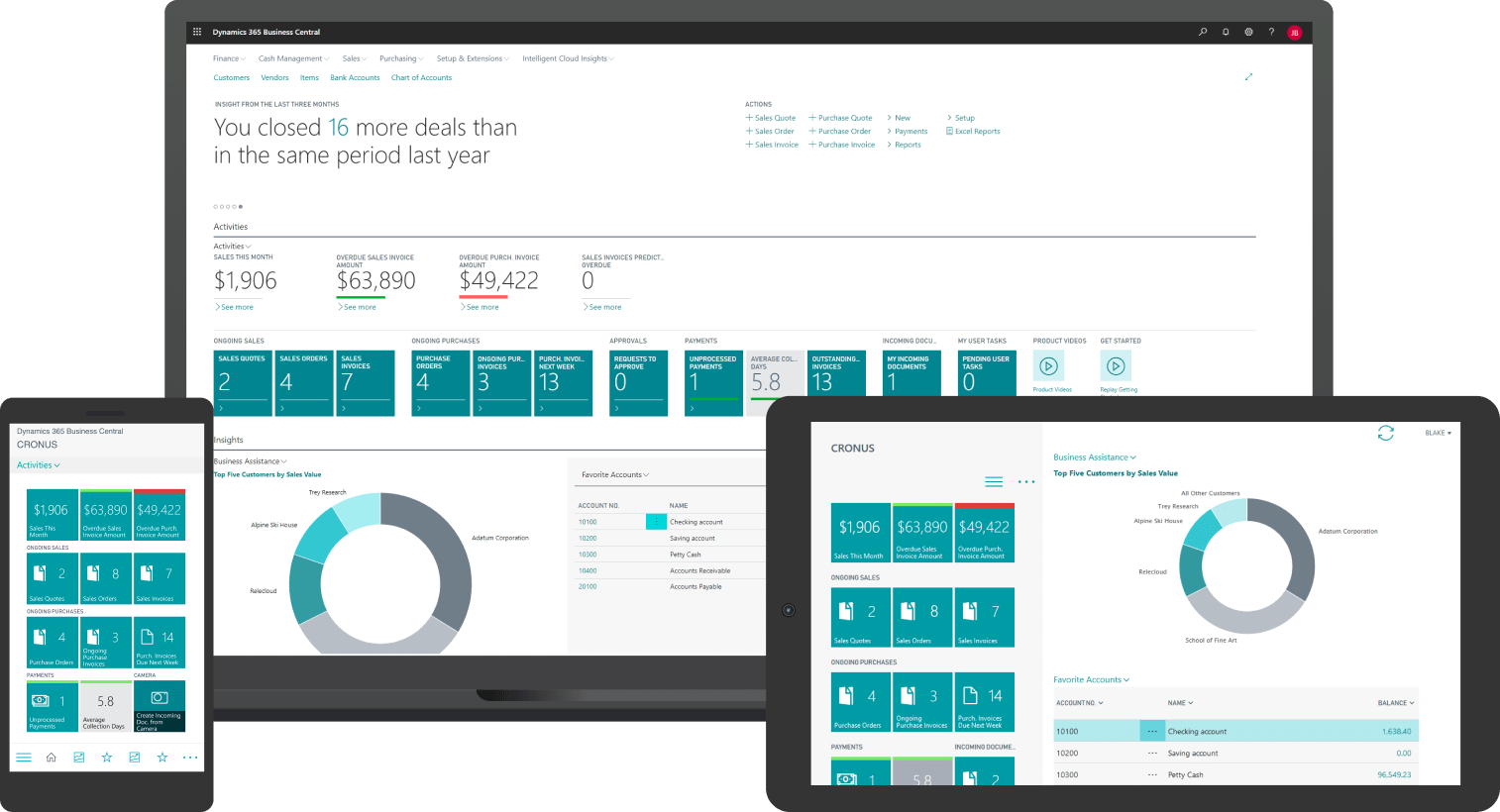
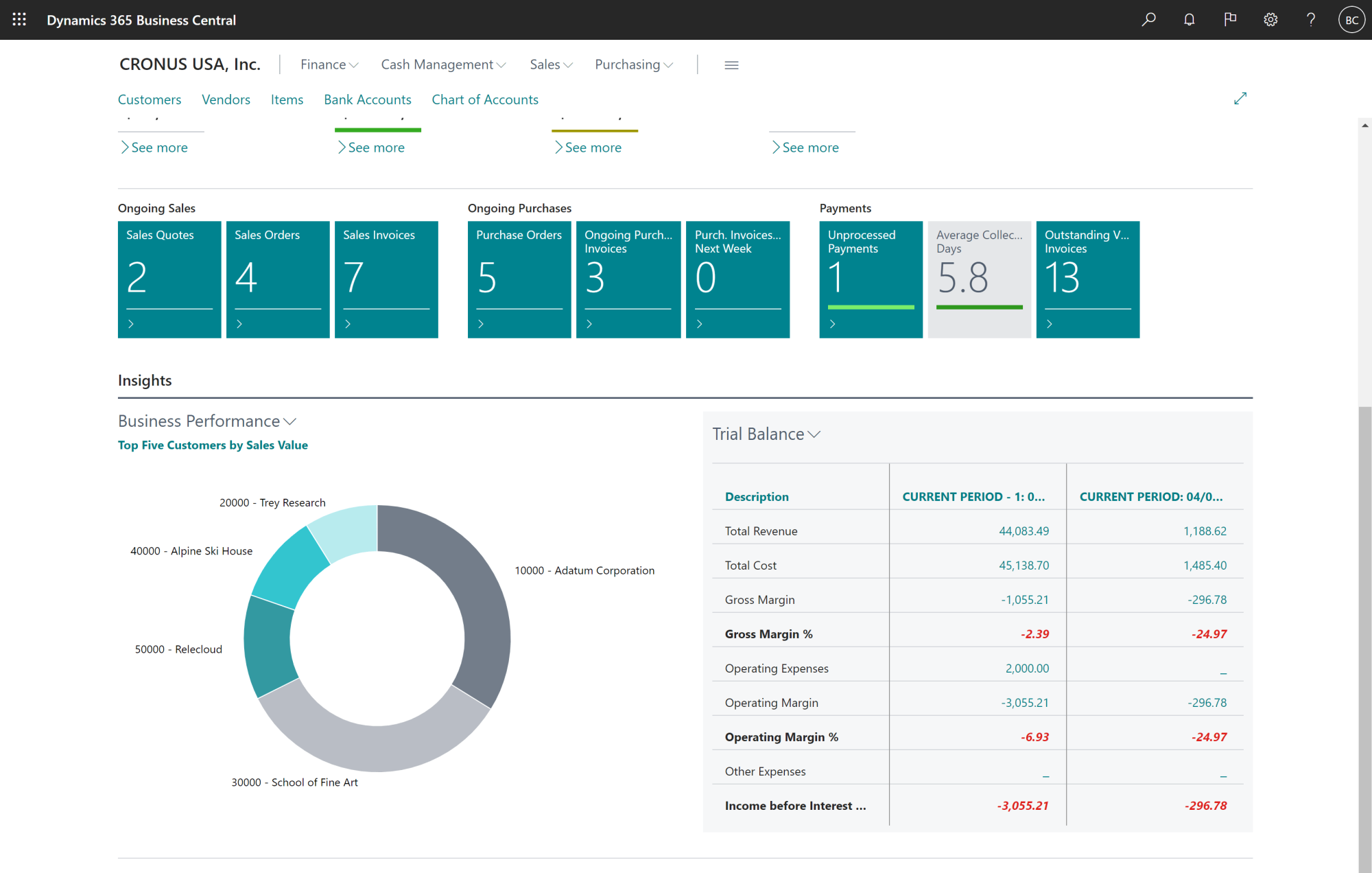
If you want to see how Business Central gives you real-time visibility into financials, sales, and operations, this walkthrough shows what business owners actually use every day.
How Is ERP Implementation Cost Broken Down?
Once you see the parts, the whole becomes less vague. Here's where the money actually goes.
1. Software Licenses Or Subscriptions
Dynamics 365 Business Central is licensed per user. Microsoft offers different user types, full, team member, and device licenses, and the mix you choose affects your monthly or annual software spend. Add-on apps, ISV solutions, and industry-specific modules live here too.
2. Implementation Services
This is often the biggest line item after software. It includes discovery and design work, system configuration, data migration, integrations, testing, training, and go-live support. In many mid-market projects, implementation services match or exceed the first-year license cost. The exact number depends on how complex your setup is and how much help you need from an ERP implementation consultant.
3. Training And Change Management
Time spent training your finance team, operations staff, and front-line users is not optional. It's also the line item most companies under-budget. If people don't know how to use the system, they'll keep working around it… and you've just paid for expensive software that sits idle.
4. Internal Team Time
Your project manager, process owners, and key users have to contribute. They'll spend hours planning meetings, testing, data cleanup, and training. That time has a cost, even if you don't see it on a vendor invoice.
5. Ongoing Support And Enhancements
After go-live, you'll need help with small changes, new reports, additional integrations, and adding new users as your team grows. Budget for this or you'll be caught off guard six months in.
ERP Implementation Cost By Project Phase
Here's how those costs map to the typical project timeline:
- Planning and design usually take up 10 to 15 percent of total effort. This is where you map processes, confirm scope, and make decisions that shape the rest of the project.
- Build and configuration is the heavy lifting, often 25 to 35 percent of the work. Your implementation partner configures Business Central to match your workflows, sets up security and permissions, and builds any extensions you need.
- Data and integrations often take 20 to 30%. Cleaning and migrating data from old systems is tedious, time-consuming, and full of surprises. Connecting Business Central to other tools, like your e-commerce platform, WMS, or payroll system, adds complexity.
- Testing and training consume another 15 to 25 percent. This is where your team learns the system and validates that it actually works the way you need it to.
- Go-live and stabilization round out the project. The first few weeks after launch are critical. You'll need extra support to fix issues fast and keep operations running smoothly.
Teams usually underestimate data and training. If you shortchange those phases, you'll pay for it later in rework, frustration, and low adoption.
ERP Implementation Cost Scenarios For Business Central
Let's look at two common project profiles to give you a clearer sense of where your business might land.
ERP Implementation Cost For A Smaller Business Central Rollout
Think of a single legal entity operating in one country. The scope is financials, sales, purchasing, and basic inventory. The user count is limited, maybe 15 to 30 people.
Here's what a year-one budget often looks like:
- Software licenses: $30,000 to $60,000
- Implementation services: $60,000 to $120,000
- Training and change management: $10,000 to $25,000
- Internal team time (estimated cost): $15,000 to $30,000
- Year-one total: roughly $115,000 to $235,000
The five-year total cost of ownership spreads that initial investment and usually looks manageable compared to running your business in spreadsheets and disconnected tools.
Projects like this are common in professional services, small manufacturing, or light distribution. They move faster because the scope is tight and decisions are simpler.
ERP Implementation Cost For A More Complex Mid-Market Rollout
Now picture a company with multiple sites, more users, and more moving parts. Maybe you're a manufacturer with production planning and shop floor needs. Or a distributor managing multiple warehouses and heavy e-commerce integration. Or a services firm operating across regions, including locations in Canada and beyond.
Here's a more realistic picture:
- Software licenses: $80,000 to $150,000
- Implementation services: $200,000 to $500,000
- Training and change management: $40,000 to $80,000
- Internal team time (estimated cost): $50,000 to $100,000
- Year-one total: roughly $370,000 to $830,000
The implementation services budget grows because you're configuring more modules, managing more integrations, and training more people. For organizations in sectors like ERP distribution, where inventory visibility and supply chain coordination are critical, the scope naturally expands.
A phased rollout helps. You can go live with financials and core operations first, then add production, advanced analytics, or CRM in phase two. This spreads the cost and reduces risk.
5 Reasons To Adopt A Cloud ERP
This short eBook explains the real-world benefits of moving to a cloud ERP like Business Central, from cost control to faster reporting. Use it to align your team before you commit to a project.

What Drives ERP Implementation Cost Up Or Down?
Two companies with the same number of users can land at very different costs. Here's what makes the difference.
Scope Of Phase One
How many modules and processes go live in the first wave? The tighter and more focused your phase-one scope, the cheaper and safer the project. If everything feels urgent, nothing is… and you'll pay for the chaos.
Process Standardization
Are you running one way of doing things, or do you have local variations at every site? Standard processes reduce design effort, training time, and long-term support costs. Every exception you insist on keeping costs money to build and maintain.
Customization Vs Configuration In Business Central
Business Central handles a lot with settings, workflows, and extensions, no custom code required. True custom development should be saved for real competitive advantage, not personal preferences. The more you customize, the more you'll pay up front and every time you upgrade.
Number And Complexity Of Integrations
Connecting Business Central to a simple cloud app is not the same job as building a real-time integration to a legacy warehouse system. Each integration brings up-front work and long-term maintenance. More integrations mean more cost, more testing, and more things that can break.
Data Quality Before The Project
Clean master data (accurate customer lists, consistent item codes, clean vendor records) lowers time and risk during migration. Dirty data tends to explode timelines and invoices. If your current system is a mess, expect to pay to clean it up.
Internal Governance
Do you have a clear internal project lead and a decision-making process that actually works? Or does every choice require three meetings and sign-off from people who aren't involved day-to-day? Slow or unclear decisions add weeks, then months, then cost. This is one reason working with experienced ERP consultancy services helps: they know how to keep momentum.
ERP Implementation Cost Questions To Ask A Business Central Partner
When you're talking to potential implementation partners, ask these questions to understand how they work and what you're really paying for:
- "On projects like ours, what do you usually see as the biggest cost driver?" This tells you what they think will be hard and where you might have room to negotiate or adjust scope.
- "How do you help clients avoid scope creep?" Good partners have a change control process. Weak ones let scope drift and send you surprise invoices.
- "What do you recommend we budget for training as a share of total services?" If they say "training is included," ask what that actually means. Is it one day on-site, or a real program?
- "How do you handle change requests so cost doesn't spiral?" You want to hear about governance, documentation, and clear pricing for out-of-scope work.
- "What percentage of your projects finish within 15 percent of the original estimate?" This is a tough question, but a good partner will answer honestly and explain the factors that caused overruns in the past.
How To Plan Your ERP Implementation Cost Budget
Now we'll turn all this into a plan you can actually use.
- Step one: List your core processes and modules for phase one. Don't try to solve every problem on day one. Pick the processes that hurt the most or deliver the clearest value.
- Step two: Estimate a realistic user count by role. How many people need full access? How many just need to view reports or enter basic transactions?
- Step three: Decide on deployment. Cloud, private hosting, or on-premise? This choice affects your cost structure for the next five years.
- Step four: Get a rough software number. Use Microsoft's public price lists and talk to a partner (like Gestisoft) to estimate your monthly or annual license cost.
- Step five: Estimate implementation services. A common starting point is to assume services will at least match your first-year license spend. For more complex projects, it can be 1.5 to 2 times that number.
- Step six: Add a clear line for training and change management. Don't leave this to the end or treat it as optional.
- Step seven: Add internal time. Even if you don't assign a dollar figure yet, acknowledge that your team will spend real hours on this project.
- Step eight: Add contingency. Budget 10 to 20 percent for unknowns. If your scope is still fuzzy or your data is messy, lean toward 20 percent.
- Step nine: Spread the view over five years. Leadership needs to see the longer-term picture, not just the year-one spike.
Common ERP Implementation Cost Mistakes In Budgeting
Underestimating Training
Most teams budget for software and services, then treat training as an afterthought. That's backward: training is what makes the software work.
Leaving Out Internal Time
Your people are busy. When they spend 10 hours a week on the ERP project, that time comes from somewhere. Budget for backfill or accept that other work will slow down.
Assuming “We Won’t Customize” Without Checking Current Processes
You might not need heavy customization, but you probably need some configuration and a few extensions. Don't assume everything will be plug-and-play.
Forgetting About Integrations and Reports Until Late in the Project
These always come up. If you wait until testing to think about them, you'll blow the budget and the timeline.
Align ERP Implementation Cost With A Phased Plan
Work through scope, phases, and budget with a Business Central specialist who lives these projects every day. Leave the call with a realistic next step, not a sales pitch.
 Free discovery call
ERP Implementation Cost Vs ROI: When Does It Make Sense?
You now have a clearer sense of ERP implementation cost. The next question is whether that investment makes sense for your business.
ERP projects don't pay back in three months. But they do pay back if you use the system well and stick with it.
Less Manual Data Entry and Reconciliation
Finance teams spend hours every month moving data between systems, fixing errors, and tracking down missing transactions. Business Central centralizes that work and automates most of it.
Faster, Cleaner Reporting and Month-End
Many mid-market companies close the books in 10 to 15 days. With a good ERP, that drops to 5 to 7 days, sometimes faster. That means leadership gets accurate numbers sooner and can make decisions while they still matter.
Better Stock Visibility and Fewer Surprises in Operations
If you're in manufacturing or distribution, you know the cost of stock-outs, rush orders, and excess inventory. Real-time visibility helps you balance supply and demand without guessing.
Easier Growth
Adding a new site, launching a new product line, or entering a new market is much simpler when your core processes run in one system instead of ten disconnected tools.
A realistic payback period is usually two to four years, depending on your size and system adoption. Companies that get quick ROI focus on training, simplify processes, and use the system properly instead of just treating it like a fancy spreadsheet.
-
Most mid-market Business Central projects take six to twelve months from planning to go-live. Smaller rollouts can finish in three to six months. Complex, multi-site projects may take up to 18 months.

Why Work With Gestisoft On Your ERP Implementation Cost?
You've seen what drives ERP implementation cost, how to plan it, and what to watch out for. If you're moving forward with Business Central, the partner you choose matters as much as the software.
Focused On Business Central
Gestisoft specializes in Microsoft Dynamics 365 Business Central. We know this platform inside and out, what it does well, where it needs help, and how to configure it so it fits the way you work.
Experience With Mid-Market Complexity
We work with mid-market companies in manufacturing, distribution, professional services, and other sectors. We understand multi-site operations, inventory management, production planning, and cross-border needs, including organizations operating in Canada.
Structured, Transparent Approach
We start with clear scoping and analysis. We break projects into phases instead of forcing a big-bang approach. And we have honest conversations about risks, trade-offs, and what will actually deliver value.
Support Beyond Go-Live
We offer optimization, support plans, and ongoing training so your system grows with you. The teams that get the most value from Business Central keep improving after launch, and we're here for that.
If you're ready to turn rough ideas into a real budget and timeline, let's talk.
Get A Business Central ERP Implementation Cost Range
Share your size, industry, and priorities, and we'll outline a realistic implementation cost and timeline you can use to plan next steps. No pressure, just clarity.
 Free discovery call
Liked what you just read? Sharing is caring.

April 24, 2026 by Muhammad Ali Iqbal by Muhammad Ali Iqbal SEO Content Strategist & Copywriter
Driven by a passion for search engine optimization, strategic content, and conversion-focused writing. A copywriter and content strategist who lives for content that ranks, engages, and delivers real business results.
