

Charities and nonprofits don’t run finance like standard businesses. You manage restricted and unrestricted funds, report to donors and boards, follow grant rules, and prepare for audits with a level of transparency most commercial companies never face. That reality is why charity accounting software exists: to make nonprofit accounting simpler, more reliable, and scalable.
This guide explains what charity accounting software is, the features that matter most, how pricing works in 2026, which tools are leading the market, and how to choose and implement the right solution for your organization. If you’re also comparing options right now, see our in-depth best charity accounting software comparison. If budget is the priority, start with free charity accounting software. And for a requirements-first view, read accounting software for charities.
What is charity accounting software?
Charity accounting software is a financial system designed to support nonprofit-specific accounting needs such as fund accounting, restricted donation tracking, grant compliance, and highly transparent reporting. Unlike tools built for small businesses, charity accounting software must let you separate money by purpose and prove that it was used as promised.
Traditional accounting software focuses on profit, cost centers, and general ledgers. Charity accounting software adds or strengthens capabilities like:
- tracking restricted vs. unrestricted revenue
- reporting by program, fund, or project
- grant commitments and compliance windows
- audit-ready evidence trailThese gaps are exactly why many charities end up relying on spreadsheets when using generic systems.
Speak with our Business Central professionals today
Looking for a charity accounting software? Contact us for a free consultation and discover why our solution is the best choice for your nonprofit.
 Free discovery call
Who needs it?
You’ll benefit from charity accounting software if you are:
- a registered charity
- a nonprofit organization
- a foundation
- an NGO
- an association or membership-based body with dedicated funds
The moment you receive donations, grants, or dedicated financing for specific initiatives, the charity model applies.
Core charity accounting concepts your software must support
At a minimum, your system should handle:
- restricted vs. unrestricted funds
- program vs. administrative cost reporting
- donor and grant accountability
- board-level visibility into how money flows

Why traditional accounting tools fall short for charities?
Many mainstream tools are excellent for basic bookkeeping, but not for nonprofit accountability.
Fund accounting complexity
Charities need to show not just how much was spent, but from which fund and for which purpose. This requires dimension or fund tracking built into every transaction.
Grant compliance and reporting cycles
Grants come with budgets, eligibility rules, timing constraints, and reporting templates. Software that can’t link spending to a grant makes compliance slow and risky.
Transparency and audit expectations
Boards and donors expect clean audit trails: who approved what, when, and why. Nonprofit-capable systems emphasize permissions, approvals, and traceability.
Faster board reporting
Charity leadership needs regular, clear reporting by program and fund. Generic accounting often forces manual exports and spreadsheet rebuilds.

Must-have features in charity accounting software
The best charity accounting software in 2026 supports the full nonprofit finance lifecycle. Across current nonprofit tool guides, these capabilities show up again and again as selection differentiators.
Fund accounting and dimension tracking
Your system should let you assign every income and expense to:
- funds (restricted/unrestricted)
- programs/projects
- locations/entities (if needed)
This is the heart of charity accounting.
Donation and pledge revenue management
Look for features that support:
- donation categorization
- recurring gifts/pledges
- correct revenue recognition by restriction type
- clear donor-fund allocation reporting
Grant tracking and compliance reporting
Strong tools allow:
- linking expenses to specific grants
- tracking budget consumption
- producing compliance reports without manual reconstruction
Program-based budgets and forecasting
You should be able to budget by program or fund, not only by department, and compare actuals to plan at that level.
Automated approvals and internal controls
As charities scale, controls matter. Features may include:
- purchase workflows
- spending thresholds
- multi-step approvals
- separation of duties
Advanced reporting for boards and funders
Expect built-in reporting such as:
- fund statements
- program P&Ls
- grant utilization reports
- donor impact or allocation summaries
Integrations that matter
Charities rarely run finance alone. Nonprofit guides highlight integration with fundraising/CRM tools and expense or payroll systems as a key buying factor.
Security, permissions, auditability
You need role-based security and a detailed history of transaction edits and approvals to stay audit-ready.
AI and automation trends (2026)
Modern tools are trending toward automation in:
- bank reconciliation
- expense categorization
- anomaly detection
- predictive cash-flow reporting
These aren’t replacing accountants; they’re reducing low-value manual work.

How to choose charity accounting software (step-by-step)
Step 1: Map your charity’s structure
List:
- your funds (restricted/unrestricted)
- programs/projects
- entities/chapters if you have them
- grant types you manage
Step 2: Build your requirements list
Use a simple checklist covering:
- fund accounting depth
- grant tracking
- reporting needs
- integrations
- user roles and approvals
(See a deeper requirements breakdown in accounting software for charities.)
Step 3: Shortlist 3–5 tools
Use your requirements to narrow options. Our ranked comparison in best charity accounting software helps here.
Step 4: Demo with real nonprofit scenarios
Ask vendors to show:
- a restricted donation coming in and being reported
- a grant spending report
- a board-ready program financial pack
Step 5: Evaluate total cost and support
Consider not only subscription price but:
- training
- implementation
- integrations
- ongoing support
Step 6: Plan scope and timeline
Implementation should include:
- fund/program design
- reporting pack setup
- user training
- go-live checks

Pricing: what charity accounting software costs in 2026
Pricing depends on complexity and scale.
Free tiers and starter plans
Some tools offer free plans or nonprofit discounts, but free tiers usually limit users, features, or fund tracking depth.
If you’re exploring this route, read free charity accounting software for a clear breakdown.
Mid-market nonprofit systems
These offer richer reporting, integrations, and better fund accounting without ERP-level complexity.
ERP-level solutions
Large or multi-entity charities often need ERP capabilities for governance, automation, and scale.
Hidden costs to plan for
Budget for:
- data migration
- configuration
- integrations
- change management
- expert support during audit cycles
Best charity accounting software (quick overview)
The leading market options in 2025–2026 include mainstream platforms with nonprofit fit and nonprofit-specific tools. Lists from nonprofit finance guides consistently cite options like QuickBooks (Nonprofit), Xero, Sage Intacct, Aplos, Blackbaud Financial Edge NXT, Zoho Books, Wave, and niche fund-accounting platforms.
Because each charity’s needs vary, we keep the detailed ranking in a dedicated page. Jump to free charity accounting software for the full comparison.
Implementation roadmap for charities
Prepare your data
- clean your chart of accounts
- normalize donor/grant lists
- close out legacy “temporary” spreadsheets
Design your funds and programs
Set up:
- fund structure
- program codes
- rules for restricted allocations
Configure reporting packs
Build templates for:
- board reporting
- donor/grant reports
- monthly close packs
Train finance and non-finance users
Your programs team, fundraisers, and approvers must understand how to code and interpret transactions.
Go-live and control checks
- validate fund allocations
- test grant reporting
- confirm approval flows
- lock down roles and access rights
Post-go-live optimization
After 30–60 days, refine:
- reports
- automations
- user permissions
Book your free consultation with us today
Contact our team for more details on our charity accounting software, Microsoft Dynamics 365 Business Central.
 Free discovery call
Common mistakes charities make
- choosing software without strong fund tracking
- underestimating reporting workload
- ignoring integration needs
- skipping change management or training
Why Microsoft Dynamics 365 Business Central fits growing charities?
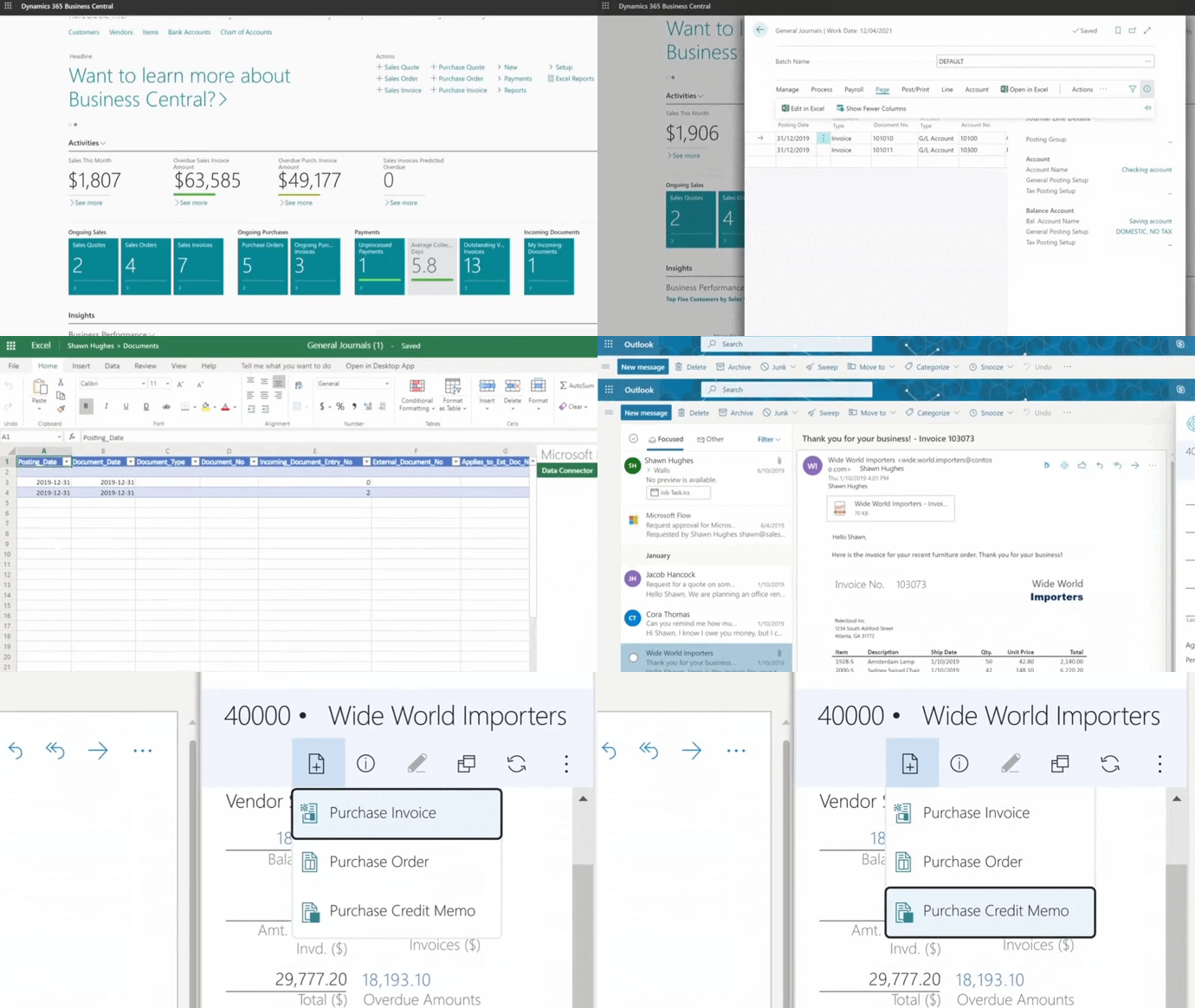
For charities that are scaling or managing complex funds and grants, Business Central offers:
- dimensions for funds and programs
- advanced reporting and audit trails
- workflows and controls for governance
- integration capacity with CRM/fundraising ecosystems
Gestisoft supports implementation planning, migration, and nonprofit-specific configuration so the system matches your real structure and reporting obligations.
Speak with a Gestisoft nonprofit specialist to map your requirements and shortlist the right system.
-
Fund accounting tracks money by purpose (restricted/unrestricted) and reports spending against those purposes.
Liked what you just read? Sharing is caring.

December 02, 2025 by Kooldeep Sahye by Kooldeep Sahye Inbound Marketing Manager
Specializing in SEO-driven pipeline growth, I combine keyword strategy, content optimization, and inbound tactics to turn organic search into a reliable source of qualified leads. I work at the intersection of traditional SEO and AI search — optimizing for LLMs and AI Overviews alongside Google — pairing data-informed strategy with sharp, story-led copywriting.