

If your finance team is still closing the books in a patchwork of spreadsheets, copy-pasting numbers between your accounting software and your reporting tool, and spending the last week of every quarter in panic mode. This one's for you.
Business Central accounting is Microsoft's answer to this very problem. It's a cloud-based ERP built for small and mid-sized businesses, and it handles financial management end-to-end: from the general ledger and bank reconciliation to cash flow forecasting, tax compliance, and multi-entity consolidation.
For Canadian businesses, especially those operating across provinces with different tax rules, or in both French and English, the platform comes with built-in localization that most competitors simply don't offer.
We’ll walk through what Business Central accounting does, who it's built for, how it stacks up against tools like QuickBooks and Sage, and what Canadian SMBs specifically get out of it.
Ready to see Business Central accounting in action?
Our Business Central specialists come from finance backgrounds. They know your closing deadlines, your compliance headaches, and your reporting pressures. They know, because they've lived them.
 Free discovery call
What Is Business Central Accounting?
Business Central accounting is the financial management core of Microsoft Dynamics 365 Business Central. Think of it as an accounting system that grew up and became an ERP, one where every department, from procurement to sales to operations, feeds into a single source of financial truth.
At its foundation, the platform covers the full accounting cycle: recording transactions, managing payables and receivables, reconciling bank accounts, handling fixed assets, and generating financial statements. What separates it from standalone accounting software is that all of this connects directly to the rest of your business. Inventory levels, sales orders, project costs, and payroll data all flow into the same ledger.
For a Canadian SMB that has grown past the point where QuickBooks or Sage can keep up, Business Central accounting is typically the next logical step. You're not ripping out your financial processes and starting over. You're giving them the infrastructure to scale.
The Core Features of Business Central Accounting
General Ledger and Chart of Accounts
The general ledger in Business Central accounting is highly configurable. You can set up your chart of accounts to match your industry, your reporting structure, and your CPA's preferences. Dimensions (essentially financial tags) let you slice your data by department, project, region, or cost centre without creating a sprawling account structure that becomes impossible to maintain.
If you've ever tried to run a departmental P&L out of QuickBooks and ended up with 400 accounts, you know exactly what that costs you.
Accounts Payable and Receivable
The system automates the vendor payment cycle from purchase order to payment, with approval workflows baked in. On the receivables side, it handles customer invoicing, payment tracking, aging reports, and automated reminders. Late payments get flagged. Disputes get logged. Nothing falls through.
For Canadian businesses dealing with both CAD and USD invoices, or with suppliers and customers in multiple provinces, the platform handles multi-currency and multi-tax scenarios without requiring manual workarounds.
Bank Reconciliation
One of the features finance teams tend to notice immediately: bank reconciliation inside Business Central accounting is largely automated. The system pulls in your bank feeds, matches transactions to posted entries using AI, and flags discrepancies for human review. What used to take a full day at month-end takes a fraction of that time.
You can explore Analysis Mode in Business Central to see how real-time data access extends beyond banking into your full financial picture.
Fixed Asset Management
The platform tracks the full lifecycle of fixed assets: acquisition cost, depreciation schedules, maintenance history, and disposal. You can run multiple depreciation books simultaneously, which is critical for Canadian businesses that need to reconcile CRA depreciation rules (CCA classes) with their GAAP financial statements.
Budgeting and Cash Flow Forecasting
Setting budgets in Business Central accounting is straightforward: you build them by account, by dimension, or by a combination of both. The platform tracks actual vs. budget in real time, so your finance team knows immediately when a department is running over, not at the end of the quarter.
Cash flow forecasting goes further. The system uses your open payables, receivables, and recurring transactions to project future cash positions, and Microsoft Copilot AI can generate scenario-based forecasts on demand.
If you’re new to Business Central, this is the only accounting tutorial you'll ever need! In this full demo, we walk you through every essential accounting feature in Microsoft Business Central, from chart of accounts to financial reporting with Power BI.
Business Central Accounting for Canadian Businesses: The Canadian Difference
Here's where most articles on this topic fall short. They cover the features. They don't cover what those features mean for a business filing HST in Ontario, QST in Quebec, and PST in British Columbia, all at once.
Canadian Tax Compliance Built In
Business Central accounting handles the full Canadian tax structure natively. GST, HST, and PST are configured at the customer and vendor level, which means tax is calculated correctly on every transaction without manual change. For businesses operating in Québec, QST is handled separately and correctly, with the input tax refund (ITR) logic applied automatically.
The system also integrates with third-party CRA filing tools, so your quarterly or annual remittances don't require re-entering data you've already captured. This is a meaningful difference from tools like QuickBooks, which handle basic Canadian tax but require significant manual configuration for multi-province scenarios. You can see how free accounting software options in Canada compare on tax compliance flexibility.
GAAP and IFRS Financial Reporting
The platform supports both Canadian GAAP and IFRS reporting standards out of the box. You can maintain parallel financial statements: one for management reporting and one for external reporting. No need to maintain two separate systems.
For Canadian SMBs growing toward an acquisition or an IPO, getting there early is a real advantage. Getting your financial reporting into IFRS-compliant shape is significantly easier when your accounting system is already built for it.
PIPEDA Data Residency
Business Central accounting, deployed through Microsoft's Canadian data centres, keeps financial data stored in Canada. Your books, your client data, and your financial records meet PIPEDA requirements without additional configuration. That's a non-trivial point for businesses in regulated industries or those working with government contracts.
Bilingual Operations
For businesses operating in both English and French Canada, the platform supports bilingual document generation. Customer invoices, vendor purchase orders, and financial reports can be produced in French or English based on the contact's language preference, automatically. No manual template switching.
Is Business Central Accounting Right for Your Finance Team?
If your team is producing reliable reports manually every month, imagine what they could do with that time back. Let's talk about what Business Central accounting would look like for your business specifically.
 Free discovery call
The Real Comparison Between Business Central Accounting vs. QuickBooks and Sage
A lot of Canadian SMBs arrive at Business Central accounting from QuickBooks Online or Sage 50. The conversation usually goes one of two ways: either the business has outgrown what those tools can do, or they've hit a specific wall: reporting flexibility, multi-entity consolidation, or inventory integration.
Business Central accounting lives natively in the Microsoft ecosystem. Your finance team already works in Excel; the platform pulls live financial data directly into Excel without exports. Your operations team is in Teams; approvals and alerts surface inside Teams. Power BI connects without middleware.
QuickBooks is a good accounting tool for very small businesses. It handles invoicing, bank feeds, payroll, and basic reporting well. Where it breaks down is when you need departmental reporting with real dimensions, when your inventory talks to your finance data, or when you're managing more than one legal entity. Business Central covers all three without add-ons or workarounds.
Sage 50 is a strong legacy system and many Canadian accountants know it well. Its Canadian compliance is solid. But it's a desktop-first application in a cloud world, and its integration with the broader Microsoft stack (Teams, Excel, Power BI) is limited compared to Business Central.
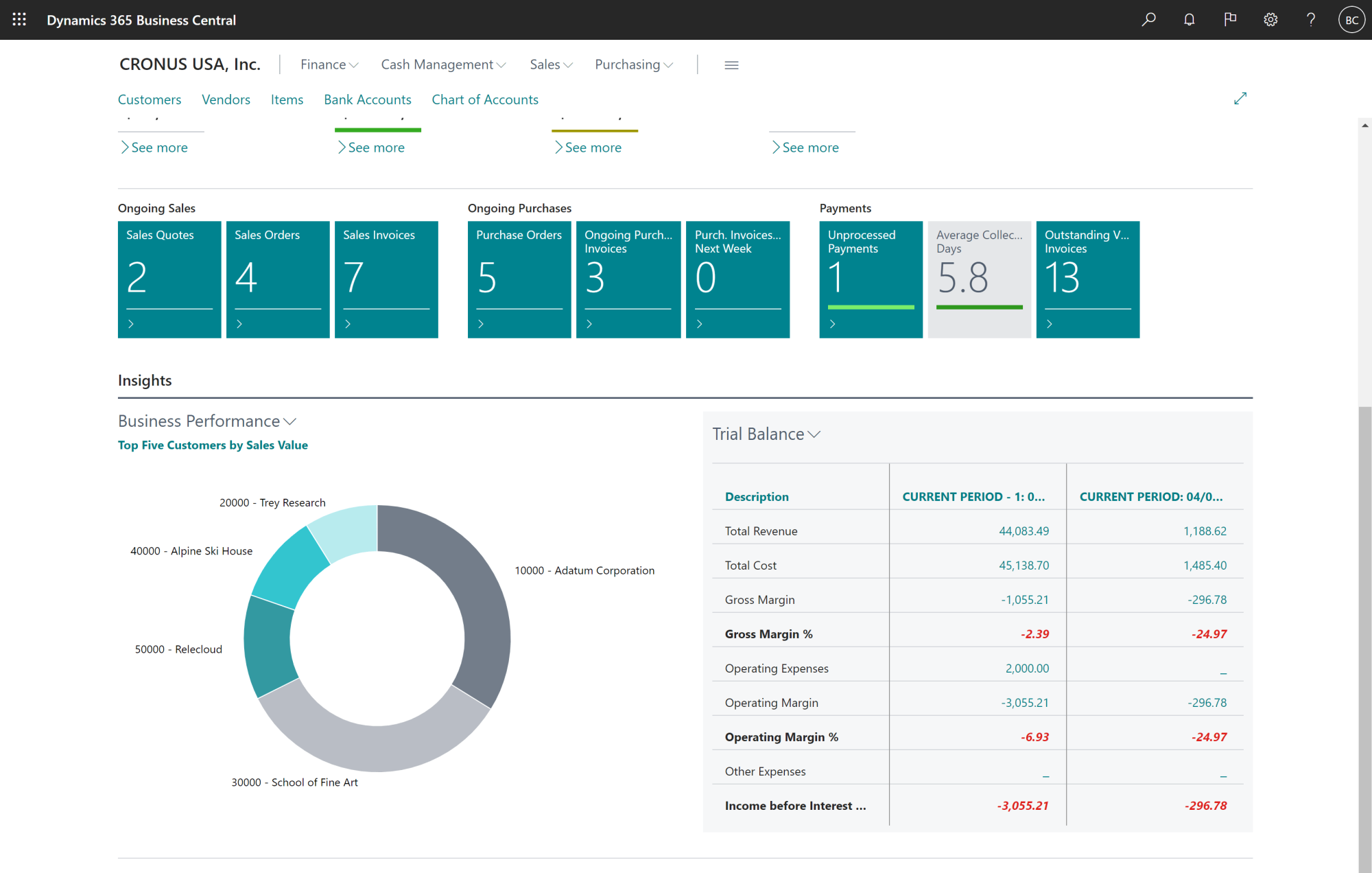
How Copilot AI Changes Business Central Accounting
This is the part of the platform that's moving fastest right now.
Microsoft has embedded Copilot AI directly within Business Central accounting as a native capability, rather than an add-on. For finance teams, this shows up in a handful of ways.
Bank reconciliation assist uses AI to match transactions automatically and suggest postings for items it can't match with certainty, flagging them for review rather than leaving them in a queue. This cuts reconciliation time significantly for businesses with high transaction volumes.
Cash flow analysis via Copilot lets your finance team ask plain-language questions: "What's our projected cash position at the end of Q3 if our top five receivables pay on time?" They get answers without building a custom report. You can see exactly how this works in Gestisoft's deep-dive on Copilot for Finance.
Document intelligence handles incoming invoices. Copilot reads vendor invoices, extracts the relevant data, and creates the purchase document in the system, which cuts manual data entry on the AP side.
For finance directors who are skeptical of AI in accounting, the framing that tends to land: Copilot doesn't make accounting decisions. It eliminates the mechanical work so your team can focus on the decisions that need human judgment. Copilot for Finance in Dynamics 365: The Complete Breakdown covers this in much more detail.
The ERP Finance Module: More Than Just Accounting
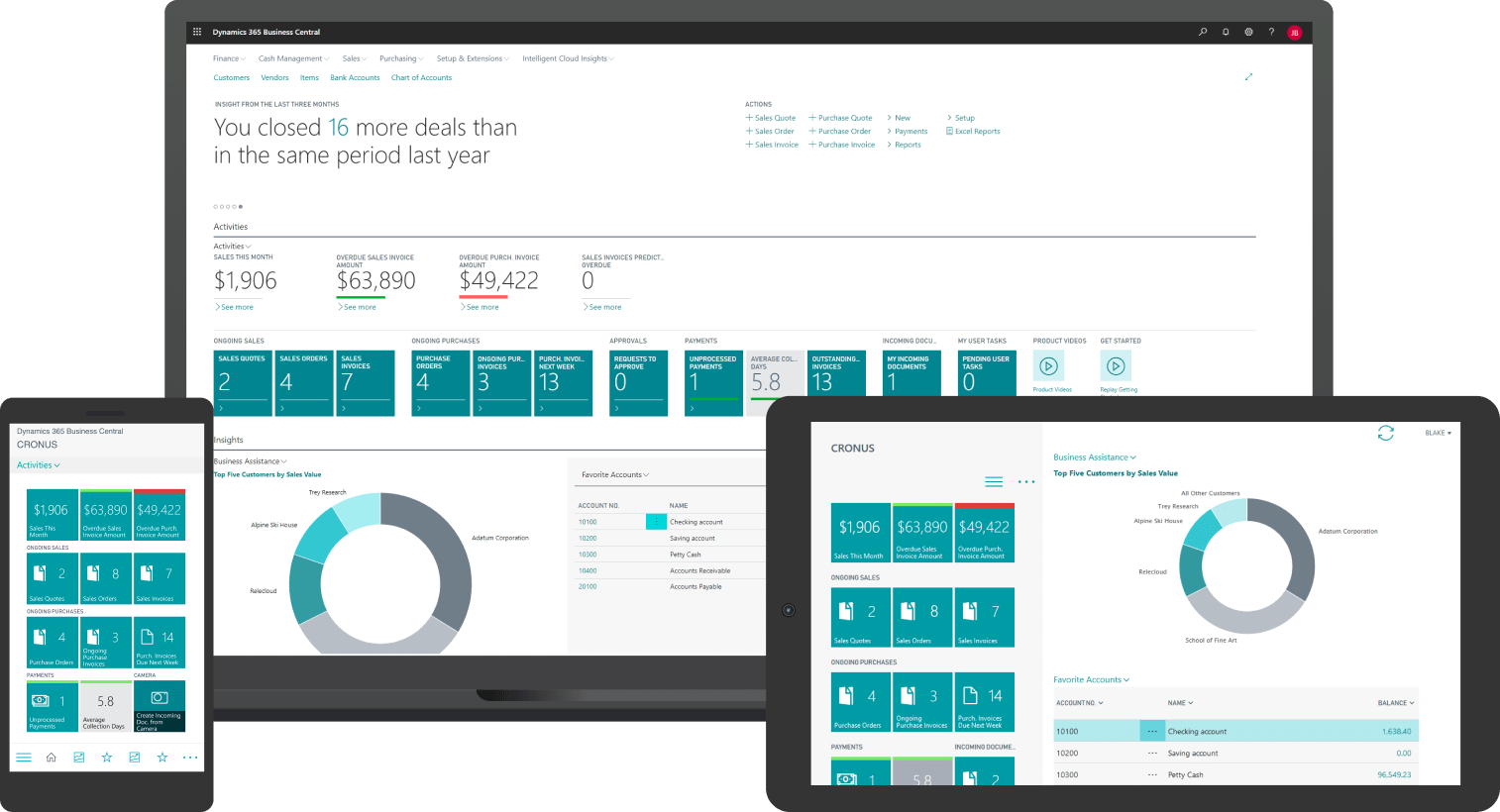
One thing that surprises many finance leaders when they first look at Business Central accounting: the finance module doesn't operate in isolation. It's connected to every other part of the ERP.
When operations approves a purchase order, it automatically flows into accounts payable. Then, when a sales order ships, revenue recognition happens in the ledger without anyone touching a keyboard. And when a project hits a billing milestone, the system generates and posts the invoice based on the project data.
This is the core difference between accounting software and an ERP finance module. Accounting software records what happened. An ERP finance module records what happened and connects it to why it happened and what comes next.
Gestisoft's article on the ERP finance module breaks down how this cross-department integration works in practice.
Who Is Business Central Accounting Built For?
Business Central is designed for SMBs with between 10 - 250 employees, though it scales well beyond that. Businesses that get the most out of Business Central accounting share a few characteristics:
- They've outgrown their current tool and are doing too much in spreadsheets,
- Their finance team spends more time pulling data together than analyzing it
- They operate across provinces or in both Canada and the US
The platform is also a strong fit for businesses in distribution, manufacturing, professional services, and non-profit sectors, anywhere financial management is closely tied to operational data. If you're curious whether your business is ready, the ERP readiness self-evaluation is a good starting point.
It's not the right tool for a freelancer or a very early-stage startup. For those businesses, QuickBooks or even Wave is probably the right answer. Business Central accounting earns its place when the complexity of your financial operations has grown past what simpler tools can handle gracefully.
Thinking About Moving from QuickBooks or Sage?
Migrations done right take 8 weeks with Gestisoft. Done wrong, they take 18 months and cost 2x your budget. Our team handles the data migration, configuration, and training, so your team hits the ground running.
 Free discovery call
What Gestisoft Brings to Business Central Accounting
Gestisoft has been implementing Business Central for Canadian businesses for over 27 years. The team includes accountants and financial controllers who have worked in the industries they now serve, which means implementation conversations aren't just about software configuration. They're about how your month-end close works, what your auditors ask for every year, and where your current process breaks down.
The standard financial management implementation runs in as little as 8 weeks. That's based on a structured methodology refined across hundreds of Canadian deployments, from Québec SMBs running bilingual operations to national distributors managing multi-entity consolidations.
For businesses coming from QuickBooks or Sage, Gestisoft handles the data migration, chart of accounts mapping, tax configuration, and user training. Your team doesn't start from zero.
You can also see how other Canadian businesses have used customized Business Central accounting ERP solutions to solve specific compliance and reporting challenges.
“I always had all the information I needed to pass on to my staff. The Gestisoft team was very responsive and proactive in resolving any internal issues we faced and ensured that we met our objectives.”
Financial Reporting in Business Central
Reporting is where the platform separates itself most clearly from basic accounting tools. The built-in financial report builder lets you create custom P&Ls, balance sheets, cash flow statements, and departmental reports without writing a single line of code.
For more advanced analytics, Business Central connects natively to Power BI. Your finance team can build live dashboards that pull directly from the ledger, with drill-down capability all the way to the original transaction. No data exports, or version control issues, or even "which spreadsheet is the right one?"
Business intelligence with ERP covers how to get the most out of this connection for financial decision-making.
For Canadian businesses that report to a parent company in USD or EUR, the platform handles currency translation automatically, with exchange rate management built into the reporting layer.
Your finance team deserves tools that work as hard as they do. Whether you're evaluating Business Central accounting for the first time or ready to start your implementation, our team is here to help, in English or in French. Talk to a Gestisoft Business Central Accounting Specialist by booking a Free Consultation.
-
Yes. The platform is built for SMBs with 10 to 250+ employees that need more than what QuickBooks or Sage can offer. It handles the full accounting cycle, integrates with operations and sales data, and includes Canadian-specific compliance features for GST, HST, QST, GAAP, IFRS, and PIPEDA. For businesses operating across multiple provinces or in both official languages, it's one of the strongest options on the market.
Liked what you just read? Sharing is caring.

May 29, 2026 by Conni Guido by Conni Guido Copywriter and Brand Strategist
I started with a degree in Professional Communications and never looked back. Now, I'm a professional storyteller who believes every brand has a story to tell, and every good story should leave you wanting more. You can find me lost in a book club or a writing sprint, baking words into pies...probably both.
