

When you audit ERP systems, you're not just ticking boxes for compliance. You're protecting financial data, stopping fraud before it starts, and making sure your Microsoft Dynamics 365 Business Central investment actually delivers value instead of becoming an expensive mess of workarounds.
Here's the reality: most ERP problems don't announce themselves. Someone quietly changes a posting setup before month-end. A former employee still has admin access three months after leaving. Approvals get skipped because "we trust our team." Then your external auditor shows up, finds a segregation of duties conflict, and suddenly you're explaining to the board why financial statements might need adjustment.
This guide gives you 21 practical checks to audit ERP controls, data, security, and processes. It's built for finance leaders, IT directors, and internal auditors at mid-size companies in Canada and across North America who need to move fast without wasting time on theory.
Get An Expert ERP Audit For Business Central
If your ERP feels more risky than reliable, let's talk. We'll map out what matters most in your environment and help you move from findings to fixes.
 Book a free consultation
Why You Should Audit ERP Systems Before Problems Explode
Waiting until your external auditor raises red flags is expensive. By then, you're in damage control mode, scrambling to document processes that were never formalized and trying to prove controls that may not actually exist in the system.
What Can Go Wrong If You Do Not Audit ERP Early
Here's what happens in businesses that skip regular ERP audits.,, A single user ends up with the ability to both create vendors and approve payments. No one notices until reconciliation shows duplicate or questionable invoices months later.
Or someone changes a posting group without proper approval, and suddenly revenue lands in the wrong GL account. Finance doesn't catch it until year-end, and the close gets delayed while they trace and reclassify transactions.
These problems don't announce themselves. They hide in permission sets, workflow gaps, and configuration changes until something forces you to look. The cost of catching control gaps early is a fraction of what you'll spend fixing them after they've damaged your financials or reputation.
Who Should Care About An Audit ERP Review (Finance, IT, Audit)
Your CFO or Controller needs clean numbers and confidence that reports tie back to transactions. Your IT Director needs to know access is locked down and change control actually works. Your internal auditor, if you have one, needs evidence that controls are designed and operating effectively.
If you don't have someone who clearly owns ERP risk, it might be time to define that role or bring in an ERP specialist who can bridge finance, operations, and technology. Strong governance prevents small issues from turning into emergency projects.

How To Audit ERP Strategy And Ownership First
Most issues start with unclear ownership, not broken technology. When you audit ERP governance, you often discover that no one truly owns key decisions.
Check 1: Audit ERP Strategy For Business Alignment
Ask your finance and operations leaders one simple question: does Business Central help you do your job, or do you work around it? If the answer is "work around," your strategy has drifted. Look for evidence that someone reviews ERP capabilities against business goals at least once a year. Without regular alignment checks, you end up with a system that serves yesterday's needs while today's business moves on.
Check 2: Verify Ownership And Governance Structure
Check whether you have a documented RACI or steering group that includes finance, IT, and operations. Look for meeting minutes, decision logs, or escalation paths. If decisions happen in hallway conversations with no record, that's a gap. Strong governance doesn't slow you down. It prevents the wrong changes from sneaking in and creating bigger messes later.
Check 3: Review System Design For Built-In Controls
Business Central lets you build approvals, limits, and mandatory fields directly into workflows. If your controls live in a separate policy document but not in the system itself, users will skip them under pressure. Sample a few workflows to confirm policy matches configuration. Controls by design are harder to bypass than controls on paper.
Check 4: Confirm Independent Review At Key Moments
For major changes like new modules, upgrades, or integrations, someone outside the project team should review design decisions, test results, and go-live readiness. If that hasn't happened in the past two years, you're flying without a safety check. Independent reviews catch risks that project teams, deep in delivery mode, often miss.
Discover ERP Security Best Practices
Learn how to lock down access, prevent fraud, and close security gaps in your Business Central environment.

How To Audit ERP Access, Roles, And Security Without Blocking Work
The goal is to reduce risk without making users hate the system. When you audit ERP access properly, you protect data without slowing down business.
Check 5: Audit ERP Roles And Permission Sets
In Business Central, permission sets control what users can see and do. Sample a handful of roles and confirm they don't bundle tasks that should stay separate. For example, someone who posts invoices shouldn't also maintain vendor master records. Over-permissioned users create fraud risk and make it harder to trace accountability when something goes wrong.
Check 6: Test Segregation Of Duties In Key Cycles
SoD conflicts are at the heart of fraud risk. In procure-to-pay, make sure the same person can't create a vendor and pay them. In order-to-cash, the same person shouldn't create customers and write off their balances. If you don't have an SoD tool, manually sample high-risk combinations. This is where most internal control failures start.
Check 7: Review Admin Access And Generic Accounts
List everyone with super-user or admin-level access in Business Central. Confirm each one has a business justification and that activity is logged. Shared or generic accounts should be eliminated or, at minimum, tightly monitored with full audit trails. Admin accounts are the skeleton keys to your data. Treat them that way.
Check 8: Verify User Lifecycle Management From Hire To Exit
Sample five terminated employees and verify their accounts were disabled within 24 hours. Sample five people who changed roles and confirm old permissions were removed. Reconcile your HR list against active users at least quarterly. User lifecycle gaps are shockingly common and surprisingly easy to fix once you know they exist.

How To Audit ERP Data, Reporting, And Audit Trails
Bad data kills both reporting and audits. When you audit ERP data quality, you catch problems before they reach financial statements.
Check 9: Verify Financial Reports Against The General Ledger
Pick your most recent financial statement. Drill from a line item to the trial balance, then to individual transactions in Business Central. If you hit Excel files in the middle, that's a red flag. Look for unexplained suspense accounts or "plug" entries that shouldn't exist. If your numbers don't trace cleanly, neither your team nor your auditor can trust them.
Check 10: Audit ERP Reports Your Auditors Rely On
Your external auditor wants trial balance, AP/AR aging, fixed asset registers, and transaction detail reports. Make sure these come directly from Business Central with consistent filters, parameters, and timestamps. If someone has to "massage" data in Excel first, document why and fix it. Reports built on spreadsheets break the moment someone leaves or forgets a step.
Check 11: Assess Master Data Quality And Ownership
Run a quick scan for duplicate vendors with the same bank account, customers with missing tax IDs, or items with invalid posting groups. Assign clear ownership for each master data type so changes require approval and get logged. Dirty master data creates dirty financials, and it's nearly impossible to clean up after years of neglect.
Check 12: Review Change Logs For System Modifications
Business Central has built-in change logs for critical tables like posting setups, user permissions, and approval limits. Confirm these are enabled and someone actually reviews them. During your audit, pull a sample of changes and verify they were authorized. Change logs are your insurance policy when someone says "I didn't change anything" and the system says otherwise.
Start Your Business Central ERP Assessment Today
Don't wait for an audit finding to force action. Let's review your current state and build a plan that protects your business.
 Book a free consultation
How To Audit ERP Business Processes And Controls That Run The Company
Connect your system review to the real work cycles that keep the business moving. When you audit ERP processes, you see whether controls actually work in practice.
Check 13: Test Procure-To-Pay Approvals And Matching
Compare your written approval thresholds to what's configured in Business Central. Sample ten purchase orders and ten invoices to confirm approvers and steps match policy. Look for exceptions where invoices got posted without a PO or proper three-way match. P2P is where most fraud happens, so this isn't just a compliance check. It's loss prevention.
Check 14: Examine Order-To-Cash And Revenue Recognition
Check whether credit limits and pricing rules are enforced in Business Central or bypassed outside the system. Confirm revenue recognition timing aligns with your accounting policies and isn't just guesswork at month-end. If your sales team uses a separate tool and manually keys orders into the system, you're creating risk and extra work. Shadow systems hide problems until they explode.
Check 15: Evaluate Record-To-Report And Month-End Close
Map your close checklist against Business Central. Identify steps that still rely on spreadsheets and ask why. Review a sample of manual journal entries to confirm they're justified, approved, and documented. Too many manual journals often signal missing automation or weak upstream processes. A clean close shouldn't require heroics from your team every month.
Check 16: Validate Inventory And Fixed Asset Controls
Reconcile a cycle count or physical inventory to Business Central balances. Sample a few asset additions and disposals to confirm they're documented, approved, and depreciation is calculated correctly. If a big slice of your risk sits in stock, pricing, and delivery, you'll want to look at how your system supports ERP distribution workflows end to end. Inventory discrepancies and missing assets are symptoms of deeper control problems.
Here's a complete walkthrough of Business Central's essential accounting features in action.
How To Audit ERP Projects, Changes, And Upgrades
Every big change is both risk and opportunity. When you audit ERP implementations and upgrades, you prevent expensive surprises.
Check 17: Assess Project Governance And Change Control
For any major Business Central project or upgrade, look for a documented methodology, test scripts, and sign-off evidence. If change orders happen without business justification or tracking, scope creeps and risks multiply. For larger changes or when internal bandwidth is tight, working with an ERP software consultant who knows Business Central can save weeks of trial and error. Good project governance prevents painful surprises at go-live.
Check 18: Validate Data Migration And Cutover
If you've recently implemented or upgraded Business Central, pull reconciliations between legacy system balances and the new environment. Check open items, inventory, and GL balances. Confirm someone documented discrepancies and resolved them before go-live. Missing history or wrong dimensions are common traps that surface months later.
Check 19: Measure Post-Go-Live Benefits And ROI
Go back to your original business case and check whether promised improvements actually happened. Did month-end close time shrink? Did manual spreadsheets disappear? Did error rates drop? If the answer is "we don't know," you're missing a feedback loop that drives continuous improvement. When you audit ERP projects after they go live, you confirm you're getting the value you paid for.
How Often You Should Audit ERP Systems And How Deep To Go
Quick answer: at least once a year for a health check, deeper every two to three years, and always around major events.
Check 20: Schedule Regular Health Checks
Run through a subset of these 21 checks every year, focusing on access, key controls, and any new modules or integrations. Tie it to your fiscal year-end or internal audit plan so it doesn't get forgotten. Annual health checks catch drift before it becomes crisis. Think of it like preventive maintenance, not emergency repair.
Check 21: Trigger Deep Reviews After Major Changes Or Incidents
Trigger a full review if you've had a major upgrade, suspected fraud, recurring external audit findings, a financial restatement, or significant turnover in finance or IT leadership. These are moments when hidden risks surface. A deep dive at the right moment can save you months of cleanup and protect your credibility with the board and auditors.
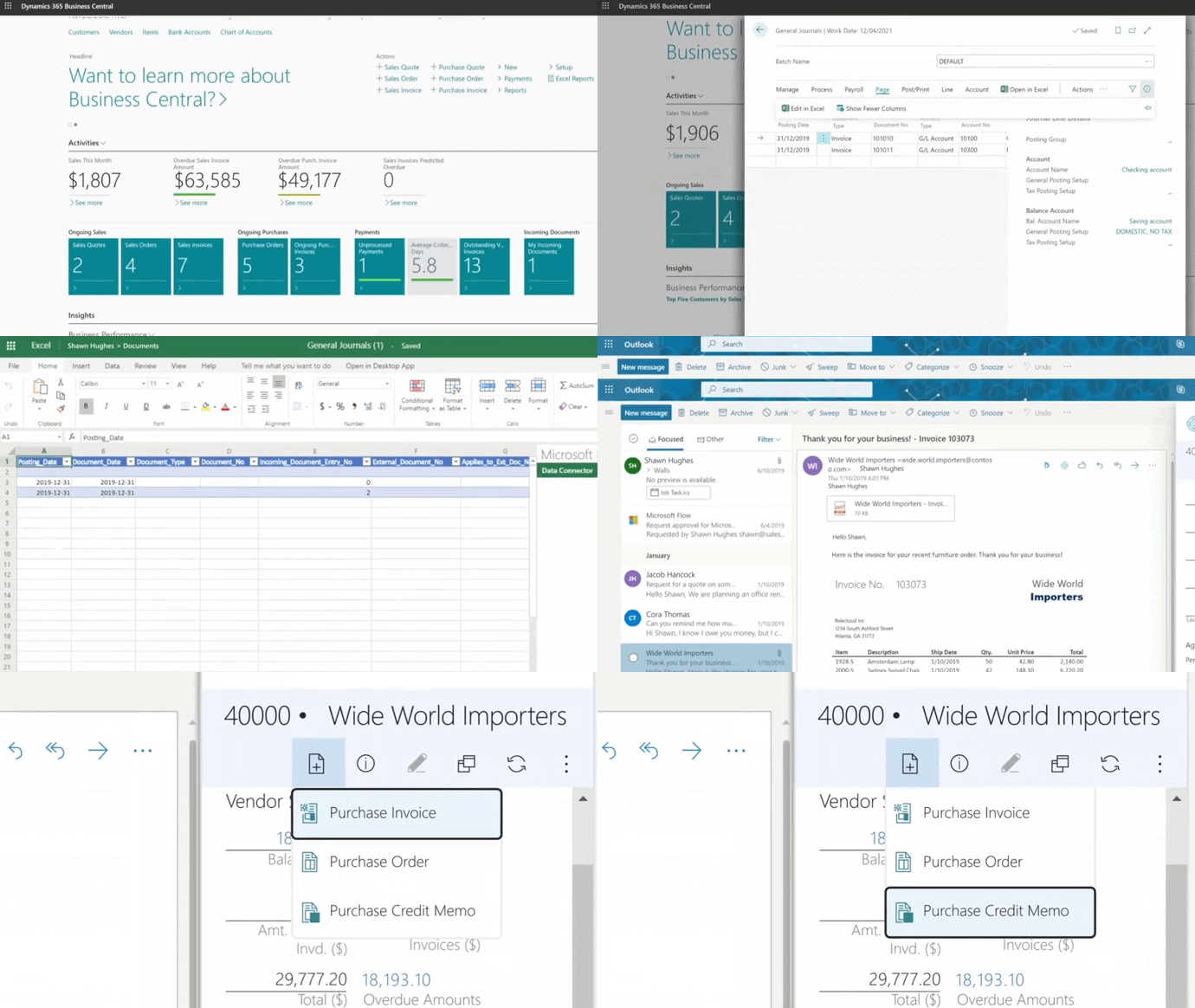
How To Audit ERP In Microsoft Dynamics 365 Business Central
You've got the 21-check framework. Now here's how Business Central helps you execute it. When you audit ERP systems built on Business Central, you can use platform features to speed up testing and improve accuracy.
Use Business Central Tools To Support Your Audit ERP Checklist
Business Central's built-in features make auditing easier if you know where to look.
- Change logs track who modified posting setups, permission sets, or approval workflows.
- Workflows and approval routing let you enforce controls directly in the system.
- Dimensions and posting groups let you slice financial data by department, project, or fund without spreadsheets.
- Roles and permission sets give you granular control over who can see and do what.
When you know how to use these tools, your work becomes faster and more accurate.
Use Analytics And AI To Spot Anomalies Faster
Business Central integrates with Power BI so you can build dashboards that flag unusual patterns like duplicate payments, aging outliers, or sudden spikes in manual journals. If you're using Copilot features, you can ask natural-language questions to surface insights faster.
None of this replaces a structured review, but it helps you focus on what matters. AI and analytics turn your audit work from a chore into a strategic advantage.
-
It's a structured check of your system to confirm controls are working, data is accurate, access is appropriate, and the platform supports your business instead of creating risk.
Why Gestisoft Is A Strong Partner To Audit ERP On Business Central
Once you've run your audit and identified gaps, the real question is: now what?
Gestisoft has been helping Canadian businesses and organizations across North America tackle ERP challenges since 1997. With over 27 years of experience, the team supports 6,200 users and delivers 220+ projects per year, backed by a team of over 100 specialists focused on Microsoft Dynamics 365 Business Central and other Microsoft Business Applications.
Through our ERP consultancy services, we help clients assess their current Business Central setup, design a risk-based plan, and implement the changes that matter most. We don't just hand you a report. We work with you to turn findings into configuration improvements, process redesigns, and better use of the tools you already own.
Gestisoft is a Microsoft Solutions Partner, B Corp certified, and recognized as a Great Place to Work Canada and one of Canada's Most Admired Corporate Cultures. With a 95% renewal rate, clients stick with us because we listen, adapt, and deliver results.
Here's what one client had to say:
“The Gestisoft team offered a high level of both business and technical experience to the project and actively listened to and grasped all needs. Their recommendations enabled our client to make the best choice and have access to Business Central's greatest features. Along with this knowledge, Gestisoft consistently maintained strong communication.”
If you're ready to move from findings to action, let's build a roadmap together.
Get An ERP Audit Roadmap For Business Central
We'll help you prioritize what matters most and show you how to prevent these gaps from coming back.
 Book a free consultation
Liked what you just read? Sharing is caring.

May 19, 2026 by Muhammad Ali Iqbal by Muhammad Ali Iqbal SEO Content Strategist & Copywriter
Driven by a passion for search engine optimization, strategic content, and conversion-focused writing. A copywriter and content strategist who lives for content that ranks, engages, and delivers real business results.
