Microsoft 365 Copilot is now available to Canadian businesses of all sizes — but buying a license is only the beginning. Most organizations quickly discover that unlocking the real value of Copilot requires more than a subscription. It requires the right partner.
This guide explains what a Microsoft Copilot partner actually does, why the partner you choose matters enormously in a Canadian context, and how to evaluate your options before signing anything.
What Is a Microsoft Copilot Partner?
A Microsoft Copilot partner is a certified organization — typically a Microsoft Solutions Partner — that helps businesses plan, deploy, govern, and adopt Microsoft 365 Copilot within their existing Microsoft environment.
The role goes well beyond technical setup. According to Microsoft's own partner directory, a Copilot partner can provide services across six key areas:
- Readiness assessment— auditing your Microsoft 365 tenant for licensing, permissions, security, and data governance gaps before any AI goes live.
- Deployment — configuring Copilot across your Microsoft 365 environment (Teams, Outlook, Word, Excel, SharePoint, Dynamics 365, and more).
- Adoption and change management — training employees, building champion programs, and tracking usage to ensure teams actually use Copilot effectively.
- AI advisory services — helping you identify which business processes and workflows would benefit most from Copilot automation.
- Agent security and governance — establishing controls, data loss prevention policies, and audit capabilities so AI adoption doesn't create new security risks.
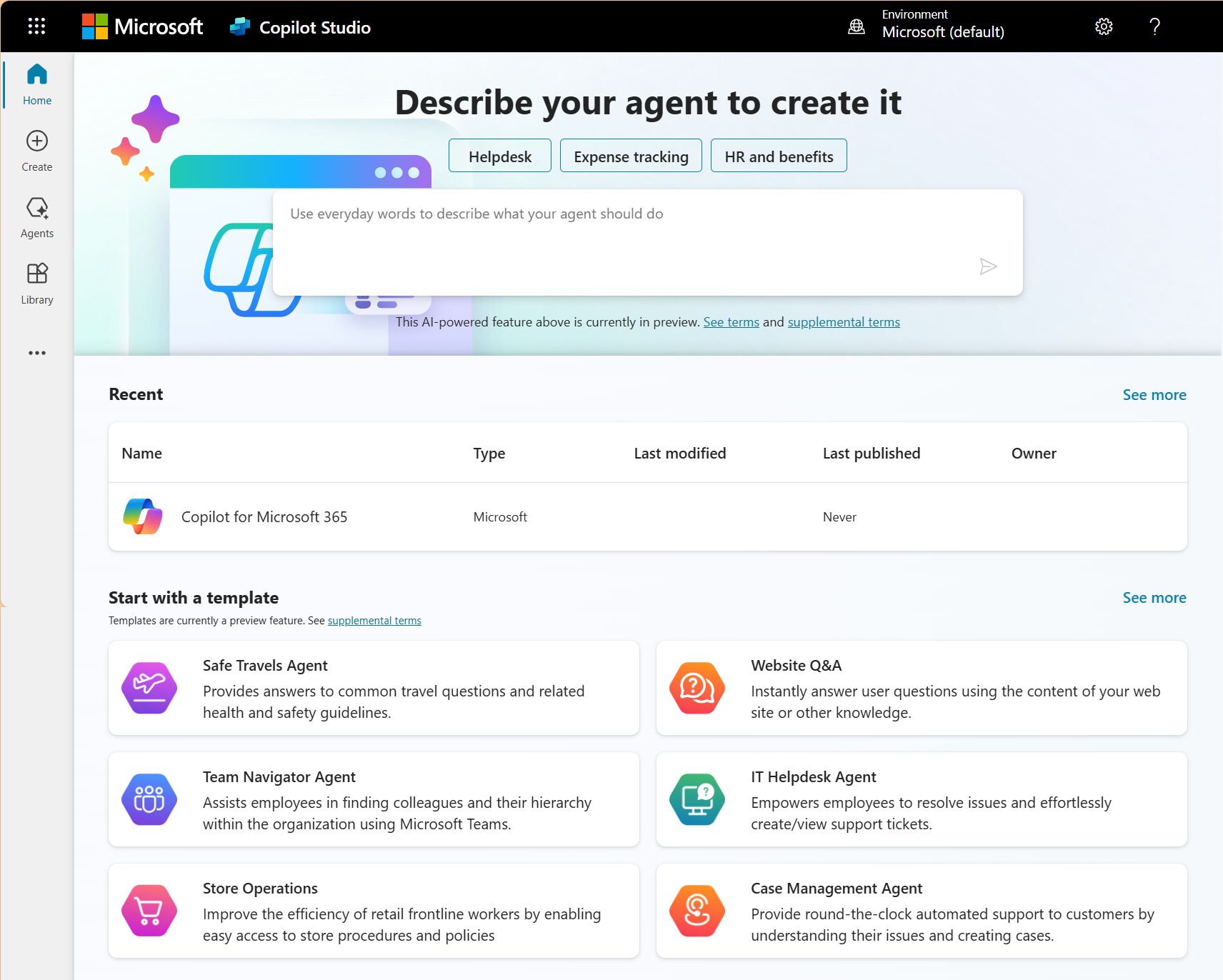
- Custom extensibility — building custom Copilot agents and extensions through Copilot Studio tailored to your specific workflows.
Think of it this way: Microsoft builds the engine. A certified Copilot partner installs it in your car, teaches your team how to drive it, and makes sure the brakes work before you hit the highway.
Ready to get started with Microsoft Copilot?
Speak with our AI specialists today to get more information on how we can assist you.
 Free discovery call
Why You Can't Just Deploy AI Without a Microsoft Copilot Partner
Many organizations underestimate the complexity of a Copilot rollout. The technology is powerful precisely because it reaches across your entire Microsoft 365 environment — SharePoint, OneDrive, Teams, Exchange, Dynamics 365. That breadth is also what makes unguided deployments risky.
Here are the three most common failure points when organizations try to go it alone:
1. Data governance gaps create security risk
Copilot surfaces information your users have permission to access — but in most organizations, permissions are messier than IT realizes. Oversharing in SharePoint and OneDrive is endemic. A Copilot deployment without a prior data governance audit can inadvertently expose sensitive HR documents, financial records, or confidential client files to users who shouldn't see them.
Research from AvePoint's 2025 AI Report found that while 90% of organizations claim to have an information management framework, only 30% say it actually classifies and protects data effectively. A Copilot partner conducts a permissions and governance review before flipping the switch.
2. Adoption fails without structured change management
Purchasing Copilot licenses doesn't mean your team will use them. Industry research consistently shows that most organizations are still in the pilot or "seat-add" phase — licenses purchased, but enterprise-wide adoption lagging.
Driving real usage requires identifying the right early adopters, building role-specific training (a finance analyst and a sales rep need different Copilot prompts), and creating internal champions who can spread adoption peer-to-peer. This is exactly what a structured Microsoft Copilot partner delivers.
3. ROI is hard to measure without a framework
Nearly 82% of organizations expect return on investment from Copilot within 12 months — but most track only usage metrics (number of prompts), which says nothing about business impact. A qualified partner helps you define the right success metrics from day one: time saved per workflow, reduction in meeting time, improvement in proposal turnaround, or revenue impact from faster CRM entry. If you're weighing the business case, our breakdown of Copilot ROI covers the key numbers to build your internal justification.
The Canadian Context: Why Partner Selection Matters Even More Here
For Canadian organizations, the stakes around partner selection are heightened by factors that don't apply to US deployments.
Bilingual deployment requirements
Any Canadian organization operating in both English and French — whether by market, regulation, or culture — needs a deployment partner who can deliver bilingual training materials, bilingual communication plans, and bilingual support post-launch. A US-based Microsoft partner, however qualified, may not have the capacity or cultural context to do this effectively.
Data residency and sovereignty
Canada has specific data residency expectations, particularly for regulated industries and public sector organizations. While Microsoft has confirmed that in-country data processing for Microsoft 365 Copilot will be available in Canada (currently targeting 2026–2027), organizations need a partner who understands these timelines and can advise on interim governance postures — especially for sectors governed by PIPEDA or provincial privacy laws.
Canadian tax and compliance integration
Many Canadian organizations deploying Copilot alongside Dynamics 365 need their AI deployment integrated with workflows that already account for Canadian payroll, GST/HST/QST tax handling, and industry-specific compliance requirements. A partner with hands-on Canadian implementation experience is not a nice-to-have — it's a prerequisite.
How much can you save with Microsoft Copilot?
Download your free Excel calculator to find out how much savings you can make when you implement Microsoft Copilot today.

What to Look for in a Microsoft Copilot Partner
Not every Microsoft partner is equally equipped to deploy Copilot. Here are five questions to ask when evaluating candidates:
1. Do you hold a current Microsoft Solutions Partner designation? The Microsoft AI Cloud Partner Program (MAICPP) designation indicates a minimum standard of technical competency and customer success history. Look specifically for designations in Modern Work, Data & AI, or Business Applications — depending on which Microsoft products Copilot will integrate with.
2. Can you show evidence of Copilot deployments in comparable organizations? Ask for case studies or references from organizations in your industry and at your scale. A partner who has deployed Copilot in a professional services firm of 200 people is better positioned than one who has only worked with enterprise accounts.
3. Do you offer a readiness assessment before deployment? Any serious partner should start with an assessment of your current Microsoft 365 environment — licensing, security configuration, data governance, and SharePoint permissions — before deploying a single Copilot license. Be cautious of partners who want to skip this step.
4. What does your change management methodology look like? Ask specifically about how they handle user training, champion programs, and adoption tracking. Copilot success is 40% technical and 60% human. A partner who doesn't have a structured answer to this question will leave you with licenses that go unused.
5. Can you support bilingual deployments? For Canadian organizations especially, confirm whether training, documentation, and support are available in both official languages.
Microsoft Copilot Partner vs. Consultant vs. Reseller: What's the Difference?
These three terms get used interchangeably in the market, but they describe meaningfully different relationships — and confusing them can lead to hiring the wrong type of firm for what you actually need.
A Microsoft Copilot reseller is licensed to sell Microsoft 365 Copilot licenses on Microsoft's behalf through the Cloud Solution Provider (CSP) program. Their primary role is transactional — they get you the licenses, often at competitive pricing, and may provide basic onboarding. If your organization already has a mature Microsoft 365 environment and a capable internal IT team, a reseller relationship may be sufficient. But most SMBs need more than that.
A Microsoft Copilot consultant typically refers to an individual practitioner or a specialized firm engaged for a defined project — a readiness assessment, a governance framework, or a training program. Consultants are brought in to solve a specific problem. The relationship is usually time-boxed and advisory in nature.
A Microsoft Copilot partner is the broadest designation. It refers to a certified Microsoft Solutions Partner organization that can cover the full spectrum: licensing, deployment, change management, integration with other Microsoft products like Dynamics 365 or Business Central, and ongoing support post-launch. The partner relationship is typically longer-term and more embedded in your operations.
For most Canadian organizations evaluating Copilot for the first time, a full-service implementation partner is the right starting point — not because consulting or reselling are inferior options, but because the complexity of a first Copilot deployment across a real business environment benefits from continuity across all phases. If you want to dig into who the specific players in Canada look like, our roundup of Microsoft Copilot consultants in Canada breaks down the landscape in more detail.
Let us help you deploy Microsoft Copilot in your enterprise
Contact us for more details about our services and AI solutions.
 Book a free consultation
-
Technically, you can activate Microsoft 365 Copilot without a partner — Microsoft provides admin documentation and a self-serve deployment path. In practice, most organizations that attempt a self-directed rollout encounter the same three problems: data governance gaps they didn't know existed, low user adoption because training was minimal, and no framework to measure whether the investment is working. A partner doesn't just deploy the technology — they de-risk the process and accelerate time to value. For smaller organizations with a strong internal IT team and an already well-governed Microsoft 365 environment, a lighter-touch engagement (such as a readiness assessment only) may be sufficient.
How Gestisoft Approaches Microsoft Copilot Deployments
As a certified Canadian Microsoft Partner headquartered in Québec, Gestisoft combines deep Microsoft ecosystem expertise with on-the-ground Canadian context that many larger, US-headquartered partners simply can't replicate.
Our Copilot deployment practice covers the full implementation lifecycle:
- Readiness assessment — we audit your current Microsoft 365 tenant configuration, data governance posture, and licensing situation before any deployment begins.
- Deployment and configuration — we configure Copilot across your Microsoft 365 environment, ensuring security settings, DLP policies, and permissions are properly aligned.
- Dynamics 365 integration — for organizations already using Dynamics 365 CRM or Business Central, we integrate Copilot directly into those workflows — enabling AI-assisted sales emails, meeting summaries tied to CRM records, and intelligent data entry. Curious how fast a full implementation can move? See our guide on CRM implementation in 7 days.
- Bilingual adoption support — our training and change management materials are available in both French and English, delivered by a team that understands how to communicate AI change management in Québec workplaces.
- Ongoing optimization — we help you measure what matters: not just how many prompts your team writes, but how Copilot is changing the time it takes to close deals, produce proposals, or respond to customers.
Gestisoft has observed that Canadian organizations that pair their Copilot deployment with an existing Dynamics 365 stack achieve measurably faster adoption — because Copilot is embedded in the tools users are already working in daily, rather than introduced as a separate layer.
A Note on Microsoft Copilot Agents
Microsoft 365 Copilot has evolved rapidly. As of 2025–2026, the platform now supports autonomous Copilot agents — AI processes that can take multi-step actions across Microsoft systems without constant human prompting. Agents can be used to automate intake workflows, manage CRM data hygiene, generate reports, or handle routine customer communication.
This expansion is significant for Canadian businesses: the right Copilot partner should now be able to assess not just productivity use cases, but agentic automation opportunities specific to your industry and workflows. This requires Copilot Studio expertise — a capability worth verifying explicitly when evaluating partners. For role-specific examples of what this looks like in practice, see how Copilot is transforming work for HR teams and legal professionals.
Ready to Talk to a Canadian Microsoft Copilot Partner?
Deploying Microsoft 365 Copilot well is a 90-day project, not a 90-minute setup. The organizations that get the most from it are those who start with the right partner and the right readiness posture — not those who move fastest.
If you're evaluating Microsoft Copilot for your organization and want to understand what a readiness assessment would look like for your specific environment, the Gestisoft team is available for a no-commitment conversation.
Liked what you just read? Sharing is caring.

April 21, 2026 by Kooldeep Sahye by Kooldeep Sahye Inbound Marketing Manager
Specializing in SEO-driven pipeline growth, I combine keyword strategy, content optimization, and inbound tactics to turn organic search into a reliable source of qualified leads. I work at the intersection of traditional SEO and AI search — optimizing for LLMs and AI Overviews alongside Google — pairing data-informed strategy with sharp, story-led copywriting.
