

ERP production planning is how modern manufacturers turn a long list of customer orders into a realistic build schedule the shop floor can actually follow. It sits at the heart of every ERP that serves manufacturing, and when it works well, you stop asking "can we ship by Friday?" and start knowing.
But it does not always work well. Most teams who buy an ERP expecting tidy planning end up with the same surprises six months later. Overdue orders. Materials missing on the day a job is supposed to start. Planners overriding the system because they no longer trust what it tells them.
This guide walks through what production planning inside an ERP actually does, the six stages that take you from a forecast to a finished good, when it makes sense to invest, where it commonly breaks, and how Canadian manufacturers should think about choosing the right setup.
Map Your Shop Floor To Business Central In One Working Session
Sit down with a Microsoft Solutions Partner who has spent nearly three decades helping Canadian manufacturers turn messy schedules into one connected system.
 Free discovery call
What Is ERP Production Planning and How Does It Work?
Production planning inside an ERP is the bridge between sales demand and shop floor execution.
It looks at what customers have ordered or are forecast to order, then works backward through materials, machines, and people to decide what should be made and when. The "ERP" part matters more than people think.
A standalone scheduling tool can sequence jobs on a Gantt chart, but it has no idea whether the raw steel is in the building, whether the supplier shipped on time, or whether finance approved the purchase order. An ERP knows all of that, because the same database that runs your accounting, inventory, and procurement also runs your planning calculations.
If you want a wider primer on how manufacturing-grade ERP software handles these pieces, our overview of what manufacturing ERP software is and how it works covers the broader picture.
That shared database is why ERP production planning either feels effortless or feels like a black box. If your master data (BOMs, routings, lead times, inventory counts) is accurate, the system gives you answers you can trust. If any of that data drifts, the planning engine quietly drifts with it.
How ERP Production Planning Differs From MRP and Scheduling Software
MRP and scheduling tools are pieces of the puzzle. ERP production planning is the puzzle. MRP calculates material requirements based on a build plan. Finite scheduling tools sequence operations across machines. An ERP includes both, plus the financial, inventory, and sales side of the business in the same system.
So MRP tells you what to buy and make, scheduling tells you when each operation runs, and the ERP ties it all to your books and your customers.
Our deeper piece on the key differences between ERP and MRP is worth a look if your team is still debating which approach to start with.

The ERP Production Planning Process: 6 Stages From Demand to Delivery
Production planning is not one button you press in your ERP. It is a sequence of stages that depend on each other. Skip one and the next gets noisy.
Stage 1: Demand Forecasting
Forecasting is where ERP production planning starts. The ERP pulls in confirmed sales orders, historical demand, and (in better setups) signals from your CRM about deals in the pipeline. From that mix, it produces a projected demand by item and by period.
The quality of everything downstream depends on this stage. A forecast that ignores a known seasonal swing, or a new customer onboarding, will pollute every stage that follows. This is why teams who treat forecasting as a "set and forget" exercise often blame the ERP for problems the inputs created.
Stage 2: Master Production Schedule (MPS)
The MPS turns demand into a build plan for finished goods. It answers: what end products do we need to make, in what quantity, and by when?
A good ERP lets you build an MPS that respects real constraints, like cutoffs for the painting line or a key technician's vacation. It also lets you freeze a portion of the schedule so the shop floor is not chasing a moving target every day, while leaving later periods flexible.
Stage 3: Material Requirements Planning (MRP)
Now the system explodes the MPS through your bills of material. For every finished good in the build plan, it calculates the components, sub-assemblies, and raw materials needed, and compares those needs against current inventory and open purchase orders.
What comes out is a list of suggested purchase orders and production orders. The system is essentially saying: "If you want to hit the MPS, you need to buy these things by this date and start making these things by that date." A modern ERP runs MRP nightly or on demand and surfaces only the exceptions worth a planner's attention.
Stage 4: Routing and Capacity Planning
Routings define how a product is actually made. Which work centers, in which sequence, with what setup and run times? The ERP uses this to figure out where each production order will land on the schedule.
Capacity planning is where most teams hit reality. Finite capacity means treating machines and people as constrained resources, not infinite ones. An ERP doing this well will tell you when an order is going to miss its date because the welding cell is already full, and let you reschedule before the customer finds out.
Stage 5: Releasing Production Orders to the Shop Floor
Once a plan is approved, the ERP releases firm production orders. This is where planning hands off to execution. Operators see the next job, the materials are reserved, and the work begins.
In a connected ERP, releasing an order also flags any missing material, any conflicting setup, or any quality hold on the components. The shop floor learns about problems before the first piece is started, not three hours into a botched run.
Stage 6: Costing and Feedback
Every completed operation, every consumed material, and every hour of labor flows back into the same system. The ERP compares actual cost against planned cost and feeds the difference into your general ledger.
This closes the loop on ERP production planning. The next forecast, the next MPS, and the next MRP run all benefit from real shop floor data instead of last year's assumptions.
Our article on how to use an ERP to improve your manufacturing process walks through specific strategies to cut waste, reduce downtime, and tighten production decisions.
For the broader picture, the practical benefits of manufacturing ERP lays out the operational payoffs manufacturers see across the business.
Self-Evaluate Your Current ERP In Four Key Areas
Score your current system on finances, reporting, inventory, and production with our free self-evaluation guide, and see exactly where the gaps are.

When Do You Need ERP Production Planning?
A two-person custom shop with five active jobs can usually plan in their head, and a small contract assembler with one product family can stretch a spreadsheet pretty far. The question is when the cost of spreadsheets and tribal knowledge starts exceeding the cost of doing it properly. Five signals tend to show up first.
1- Your Planner Is the Only Person Who Knows the Schedule
When that one person is on vacation, production stalls or gets it wrong. That is a single point of failure dressed up as expertise.
2- You Quote Lead Times by Guessing
If sales is promising six weeks because "that usually works," and production is missing one in three, your planning is reactive instead of structured.
3- Material Shortages Surprise You at the Start of a Job
This means inventory data, BOMs, or purchasing are running on different timelines. A connected system would flag the gap days or weeks earlier.
4- You Cannot Tell What an Order Really Costs Without a Project
If costing is a once-a-quarter exercise instead of a daily readout, planning decisions are flying blind.
5- Demand Swings of 15 to 20 Percent Take the Team a Week to Digest
A modern ERP reruns the plan in minutes. Spreadsheets do not.
Walk Through Your Bottlenecks With A Canadian Microsoft Partner
A focused session with our team to pinpoint where demand, materials, and capacity stop talking to each other, and what a connected ERP would actually change.
 Free discovery call
Common ERP Production Planning Mistakes to Avoid
A working ERP does not guarantee working production planning. Plenty of manufacturers go live with great software and end up planning on the side in a spreadsheet anyway. The reasons ERP production planning quietly underperforms are almost always the same handful of issues.
Dirty BOMs That Quietly Sabotage ERP Production Planning
Most planning failures we see at Canadian manufacturing clients trace back to BOMs that have not been touched since the ERP went live. New versions of products were never modeled. Component swaps were done at the bench, not in the system. The MRP run is still calculating against a product that no longer exists.
Lead Times That No One Updates
Vendors change. Shipping windows change. If your purchasing lead times in the ERP are static averages from three years ago, your suggested order dates will be wrong by days or weeks.
Planners Who Silently Override the System
Once a planner stops trusting the suggestions, they start adjusting orders by hand and never logging why. The system learns nothing, and the next planner inherits chaos.
Treating Capacity as Infinite in ERP Production Planning
Teams set up routings with run times but skip the work center capacities. The schedule then promises eight jobs to a machine that can run four, and reality wins every time.
A "Go Live and Walk Away" Rollout
ERP production planning is not a one-time setup. It needs a quarterly review of BOM accuracy, lead time drift, and capacity assumptions. Skip that and the system decays predictably.
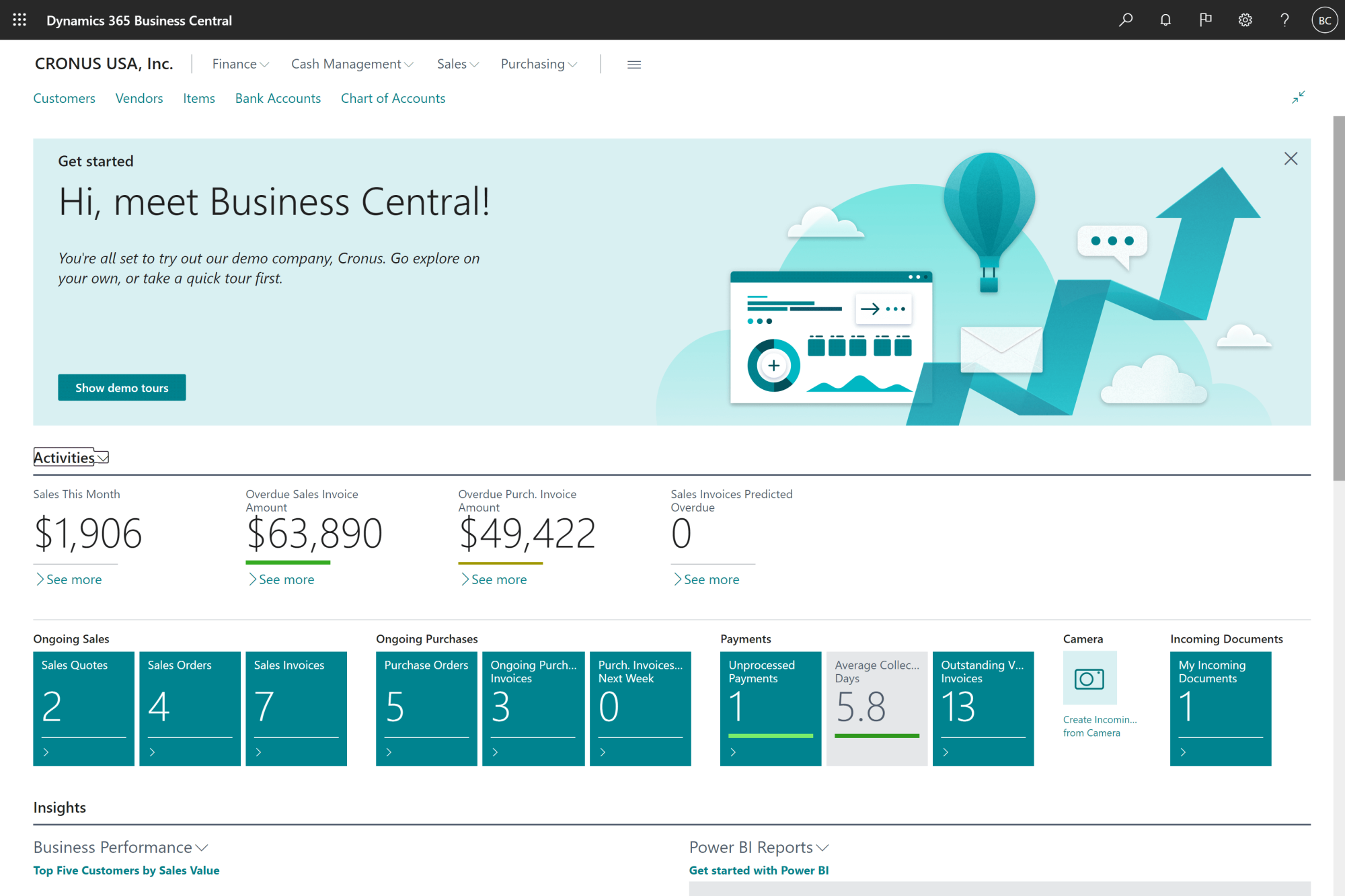
If you want to see how the forecasting side of all this actually looks inside the software, the walkthrough below covers it in Business Central.
How ERP Production Planning Works for MTS, MTO, and ETO Manufacturers
The planning approach you need depends on how you sell what you make. Three common modes, three different ERP setups.
Make-to-Stock (MTS)
You build finished goods to a forecast and pull from inventory to fulfill orders. ERP planning here leans heavily on demand forecasting, safety stocks, and reorder points. The risk you manage is inventory carrying cost versus stockouts. Many consumer goods and standardized industrial products run this way.
If your operation makes distinct, countable items (as opposed to continuous batches), our guide on discrete manufacturing ERP software covers how Business Central handles the BOMs, production orders, and inventory accuracy that MTS shops rely on.
Make-to-Order (MTO)
You hold raw materials and components, but assemble or build only when an order is confirmed. Planning here focuses on capacity reservation, accurate quoting, and material lead times. The risk is missing a promised date because a vendor slipped.
Engineer-to-Order (ETO)
Every order is partly or fully designed for the customer. Planning has to handle project-style work, design hand-offs, and long cycles. BOMs are created during the project, not before. A standard manufacturing ERP setup struggles here without ETO-specific configuration.
We cover this in depth in our practical guide to ETO manufacturing, which explains how planning shifts from item-centric to project-centric.
The short answer for most Canadian SMBs is that you will fall into one of these modes for most of your business, with exceptions on the edges. ERP production planning needs to be configured for your dominant mode and flexible enough to handle the exceptions cleanly.
ERP Production Planning for Canadian Manufacturers: What You Need to Know
Canadian manufacturers carry a few realities that US-focused ERP production planning content tends to skip.
Bilingual Operations
If you operate in Quebec, your ERP and your planning reports need to be available in French. This is not a translation toggle question. It affects how the shop floor reads job tickets, how planners share schedules, and how compliance is documented. Business Central handles both languages natively, which removes a layer of friction.
Tariff and Trade Swings Under USMCA
Cross-border component sourcing is a moving target. A planning engine that pulls landed cost (including duties) into the BOM gives you a more honest picture of margin before you commit to a build. Without that, you find out you lost money on a job after it ships.
Skilled Labor as a Constrained Resource
Canadian manufacturers are not just scheduling machines. They are scheduling welders, machinists, and assemblers who are hard to replace. Treating people as a finite capacity in the ERP is one of the higher-impact configuration choices a Canadian shop can make.
Provincial Sales Tax and Reporting
Production planning eventually feeds into invoicing, and Canadian tax handling (GST, QST, HST, PST by province) needs to flow from the same system that planned the order. Disconnected planning tools leave finance to reconcile manually.
The work to make all of this run smoothly typically lands with a Canadian Microsoft partner who has done it before. Our overview of Canadian ERP consultant firms for manufacturing gives a sense of who is in this market and what to look for.
-
It is the process of using your ERP to decide what your factory should make, when it should make it, and what materials and capacity it needs to do so. The ERP pulls demand, inventory, routings, and capacity into one calculation so you get a build plan you can act on.
Why Choose Gestisoft for Your ERP Production Planning Project
Gestisoft has been implementing Microsoft business solutions for nearly three decades, serving clients across Canada and North America in both English and French. We are a certified Microsoft Solutions Partner, B Corp certified, and Great Place to Work certified, and our manufacturing practice includes Business Central implementations for Canadian discrete and engineer-to-order operations.
What our manufacturing clients tell us most often is that real-time visibility is where the project pays off. Here is how one of them put it:
“The solution delivered to us has significantly improved our production visibility. We are now able to track our production in real time, and have more accurate data on the costs of each production run.”
If you are weighing what production planning could look like in your shop, the next step is usually a focused conversation about your specific bottlenecks.
Bring Your Hardest Planning Challenge To Our Team
A focused conversation with a senior Business Central consultant who has implemented for Canadian manufacturers from custom machinery to consumer goods.
 Free discovery call
Liked what you just read? Sharing is caring.

June 19, 2026 by Muhammad Ali Iqbal by Muhammad Ali Iqbal SEO Content Strategist & Copywriter
Driven by a passion for search engine optimization, strategic content, and conversion-focused writing. A copywriter and content strategist who lives for content that ranks, engages, and delivers real business results.
